Wallets / RFID blocking
Wallet Defender Review: The Credit-Card-Sized RFID Blocker, How Real the Skimming Threat Is and What Similar Cards Cost
A thin card that is said to block wireless scanners from reading your contactless cards. It can stop casual reads, but contactless skimming is rare and similar cards sell for a fraction of the price.

By Alex Carter, Senior Tech Reviewer at Top10Gadgets
Updated 27 min readHow we test
Quick answer
Only if a little extra peace of mind matters to you, and even then, not at this price. Wallet Defender is a thin card that aims to stop scanners reading the contactless cards in your wallet.
Score 4.2/10$44.99 at Wallet Defender
Check price at Wallet Defender (opens Wallet Defender in a new tab)We may earn a commission if you buy through our links.
- Best for
- People who want peace of mind about contactless cards, passports and ID badges
- Not for
- Buyers expecting protection from phishing, data breaches or card cloning at ATMs
$44.99 at Wallet Defender
Check price at Wallet Defender (opens Wallet Defender in a new tab)We may earn a commission if you buy through our links.
On this page · 13 sections
- 01Our verdict
- 02The short version
- 03Pros & cons
- 04How it works
- 05Who it's for
- 06How real is contactless card skimming?
- 07Are Wallet Defender's claims true?
- 08How much does Wallet Defender cost, and what are the return terms?
- 09Is Wallet Defender better than an RFID wallet, a sleeve or doing nothing?
- 10Is Wallet Defender legit, and what should you check before buying?
- 11How did we score Wallet Defender?
- 12How to use Wallet Defender for the best results
- 13Frequently asked questions
Our verdict
Only if a little extra peace of mind matters to you, and even then, not at this price. Wallet Defender is a thin card that aims to stop scanners reading the contactless cards in your wallet. Blocking cards can disrupt nearby reads, but contactless skimming is rare, the data it captures is of limited use thanks to one-time payment codes, and similar cards sell in 5-packs for about $10. "Blocks ALL wireless scanners" goes too far. Wallet Defender scores 4.2 out of 10, held back by price and overstated threat claims.
The short version
- What it is: a credit-card-sized RFID blocking card for wallets and purses.
- Price: $44.99 plus shipping for the basic option on 4 October 2026, down to $159.99 for 12.
- Best trait: slim, battery-free and easy to use.
- Biggest drawback: it protects against a threat most people will never face, at several times the price of similar cards.
- Our score: 4.2 out of 10.
Pros & cons
The pros come from a slim, simple design. The cons are about the real-world threat, overstated coverage, price and unnamed endorsements.
What we like
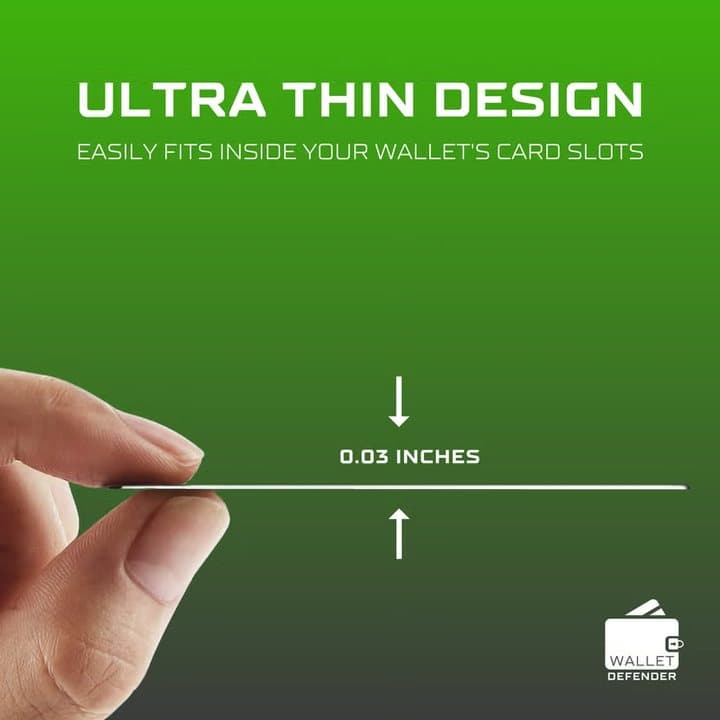
- Card-sized and about 0.03 inches thick, so it fits any wallet slot
- No batteries, apps or setup
- Can stop casual contactless reads of cards next to it
- 30-day refund for any reason from delivery
What we don't
- Contactless skimming is rare, and stolen contactless data is of limited use
- 'Blocks ALL wireless scanners' and 'protects your entire wallet' overstate what one card can do
- $44.99 here, while the seller's own TopTechToday store listed one at $19.99
- 'Recommended by security experts' names no experts
- Shipping, handling and taxes are not refunded on returns
Sold by Wallet Defender
Wallet Defender$44.99
How it works
Contactless cards, passports and many ID badges contain a tiny chip and antenna that respond to a reader's radio signal at 13.56 MHz. Wallet Defender is a card of the same size that sits among your cards and is designed to interfere with that signal, so a reader nearby cannot get a clean response. It needs no battery.
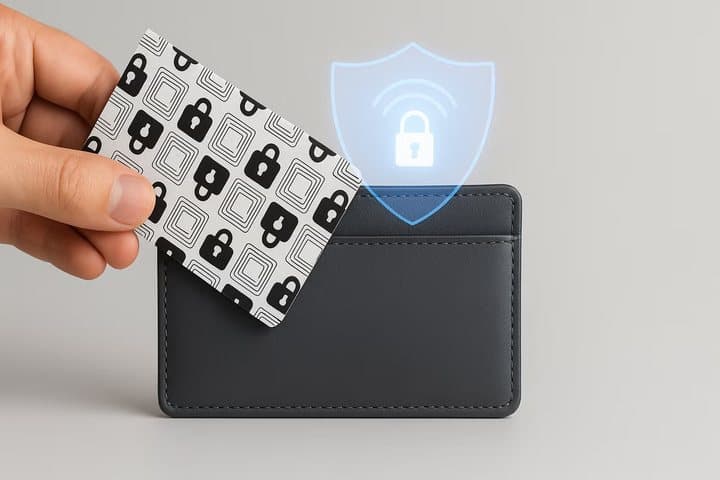
The page describes it as creating an invisible field around your wallet. Some blocking cards use a passive antenna and chip that draw power from the reader's signal to create interference; others use a metal layer as a shield. The page does not say which approach Wallet Defender uses. For a wallet that alerts you if you walk away from it, a more common worry than skimming, see our Louis Blanc Smart-Wallet review.
Slip it into your wallet
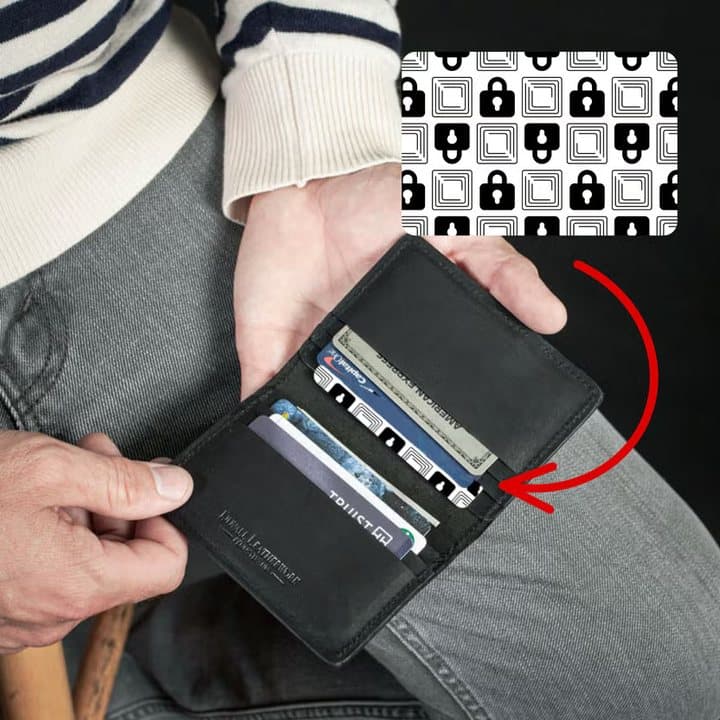
Step 1: Place the Wallet Defender card in your wallet or purse among or next to your contactless cards.
It interferes with scanners
Step 2: The card is designed to disrupt the 13.56 MHz radio signal that contactless cards use, so a reader nearby cannot get a clean response from your cards.
Take your card out to pay
Step 3: When you want to pay by tapping, take the card out of the wallet, away from the blocker, and tap as normal.
Why blocking cards are popular
RFID blocking cards became a common gift and impulse buy after news stories about "electronic pickpocketing" in the 2010s. Since then, card security has improved, but the products remain popular because they are cheap to make and easy to understand.
What the photos show
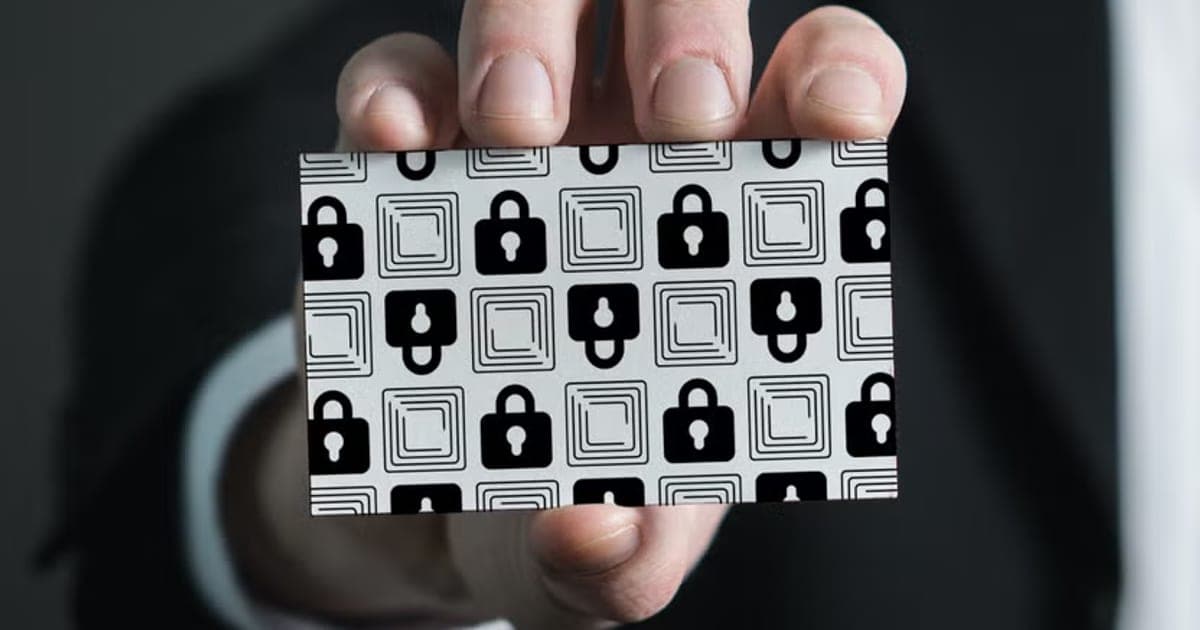
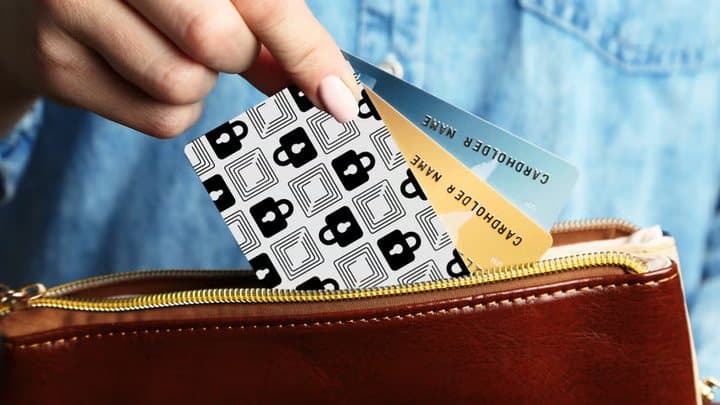
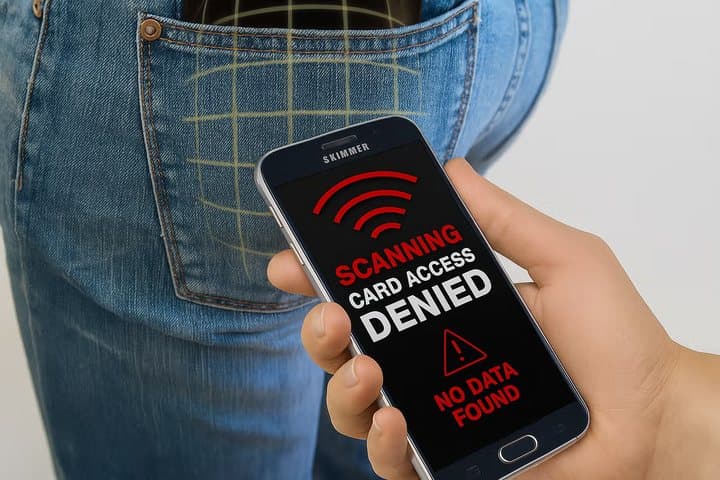
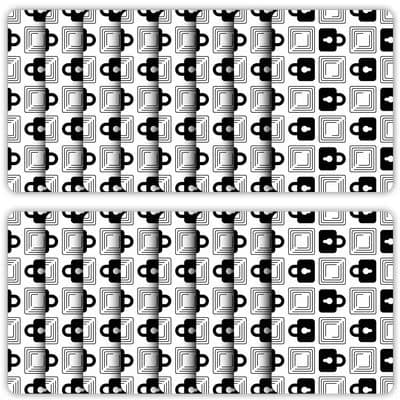
The page shows the card held in a hand, slipped into wallets and purses, an edge-on view showing its thinness, a phone screen reading "card access denied", and multi-pack layouts. The phone graphic is an illustration, not a real test.
The brand
Wallet Defender is sold through an offer page with a support email at toptechtoday.com. The page shows a rating with 200 reviews next to it but no source. We found no independent ratings.
Who this review is for
This review is for anyone weighing whether an RFID blocking card is worth buying, and whether this one is worth its price. We look at how the card works, how real the threat is, and cheaper ways to get the same reassurance.
What RFID and NFC are
RFID (radio-frequency identification) and NFC (near-field communication) let chips be read wirelessly at close range. Contactless payment cards use NFC, a type of RFID that typically works within a few centimetres.
How contactless payments are protected
Each contactless card holds a secret key that never leaves the chip. For every payment, the card uses that key to produce a one-time code (a cryptogram) for that transaction. A copied code cannot be reused, which is why contactless is far harder to exploit than old magnetic stripes.
Active vs passive blockers
Some blocking cards contain a small antenna and chip that draw power from a reader's signal and send out interference. Others are simply a metal layer that absorbs or reflects signals. Active designs claim to protect several cards; metal designs protect the cards right next to them.
What it protects
The page lists contactless credit and debit cards, ID cards, hotel keys, passports, access badges and transit cards. A passport in a separate pocket is not near a card in your wallet, so it would not be protected by it.
One card for the whole wallet
The page says a single card shields every card in your wallet. Blocking cards work best on cards stacked right next to them. In thick wallets or purses with cards spread across slots, protection may be patchy.
Cards that do not use RFID
Older cards without the contactless symbol, magnetic stripe cards and most loyalty cards cannot be read by radio at all. Check your cards for the contactless wave symbol to see which ones a blocker could affect.
Frequency
Contactless payment cards and many access badges use 13.56 MHz. Some older building access cards use 125 kHz, a lower frequency that thin blocking cards may not affect. The page does not say which frequencies it covers.
How close is close
Contactless readers in shops work at about 4 cm or less. Researchers have extended that range with large antennas, but those are hard to hide. In everyday life, a scanner would need to be pressed very close to your pocket or bag.
Size
The page says it is the same size and thickness as a credit card, and a graphic gives 0.03 inches. It adds almost no bulk.
Design
The card is white with a black padlock and square pattern, as the photos show. It looks distinct from your payment cards, so it is easy to find and keep in the right place.
Durability
Plastic cards can crack if a wallet is sat on for years. If the card contains an antenna, a crack could stop it working. Check it now and then, and replace it if damaged.
Interaction with your own payments
If the blocker works well, it may also block you when you try to tap your wallet at a turnstile or terminal without removing the card. Some people find that annoying and stop using the blocker.
Compatibility with RFID wallets
The FAQ says it works alongside RFID-blocking wallets for an extra layer. If your wallet already shields cards, a blocker card adds little.
What it does not do
It does not protect against phishing, data breaches, card-reader skimmers at ATMs or petrol pumps, or someone stealing your wallet. Those are far more common ways card details are stolen.
Who it's for
Wallet Defender suits people who want reassurance about contactless cards, passports and access badges, travellers who want a slim blocker without changing wallets, and anyone carrying building access badges that could be cloned. It does not suit buyers expecting broad fraud protection, people who tap to pay straight from their wallet, or bargain hunters.
- People who want peace of mind about contactless cards, passports and ID badges
- Travellers who want a light, slim blocker without buying a new wallet
- Anyone who carries access badges that could be cloned
Why Wallet Defender appeals
Stories about "digital pickpockets" scanning cards through pockets are unsettling, and a card that fixes it in seconds is an easy purchase. The customer quotes describe peace of mind, which is a real benefit even when the risk is small.
People who carry lots of cards
The more contactless cards you carry, the more you might want them shielded. Thick wallets also make single-card coverage less reliable, so a shielded wallet may suit heavy card carriers better.
Commuters
People who tap transit cards daily may find a blocker inconvenient, since it stops the card working until they take it out. Keep the transit card in a separate pocket or phone wallet.
Parents
Parents who carry cards for children, or teenagers with their first bank cards, may like the idea of a blocker. Teaching teenagers about phishing and sharing card details online protects them more.
Travellers
Crowded airports and stations are where the page suggests the risk is highest. A blocker adds a little reassurance, but keeping your wallet secure and watching for physical pickpockets matters more.
Older relatives
Older relatives worried about scams may appreciate a simple step they can take. Pair it with advice about phishing calls and texts, which target older people far more often than skimming does.
People who feel anxious about fraud
For some, the worry about being scanned is itself the problem. A blocking card can ease that anxiety. If so, a cheap generic card does the same job for less.
Contactless card holders abroad
Some travellers carry cards from several banks when abroad. Keeping spare cards in a hotel safe, rather than in a wallet, protects them better than any blocker.
People with access badges
Some older office access cards use simple RFID that can be copied. For those, a blocker or a shielded sleeve offers more meaningful protection than for payment cards.
Small business owners
Some business owners carry company cards and access badges. For badges using older RFID technology, shielding is worth considering. Ask your security team what type of badge you have.
Frequent hotel guests
Hotel key cards are often kept in wallets. A blocker near them could stop the door reading the key, so keep hotel keys in a separate pocket.
Festival and event goers
Crowded festivals and concerts are where pickpockets operate. A zipped, cross-body bag and only the cards you need help most. A blocker is a small extra.
Gift buyers
Multi-packs are sold as gifts for family members. Given the price of generic cards, a cheaper pack would go further.
Students and young adults
People who mostly pay by phone already use tokenised payments with biometric approval. A card blocker adds little for them, since their physical cards stay at home or rarely leave the wallet.
People who lose wallets
Losing a wallet is a far more common problem than skimming. A tracker card or tag that helps you find it, like the one in our SmartCard review, solves a bigger everyday risk.
Who should skip it
Skip Wallet Defender if you want protection from the fraud that actually happens most: phishing, data breaches and card skimmers fitted to machines. Skip it if you like tapping your card without taking it out. And skip it if price matters, since similar cards cost far less.
- Buyers expecting protection from phishing, data breaches or card cloning at ATMs
- Anyone who pays by tapping cards straight from their wallet
- Bargain hunters, since generic cards cost far less
How real is contactless card skimming?
Possible but uncommon, and limited in what it can steal. Contactless cards generate a unique one-time code for each transaction and never send the secret key, so scanned data cannot easily be replayed or used for most online purchases. Security firm ESET describes RFID skimming as a low real-world threat compared with phishing, data breaches and physical card skimmers.
What a scanner could read
A determined attacker with a reader close to your wallet might capture the card number and expiry date on some cards, but not the security code on the back or the card's secret key. Many online shops require the security code.
What security experts say
ESET's guide to RFID blocking explains how blocking works and why the risk is small for most people. It notes that blocking products can still give peace of mind.
Contactless limits
Many banks cap the amount of a single contactless payment and ask for a PIN after several taps in a row. That limits how much a fraudster could take even if they managed to make a contactless payment.
Card numbers vs full details
Even if a scanner reads a card number and expiry date, it does not get the CVV security code, your name on many cards, or your PIN. Many online merchants and card networks decline transactions without the security code.
Distance
Contactless cards are designed to be read within a few centimetres. Reading through clothing and a wallet from a distance needs special equipment and getting very close. It is not a common street crime.
Card security has improved
Newer contactless cards share less data over the air than early versions did, and some no longer transmit the cardholder's name. Banks also monitor for unusual patterns and block suspicious payments.
Merchant checks
Fraudsters using skimmed data face more checks than with stolen full card details: many payments need the security code, address checks or one-time passcodes. That limits the value of skimmed data.
Real-world reports
Security researchers have shown that contactless skimming can be done in demonstrations. Reports of criminals actually doing it at scale are rare, because other fraud methods pay off more easily.
What an attacker would need
To skim a card, an attacker needs a reader within a few centimetres of your wallet, time to read it without you noticing, and a way to use limited data. In crowded places, a physical pickpocket gets far more from stealing the wallet itself.
Relay attacks
Researchers have demonstrated relay attacks, where a device near your card passes signals to a terminal elsewhere. They are technically complex, limited by contactless caps, and rare outside research settings.
Where fraud really comes from
Most card fraud comes from data breaches at retailers, phishing emails and texts, and skimmers fitted to ATMs and petrol pumps. Monitoring statements and using bank alerts protect against far more than a blocking card.
Fraud liability
In the US, card networks and banks offer zero-liability policies for unauthorised transactions if you report them promptly. That protection covers skimming along with every other kind of fraud.
Why marketing overstates the risk
Fear sells protective products. Descriptions of "hackers" scanning wallets in crowds create urgency, but they rarely mention the protections built into modern cards or how uncommon the crime is.
Card data on the dark web
Stolen card details sold online almost always come from data breaches and phishing, which include full details. Skimmed contactless data is rarely what fraudsters trade.
Passports and ID
Modern passports use encryption and require the printed details to unlock the chip. Many already include shielding in the cover. An RFID sleeve for a passport is cheap if you want extra peace of mind.
What this means for you: a blocking card is a low-cost extra, not a substitute for watching statements and guarding against phishing.
Are Wallet Defender's claims true?
The basic function is plausible, but several claims overreach. "Blocks ALL wireless scanners and hackers", "one card protects your entire wallet", "covered for life" and "recommended by security experts" are not supported on the page. The threat is presented as bigger than evidence suggests, and no tests or experts are named.
How to judge blocking claims
The best test is practical: try to pay with your card at a terminal while it sits next to the blocker. If the terminal cannot read it, the blocker works in that position. If it can, the claim fails for your setup.
"Blocks ALL wireless scanners and hackers"
No passive card can block every possible reader in every position. Strong readers, cards in different slots and phones used as readers may behave differently. "All" is too absolute.
"Protects passports"
A blocker in your wallet only helps cards near it. A passport carried separately is outside its range. Most passports already have shielding in the cover or encryption that requires the printed details to read.
"Fits any wallet or purse"
At credit-card size and 0.03 inches thick, it fits any standard card slot. That claim is accurate.
"Protects all types of cards"
It can only affect cards that use radio. Chip-and-PIN and magnetic stripe functions are not read wirelessly, so they are neither at risk from scanners nor helped by the blocker.
"Recommended by security experts"
No expert or organisation is named. Security experts more often recommend bank alerts, strong passwords and phishing awareness.
"Battery-free protection"
True. Whether active or passive, the card needs no battery. Active designs draw a little power from the reader's own signal.
"Instant protection"
If a blocker works, it works the moment it sits next to your cards. That claim is fair, as far as it goes.
"Works 24/7, covered for life"
A passive card needs no power, so it keeps doing whatever it does. "For life" assumes it is not bent, cracked or demagnetised. Wallets flex, so cards can wear.
"Stops thieves cold"
A card cannot stop thieves who take your wallet, look over your shoulder at a PIN pad, or trick you over the phone. It addresses one narrow method.
"Just like a credit card"
It looks and feels like a card, which means it can get mixed up with your other cards. The bold padlock pattern helps you spot it.
"100% waterproof, crush-proof"
The page also says water-resistant and tear-proof elsewhere. Plastic cards are generally water-resistant. Crush-proof is a strong word for a 0.03-inch card.
"Shields hotel keys and transit cards"
Hotel key cards and transit cards are low-value targets. A cloned hotel key would be useful only for that room during your stay. Transit cards may hold a small balance.
"Lasts for years"
A plastic card with no moving parts can last years if not bent or cracked. Replace it if it shows damage.
"Hackers will notice it's there"
Marketing language. Most people carrying contactless cards will never be targeted by a scanner.
Customer quotes
The page shows quotes praising security and peace of mind. One says it may not be perfect. They come from the seller and cannot be checked.
How much does Wallet Defender cost, and what are the return terms?
On 4 October 2026, the basic Wallet Defender option cost $44.99 plus shipping, a 6-pack $89.98 plus shipping, a 9-pack $129.99 and a 12-pack $159.99, the last two with free shipping. A 5-pack of similar RFID blocking cards was listed at about $10.49 at Walmart when we searched on 5 October 2026. You can return it for any reason within 30 days of delivery, but shipping and taxes are not refunded.
Wallet Defender prices
| Option | Price | Shipping |
|---|---|---|
| Wallet Defender | $44.99 | Extra |
| 6-pack | $89.98 | Extra |
| 9-pack | $129.99 | Free |
| 12-pack | $159.99 | Free |
Price per card
If the basic option holds three cards, as its image suggests, that is about $15 per card. The 12-pack works out at about $13.33 per card. Generic cards in 5-packs cost around $2 each.
Compared with the risk
At $44.99, the basic option costs more than many people would ever lose to contactless skimming, especially with zero-liability protection from card issuers.
The seller's own store
The return email belongs to TopTechToday, whose own online store listed Wallet Defender at $19.99 for one card, about $13.33 each for three and $9.99 each for ten, on 5 October 2026. That is far below this offer page's $44.99. The store describes the card as actively jamming and scrambling reader signals.
What to do: compare with the TopTechToday store before buying from this page.
How many cards in the basic option?
The page does not state the number of cards in the basic option. Its product image shows three cards. Check the quantity at checkout before paying.
Bundles
The 9 and 12-packs ship free and suit buyers giving cards to family. At those sizes, the price per card falls, but it remains well above generic packs.
Shipping costs
Shipping is extra on the basic and 6-pack options, and not refunded on returns. On a $44.99 order, shipping adds noticeably to the cost of an item that is cheap to make.
What the 6-pack costs
The 6-pack at $89.98 works out at about $15 per card, the same as the basic option if that holds three cards. The bigger packs bring the price down only a little.
Price vs similar products
Branded blocking cards from established accessory makers usually cost under $20 for several. Wallet Defender's single-option price is several times higher.
Crossed-out prices
The page shows a crossed-out $89.99 next to $44.99 for the basic option. We found no evidence it sells at the higher price, so treat the "save $45" label with caution.
Generic blocking cards
Many RFID blocking cards are sold online in multi-packs, often advertised as protecting the whole wallet. A Walmart 5-pack was about $10.49 when we searched. Without independent tests, we cannot say whether Wallet Defender works better.
Is it good value?
Compared with generic blocking cards, no. Compared with the cost of a fraud incident, any blocker looks cheap, but the chance of that incident coming from skimming is small. The value depends on how much the peace of mind is worth to you.
The return policy
You can return Wallet Defender for any reason within 30 days, starting from delivery, for a full refund of the purchase amount. Shipping and handling and taxes are not refunded. Email support@toptechtoday.com for return instructions.
What to do: if you buy, test it at a contactless terminal within 30 days, so you can return it if it does not block.
Testing before the window closes
The 30 days run from delivery. Test the card at a shop terminal or a self-service kiosk in the first week, so you have time to request a return.
Delivery
The FAQ says orders ship within 24 to 48 hours and arrive in three to five business days in the US on average.
Refund amount
The refund covers the purchase amount only. On the basic option, losing the original shipping charge reduces the refund noticeably.
Who sells it
The return email uses the toptechtoday.com domain. The page gives no other company details we could see.

Wallet DefenderScore 4.2/10
Best for: People who want peace of mind about contactless cards, passports and ID badges
$44.99 at Wallet Defender · Price checked October 4, 2026
Check price at Wallet Defender (opens Wallet Defender in a new tab)We may earn a commission if you buy through our links.
Is Wallet Defender better than an RFID wallet, a sleeve or doing nothing?
For most people, doing nothing extra and using bank alerts is reasonable; if you want blocking, cheaper options exist. RFID-blocking wallets and sleeves use metal-lined pockets that reliably shield cards inside. Generic blocking cards cost far less. Wallet Defender's advantage is convenience in an existing wallet.
| Wallet Defender | Generic blocking card | RFID-blocking wallet | Card sleeves | |
|---|---|---|---|---|
| Price | $44.99 | About $2 each in packs | Varies | Low |
| Keeps your wallet | Yes | Yes | No | Yes |
| Shielding reliability | Depends on placement | Depends on placement | Good when closed | Good per card |
| Tap to pay | Remove card | Remove card | Remove card | Remove card |
Wallet Defender vs an RFID-blocking wallet
Wallets lined with a metal mesh block reads when closed, covering every card inside. If you need a new wallet anyway, one with blocking built in is a tidy solution.
Where Wallet Defender wins
Convenience: one card in an existing wallet, no sleeves to fiddle with, nothing to charge. For someone who wants reassurance without changing habits, that simplicity appeals.
Where it loses
Price, mainly. Generic cards cost a fraction, and RFID wallets give more reliable shielding for every card inside.
Wallet Defender vs card sleeves
Individual foil sleeves are cheap and block reliably for the card inside. They are fiddly for cards you use often.
Wallet Defender vs good habits
Covering your PIN, using machines inside banks, checking card readers for loose parts, and not sharing codes over the phone stop the fraud that actually happens most often.
Wallet Defender vs a passport sleeve
If passports worry you, a shielded passport sleeve or cover is cheap and reliable, and keeps the passport itself protected rather than relying on a card in your wallet.
Wallet Defender vs leaving cards at home
Carrying only the cards you need that day reduces risk from both theft and skimming. Leave rarely used cards at home.
Wallet Defender vs freezing your card
Banking apps let you freeze a card instantly if you suspect misuse. That stops all transactions, skimmed or not, until you unfreeze it.
Wallet Defender vs a metal card case
Aluminium card cases block reads when closed and protect cards from bending. They are bulkier than a blocker card but very reliable.
Wallet Defender vs a phone wallet
Paying with Apple Pay, Google Pay or Samsung Pay keeps your physical cards in your wallet unused and uses tokens that require your face, fingerprint or PIN. That is more secure than any physical card, blocked or not.
Wallet Defender vs bank protections
Card issuers offer zero-liability policies for fraud, transaction alerts and the ability to lock a card in an app. Those protect against every kind of card fraud, not just skimming.
Choose Wallet Defender if
You want a branded, simple card with a 30-day return policy and accept paying a premium. Choose a generic card pack for the same function at a fraction of the price, or an RFID wallet for more reliable shielding.
Other wallet products we have reviewed
Our SmartCard review covers a tracker card that helps find a lost wallet, a more common problem than skimming. For gifts, our Voss+Agin Diamonds review and Artkive review cover two very different options.
Wallet DefenderScore 4.2/10
Why people buy it: Card-sized and about 0.03 inches thick, so it fits any wallet slot
$44.99 at Wallet Defender · Price checked October 4, 2026
Check price at Wallet Defender (opens Wallet Defender in a new tab)We may earn a commission if you buy through our links.
Is Wallet Defender legit, and what should you check before buying?
It is a real product with a fair 30-day return policy, but the threat and protection claims are overstated and the price is high. Check the number of cards you are buying, test it at a terminal, and put your money into bank alerts and phishing awareness first.
Turn on bank alerts
What to do: switch on transaction alerts in your banking app and review statements monthly. That catches fraud from any source.
Use strong passwords and two-factor login
Most account takeovers happen online. Strong, unique passwords and two-factor authentication on your banking apps protect far more than any wallet card.
Test it
Put your card in your wallet next to Wallet Defender and try to tap it on a contactless terminal. If the payment goes through, it is not blocking in that position.
Check your credit report
Identity theft often shows up first on credit reports. In the US, you can check your reports for free and freeze your credit to stop new accounts being opened in your name.
Keep it simple
Do not let a blocking card give a false sense of security. Keep your wallet in a front pocket or zipped bag in crowds, and stay alert for physical theft.
Keep it next to the cards
If you buy one, place it directly beside or between the cards you most want to protect.
Watch for scams
Real fraud risks often come by phone, text and email, with criminals pretending to be your bank. Never share card details or one-time passcodes with callers, however convincing they sound.
How to buy Wallet Defender the smart way
- Compare with generic blocking cards, then open the Wallet Defender order page (opens Wallet Defender in a new tab).
- Check how many cards the basic option includes.
- Check the shipping cost.
- Test it at a terminal within 30 days.
- Keep your order email for returns.
How did we score Wallet Defender?
Wallet Defender scores 4.2 out of 10: claim accuracy 0.5, build durability 1.2, price competitiveness 0.4, usability 1.6 and owner satisfaction 0.5, each out of 2. It earns usability points for a slim, battery-free card. Points come off for "blocks ALL scanners" and "protects your entire wallet" claims, unnamed experts, a threat presented as bigger than evidence suggests, and a price several times that of similar cards.
How the score breaks down
We use the five criteria on our how we test page, each out of 2.
| Criterion | Score | Why |
|---|---|---|
| Claim accuracy | 0.5 / 2 | Overstated threat and coverage; unnamed experts |
| Build durability | 1.2 / 2 | Simple plastic card |
| Price competitiveness | 0.4 / 2 | Several times generic card prices |
| Usability | 1.6 / 2 | Slip in and forget |
| Owner satisfaction | 0.5 / 2 | No independent ratings |
| Total | 4.2 / 10 |
What we did, and did not, do
Nobody on our team has used Wallet Defender. We read the offer page and return policy on 4 October 2026, and ESET guidance and Walmart listings on 5 October 2026. Our wallets hub lists other wallet products we have reviewed.
How to use Wallet Defender for the best results
Place the card right next to the contactless cards you want to protect, keep cards stacked together, test it at a terminal, and take your card out when you want to tap and pay. Combine it with bank alerts and careful habits, which guard against far more common fraud.
- Stack your cards together in one slot.
- Put Wallet Defender directly beside them.
- Test it at a contactless terminal.
- Take the card out to tap and pay.
- Use a sleeve for your passport if you want.
- Turn on bank alerts in your app.
- Check statements monthly.
Contactless symbol
Look for the four curved lines, like a sideways wifi sign, on your cards. Only cards with that symbol can be read wirelessly. Cards without it do not need blocking, so you can arrange your wallet around the ones that do.
Where to keep it
Keep the blocker in the same slot as your most-used contactless card, so you remember to take that card out when paying and put it back next to the blocker afterwards. A fixed habit makes the protection more consistent and reliable from one day to the next. It takes only seconds to build that routine.
Share with family
If you buy a multi-pack, give one to each family member along with a quick lesson on bank alerts and phone scams. The lesson is worth more than the card.
Test again after changes
If you change wallets or rearrange your cards, test the blocker again at a terminal, since protection depends on position.
Replace damaged cards
If the blocker cracks or bends badly, replace it. A damaged card may no longer interfere with readers.
Check after travel
After a trip, check your statements for any unfamiliar charges, especially small test transactions that fraudsters sometimes make first.
In a purse
In a large purse, cards may be spread around. Keep them in one card holder with the blocker inside.
Phones and watches
Phone and watch wallets use tokenised payments that need your authentication, so they are not at risk from skimming in the same way.
Other questions about RFID blocking
Will it damage my cards? Passive blocking cards should not damage chips or magnetic strips.
Does it block my car key? Car keys use different frequencies; it is not designed for them.
Can I use it with an RFID wallet? The FAQ says yes, as an extra layer.
Wallet DefenderScore 4.2/10
Before you buy: Check the final price, shipping and return terms at checkout.
$44.99 at Wallet Defender · Price checked October 4, 2026
Check price at Wallet Defender (opens Wallet Defender in a new tab)We may earn a commission if you buy through our links.
Frequently asked questions
Does Wallet Defender work?
RFID blocking cards can interfere with readers trying to scan nearby contactless cards. How well a single card protects a whole stack varies with placement. The bigger question is whether you need it, since contactless skimming is rare and the data captured is of limited use.
Is RFID skimming a real threat?
It is possible but uncommon. Contactless cards generate a one-time code for each payment, so captured data cannot easily be reused for online purchases. Security firm ESET describes RFID skimming as a low real-world risk compared with phishing and data breaches.
How much does Wallet Defender cost?
On 4 October 2026, the basic option cost $44.99 plus shipping, a 6-pack cost $89.98 plus shipping, a 9-pack $129.99 and a 12-pack $159.99 with free shipping. The seller's TopTechToday store listed one card at $19.99 on 5 October 2026.
Does one card protect my whole wallet?
The maker says so. Users of similar cards report mixed results, especially with thick wallets or cards spread across different slots. Keep the blocker next to the cards you want to protect, and test it at a contactless terminal.
Will Wallet Defender stop me paying by tapping?
If it works, you will need to take your card out of the wallet to tap and pay. That is the point of blocking.
What is the return policy?
You can return it for any reason within 30 days of delivery for a refund of the purchase amount. Shipping, handling and taxes are not refunded. Email support@toptechtoday.com for instructions.
Is Wallet Defender legit?
It is a real product you can buy and return within 30 days. The concerns are overstated threat and protection claims, unnamed expert recommendations and a high price for a common item.
We may earn a commission if you buy through our links.
Prices accurate as of October 4, 2026. Check the seller's checkout for current pricing, promotions and terms.
What we checked: No hands-on use. Claims, photos, prices, FAQ answers and the return policy from the Wallet Defender offer page our link opens on 2026-10-04. The TopTechToday store listing, ESET's guidance on RFID blocking and generic RFID card listings at Walmart were checked on 2026-10-05. No independent rating data was found.

About the author
Alex Carter, Senior Tech Reviewer
Alex Carter is the senior tech reviewer at Top10Gadgets, covering the everyday gadgets, home and kitchen devices, smart home products and accessories most people actually buy. Alex judges a product the way a normal buyer…
- Everyday gadgets and accessories
- Smart home devices
- Home and kitchen gadgets
- Value for money
- Long-term reliability
Writing for Top10Gadgets since 2026Full profile