Digital / Photo and video digitizing
iMemories Review: How the Mail-In Digitizing Service Works, What It Really Costs and How It Compares
A mail-in service that turns videotapes, film, photos and slides into digital files. Well established and well reviewed, but the $14.99 kit is only the start, and some owners report patchy quality.

By Ryan Mitchell, Consumer Technology Writer at Top10Gadgets
Updated 30 min readHow we test
Quick answer
Yes, if you have boxes of VHS tapes, camcorder tapes, cine film or slides you can no longer watch and want a lab to digitize them safely. iMemories is an established, well-reviewed service with simple per-item pricing, free downloads and a free quote before you pay. But the $14.99 kit is just the box: digitizing costs $14.99 per tape and 49 cents per photo, extras add up, and some owners report patchy quality. iMemories scores 6.9 out of 10, held back by add-on costs and inconsistent results.
Score 6.9/10$14.99 at iMemories
Check price at iMemories (opens iMemories in a new tab)We may earn a commission if you buy through our links.
- Best for
- Families with boxes of VHS tapes, camcorder tapes, cine film, slides or prints they can no longer play or view
- Not for
- People with only a handful of photos, who can scan them with a phone app for free
$14.99 at iMemories
Check price at iMemories (opens iMemories in a new tab)We may earn a commission if you buy through our links.
On this page · 14 sections
- 01Our verdict
- 02The short version
- 03Pros & cons
- 04How it works
- 05Who it's for
- 06How much does iMemories really cost?
- 07How good is iMemories' quality?
- 08Are iMemories' claims true?
- 09Is iMemories better than other digitizing services or doing it yourself?
- 10Is iMemories legit, and what should you check before buying?
- 11What do owners say, and how did we score iMemories?
- 12How to use iMemories for the best results
- 13What else do people ask about digitizing home movies?
- 14Frequently asked questions
Our verdict
Yes, if you have boxes of VHS tapes, camcorder tapes, cine film or slides you can no longer watch and want a lab to digitize them safely. iMemories is an established, well-reviewed service with simple per-item pricing, free downloads and a free quote before you pay. But the $14.99 kit is just the box: digitizing costs $14.99 per tape and 49 cents per photo, extras add up, and some owners report patchy quality. iMemories scores 6.9 out of 10, held back by add-on costs and inconsistent results.
The short version
- A mail-in digitizing service based in Scottsdale, Arizona.
- Converts videotapes, 8mm, Super 8 and 16mm film, prints, slides and negatives.
- SafeShip kit $14.99 on 4 October 2026, with free FedEx shipping to iMemories.
- Digitizing: $14.99 per tape, $14.99 per 50 ft of film, 49 cents per photo, after a 50% offer.
- Free download of digital masters; optional cloud app at $7.99 a month or $49.99 a year.
- Free, no-obligation quote before you pay; originals returned.
- Trustpilot: 4.4 from about 1,600 reviews.
- Best trait: an easy, trusted way to rescue old formats.
- Biggest drawback: the total cost is much higher than the kit price suggests.
- Our score: 6.9 out of 10.
Pros & cons
iMemories is one of the more trustworthy products sold through offer-page marketing: a real service, with real reviews, that does what it says. The cons are about cost clarity and consistency.
What we like
- Converts a wide range of formats: VHS, VHS-C, Betamax, 8mm, Hi8, Digital8, MiniDV, 8mm, Super 8 and 16mm film, prints, slides and negatives
- Simple per-item pricing with a free, no-obligation quote before you pay
- Digital masters can be downloaded free; you do not have to buy the cloud plan
- Repairs broken tapes and film splices at no extra charge and converts PAL tapes, according to the FAQ
- Well reviewed: Trustpilot 4.4 from about 1,600 reviews, with originals returned
- Digitizing in the USA, with crush-proof kit, waterproof bags and FedEx tracking
What we don't
- The $14.99 kit is just the box; digitizing costs $14.99 per tape or 50 ft of film and 49 cents per photo on top
- Optional extras add up: AI enhancement, USB drives, DVDs and the $49.99-a-year cloud plan
- The cloud plan starts with a free trial, so set a reminder if you do not want it to renew
- Some Trustpilot reviewers report soft, dark or pixelated results and fees beyond what they expected
- Turnaround is given as 2 to 3 weeks on the offer page and 1 week on iMemories' own site
- "Up to three times the clarity" and "fastest in the business" are unverified marketing
Sold by iMemories
iMemories$14.99
How it works
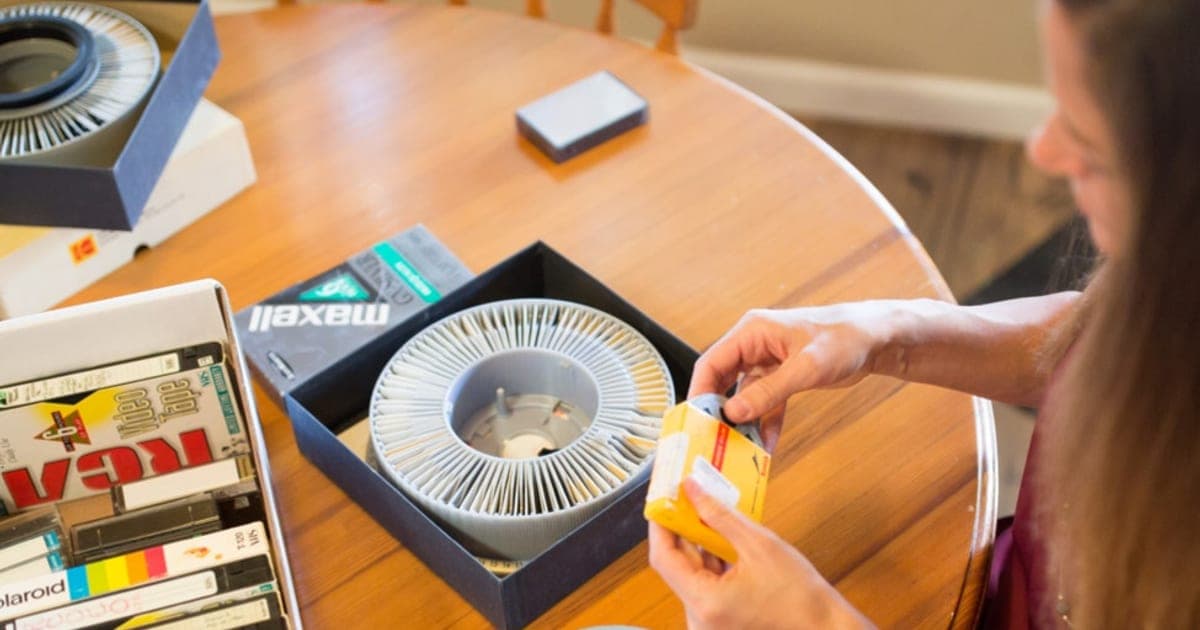
Old home movies and photos are stuck on formats that are dying: tapes degrade, film fades, VCRs and projectors break and become hard to replace. Digitizing services play or scan each item on professional equipment and save it as a digital file. iMemories handles the whole process by post.
Order a SafeShip kit and pack your memories
Step 1: Order the kit, then pack your tapes, film reels, photos, slides and negatives in the crush-proof box with the waterproof bags and cushioning provided. You do not need to sort or label anything first.
Ship it free and approve your quote
Step 2: Send the kit to iMemories with the included FedEx shipping. iMemories counts your items and sends a free, no-obligation quote. You choose what to digitize and any extras before paying.
Download, stream or get discs
Step 3: iMemories digitizes your items in the USA, returns your originals and adds the files to your account. Download your digital masters free, stream them in the iMemories app with a cloud plan, or order a USB drive, DVD or Blu-ray.
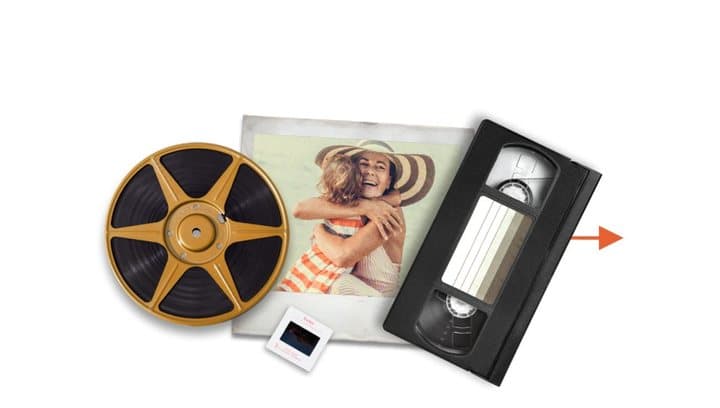
From old formats to the box to your screens

The brand's McKenzie AI before-and-after graphic
The SafeShip kit
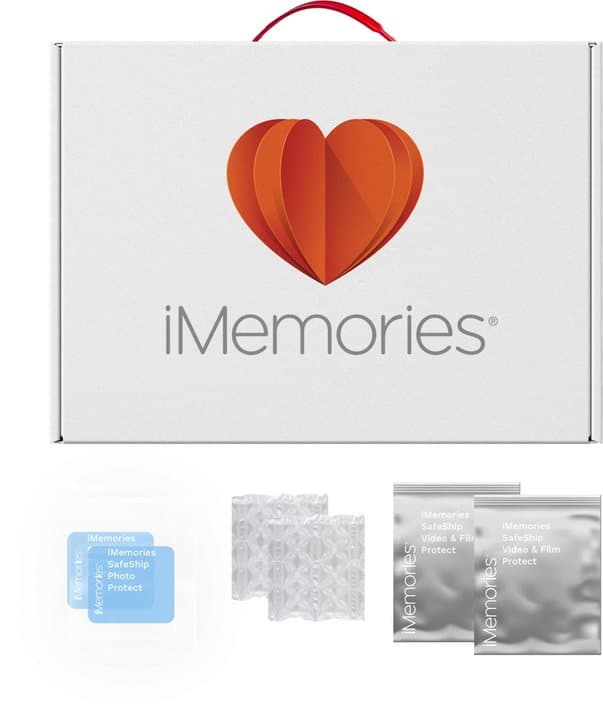
The kit is a crush-proof box measuring 18 x 12 x 6 inches, according to the FAQ, with waterproof bags, shock-resistant cushions and prepaid FedEx shipping to iMemories. The page says it holds about 30 VHS tapes, 100 8mm tapes, 200 MiniDV tapes, 150 small film reels, 30 large reels, around 1,500 prints, 2,600 slides or 10,000 negatives. The FAQ gives a more conservative 30 tapes or films or 1,000 photos at a time.
The quote
When your box arrives, iMemories counts and checks your items and emails a free, no-obligation quote. Owners on the page describe receiving an itemized bill and choosing which items to digitize, which helps keep costs under control. You only pay for what you approve.
Digitizing and enhancement
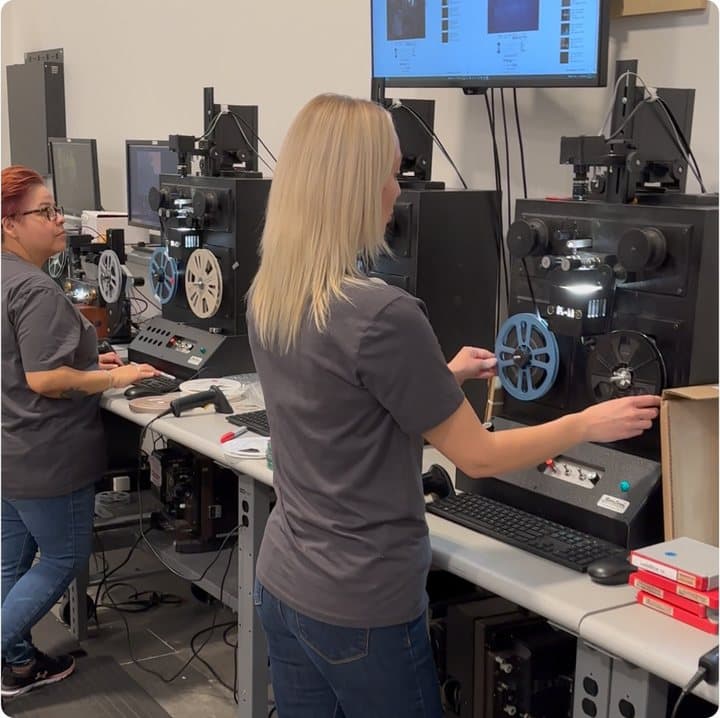
Tapes are played and captured, film is transferred frame by frame, and photos, slides and negatives are scanned. iMemories offers optional "McKenzie AI" enhancement, which it says improves clarity. The FAQ says broken tapes and film are repaired at no extra charge, and PAL tapes from abroad are converted at no extra cost.
Getting your files
You can download your digital masters free, stream and share them through the iMemories app with a cloud plan, or order them on a USB drive, portable hard drive, DVD or Blu-ray. Your originals are returned.
Why old formats are at risk
Videotape stores pictures as magnetic patterns on a plastic tape. Over decades the binder that holds the magnetic particles can break down, mould can grow in damp lofts, and repeated playing wears the tape. Home movie film fades, shrinks and can develop "vinegar syndrome", a chemical breakdown that gives off a sour smell.
Prints and slides fade and discolour, especially in light and heat. Even if the media survive, the machines to play them are becoming scarce: VCRs and projectors are no longer made in quantity, and repair skills are disappearing. That is why digitizing is often described as a race against time.
What a digital master is
A digital master is the full-quality file made from your original, usually a video file for tapes and film and an image file for photos. It is what you should keep and back up. Copies made for sharing, such as smaller files sent by message or posted online, are compressed and lose quality, so always keep the masters.
Who it's for
iMemories suits families with boxes of tapes, film and slides from the last century, who want them watchable on modern screens and shareable with relatives. It suits people who do not have the time, equipment or confidence to digitize themselves, and people with fragile film who want it handled by a lab.
It suits people with a few dozen photos less well: free phone scanning apps do a reasonable job.
Why iMemories appeals
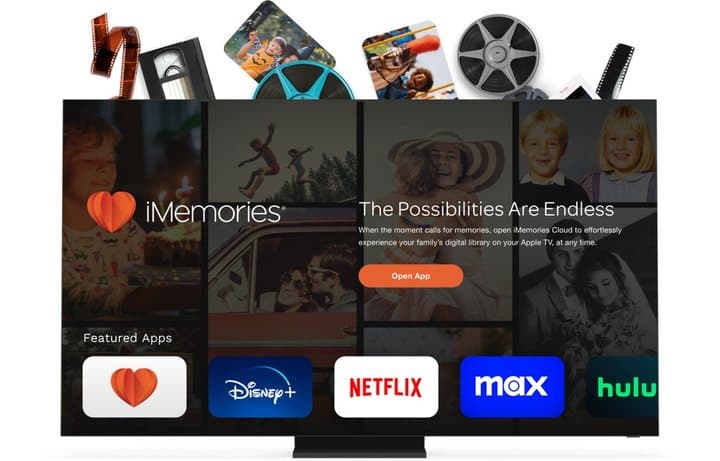
Home movies are some of the most emotional things families own. The page taps into that with stories of seeing grandparents young, parents as children and decades of family slides. The practical promise is strong too: no sorting or labelling needed, free shipping to the lab, a quote before you pay, originals returned and an app that puts old footage on your TV like a streaming service.
A typical order
You order a kit for $14.99. It arrives in a few days. You gather tapes from the loft, a tin of 8mm reels and a carousel of slides, put them in the waterproof bags, and send the box off with the prepaid label. A week or two later you get an email with an itemized quote. You approve the tapes and film, decide to leave the slides for another time, and pay. A couple of weeks later the files appear in your account and your originals come home. You download everything free and share a few clips with family.
Who gets the most value
People with a moderate collection, say 10 to 40 tapes or reels, get the most value: enough to make a mail-in service worthwhile, not so much that per-item pricing becomes enormous. People who want everything on a TV app also benefit.
Who gets the least
People with huge photo collections may find per-photo pricing adds up quickly, and those with only a couple of tapes may find a local service or a library's free equipment cheaper.
What it will not do
It will not digitize audio cassettes, develop old film canisters, restore badly damaged footage to perfect quality, or make low-resolution video look like modern HD. Enhancement can help; it cannot invent detail that was never recorded.
As a gift
Digitized family films make an emotional gift for anniversaries, milestone birthdays and holidays. A kit alone is a gift of a task; paying for the digitizing as well makes it a gift of the memories.
Families with mixed formats
Many families have a bit of everything: VHS from the 1990s, MiniDV from the 2000s, a tin of Super 8 from grandparents, and albums of prints. Sending all of it to one lab keeps the results in one place and one account, which is easier than juggling several services. iMemories' broad format list is a real advantage here.
People clearing a parent's home
Clearing a parent's home often turns up boxes of tapes and slides nobody can watch. Digitizing them lets every sibling have a copy without arguing over who keeps the originals. Because iMemories gives a quote before charging, you can send the whole box and decide what to keep after seeing the list.
- Families with boxes of VHS tapes, camcorder tapes, cine film, slides or prints they can no longer play or view
- Anyone who wants to share old footage with relatives by link or on a smart TV
- People who want originals handled by a lab rather than doing it themselves
Who should skip it
- People with only a handful of photos, who can scan them with a phone app for free
- Anyone who does not want to mail irreplaceable originals; local services or DIY keep them close
- Buyers who need archival-grade film scans for professional use
- Anyone who wants audio cassettes digitized or undeveloped film processed; iMemories does neither
How much does iMemories really cost?
iMemories' $14.99 SafeShip kit is only the box. With the 50% offer on 4 October 2026, digitizing cost $14.99 per videotape or 50 feet of film and 49 cents per photo, slide or negative. Optional extras add up: McKenzie AI enhancement at $4.99 per tape, USB drives from $19.99, DVDs at $9.99 a disc and the cloud app at $49.99 a year. Digital downloads are free.
The kit price is the smallest part of the cost. Here is everything the offer page listed on 4 October 2026, with the 50% offer applied.
Digitizing prices
| Item | Regular | Offer |
|---|---|---|
| SafeShip kit | $29.99 | $14.99 |
| Videotape | $29.99 | $14.99 per tape |
| Movie film | $29.99 | $14.99 per 50 ft |
| Photos, slides, negatives | $0.99 | $0.49 each |
Extras
| Extra | Price shown |
|---|---|
| McKenzie AI enhancement | $4.99 per tape or 50 ft of film; 15 cents per photo |
| Digital download | Free |
| iMemories Cloud app | $7.99 a month or $49.99 a year |
| USB drive | From $19.99 (8GB) |
| DVD or Blu-ray | $9.99 per disc |
iMemories' own pricing page, updated 3 October 2026, listed the same core prices with a SAVE50 code, plus 16GB and 32GB USB drives at $29.99 and $39.99, portable hard drives at $99.99 and $199.99, and a 30-day free trial of the cloud app.
What a typical order costs
| Collection | Digitizing | With AI enhancement | Plus a year of cloud |
|---|---|---|---|
| 10 VHS tapes | $149.90 | $199.80 | $249.79 |
| 20 tapes and 10 x 50 ft reels | $449.70 | $599.40 | $649.39 |
| 500 photos | $245.00 | $320.00 | $369.99 |
| 1,000 slides | $490.00 | $640.00 | $689.99 |
Add $14.99 for the kit and any USB drives or discs you want. These figures use the offer prices on the day we checked; your quote will reflect your actual items.
Film length matters
Film is priced per 50 ft. A small 3-inch 8mm reel is usually about 50 ft, but larger reels hold 200 or 400 ft, which iMemories would price as four or eight units. Check the reel sizes in your collection before estimating.
Is it good value?
For tapes and film, $14.99 per item is competitive with other mail-in services, many of which bundle items in ways that can cost more per tape. Per-photo pricing is reasonable for small batches, but large photo collections can get expensive. The free download is a strong point: you are not forced into a subscription to get your files.
Cost per hour of footage
A VHS tape can hold up to two hours or more of footage, so $14.99 per tape is very good value for a full tape and less so for a tape with ten minutes on it. Film is priced by length, which is fairer: you pay for what is on the reel. If you have many short camcorder tapes, the per-tape price adds up faster than the amount of footage suggests.
Cutting the cost
Ways to keep the total down include approving only the items you care most about, skipping AI enhancement except for favourites, downloading files free instead of buying USB drives and discs, and digitizing photos selectively, picking the best rather than every duplicate print. Large photo collections are often cheaper to scan in batches with a phone app or a local library scanner, with iMemories handling the tapes and film.
Order the kit
You can start with the iMemories SafeShip kit (opens iMemories in a new tab), which includes a coupon for digitizing, according to the page.
Who runs it
iMemories is based in Scottsdale, Arizona, according to its Trustpilot profile. The page says it has digitized more than 100 million memories for over a million customers and has never lost a memory. We could not verify those figures, but the company's long review history is a good sign.

iMemoriesScore 6.9/10
Best for: Families with boxes of VHS tapes, camcorder tapes, cine film, slides or prints they can no longer play or view
$14.99 at iMemories · Price checked October 4, 2026
Check price at iMemories (opens iMemories in a new tab)We may earn a commission if you buy through our links.
How good is iMemories' quality?
iMemories' quality is good for most owners, but not all. A transfer can only capture what the original holds, so VHS will look soft on a big modern TV even when the lab does everything right. Film depends more on the scanning method, which the page does not specify. Some Trustpilot reviewers report soft, dark or pixelated results, while most praise dependable service and originals returned intact.
Nobody on our team has used iMemories, so this section is based on the page, the brand's own information, owner reviews and how digitizing generally works.
What quality to expect from tapes
VHS and similar tapes recorded at standard definition, roughly 480 lines on US tapes. A good transfer captures that faithfully; it cannot add detail. On a big modern TV, even a perfect VHS transfer looks soft. That is normal and not a fault of the lab.
What quality to expect from film
Film can hold more detail than tape, so the scanning method matters more. Frame-by-frame scanning at high resolution gives the best results; quicker methods give softer images. The page does not specify resolution or scanning method for film, which serious film collectors may want to ask about.
What quality to expect from photos and slides
Scan resolution determines how large you can print later. The page does not list scan resolutions. If you plan to make large prints, ask before ordering.
McKenzie AI enhancement
The page claims "up to three times the visual clarity". AI enhancement can sharpen, reduce noise and improve colour, sometimes impressively. It can also produce an artificial, over-smoothed look, especially on faces. We could not verify the "three times" figure. Consider enhancing a few items first.
What owners say about quality
The page's testimonials describe 30 years of slides and film arriving within the expected time, tapes and 8mm film returned in perfect condition, and families delighted with the results. On Trustpilot, most reviewers are happy, while a minority report poor resolution, pixelation, dark scans or visual defects, and fees beyond what they expected.
Turnaround
The offer page says 2 to 3 weeks after the kit arrives and calls it the fastest in the business. iMemories' own pricing page says about one week. Add shipping both ways and quote approval.
Handling of originals
iMemories says it returns all originals and has never lost a memory. Trustpilot reviewers broadly agree that originals come back intact. One complaint mentions a signature being required on return delivery, which can be awkward if you are out at work. Plan to be home or arrange a pickup.
What happens to damaged items
The FAQ says broken tapes and film are repaired at no extra charge, and that equipment is calibrated for old media. Items with severe mould, heavy fading or physical damage may still give poor results. Ask iMemories to flag problem items before digitizing them.
Are iMemories' claims true?
iMemories' core claims are consistent with owner reports: it digitizes tapes, film and photos, offers free downloads and returns originals. Several marketing lines go further. "Up to three times the visual clarity" with McKenzie AI and "the fastest in the business" are unverified, turnaround is 2 to 3 weeks on the offer page but about one week on iMemories' own site, and "we've never lost a memory" cannot be checked.
"We've never lost a memory"
Unverifiable, but consistent with owner reports of originals returned. Shipping always carries some risk; use the waterproof bags and keep a list of what you sent.
"100 million+ memories digitized" and "1 million+ customers"
Unverified, but plausible for a long-established service.
"Up to three times the visual clarity" with McKenzie AI
Unverified. Enhancement can help, but results vary.
"The only streaming app for memories"
Overstated. Other services offer cloud apps and sharing. iMemories' TV app support is genuinely broad, covering Apple TV, Roku, Chromecast, Fire TV and several smart TV brands, according to the FAQ.
"Other companies convert to DVDs that need obsolete players"
Partly fair. Some services still focus on DVDs, but most now offer digital downloads too. iMemories also sells DVDs and Blu-rays.
"Digitized in USA"
The page says digitizing happens in the USA, and the company is based in Arizona. That matters to people who do not want originals shipped abroad.
"The fastest in the business"
Unverified. Turnaround figures also differ between the offer page and iMemories' own site.
"No sorting or labelling necessary"
True. iMemories says it handles unlabelled items and lets you label them online.
"Repairs broken tapes and film at no extra charge"
According to the FAQ. A useful benefit for old collections.
Claims scorecard
| Claim | Our view |
|---|---|
| Never lost a memory | Unverifiable; owners report originals returned |
| 100 million memories, 1 million customers | Unverified |
| 3X clarity with AI | Unverified |
| Only streaming app for memories | Overstated |
| Fastest in the business | Unverified; turnaround figures differ |
| No sorting needed | True |
| Free repairs | According to the FAQ |
| Free quote before paying | True |
Is iMemories better than other digitizing services or doing it yourself?
iMemories suits mixed collections, because its per-item pricing is simple to estimate and the lab handles tapes, film and photos in one order. Other mail-in services may offer bundle pricing, so compare quotes and check whether downloads are free. A local shop lets you hand originals over in person. Doing it yourself is cheapest with a working VCR and capture device, but takes real time and skill.
| Option | Typical cost | Effort | Quality control | Best for |
|---|---|---|---|---|
| iMemories | $14.99 per tape, 49 cents per photo, plus extras | Low | Lab | Mixed collections |
| Other mail-in services | Often bundle-priced | Low | Lab | Comparing quotes |
| Local digitizing shop | Varies | Low | You can talk to them | Keeping originals close |
| Library digitizing stations | Often free | High | You | Small collections on a budget |
| DIY with a VCR and capture device | Equipment cost | High | You | Tech-savvy owners |
| Phone scanning apps | Free | Medium | You | Small photo collections |
iMemories vs other mail-in services
Other national mail-in services exist, some with bundle pricing that charges for a set number of items. iMemories' per-item pricing is simpler to estimate. Compare quotes, turnaround, how files are delivered and whether downloads are free.
iMemories vs a local shop
A local digitizing shop lets you hand over originals in person and ask questions about resolution. Prices vary, and quality ranges from excellent to poor. Ask to see samples.
iMemories vs DIY
With a working VCR, a USB capture device and patience, you can digitize tapes yourself for the cost of the equipment. It takes real time: each tape plays in real time. Film needs specialist scanners. Many public libraries offer free digitizing stations for tapes and photos.
iMemories vs camcorder-to-computer for MiniDV
MiniDV and Digital8 tapes are digital already. If you still have a working camcorder with a FireWire or similar output, transferring them yourself gives a near-perfect copy. Many people no longer have the camcorder or the right port on their computer, which is where a service helps.
iMemories vs phone scanning apps
Free photo scanning apps reduce glare and crop automatically. They are good enough for sharing on social media, though not for archival quality. For a few hundred prints, they are worth trying first.
Related products we have reviewed
Our Clickfree review looks at a photo backup device for phones and computers, which suits the files you already have. Our Artkive review covers a mail-in service that turns children's artwork into books. Our HearDirect review covers a TV headset for older viewers, and our GoDonut review covers a phone accessory. You can browse more in our digital category.
iMemoriesScore 6.9/10
Why people buy it: Converts a wide range of formats: VHS, VHS-C, Betamax, 8mm, Hi8, Digital8, MiniDV, 8mm, Super 8 and 16mm film, prints, slides and negatives
$14.99 at iMemories · Price checked October 4, 2026
Check price at iMemories (opens iMemories in a new tab)We may earn a commission if you buy through our links.
Is iMemories legit, and what should you check before buying?
iMemories is an established company based in Scottsdale, Arizona, with a Trustpilot score of 4.4 from about 1,600 reviews. Before ordering, count your tapes, reels and photos to estimate the real cost, approve only what you want from the free quote, keep a list of what you send, and set a reminder if you start the cloud trial so it does not renew without you deciding.
The real cost
The kit price is only the first step.
What to do: count your tapes, reels and photos, estimate the cost with the table above, and use the quote to approve only what you want. Start with the most precious items if budget is tight.
Extras and the cloud trial
The cloud app, AI enhancement and physical copies are optional.
What to do: download your free digital masters as soon as they are ready. If you start a cloud trial, note the end date and decide whether to keep it.
Backing up your files
Digital files can be lost too.
What to do: keep at least two copies of your downloaded files, such as one on an external drive and one in a cloud service, and ideally a third somewhere else. The National Archives' guide to family archives and the Library of Congress personal digital archiving pages explain simple ways to preserve family photos and videos.
Shipping risk
Mailing irreplaceable originals always carries some risk.
What to do: make a list or photos of everything you send, use the waterproof bags, and consider digitizing the most precious items in a first, smaller box.
Quality expectations
Old formats have limits.
What to do: expect VHS to look soft on a modern TV. Ask about scan resolution for film and photos if you plan to print large or use footage professionally.
Privacy
Your family photos and videos will be stored in your account.
What to do: read iMemories' privacy policy, use a strong password, and delete files from the cloud if you no longer want them stored there.
Copyright and commercial recordings
Digitizing services generally handle personal recordings. Commercial tapes such as recorded films or TV shows are usually not accepted or may raise copyright issues.
What to do: send only your own home recordings, photos and slides.
Return shipping
The page promises free shipping to iMemories but does not spell out return shipping costs on the offer page.
What to do: check the quote for any return shipping fee before approving it, and be ready to sign for the return parcel.
How to buy iMemories the smart way
- Gather and count your items, then order an iMemories SafeShip kit (opens iMemories in a new tab).
- Make a list of what you send, and pack originals in the waterproof bags.
- Review your itemized quote carefully and approve only what you want.
- Decide on AI enhancement for a few items first rather than everything.
- Download your digital masters free and back them up in two places.
- Only keep the cloud plan if you will use the app.
What do owners say, and how did we score iMemories?
iMemories scores 6.9 out of 10: claim accuracy 1.1, build durability 1.3, price competitiveness 1.3, usability 1.6 and owner satisfaction 1.6, each out of 2. On Trustpilot it shows 4.4 from 1,596 reviews, with 76% five-star and 6% one-star. Owners praise easy mailing, dependable service and originals returned intact; complaints mention patchy quality and bills higher than expected.
Reviews on the page
The offer page claims more than 25,000 five-star reviews and shows five testimonials. Owners describe 30 years of slides and film converted on time, regular updates, 8mm film returned in perfect condition, around 20 tapes converted over three orders, and an itemized bill that let one owner choose what to digitize.
Trustpilot
On 4 October 2026 the Trustpilot profile for imemories.com showed a TrustScore of 4.4 from 1,596 reviews: 76% five-star and 6% one-star. Praise focuses on easy mailing, dependable service, responsive support and originals returned intact. Complaints focus on quality inconsistencies, extra fees and a signature requirement for return shipments.
What the reviews agree on
The process is easy and reliable, and originals come back. Quality is good for most, but not all, and the final bill can be higher than people expect.
Reading the critical reviews
The negative reviews tend to fall into three groups. Some are about quality: footage that looks soft or dark, or photo scans that are not as sharp as hoped. Some are about money: totals higher than expected once all items and extras were counted. A few are about logistics, such as signing for return parcels. Very few describe lost originals. That pattern suggests the service is reliable but that expectations about cost and quality need managing, which is what the sections above aim to do.
Reading the positive reviews
Positive reviews often describe the emotional impact of seeing family footage again, sometimes for the first time in decades, and praise regular status updates and safe return of originals. Several mention coming back for second and third orders, which is a good sign for consistency.
What we would test with iMemories
If we test it ourselves, we will send a mix of VHS, MiniDV, 8mm film, slides and prints, record turnaround from shipping to download, check resolution and colour of each file type, compare AI-enhanced and standard files, and compare the total cost with another mail-in service and a library station. We will update this review with the results.
How we scored iMemories
Every score on the site follows the five criteria on our how we test page.
| Criterion | Score | Why |
|---|---|---|
| Claim accuracy | 1.1 / 2 | Core service accurate; AI, "only" and "fastest" claims unverified |
| Build durability | 1.3 / 2 | Protective kit; originals returned; quality varies for some |
| Price competitiveness | 1.3 / 2 | Simple per-item pricing; extras and photos add up |
| Usability | 1.6 / 2 | No sorting needed, free quote, free download, broad app support |
| Owner satisfaction | 1.6 / 2 | Trustpilot 4.4 from about 1,600 reviews |
| Total | 6.9 / 10 |
The score would rise with published scan resolutions, consistent turnaround figures and a clearer total-cost estimate on the offer page.
What we did, and did not, do
We read the offer page and FAQ, iMemories' own pricing page, the Trustpilot profile, and preservation guidance from the National Archives and Library of Congress, all on 4 October 2026. Nobody on our team has used iMemories, and no figures here come from our own testing.
How to use iMemories for the best results
Gather your tapes, film, photos and slides, count them roughly, and prioritize the most precious or most at-risk items, such as mouldy tapes and fading film. Order the SafeShip kit, pack items in its waterproof bags with cushioning, and keep a list and photos of what you send. Review the quote before approving, then download your files and back them up in more than one place.
- Gather tapes, film, photos and slides in one place and count them roughly.
- Prioritize the most precious or most at-risk items, such as faded film and mouldy tapes.
- Order the SafeShip kit and pack items in the waterproof bags with cushioning.
- Keep a list and photos of what you send.
- Review the itemized quote and approve what you want.
- Download your digital masters as soon as they are ready.
- Back up the files in two places and share copies with family.
Preparing your collection
Remove loose items from albums only if they come out easily; ask iMemories how it handles albums before tearing anything. Keep tapes in their cases, and note any that were recorded in another country.
Labelling afterwards
The FAQ says you can label and organize files online after digitizing. Do it soon, while relatives who remember the people and places can help. Add dates and names to file names or descriptions.
Planning a family screening
Once files are ready, many families hold a viewing evening. Pick highlights rather than playing hours of raw footage, and use the app or a laptop connected to the TV. Older relatives often remember names and places that would otherwise be lost; record their comments or note them in the file descriptions.
Long-term care of your files
Every few years, check that your backups still open and copy them onto newer storage if the drive is ageing. File formats like MP4 and JPEG are widely supported and likely to remain readable for a long time.
Choosing physical copies
USB drives and hard drives are convenient backups. DVDs are easy to give to older relatives with DVD players, but discs can degrade and many new computers lack drives. Downloads backed up to two places are the most flexible.
Sending in batches
If your collection is large, consider sending it in two or three boxes rather than all at once. A first box with a mix of formats lets you judge quality and cost before committing to the rest, and limits what is in transit at any one time. Owners on the page describe doing exactly this over several orders.
Packing tips
Put tapes in their cases, stand them upright in the box, and fill gaps with the cushions so nothing slides. Keep film reels in their cans. Put loose photos in envelopes or bags by album or year, which will make labelling easier later. Seal the waterproof bags fully.
Sharing with family
Use the app's sharing tools, or upload clips to a shared family album. For long films, share a link rather than sending large files.
Troubleshooting
| Problem | Likely cause | What to try |
|---|---|---|
| Quote higher than expected | Large reels or many photos | Approve the most important items first |
| Video looks soft | Standard-definition source | Normal for VHS; try enhancement on a few |
| Colours look faded | Film or photo ageing | Ask about colour correction or enhancement |
| Cannot find downloads | Account or email | Check the account and spam folder; contact support |
| Missing item | Not sent or miscounted | Check your list and contact support quickly |
| Cloud renewal surprise | Trial converted | Cancel in account settings before renewal |
iMemoriesScore 6.9/10
Before you buy: Check the final price, shipping and return terms at checkout.
$14.99 at iMemories · Price checked October 4, 2026
Check price at iMemories (opens iMemories in a new tab)We may earn a commission if you buy through our links.
What else do people ask about digitizing home movies?
Most questions are about urgency and effort. Magnetic tape slowly degrades, and many tapes from the 1980s and 1990s already show dropouts and colour loss, so digitizing sooner preserves more. Prioritize whatever is most at risk, such as sticky tapes or film that smells of vinegar. You can digitize tapes yourself with a working VCR and a capture device, but it takes real time and some technical skill.

How long do VHS tapes last?
Magnetic tape slowly degrades, and many tapes from the 1980s and 1990s already show dropouts and colour loss. Digitizing sooner rather than later preserves what is left.
Is it better to digitize film or tape first?
Prioritize whatever is most at risk: tapes that are mouldy or sticky, film that smells of vinegar, and anything you cannot play at all.
Can I digitize tapes myself?
Yes, with a working VCR or camcorder, a capture device and a computer. It takes real time and some technical skill. Libraries often offer free stations.
What resolution should photos be scanned at?
For prints, 300 to 600 dpi is common for viewing and modest reprints; slides and negatives need higher resolution to make decent prints. Ask your service what it uses.
Should I throw away the originals after digitizing?
Many archivists recommend keeping originals if you can store them in a cool, dry place, because future technology may get more from them. At minimum, keep the most precious items.
How should I store tapes and film before sending them?
Keep them in a cool, dry, dark place away from attics, garages and basements, upright in their cases. Do not try to play mouldy tapes, which can damage the machine and the tape further.
What file formats will I get?
The page does not list file formats. Video is commonly delivered as MP4 and photos as JPEG. Ask iMemories if you need specific formats or higher-quality files for editing.
Can I edit the videos afterwards?
Yes. Downloaded files can be trimmed and edited with free video software on a computer or phone, and the app lets you organize and label them.
Can iMemories digitize audio cassettes?
No. The FAQ says it does not digitize audio cassettes.
What happens to unlabelled tapes?
iMemories says you can send them unlabelled and label the files online afterwards.
Will digitizing damage my originals?
Professional playback and scanning are designed to be gentle, and iMemories says it repairs breaks before transfer. Very fragile tapes and film always carry some risk, whoever handles them, which is another reason to digitize sooner rather than later. Mention any items you know are fragile when you ship.
How do I know which tapes are worth digitizing?
You often cannot tell without watching them, and many people no longer have a player. That is one advantage of iMemories' quote: you can send everything, see the itemized list, and decide. If budget is tight, prioritize tapes with dates or names written on them, and film from older generations.
Can I send items from outside the US?
The page focuses on the US, with free FedEx shipping to iMemories and PAL tapes converted at no extra charge for people who recorded abroad. If you live outside the US, check shipping options and customs rules with iMemories before sending originals across borders.
Does iMemories digitize photo albums?
Owners and the FAQ mention prints, slides and negatives. Albums with sticky or plastic-covered pages can be tricky. Ask iMemories how it handles albums before sending, and do not force photos out of old self-adhesive pages, which can tear them.
How much footage is on a typical home movie reel?
A 50 ft reel of 8mm or Super 8 film runs for about three to four minutes. Larger 200 ft and 400 ft reels hold correspondingly more. That helps you estimate both cost and how much viewing you will get.
Is iMemories worth it?
For a moderate collection of tapes, film or slides, yes: it is a well-reviewed, easy service with free downloads and a quote before you pay. Estimate the full cost first, skip extras you do not need, and back up your files.
Frequently asked questions
How does iMemories work?
You order a SafeShip kit, pack your tapes, film, photos, slides or negatives, and ship them free with FedEx. iMemories sends a free quote, you approve what to digitize, and it converts them in the USA, returns your originals and adds the digital files to your account.
How much does iMemories cost?
On 4 October 2026 the offer page listed the SafeShip kit at $14.99. Digitizing cost $14.99 per videotape, $14.99 per 50 ft of film and 49 cents per photo. Extras included AI enhancement from $4.99 per tape, USB drives from $19.99, DVDs or Blu-rays at $9.99 per disc, and the cloud app at $7.99 a month or $49.99 a year.
Do I have to pay for the cloud subscription?
No. iMemories says you can download your digital masters free. The cloud plan is optional for streaming and sharing in the app. iMemories' site mentions a free cloud trial, so check whether it renews automatically. Back up your downloaded files in at least two places.
How long does iMemories take?
The offer page says 2 to 3 weeks once your kit arrives. iMemories' own pricing page says about one week. Allow for shipping both ways. If you need the files for an event, order well ahead and send the most important items first.
Will I get my originals back?
Yes. iMemories says it returns all originals and has never lost a memory. Trustpilot reviewers generally confirm originals came back intact. Shipping always carries some risk, so pack items in the waterproof bags provided and keep a list and photos of what you send.
What formats does iMemories accept?
Videotapes (VHS, VHS-C, Betamax, 8mm, Hi8, Video8, Digital8, MiniDV, MicroMini), movie film (8mm, Super 8, 16mm), prints, slides and negatives. It does not digitize audio cassettes or develop undeveloped film. Note any tapes recorded in another country, and keep tapes in their cases when packing.
Is iMemories legit?
Yes. It is an established company based in Scottsdale, Arizona, with a Trustpilot score of 4.4 from about 1,600 reviews on 4 October 2026. As with any lab, results vary with the condition of your originals. Read the quote carefully before approving.
What if I am not happy?
The FAQ describes a 30-day satisfaction guarantee with refunds. Because you approve a quote before paying, you can also choose to digitize only part of what you send. Start with a small batch if you want to judge quality before sending the rest.
We may earn a commission if you buy through our links.
Prices accurate as of October 4, 2026. Check the seller's checkout for current pricing, promotions and terms.
What we checked: No hands-on use. Process, prices, kit capacity, formats, FAQ answers, guarantee, testimonials and images from the iMemories offer page our link opens (getimemories.io) on 2026-10-04. Prices and turnaround on iMemories' own pricing page (updated 3 October 2026) read the same day. Owner sentiment from the Trustpilot profile for imemories.com (4.4 from 1,596 reviews on 2026-10-04); preservation guidance from the US National Archives and the Library of Congress; competitor pricing comparisons read for context and treated as partisan.

About the author
Ryan Mitchell, Consumer Technology Writer
Ryan Mitchell covers new and innovative gadgets for Top10Gadgets: AI devices, wearables, smart accessories, digital services and the beauty tech sold through viral adverts. Ryan likes to find a gadget before it goes main…
- New and innovative gadgets
- AI devices and wearables
- Smart accessories
- Beauty tech
- App and subscription terms
Writing for Top10Gadgets since 2026Full profile