Auto Gadgets / Head-up displays
MasterHUD Pro Review: An $89 Plug-In Head-Up Display for Your Speed
A small dashboard screen that plugs into your car's OBD port and reflects your speed onto the windscreen. Handy for keeping eyes up, but extra readouts and auto-dimming cost extra.

By Ethan Walker, Hardware & Gadget Tester at Top10Gadgets
Updated 11 min readHow we test
Quick answer
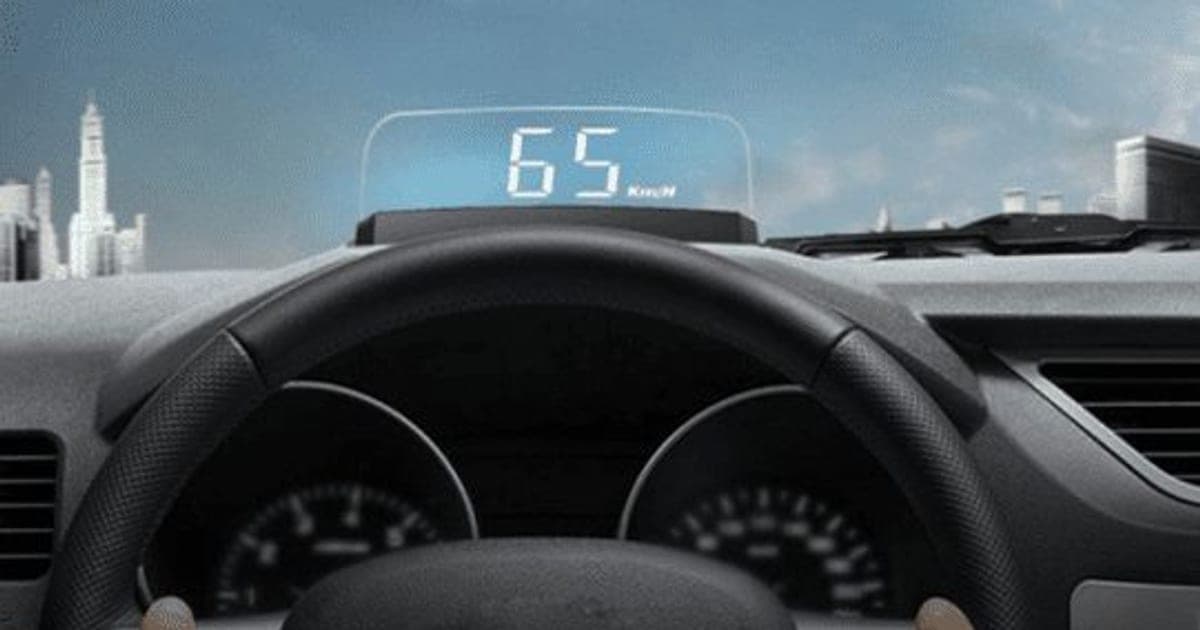
Useful for older cars, overpriced for what it is. MasterHUD Pro plugs into your car's OBD port and reflects your speed onto the windscreen, so you glance down at the dashboard less.
Score 3.7/10$89.00 at G Com Pte Ltd
Check price at G Com Pte Ltd (opens G Com Pte Ltd in a new tab)We may earn a commission if you buy through our links.
- Best for
- Drivers of older cars without a built-in head-up display who want speed at eye level
- Not for
- Drivers of cars that already have a head-up display or digital speed on the dash
$89.00 at G Com Pte Ltd
Check price at G Com Pte Ltd (opens G Com Pte Ltd in a new tab)We may earn a commission if you buy through our links.
On this page · 13 sections
- 01Our verdict
- 02The short version
- 03Pros & cons
- 04How it works
- 05Who it's for
- 06Does MasterHUD Pro really make driving safer, and will it work in your car?
- 07How much does MasterHUD Pro cost, and are the add-ons needed?
- 08Is MasterHUD Pro better than a GPS head-up display or a phone app?
- 09Is MasterHUD Pro legit, and what should you check before buying?
- 10How did we score MasterHUD Pro?
- 11How to use MasterHUD Pro safely
- 12What else do people ask about OBD head-up displays?
- 13Frequently asked questions
Our verdict
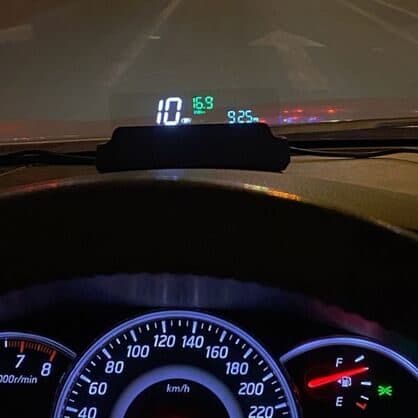
Useful for older cars, overpriced for what it is. MasterHUD Pro plugs into your car's OBD port and reflects your speed onto the windscreen, so you glance down at the dashboard less. That is a real convenience, especially at night. But the extra readouts and automatic dimming shown in the photos cost $9 and $7 more, daylight visibility is often weak with plug-in displays, and compatibility per car is not listed. Generic OBD head-up displays cost less. MasterHUD Pro scores 3.7 out of 10, held back by price and add-ons.
The short version
- What it is: a small dashboard display that plugs into the OBD port and reflects your speed onto the windscreen.
- Price: $89 for one on 6 October 2026, with a five-pack for $277 flagged as the best seller.
- Best trait: speed at eye level with no app or GPS.
- Biggest drawback: extra readouts and dimming sold separately, and a high price.
- Our score: 3.7 out of 10.
Pros & cons
Plug-in head-up displays add a modern feature to older cars. The pros reflect that. The cons are about add-ons, compatibility and visibility.
What we like
- Shows your speed at eye level, so you look down less
- Plugs into the OBD port, which most petrol cars from 1996 on have in the US
- Turns on and off with the ignition, per the offer page
- Reads speed from the car rather than GPS, so it works in tunnels
- The seller names a registered company with an address, email and phone number
What we don't
- Voltage, coolant temperature and trip readouts are a $9 'four option CPU' add-on
- Automatic night dimming is a $7 light sensor add-on
- Reflections can be faint in bright sun or doubled on some windscreens
- Not all cars, especially some EVs and older diesels, report data the same way over OBD
- At $89, it costs more than many generic OBD head-up displays
- Return postage to an overseas seller is yours to pay
Sold by G Com Pte Ltd
MasterHUD Pro$89.00
How it works
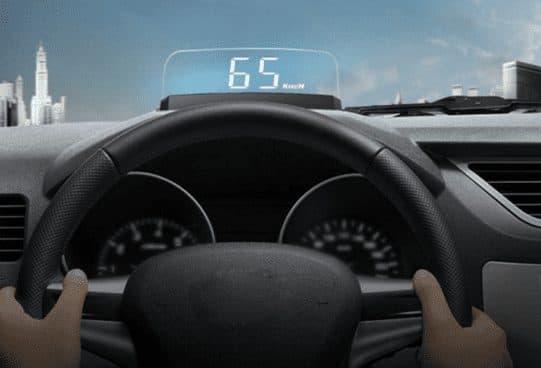
Every petrol car sold in the US since 1996 has an OBD-II port, usually under the dashboard, which gives access to data from the car's computer. MasterHUD Pro plugs in there and reads your speed. A bright display on the dashboard points upwards so its digits reflect in the windscreen, in reverse so they read correctly. It switches on and off with the ignition.
Plug it into the OBD port
Step 1: Find your car's OBD-II port, usually under the dashboard near the steering column, and plug in the cable.
Place it on the dashboard
Step 2: Stick the unit on the dashboard in front of the driver so its display reflects onto the windscreen or the included film.
Drive
Step 3: Start the engine; the display switches on and shows your speed from the car's computer.
The page title calls it a "professional head-up-display", "advanced head-up-display", "OBD HUD", "head-up-display with OBD streaming" and "live data HUD". The six bullets promise live data from the car's computer, real-time speed, automatic on and off, alerts on the HUD, "safer driving by live HUD speed monitoring" and wide compatibility via OBD.
What the page leaves out
There is no list of compatible cars, display brightness, size or what "other alerts" includes.
Speed from the car versus GPS
OBD speed matches your speedometer closely and works in tunnels. GPS head-up displays work in any car without a port but lose signal underground.
Who it's for
MasterHUD Pro suits drivers of older cars without a built-in head-up display, people who drive at night or around speed cameras, and car enthusiasts who want extra readouts with the add-on. It is not needed in cars with a built-in HUD. Our iTrack review covers another plug-in car gadget from the same checkout.
- Drivers of older cars without a built-in head-up display who want speed at eye level
- People who drive at night or in speed-camera areas and want fewer glances down
- Car enthusiasts who like extra readouts, with the add-on
Older-car drivers
Adds a head-up speed readout without replacing the dashboard.
Night drivers
A bright speed display at eye level is easier to read than a dim analogue needle.
Enthusiasts
With the four-mode add-on, voltage and coolant temperature can flag problems early.
Who should skip it
Skip MasterHUD Pro if your car already has a head-up display or a large digital speedometer, if you drive an EV or older diesel and cannot confirm compatibility, or if reflections on the windscreen distract you.
- Drivers of cars that already have a head-up display or digital speed on the dash
- Owners of EVs or older diesels without checking OBD compatibility
- Anyone who finds windscreen reflections distracting
Does MasterHUD Pro really make driving safer, and will it work in your car?
It can reduce glances down at the dashboard, but only if it is easy to read and well placed. Distraction research from NHTSA stresses keeping eyes on the road; a head-up display helps if it is low and simple. OBD-II is standard in US petrol cars from 1996, according to the California Air Resources Board, but some EVs and hybrids report data differently.
Compatibility
CARB's OBD II fact sheet explains that all 1996 and newer petrol cars and light trucks, and 1997 and newer diesels, must have OBD II in the US. Rules and dates differ in other countries.
What to do: ask the seller whether your make, model and fuel type are supported.
Distraction
NHTSA's distracted driving page warns that taking your eyes off the road for even a few seconds is dangerous. Keep the display simple and out of your direct line of sight to the road.
Visibility
Reflected displays are faint in bright sunlight and can double on laminated windscreens. A reflective film helps.
"Displays other alerts"
The page does not list them. Ask the seller.
How much does MasterHUD Pro cost, and are the add-ons needed?
On 6 October 2026, one MasterHUD Pro cost $89, with the five-pack at $277 flagged as the best seller. The checkout offered a light sensor for automatic night dimming for $7, a "four option CPU" for extra readouts for $9, a car USB charger adapter for $4 and a 3-year warranty for $9. Generic OBD head-up displays are sold widely for less.
MasterHUD Pro price and bundles
| Package | Total | Per unit |
|---|---|---|
| 1 MasterHUD Pro | $89 | $89.00 |
| 2 MasterHUD Pro | $149 | $74.50 |
| 3 (buy 2, get 1 free) | $187 | $62.33 |
| 4 MasterHUD Pro | $229 | $57.25 |
| 5 (buy 3, get 2 free), best seller | $277 | $55.40 |
Prices are in US dollars as listed on 6 October 2026. You can check today's packages on the MasterHUD Pro order page (opens G Com Pte Ltd in a new tab).
Light sensor upgrade
For $7, automatic dimming at night. Without it, a bright display can dazzle on dark roads. Worth adding if you drive at night.
Four option CPU
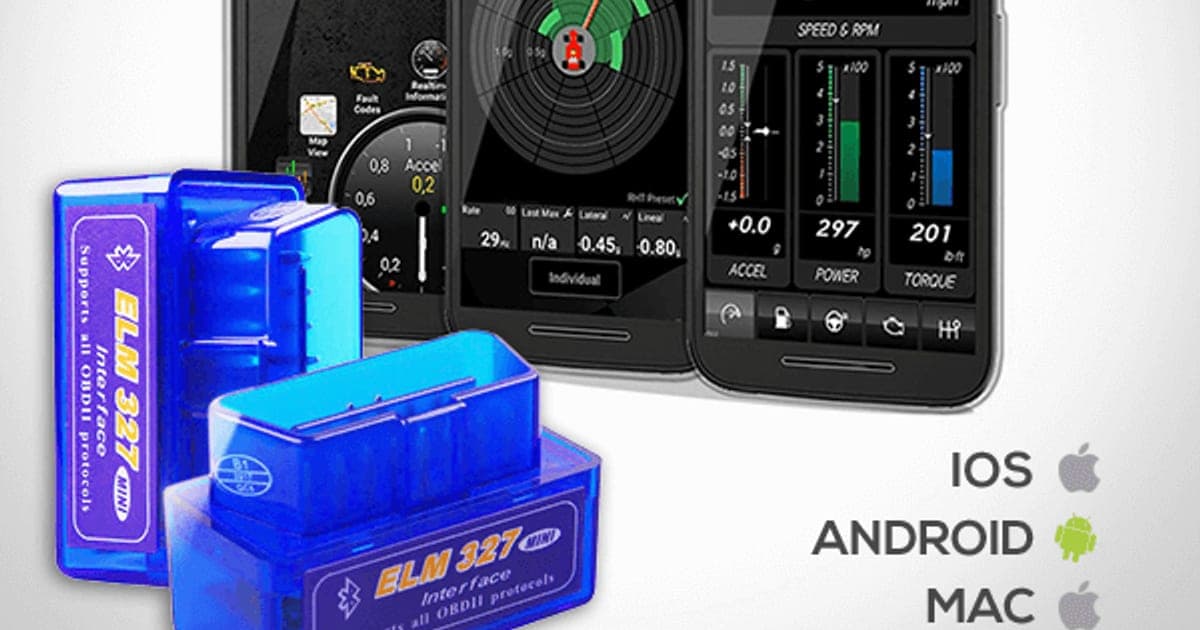
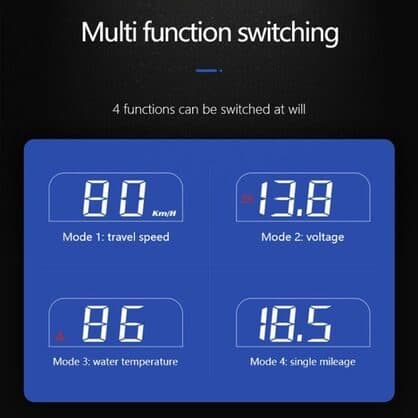
For $9, switchable modes for speed, battery voltage, coolant temperature and trip mileage. The image shows the four readouts.
Car adapter and warranty
A $4 car USB adapter is unrelated; the HUD draws power from the OBD port. The 3-year warranty costs $9.
Who sells it
The order page names G Com Pte Ltd at 137 Market Street in Singapore, with the email support@g63com.com and a phone number. The footer gives the country as Hong Kong. The page code says charges appear on your card statement as panameedia.

MasterHUD ProScore 3.7/10
Best for: Drivers of older cars without a built-in head-up display who want speed at eye level
$89.00 at G Com Pte Ltd · Price checked October 6, 2026
Check price at G Com Pte Ltd (opens G Com Pte Ltd in a new tab)We may earn a commission if you buy through our links.
Is MasterHUD Pro better than a GPS head-up display or a phone app?
Not clearly. GPS head-up displays work in any car without an OBD port, and phone HUD apps are cheap or free. Generic OBD head-up displays offer the same features as MasterHUD Pro, often including multiple readouts as standard. A car with a factory head-up display is better integrated still.
| Option | Data source | Works in all cars | Extra readouts | Cost |
|---|---|---|---|---|
| MasterHUD Pro | OBD | Most from 1996 | $9 add-on | $89 |
| Generic OBD HUD | OBD | Same | Often included | Usually less |
| GPS HUD | GPS | Yes | Some | Varies |
| Phone HUD app | Phone GPS | Yes | Some | Low |
MasterHUD Pro vs a generic OBD HUD
Same idea, often with modes included for less. That is where a rival wins.
MasterHUD Pro vs a GPS HUD
GPS units suit EVs or cars without a usable OBD port.
Other car gadgets we have reviewed
Our SmartCar review covers an OBD plug-in sold with fuel claims, our iTrackYou Pro review a SIM tracker and our ScratchUndo Pro review a scratch pen.
If you want a head-up speed display for an older car, you can see today's bundles on the MasterHUD Pro offer page (opens G Com Pte Ltd in a new tab).
MasterHUD ProScore 3.7/10
Why people buy it: Shows your speed at eye level, so you look down less
$89.00 at G Com Pte Ltd · Price checked October 6, 2026
Check price at G Com Pte Ltd (opens G Com Pte Ltd in a new tab)We may earn a commission if you buy through our links.
Is MasterHUD Pro legit, and what should you check before buying?
MasterHUD Pro is a real product from a named seller, and a display should arrive if you order. Before buying, confirm your car is supported, decide on the dimming and readout add-ons, switch from the five-pack and note the card statement name.
Confirm compatibility
What to do: email support@g63com.com with your make, model, year and fuel type, and ask whether it is supported and which alerts it shows. Keep the reply.
Check the selected bundle
The five-pack for $277 is flagged as the best seller in the page code. What to do: change the order to one unit.
Card statement name and memberships
The charge appears as panameedia. Pages on this checkout have also carried text for a "Gadget Discount Club" membership that is free for 30 days and then billed. What to do: read every checkbox and post-payment page.
Refunds and returns
The page code offers a 30-day guarantee for a full refund or replacement, less shipping and handling. The terms we recorded on 4 October 2026 focus on defective goods, which can be returned within two years once you have a returns number, with return postage at your cost. An incompatible car may not count as a defect.
How to buy MasterHUD Pro the smart way
- Confirm your car is supported.
- Open the MasterHUD Pro order page (opens G Com Pte Ltd in a new tab) and select your country.
- Change the five-pack to one unit.
- Add the light sensor for night driving and the four modes if you want them; skip the car adapter.
- Note the card statement name, panameedia.
How did we score MasterHUD Pro?
MasterHUD Pro scores 3.7 out of 10: claim accuracy 0.8, build durability 0.8, price competitiveness 0.5, usability 1.2 and owner satisfaction 0.4, each out of 2. A plug-in head-up display is a practical upgrade for older cars. The score falls on readouts and dimming sold extra, no compatibility list, unspecified "alerts", limited daylight visibility and a price above generic units.
How the score breaks down
We use the five criteria on our how we test page, each out of 2.
| Criterion | Score | Why |
|---|---|---|
| Claim accuracy | 0.8 / 2 | "Wide compatibility" and "alerts" unspecified |
| Build durability | 0.8 / 2 | Plastic unit on a hot dashboard |
| Price competitiveness | 0.5 / 2 | Above generic OBD HUDs |
| Usability | 1.2 / 2 | Plug in and go |
| Owner satisfaction | 0.4 / 2 | No independent ratings for this listing |
| Total | 3.7 / 10 |
What owners say
We found no Trustpilot profile for the gadgetxaura.com store and no retailer reviews for MasterHUD Pro by that name. Owners of similar OBD head-up displays tend to like speed at eye level at night, and complain about washed-out displays in daylight, double reflections and cables trailing across the dashboard.
What we did, and did not, do
Nobody on our team has used MasterHUD Pro. We read the offer page our link opens and its page code on 6 October 2026, along with CARB's OBD II fact sheet, NHTSA's distracted driving guidance and the pages that rank for MasterHUD Pro. The refund and returns terms are as we recorded them from the site's terms page on 4 October 2026.
How to use MasterHUD Pro safely
Plug it in with the engine off, place the unit low on the dashboard so the reflection sits just above the bonnet line, and apply the reflective film if digits look doubled. Route the cable away from the pedals and airbags, check readings against your speedometer, and adjust brightness for night driving.
- Engine off to plug in. Then start the car.
- Low placement. Not in your view of the road.
- Use the film. If the image doubles.
- Route the cable safely. Away from pedals and airbags.
- Check against the speedometer. On a steady road.
- Dim at night. Or add the light sensor.
- Unplug for long stays. If the car sits for weeks.
Hot dashboards
Remove it in heatwaves if the adhesive softens.
Selling the car
Unplug it and remove the film before handing over the car.
MasterHUD ProScore 3.7/10
Before you buy: Check the final price, shipping and return terms at checkout.
$89.00 at G Com Pte Ltd · Price checked October 6, 2026
Check price at G Com Pte Ltd (opens G Com Pte Ltd in a new tab)We may earn a commission if you buy through our links.
What else do people ask about OBD head-up displays?
Most questions are about warning lights, EVs and mph settings. Some show fault codes, EV support varies, and most switch between km/h and mph. Browse our car gadget reviews for more.
Can it read engine warning codes?
The page does not say. Some OBD HUDs show fault alerts; dedicated scanners do more.
Does it work with electric cars?
Some EVs support standard OBD data; many do not. Ask the seller.
Can I switch to mph?
Most units can. Check the manual.
Will it void my warranty?
Plugging into OBD normally does not, but follow your carmaker's guidance.
Frequently asked questions
Will MasterHUD Pro work in my car?
It needs an OBD-II port. In the US, petrol cars and light trucks from 1996 and diesel cars from 1997 must have OBD-II, according to the California Air Resources Board. Some EVs and hybrids report data differently, so ask the seller about your make and model.
How much does MasterHUD Pro cost?
On 6 October 2026, the offer page listed one MasterHUD Pro for $89, two for $149, three (two plus one free) for $187, four for $229 and five (three plus two free) for $277, with the five-pack flagged as the best seller. A light sensor cost $7, four readout modes $9 and a 3-year warranty $9.
What does it show?
As standard, speed from the car's computer, according to the offer page. The $9 four option CPU adds battery voltage, coolant temperature and trip mileage modes, as shown in its image.
Can I see it in daylight?
Plug-in head-up displays are easiest to read at dusk and night. In bright sun, reflections can wash out, and some windscreens create a double image. A reflective film helps.
Does it drain the battery?
The page says it turns off with the ignition. Some OBD devices draw a small current when parked; if you leave the car for weeks, unplug it.
Is it legal?
In most places, a dashboard display is allowed if it does not block your view. Place it low and away from your line of sight to the road, and check local rules.
Is MasterHUD Pro legit?
It is a real product sold by G Com Pte Ltd, which lists a Singapore address, email and phone number. The concerns are readouts and auto-dimming sold as add-ons, compatibility not stated per car, the price and return postage at your cost.
We may earn a commission if you buy through our links.
Prices accurate as of October 6, 2026. Check the seller's checkout for current pricing, promotions and terms.
What we checked: No hands-on use. Claims, product title, feature bullets, photos, US dollar prices, bundles, add-ons and their images, warranty price, seller details and card statement name from the MasterHUD Pro offer page our link opens (gadgetxaura.com) and the data in the page's own code on 2026-10-06. The 30-day guarantee text was read in the same page code that day; the fuller refund and returns terms are as recorded from the site's terms page on 2026-10-04. The California Air Resources Board's OBD II fact sheet, NHTSA's distracted driving page and the top-ranking MasterHUD Pro pages were read on 2026-10-06.

About the author
Ethan Walker, Hardware & Gadget Tester
Ethan Walker covers hardware for Top10Gadgets: audio, computing, phone accessories, chargers, tools, car gadgets and sports equipment. Ethan believes a product should be judged on what happens when people actually use it…
- Headphones and speakers
- Chargers and phone accessories
- Tools and emergency gear
- Car accessories
- Durability and real-world performance
Writing for Top10Gadgets since 2026Full profile