Tech & Gadgets / Streaming boxes
AndroidTV Review: An $89 Android 7.1 Streaming Box, Netflix Limits and the FBI's Warning on Uncertified TV Boxes
A small Android streaming box promising 4K, YouTube and Netflix on any TV. It runs Android 7.1 from 2016, shows no Google certification, and certified 4K streamers cost far less.

By Ryan Mitchell, Consumer Technology Writer at Top10Gadgets
Updated 26 min readHow we test
Quick answer
No. AndroidTV promises to turn any TV into a smart TV with 4K video, apps and games, and a small Android box can do that.
Score 2.8/10$89.00 at G Com Pte Ltd
Check price at G Com Pte Ltd (opens G Com Pte Ltd in a new tab)We may earn a commission if you buy through our links.
- Best for
- Very few buyers: someone who understands the security risks and wants an Android box for side-loaded apps
- Not for
- Anyone who wants Netflix, Prime Video or Disney+ in HD or 4K
$89.00 at G Com Pte Ltd
Check price at G Com Pte Ltd (opens G Com Pte Ltd in a new tab)We may earn a commission if you buy through our links.
On this page · 13 sections
- 01Our verdict
- 02The short version
- 03Pros & cons
- 04How it works
- 05Who it's for
- 06Is AndroidTV safe to connect to your home network?
- 07Will Netflix, YouTube and other apps work properly on AndroidTV?
- 08How much does AndroidTV cost compared with a certified Google TV box?
- 09Is AndroidTV better than a Google TV, Fire TV or Roku streamer?
- 10Is AndroidTV legit, and what should you check before buying?
- 11How did we score AndroidTV?
- 12How to use AndroidTV more safely if you have one
- 13Frequently asked questions
Our verdict
No. AndroidTV promises to turn any TV into a smart TV with 4K video, apps and games, and a small Android box can do that. But it runs Android 7.1 from 2016, shows no Google certification, and uncertified boxes usually limit Netflix to standard definition. The FBI warned in 2025 that malware called BADBOX 2.0 had infected over a million off-brand, uncertified streaming boxes, often before sale. Certified 4K Google TV boxes have launched at about $20. AndroidTV scores 2.8 out of 10, held back by security and streaming risks and price.
The short version
- What it is: a small Android 7.1 box with a remote that plugs into a TV's HDMI port for apps, streaming and games.
- Price: $89 for one on 4 October 2026, with a five-pack for $267 preselected. Delivery was listed as free.
- Best trait: an easy way to add apps to a TV without built-in smarts.
- Biggest drawback: an outdated, uncertified Android box in a category the FBI has warned about.
- Our score: 2.8 out of 10.
Pros & cons
The pros are what any streaming box offers. The cons are about security, app support and value.
What we like
- Turns a TV with an HDMI port into one that can run Android apps
- Compact box with a remote, easy to move between TVs
- Quad-core processor and 4K video support claimed
- Free delivery, and the seller names a registered company with a Singapore address
What we don't
- Runs Android 7.1, a version from 2016 that no longer receives Android security updates
- No Google TV or Android TV certification shown, so major apps may be limited or missing
- Uncertified boxes typically get only basic DRM, which limits Netflix to standard definition
- The FBI warned in 2025 that off-brand, uncertified TV boxes were often infected with BADBOX 2.0 malware
- An HDMI cable is sold as a $4 add-on, and certified 4K Google TV boxes have sold for about $20
- Refunds need a returns number first, and you pay return postage to an overseas seller
Sold by G Com Pte Ltd
AndroidTV$89.00
How it works
An Android TV box is a small computer running Android, connected to your TV by HDMI. It joins your Wi-Fi, runs apps and sends video and sound to the TV. Certified Google TV and Android TV devices come with the Google Play Store, regular security updates and the DRM licences streaming services need for HD. Uncertified boxes run open-source Android without those guarantees.
Connect it to your TV
Step 1: Plug the box into a power socket and connect it to your TV's HDMI port with an HDMI cable, then switch the TV to that input.
Connect to Wi-Fi and sign in
Step 2: Use the remote to join your Wi-Fi and, if the box allows, sign in to an app store to download streaming apps and games.
Stream and browse
Step 3: Open apps such as YouTube or a web browser to watch video on your TV. Video quality depends on the box's certification and the app.
Who it's for
Honestly, very few people. AndroidTV might suit a tinkerer who wants an Android box for side-loaded apps, understands the risks and will isolate it on a separate network. Anyone who mainly wants Netflix, Prime Video, Disney+ or YouTube on an older TV is better served by a certified streamer that costs less.
- Very few buyers: someone who understands the security risks and wants an Android box for side-loaded apps
- Tinkerers who will check the firmware and keep the box off important networks
- Buyers who confirm with support that it is Google certified, which would change our view
Why AndroidTV appeals
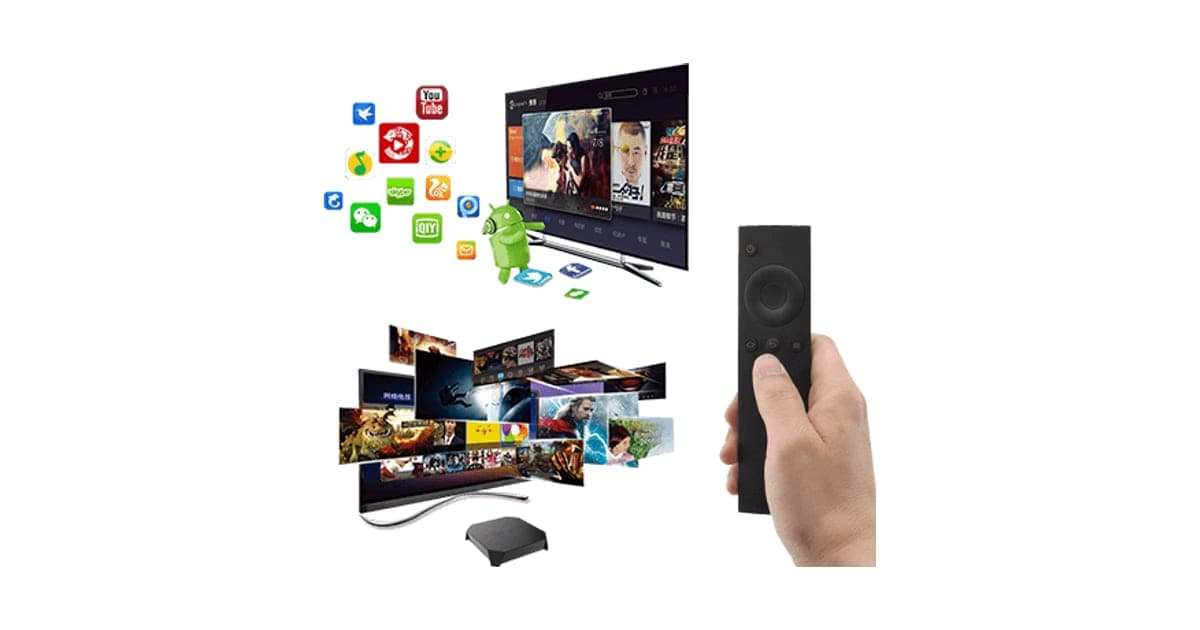
Older TVs without apps can feel outdated. The page promises an upgrade to a new world of content and entertainment, with a high-performance quad-core processor, support for ultra HD 4K video, the latest Android games, a new Android 7.1 operating system, a compact design and the ability to watch YouTube, Netflix, Facebook and Twitter and browse the web from your TV.
The photo shows a small black box and a slim remote in front of TV screens full of film posters, a cloud of colourful app icons and the green Android robot. It looks like a gateway to everything.
What a quad-core processor means
The page highlights a quad-core processor. Almost every streaming device today has a multi-core processor, and core count alone says little about speed. Newer chips with better graphics and video decoding matter more for smooth 4K playback and menus. Certified boxes are tested to run their platform smoothly; an uncertified box comes with no such assurance.
People with older TVs
If your TV has an HDMI port but no apps, a streaming device is the simplest upgrade. That is a genuine need. The question is which device: one that is certified, updated and supported, or one that is not.
Who gets the most value
Very few households get good value from an uncertified Android box at this price. The rare exception is an experienced user who wants a cheap Android device for specific open-source apps, knows how to isolate it and does not need paid streaming services. For everyone else, certified streamers do more for less.
Gamers
The page promises the latest Android games. Many Android games run on TV boxes, though some need touchscreens. A box running Android 7.1 may not run newer games that need more recent Android versions. Dedicated consoles or game streaming on certified devices are more reliable.
Small businesses
Cafes, waiting rooms and shops sometimes use Android boxes to play videos or music on screens. Business networks often hold payment systems and customer data, so an unpatched box on the same network is a real risk. Use a certified device or put any screen box on a separate network.
Cord-cutters
People cancelling cable or satellite often want one box that handles everything. The best setups for cord-cutters combine a certified streamer with official apps for the services they keep, plus free ad-supported channels. An uncertified box undermines that plan by limiting the very services people pay for.
Families
Families want a device children can use safely. An uncertified box with an old Android version and a known malware risk in the category is a poor fit. Certified streamers offer parental controls and child profiles in their apps.
Older relatives
People sometimes buy cheap Android boxes for older relatives so they can watch catch-up TV and video calls on a big screen. For them, simplicity and reliability matter most, and an uncertified box with patchy app support can lead to frustration and support calls. A certified streamer with a simple remote, set up with their favourite apps, is a better gift.
Travellers and holiday homes
A small box is easy to carry to a holiday home or hotel with an HDMI TV. But hotel and holiday Wi-Fi is shared and often insecure, which makes an old, unpatched device riskier. Certified sticks are just as portable and better protected.
Students
Students on tight budgets are often tempted by cheap Android boxes. At $89, AndroidTV is not cheap, and a certified streamer for about $20 leaves money for a streaming subscription. Shared student houses also have shared networks, where an infected box could affect everyone.
Who should skip it
Skip AndroidTV if you want major streaming services in HD, keep important data on your home network, want a safe device for children or simply want good value.
- Anyone who wants Netflix, Prime Video or Disney+ in HD or 4K
- People who keep banking, work or personal data on the same network without isolating the box
- Families wanting a simple, safe streaming device for children
- Price-conscious buyers, since certified 4K streamers cost far less
Is AndroidTV safe to connect to your home network?
We cannot say it is, and the category has a serious track record. In June 2025 the FBI warned that the BADBOX 2.0 botnet had infected over a million home devices, commonly off-brand, uncertified TV streaming boxes made in China, often with malware preloaded before sale. Infected devices were used as proxies for criminal activity. AndroidTV runs Android 7.1 and shows no certification. If you use one, isolate it.
What the FBI said
The FBI's public service announcement on BADBOX 2.0 warned that cyber criminals were exploiting internet-connected devices on home networks, including TV streaming devices, digital projectors, car infotainment systems and digital picture frames. It said most infected devices were made in China and that indicators included suspicious app marketplaces and requirements to disable Google Play Protect. The FBI urged people to check devices for signs of compromise and consider disconnecting suspicious ones.
Who BADBOX targets
The FBI described the botnet as affecting lower-price, off-brand devices that had not passed Google's certification. That is precisely the kind of device an uncertified box sold under a generic name is. We have no evidence that AndroidTV specifically is infected, but the risk applies to the whole category, and the page gives nothing to set it apart.
Why outdated Android matters
Android 7.1 was released in 2016. Google stopped issuing security updates for it years ago, so any vulnerability discovered since stays open. Certified Google TV devices receive regular security patches. An old, unpatched box on your network is an easy target.
What a compromised box can do
A box infected with botnet malware can use your internet connection for other people's activity, such as ad fraud or attacks on websites, which can slow your connection and link your IP address to criminal traffic. It may also probe other devices on your network.
The role of Google Play Protect
Google Play Protect scans apps on certified Android devices for harmful behaviour. The FBI listed requests to disable Play Protect as a warning sign of BADBOX 2.0. On a certified box, Play Protect is part of the security model. On an uncertified one, it may be missing or switched off by design.
Signs of compromise
Watch for apps you did not install, prompts to disable Google Play Protect, unknown app stores, slow internet when the box is idle, the box getting hot when not in use and unexpected network activity on your router. If you see these, unplug the box from your network.
Your router's role
Modern routers can show which devices are connected and how much data they use. Check your router's app or web page for unfamiliar devices or a TV box using large amounts of data when nobody is watching. Some routers can block a device or limit it to the internet only.
Why it matters even if you have nothing to hide
Botnet malware does not need your personal files to cause harm. It uses your internet connection for other people's activity, which can get your connection flagged, slow your browsing and drag your home into investigations. Isolating or avoiding risky devices protects everyone on your network, not just your data.
Keeping it isolated
If you use any uncertified device, connect it to a guest Wi-Fi network that cannot see your computers, phones and smart home devices. Many routers offer this. Do not sign in to important accounts on the box.
How malware gets onto TV boxes
According to the FBI, BADBOX 2.0 malware was often preloaded at the factory or installed during first setup, and it could also arrive through firmware updates or malicious apps from unofficial stores. That means even a brand-new, unopened box can be compromised. Buying from established brands with certified software is the main defence.
What to do if you suspect a problem
Disconnect the box from your network, change the Wi-Fi password and any passwords you used on the box, and check your router for unknown devices. If you use the same passwords elsewhere, change those too. Then replace the box with a certified device.
What the offer page claims
The headline reads "Upgrade your TV to a new world of content and entertainment with AndroidTV". The bullets are: high performance quad core CPU; support ultra high definition 4K videos; play the latest Android games with family and friends; new Android 7.1 operating system; compact design, small and easy to carry, enjoy at work, home and more; and watch YouTube, Netflix, Facebook, Twitter and browse the web from your TV.
Calling Android 7.1 "new" was not accurate even years ago.
Will Netflix, YouTube and other apps work properly on AndroidTV?
Some apps will run, but major paid streaming services usually work poorly on uncertified boxes. Netflix relies on Google's Widevine DRM, and uncertified Android boxes typically only have the basic level, which limits Netflix to standard definition. Some services refuse to install or play at all. YouTube and web browsing are more forgiving. The page shows no Google TV, Android TV or Netflix certification.
Widevine levels explained
Widevine is Google's DRM system for protecting paid video. CNX Software, which tests many Android boxes, explains in its guide to why Android boxes do not play HD or 4K on Netflix that HD and 4K need Widevine Level 1 and Netflix certification, which many cheap boxes lack. With only Level 3, Netflix streams in standard definition at best.
The Google Play Store
Certified Android TV and Google TV devices come with the official Play Store. Uncertified boxes may come with an unofficial or modified store, or none. Some streaming apps check certification and will not install or run. Downloading apps from unofficial stores raises the malware risk the FBI described.
Sound and subtitles
Surround sound from streaming services also depends on certification. Uncertified boxes may only pass stereo audio from paid services. Subtitles generally work in apps that install, though some apps behave differently on uncertified devices.
YouTube and web browsing
YouTube's Android app and web browsers often work on uncertified boxes, though not always well with a TV remote. Browsing on a TV is clumsy without a keyboard and mouse.
4K in practice
The box may output a 4K signal, but 4K from major streaming services needs certification and strong DRM. Without them, you may see 4K only from local video files or a few apps. A certified streamer is the reliable route to 4K Netflix, Prime Video and Disney+.
Live TV and sport apps
Live TV apps from broadcasters and sports services often check certification and region, and may refuse to run on uncertified devices. Some users turn to unofficial apps that stream pirated content, which carry legal risks and are a common source of malware. Stick to official apps from trusted stores.
Kodi and media players
Media players such as Kodi run on many Android boxes and can play your own video files from a USB drive or home server. For people who mainly watch their own media, an Android box can work, but a certified device runs these apps too, with better security.
Remote and voice control
Certified Google TV and Fire TV remotes include voice search across apps. Basic Android box remotes often lack voice control or rely on the box's own software. The photo shows a slim remote; the page does not say whether it supports voice.
Games
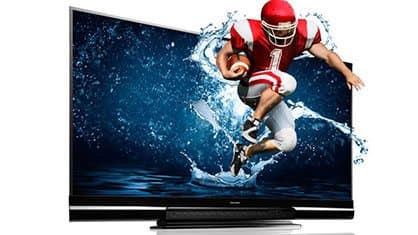
Simple Android games run on many boxes, though games designed for touchscreens can be awkward with a remote. Newer games may need a later Android version. The "3D Game Playing Option" add-on is pictured with a football player bursting out of a TV, which tells you nothing about what it does.
How much does AndroidTV cost compared with a certified Google TV box?
On 4 October 2026, with the United States selected, one AndroidTV cost $89, shown as half of $178, with free delivery. The five-pack for $267 was preselected. Tom's Guide reported Walmart's Onn 4K streaming box with Google TV launching at $19.88, running Android 12 with Google certification. The page code also sells an HDMI cable for $4, which suggests one may not be included.
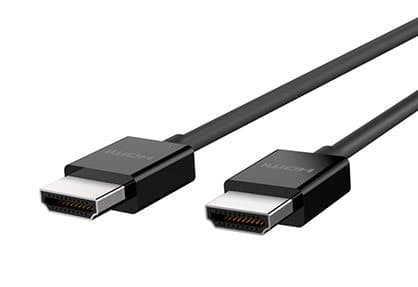
The $4 HDMI Cable add-on
The $9 Fast Car Charger add-on
AndroidTV price and bundles
| Package | Total | Per box |
|---|---|---|
| 1 AndroidTV | $89 | $89.00 |
| 2 AndroidTV | $139 | $69.50 |
| Buy 2, get 1 free (3) | $177 | $59.00 |
| 4 AndroidTV | $219 | $54.75 |
| Buy 3, get 2 free (5), preselected | $267 | $53.40 |
You can check today's packages on the AndroidTV order page (opens G Com Pte Ltd in a new tab).
What a certified box costs
Tom's Guide reported Walmart's Onn Google TV 4K streaming box launching at $19.88, undercutting Fire TV and Chromecast models. It runs Google TV on Android 12 and is certified for Google Play. Amazon, Roku and Google sell certified streamers at similar budget prices.
The add-ons
- 3D Game Playing Option: $7 (from $18). Pictured with a football player leaping out of a TV. Ask what it does.
- HDMI Cable: $4 (from $9). You need an HDMI cable to connect any streaming box. Ask whether one comes in the box.
- Fast Car Charger: $9 (from $19). A USB car charger, unrelated to a TV box.
What you would spend over a year
A certified 4K streamer at around $20, plus a streaming subscription, costs less in the first year than AndroidTV alone, and you get HD and 4K from that subscription. With AndroidTV, paying for Netflix and watching in standard definition means paying full price for a lower-quality picture.
The "regular price"
The page shows $178 crossed out next to $89 with a countdown. We found no evidence of AndroidTV selling at $178.
Who sells it
The order page and impressum name G Com Pte Ltd, at 137 Market Street in Singapore, with a company registration number, email and phone number. The footer says "G Com Pte Ltd - Hong Kong". We found no independent rating profile for the store. With the United States selected, the order page said charges would appear as panameedia.

AndroidTVScore 2.8/10
Best for: Very few buyers: someone who understands the security risks and wants an Android box for side-loaded apps
$89.00 at G Com Pte Ltd · Price checked October 4, 2026
Check price at G Com Pte Ltd (opens G Com Pte Ltd in a new tab)We may earn a commission if you buy through our links.
Is AndroidTV better than a Google TV, Fire TV or Roku streamer?
No. Certified streamers from Google partners, Amazon and Roku cost far less, receive regular security updates, play major streaming services in HD and 4K, and have maintained remotes and apps. AndroidTV costs more, runs an unsupported Android version and shows no certification. There is no situation where it is the better choice for most households.
| Device | Certified | OS updates | Netflix quality | Price seen |
|---|---|---|---|---|
| AndroidTV | Not shown | Android 7.1, unsupported | Usually SD on uncertified boxes | $89 |
| Onn 4K Google TV box | Yes | Android 12 at launch | Up to 4K | $19.88 at launch |
| Amazon Fire TV Stick | Yes | Fire OS updates | Up to 4K on 4K models | Budget |
| Roku streamer | Yes | Roku OS updates | Up to 4K on 4K models | Budget |
AndroidTV vs Onn 4K Google TV
The Onn box costs about a quarter of AndroidTV, runs a much newer Android version with Google certification, and plays Netflix, Prime Video and Disney+ properly. This is the clearest rival win.
AndroidTV vs your TV's built-in apps
Check whether your TV already has apps through a built-in platform or a firmware update. Some older smart TVs lost support for apps over time, which is often why people buy a streaming box. If yours still has supported apps, you may not need a box at all.
AndroidTV vs Fire TV and Roku
Amazon and Roku streamers are cheap, widely supported and regularly updated. They do not run all Android apps, but they cover major streaming services and many free channels.
What to look for in any streaming device
Look for Google TV, Android TV, Fire TV or Roku branding, regular software updates, support for the streaming services you pay for in HD or 4K, and a remote with voice search if you want it. Avoid devices that advertise "fully loaded" apps or ask you to disable security settings.
AndroidTV vs a smart TV
If you are thinking of replacing an old TV anyway, current budget smart TVs include certified streaming platforms. For an existing TV, a certified stick or box is cheaper.
Matching a streamer to your TV
If your TV is 1080p, a 1080p certified stick is all you need and costs very little. If it is 4K with HDR, choose a 4K HDR streamer. Either way, a certified device makes the most of your subscriptions.
AndroidTV vs Google's own streamer
Google's own streaming devices run Google TV with the latest updates and support for major apps in 4K and HDR. They cost more than budget sticks but offer the most direct Google support. Either way, certification is what matters most.
AndroidTV vs an Nvidia Shield
Enthusiasts who want a powerful Android TV box for games, Plex and 4K often choose the Nvidia Shield, a certified Android TV device with long software support. It costs more, but it shows what a well-supported Android box looks like.
Other tech we have reviewed
Our NanoSecure review covers a fingerprint reader from the same seller, and our Omni DataSafe review an encrypted USB drive. Our KeySmart review and Lumenology review look at everyday gadgets. Browse more tech gadget reviews.
If you still want AndroidTV for side-loading, check today's packages on the AndroidTV offer page (opens G Com Pte Ltd in a new tab) and keep it isolated on your network.
AndroidTVScore 2.8/10
Why people buy it: Turns a TV with an HDMI port into one that can run Android apps
$89.00 at G Com Pte Ltd · Price checked October 4, 2026
Check price at G Com Pte Ltd (opens G Com Pte Ltd in a new tab)We may earn a commission if you buy through our links.
Is AndroidTV legit, and what should you check before buying?
AndroidTV is a real product from a named seller, and a box should arrive if you order. Before buying, ask whether it is Google certified, which Android version and security patch it runs and whether an HDMI cable is included. If you buy, isolate it on your network. Know that refunds need a returns number and that return postage is yours to pay.
Ask about certification
What to do: ask support whether the box is Google TV or Android TV certified and which Widevine level it has. If the answer is no, or unclear, buy a certified streamer instead.
Ask about updates
What to do: ask which Android version and security patch level it runs, and whether updates are provided.
Ask about the power supply
What to do: ask whether a power adapter is included and what plug type it has for your country. Cheap, unbranded power supplies are a common weak point in budget electronics.
Check the selected bundle
The five-pack for $267 was preselected. What to do: change it to one box if you buy at all.
Membership offers
The page code contains text for a "Gadget Discount Club" membership, free for 30 days and then "a small fee of $9 may apply". We did not see it on the order page with the United States selected. What to do: read every checkbox and post-purchase page.
Refunds and returns
The page code promises a 30-day guarantee with a full refund or replacement, less shipping and handling. The terms focus on defective or damaged products, which may be returned within two years once you have a returns number. Return postage is at your cost and is not reimbursed. A box that works but streams in SD may not count as defective.
What to do: test the apps you care about on the day it arrives, and contact support at once if they do not work.
Check for an FCC ID and safety marks
What to do: check the box and power adapter for an FCC ID in the US or a CE or UKCA mark in Europe and the UK, plus safety markings on the power supply. Unmarked power adapters can be a fire risk.
Think about who will use it
What to do: if children will use the box, consider whether you can set parental controls, and whether apps from unofficial stores could expose them to inappropriate content. Certified streamers offer child profiles.
How to buy AndroidTV the smart way
- Ask support about certification, Widevine level and Android version.
- Open the AndroidTV order page (opens G Com Pte Ltd in a new tab) and select your country.
- Change the preselected five-pack to one box.
- Add the HDMI cable only if none is included and you have no spare.
- Note the card statement name, panameedia, and save your order email.
- Connect it to a guest Wi-Fi network, not your main one.
How did we score AndroidTV?
AndroidTV scores 2.8 out of 10: claim accuracy 0.4, build durability 0.8, price competitiveness 0.2, usability 0.9 and owner satisfaction 0.5, each out of 2. It can put apps on a TV, but it runs an unsupported Android version, shows no certification, is likely to stream major services in low quality, sits in a category the FBI has warned about and costs far more than certified streamers.
What owners say
We found no Trustpilot profile for the gadgetxaura.com store and no independent retailer reviews for AndroidTV. Owners of generic Android TV boxes often like the flexibility to install apps, and complain about low-quality Netflix, apps that will not install, laggy remotes, overheating and unexplained network activity.
How the score breaks down
We use the five criteria on our how we test page, each out of 2.
| Criterion | Score | Why |
|---|---|---|
| Claim accuracy | 0.4 / 2 | "New Android 7.1" and Netflix and 4K claims mislead for an uncertified box |
| Build durability | 0.8 / 2 | Small box; boxes of this type often overheat |
| Price competitiveness | 0.2 / 2 | About four times a certified 4K Google TV box |
| Usability | 0.9 / 2 | Basic remote and apps; major services limited |
| Owner satisfaction | 0.5 / 2 | No independent ratings for this product |
| Total | 2.8 / 10 |
What we did, and did not, do
Nobody on our team has used AndroidTV. We read the offer page our link opens with the United States selected, its code and the seller's terms on 4 October 2026, along with the FBI's BADBOX 2.0 announcement, CNX Software's explainer on Netflix and Widevine, Tom's Guide's report on the Onn Google TV box and the top-ranking AndroidTV pages.
How to use AndroidTV more safely if you have one
If you already own AndroidTV or a similar box, connect it to a guest Wi-Fi network, avoid unofficial app stores, never disable Google Play Protect if asked, and do not sign in to important accounts on it. Check its settings for the Android version and security patch date, watch for unexpected apps or network activity, and replace it with a certified streamer if anything looks wrong.
- Use a guest network. Keep it away from your computers and phones.
- Check the version. Settings usually show the Android version and patch date.
- Avoid unknown app stores. Only install apps you trust.
- Never disable Play Protect. The FBI flagged this as a warning sign.
- Do not sign in to key accounts. Avoid email, banking and work accounts on the box.
- Watch your router. Unusual traffic when the box is idle is a red flag.
- Unplug when not in use. It cannot misbehave when it is off.
Resetting the box
A factory reset clears installed apps and settings, which can remove some problems but not malware built into the system firmware. If you suspect the box is compromised, a reset is not enough; replace it.
Getting the best picture
Use a good HDMI cable, set the box's output resolution to match your TV, and use the TV's game or PC mode if menus feel laggy. Expect standard definition from many paid services.
Storing media on a USB drive
If you mainly watch your own videos, copy them to a USB drive and play them through a media player app. That avoids online streaming entirely. Scan files for malware before copying them, and avoid downloading videos from unofficial sites.
Using a keyboard and mouse
A wireless keyboard and mouse with a USB receiver make browsing and app setup much easier than a remote on most Android boxes.
Checking the patch date
In the box's settings, look under About for the Android security patch level. A date years in the past means the box has known, unfixed vulnerabilities. Certified streamers usually show recent patch dates and update automatically.
Handing it on
Think twice before giving an old Android box to friends or selling it. If it may carry malware, passing it on simply moves the problem to another home. Recycling it at an electronics collection point, after a factory reset, is the safer choice.
When it still makes sense to keep using one
If you already own a box like this and only use it offline, for example to play videos from a USB drive on a TV with no internet connection, the network risks largely disappear. In that narrow case, it can keep serving a purpose. Once you connect it to the internet, the concerns in this review apply again.
Keeping a log of what you install
If you do keep a box online, keep a short list of the apps you have installed and where they came from. If something new appears that is not on the list, you will notice it quickly. That simple habit is one of the easiest ways to spot apps that install themselves, which the FBI flagged as a sign of compromise.
Pair that list with a quick monthly look at your router's device list. Between the two, you will notice most problems early, before they affect the rest of your network. If you ever find something you cannot explain, unplug the box first and investigate afterwards; a streaming device is easy to replace, but a compromised home network takes much longer to put right. Changing your Wi-Fi password afterwards, and checking other devices for anything unusual, completes the clean-up. If you are unsure, a local computer repair shop can check your router settings and other devices for signs of trouble. It costs far less than dealing with stolen accounts later, and it gives you peace of mind that the rest of your devices are clean before you connect a new, certified streamer to the network and start watching again with confidence that your home network is secure.
Overheating
Small boxes can run hot, especially in closed TV cabinets. Keep the box in open air, away from the back of the TV, and do not stack things on it. Overheating can cause crashes and shorten its life.
Updating apps
Keep the apps you use updated through the store, if the box has a trusted one. Remove apps you no longer use. Fewer apps mean fewer ways for problems to creep in.
Replacing it
If you decide to switch, factory reset the box, remove it from your network and recycle it at an electronics collection point. A certified streamer will be cheaper and safer.
Other questions about Android TV boxes
What is the difference between Android TV and an Android TV box? Android TV and Google TV are Google's certified TV platforms. Many cheap "Android TV boxes" run ordinary Android, not certified Android TV, so they lack the TV interface, Play Store and DRM that certified devices have.
How can I tell if a box is certified? Certified devices show Google TV or Android TV branding and list Play Protect certification in settings. You can also check whether the official Netflix app installs from Google Play and plays in HD.
Are fully loaded boxes legal? Boxes sold preloaded with apps that stream pirated films, sports and TV can expose users to legal risk and malware. Official apps from licensed services are the safe route.
Can I update an old Android box? Sometimes manufacturers release firmware updates, but cheap boxes rarely get them. Unofficial firmware from forums carries its own risks.
Will it work with my old TV? It needs an HDMI input. Very old TVs without HDMI need an adapter, which can reduce picture quality.
Does it need a subscription? The box itself does not, but most streaming services do. Free services and YouTube work without subscriptions.
AndroidTVScore 2.8/10
Before you buy: Check the final price, shipping and return terms at checkout.
$89.00 at G Com Pte Ltd · Price checked October 4, 2026
Check price at G Com Pte Ltd (opens G Com Pte Ltd in a new tab)We may earn a commission if you buy through our links.
Frequently asked questions
Is AndroidTV safe to use?
We cannot say it is. The page shows no Google certification, and in June 2025 the FBI warned that BADBOX 2.0 malware had infected over a million off-brand, uncertified TV streaming devices and other gadgets, often before sale. If you buy one, keep it on a separate network and watch for signs of compromise.
Will Netflix work on AndroidTV?
Possibly, but not well. Netflix relies on Google's Widevine DRM, and uncertified Android boxes usually only have the basic level, which limits Netflix to standard definition, about 480p. Some uncertified boxes cannot install the Netflix app from Google Play at all.
What version of Android does it run?
The page says Android 7.1, which Google released in 2016. That version no longer receives Android security updates, so known vulnerabilities stay unpatched. Current Google TV devices run much newer versions with regular security updates.
How much does AndroidTV cost?
With the United States selected on 4 October 2026, the offer page listed one box for $89, two for $139, three for $177, four for $219 and five for $267. The five-pack was preselected. Delivery was listed as free, a 3-year warranty cost $14 and an HDMI cable was a $4 add-on.
What is a cheaper certified alternative?
Walmart's Onn 4K streaming box with Google TV launched at $19.88, according to Tom's Guide, with Android 12 and Google certification. Amazon Fire TV, Roku and Google's own streamers are also certified for major streaming apps.
Does AndroidTV really support 4K?
The page claims it supports 4K videos. Hardware support for 4K output is one thing; getting 4K from Netflix, Prime Video or Disney+ requires certification and stronger DRM, which uncertified boxes usually lack. Expect 4K mainly from local files or some open apps.
Is AndroidTV legit?
It is a real product sold by G Com Pte Ltd, which lists a Singapore address, company number, email and phone. The concerns are the outdated Android version, no shown certification, the FBI's warning on this category, streaming limits and refund terms that leave return postage to you.
We may earn a commission if you buy through our links.
Prices accurate as of October 4, 2026. Check the seller's checkout for current pricing, promotions and terms.
What we checked: No hands-on use. Features, photos, prices with the United States selected, the preselected bundle, add-ons and their images, warranty and card statement name from the AndroidTV offer page our link opens (gadgetxaura.com) on 2026-10-04, plus the bundle and add-on data in the page's own code. Refund and cancellation terms from the same site's terms page that day. The FBI's June 2025 public service announcement on BADBOX 2.0, CNX Software's explainer on Netflix and Widevine on Android boxes, Tom's Guide's report on the Onn 4K Google TV box and the top-ranking AndroidTV pages were read the same day.

About the author
Ryan Mitchell, Consumer Technology Writer
Ryan Mitchell covers new and innovative gadgets for Top10Gadgets: AI devices, wearables, smart accessories, digital services and the beauty tech sold through viral adverts. Ryan likes to find a gadget before it goes main…
- New and innovative gadgets
- AI devices and wearables
- Smart accessories
- Beauty tech
- App and subscription terms
Writing for Top10Gadgets since 2026Full profile