Smart Home / Door and window sensors
HomePolice24 Review: A $99 Wi-Fi Door and Window Sensor, and What Smart Sensors Should Really Cost
A magnetic sensor that alerts your phone when a door or window opens, with no monthly fee. Useful, but $99 for one sensor is many times the going rate, and it is not monitored.

By Alex Carter, Senior Tech Reviewer at Top10Gadgets
Updated 26 min readHow we test
Quick answer
Only if you need one simple open-and-close alert and the price does not matter. HomePolice24 is a small Wi-Fi magnetic sensor that tells your phone when a door, window, cabinet or drawer opens, with no hub and no monthly fee.
Score 3.4/10$99.00 at G Com Pte Ltd
Check price at G Com Pte Ltd (opens G Com Pte Ltd in a new tab)We may earn a commission if you buy through our links.
- Best for
- People who want a phone alert when one door, window or cupboard opens and accept a high price
- Not for
- Anyone who needs a real alarm system with a siren or professional monitoring
$99.00 at G Com Pte Ltd
Check price at G Com Pte Ltd (opens G Com Pte Ltd in a new tab)We may earn a commission if you buy through our links.
On this page · 12 sections
- 01Our verdict
- 02The short version
- 03Pros & cons
- 04How it works
- 05Who it's for
- 06How much should a door sensor cost, and why is HomePolice24 $99?
- 07Is HomePolice24 a real home security system?
- 08Is HomePolice24 better than Ring, Aqara or a Wi-Fi sensor from a known brand?
- 09Is HomePolice24 legit, and what should you check before buying?
- 10How did we score HomePolice24?
- 11How to use HomePolice24: placement, alerts and battery care
- 12Frequently asked questions
Our verdict
Only if you need one simple open-and-close alert and the price does not matter. HomePolice24 is a small Wi-Fi magnetic sensor that tells your phone when a door, window, cabinet or drawer opens, with no hub and no monthly fee. That is useful for a back door or a medicine cabinet. But $99 for one sensor is many times what branded contact sensors cost, voice assistant support and low battery alerts are add-ons, and it is an alert rather than an alarm. HomePolice24 scores 3.4 out of 10, held back mainly by price and missing basics.
The short version
- What it is: a two-piece magnetic Wi-Fi sensor that alerts your phone when something opens or closes.
- Price: $99 for one on 4 October 2026, with a five-pack for $297 preselected. Delivery was listed as free.
- Best trait: simple, contract-free phone alerts with no hub.
- Biggest drawback: the price, with features many sensors include sold as extras.
- Our score: 3.4 out of 10.
Pros & cons
The pros come from what contact sensors do well. The cons are about price, missing basics and what "24/7 security" really means here.
What we like
- Sends a phone alert when a door, window, cabinet or drawer opens or closes
- Wi-Fi sensor, so the page says no hub is needed
- No monthly fee for alerts, according to the page
- Small, stick-on design that is easy to fit without tools
- Free delivery, and the seller names a registered company with a Singapore address
What we don't
- At $99 for one sensor, it costs many times what branded contact sensors sell for
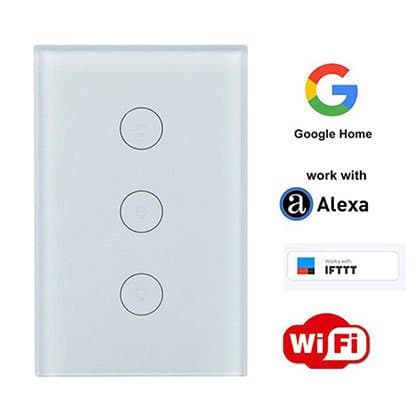
- Alexa, Google Home and IFTTT support is a $14 add-on, pictured with a wall light switch rather than the sensor
- A low battery alert, a basic safety feature, is sold as a $4 add-on
- Self-monitoring only: no siren, no professional monitoring and no police dispatch
- The app is not named, so you cannot check its security or update record
- Refunds need a returns number first, and you pay return postage to an overseas seller
Sold by G Com Pte Ltd
HomePolice24$99.00
How it works
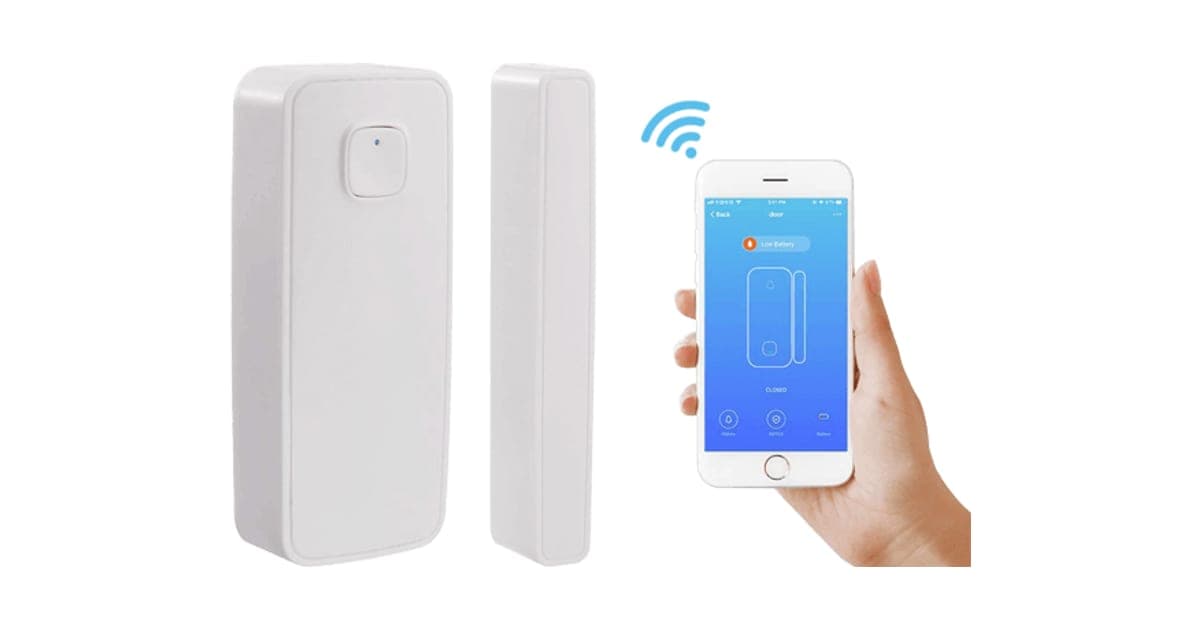
A contact sensor has two parts: a sensor body containing a magnetic switch and a Wi-Fi radio, and a small magnet. When the door or window is closed, the magnet sits next to the switch and holds it in one state. When you open it, the magnet moves away, the switch changes state, and the sensor wakes, connects to Wi-Fi and tells the app's servers, which push an alert to your phone.
Stick the two parts in place
Step 1: Fix the sensor body to the door or window frame and the smaller magnet piece to the moving door or window, lined up and close together when shut.
Connect it to Wi-Fi
Step 2: Install the companion app, add the sensor and connect it to your home Wi-Fi so it can send alerts to your phone through the internet.
Get alerts when it opens
Step 3: When the door or window opens, the magnet moves away from the sensor, which sends an alert to your phone. Closing it sends another.
Who it's for
HomePolice24 suits someone who wants a simple phone alert on one important door, window or cupboard, without contracts, and who is happy to pay well over the usual price. Anyone wanting to protect a whole home, or wanting a real alarm, should look elsewhere.
- People who want a phone alert when one door, window or cupboard opens and accept a high price
- Parents who want to know when a medicine cabinet or back door is opened
- Renters who want a simple, removable sensor with no contract
Why HomePolice24 appeals
The name promises security, and the page leans into it: easy to install and configure; reliable open and close detection of doors, windows, cabinets and drawers; fast instant alerts to your phone anywhere; 24/7 security sensor monitoring with no monthly fee; smart and secure protection for your home and kids; and a more intelligent home.
The photos show a clean white sensor and magnet beside a phone app with a sensor icon. It looks like the kind of sensor sold by major smart home brands.
Who gets the most value
The people who get most from a single contact sensor have one specific opening they care about: a back door that a toddler can reach, a shed with expensive tools, a cabinet with medicines. For that one job, a sensor that pings your phone is genuinely helpful. The value drops quickly once you need several sensors at this price.
Parents
Sensors are popular with parents who want to know when a toddler opens the back door, when a teenager comes home late, or when someone opens a cabinet with medicines or cleaning products. An instant phone alert can prompt you to check. It does not physically stop anyone, so locks and childproof catches still matter.
Renters
Stick-on sensors leave no holes and need no wiring, which suits renters. With no hub and no subscription, nothing needs to be returned to a provider when you move.
People living alone or caring for relatives
Some families use door sensors to know when an older relative goes out or comes home, as a gentle check-in. That works best with the relative's agreement, and a sensor is not a substitute for proper care alarms if someone may fall or wander.
Students and shared houses
In shared houses, a sensor on a bedroom door or a personal cupboard can let you know if someone goes in while you are out. Talk to housemates first, since secret monitoring can damage trust, and remember that a sensor only tells you something happened.
Small offices and sheds
A sensor on a shed, garage or office door can alert you when it opens. Wi-Fi must reach the door, which is often the limiting factor for outbuildings.
Pet owners
Contact sensors do not detect pets, which makes them a good choice for homes where motion sensors would trigger constantly. A sensor on the back door tells you when it opens, not when the cat walks past. Some owners also use sensors on pet food cupboards that clever dogs learn to open.
People who travel often
Frequent travellers like knowing when a door opens while they are away. A sensor alert can prompt you to check a camera or call a neighbour. Make sure someone nearby can respond, since you cannot do much from an airport.
Landlords and property managers
Some landlords use sensors on vacant properties to know if anyone enters. Tenants have privacy rights in occupied homes, so sensors should only be used with the tenant's knowledge and agreement where the law allows.
Who should skip it
Skip HomePolice24 if you need an alarm that makes noise or contacts help, want to cover many doors and windows, or can buy branded sensors for a fraction of the price.
- Anyone who needs a real alarm system with a siren or professional monitoring
- People who want to cover several doors and windows, since each sensor costs $99 here
- Buyers who cannot confirm the app before connecting it to their Wi-Fi
- Price-conscious buyers, since branded and generic sensors cost a fraction of the price
How much should a door sensor cost, and why is HomePolice24 $99?
Contact sensors are among the cheapest smart home devices. A 2026 comparison listed Ring's contact sensor at $14.99 and Aqara's at $17.99, though both need a base station or hub. Wi-Fi sensors that work without a hub have been listed at about $45 from Swann, and multi-packs of generic Wi-Fi sensors cost less still. HomePolice24 costs $99 for one sensor, with its five-pack at $297.

The $4 Low Battery Alert Option add-on image
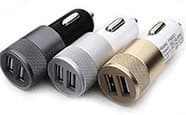
The $9 Fast Car Charger add-on
HomePolice24 price and bundles
| Package | Total | Per sensor |
|---|---|---|
| 1 HomePolice24 | $99 | $99.00 |
| 2 HomePolice24 | $159 | $79.50 |
| Buy 2, get 1 free (3) | $197 | $65.67 |
| 4 HomePolice24 | $249 | $62.25 |
| Buy 3, get 2 free (5), preselected | $297 | $59.40 |
You can check today's packages on the HomePolice24 order page (opens G Com Pte Ltd in a new tab).
Why one sensor rarely covers a home
Burglars can enter through any door or ground-floor window. Protecting a typical home means sensors on every external door and accessible window, often six to twelve sensors. At $59.40 to $99 each here, that becomes very expensive. At branded hub-system prices, the same coverage costs a fraction, which is why most home security setups use cheap sensors and a central hub.
What branded sensors cost
Smart Home Compared's 2026 comparison listed Ring's Window and Door Contact Sensor (2nd gen) at $14.99 and Aqara's Door and Window Sensor at $17.99. Ring's needs the Ring Alarm base station, and Aqara's needs an Aqara hub, so they cost more to start with but much less per sensor once you have the hub.
Wi-Fi sensors with no hub
Wi-Fi sensors avoid the hub but use more battery, because Wi-Fi takes more power than the low-energy radios hub-based sensors use. Walmart has listed a Swann Window and Door Alert Wi-Fi sensor at about $45. That is the closest like-for-like comparison, at under half HomePolice24's price.
Comparing the five-pack
Even the preselected five-pack works out at $59.40 per sensor. A branded hub-based kit with a base station, several contact sensors and a motion sensor often costs a similar total, and adds a siren, battery backup and the option of monitoring. If you need several sensors, a kit is the better comparison.
The add-ons
- Alexa and Google Home IFTTT Compatible: $14 (from $29). The image shows a three-button glass wall light switch with Google Home, Alexa, IFTTT and Wi-Fi logos, not the sensor. Ask what this add-on actually is.
- Low Battery Alert Option: $4 (from $9). A warning when the battery runs low. Many sensors include this as standard, and it matters, because a flat sensor sends no alerts.
- Fast Car Charger: $9 (from $19). A USB car charger, unrelated to a door sensor.
Batteries and running costs
The page does not say what battery the sensor uses or how long it lasts. Wi-Fi sensors usually last months rather than years on a battery, because Wi-Fi uses more power than the low-energy radios in hub-based sensors. Budget for replacement batteries, and add the $4 low battery alert or check the sensor regularly if it is not included.
The "regular price"
The page shows $198 crossed out next to $99 with a countdown. We found no evidence of HomePolice24 selling at $198.
Who sells it
The order page and impressum name G Com Pte Ltd, at 137 Market Street in Singapore, with a company registration number, email and phone number. The footer says "G Com Pte Ltd - Hong Kong". We found no independent rating profile for the store. With the United States selected, the order page said charges would appear as panameedia.

HomePolice24Score 3.4/10
Best for: People who want a phone alert when one door, window or cupboard opens and accept a high price
$99.00 at G Com Pte Ltd · Price checked October 4, 2026
Check price at G Com Pte Ltd (opens G Com Pte Ltd in a new tab)We may earn a commission if you buy through our links.
Is HomePolice24 a real home security system?
No. It is a single sensor that sends phone alerts. "24/7 security sensor monitoring with no monthly fee" means the sensor watches its door all the time and notifies your phone, not that anyone is monitoring your home. There is no siren, no keypad, no backup if your Wi-Fi or power fails and no professional monitoring that calls the police. It is a useful layer, not a complete system.
What "no monthly fee" means
The page's "24/7 security sensor monitoring with no monthly fee" is accurate in the narrow sense that the sensor works without a subscription. It is misleading if read as round-the-clock monitoring by people. Professional monitoring always involves staff and usually a fee. Read the claim as "free phone alerts".
Self-monitoring versus professional monitoring
With self-monitoring, alerts go to your phone and you decide what to do. If you are asleep, busy or out of signal, nothing happens. Professional monitoring services watch alerts around the clock and can contact you and emergency services. They usually cost a monthly fee. HomePolice24 is self-monitoring only.
What IFTTT and voice assistants add
IFTTT and voice assistant integrations let a sensor trigger other devices, such as turning on lights, sounding a smart speaker or flashing a lamp. They make a single sensor more useful at home. The page sells this as a $14 add-on, so ask exactly which platforms are supported and whether the app's free features already include automations.
Who responds to an alert
Before relying on any self-monitored sensor, decide who will respond when an alert arrives. If you are away, it may be a neighbour or family member with a key. If you are home at night, it is you. Think through what you would do: check a camera, call a neighbour, call the police. A sensor without a plan is just a notification.
What happens if Wi-Fi or power goes down
A Wi-Fi sensor needs your router and internet connection to send alerts. If your broadband drops, your router loses power, or a burglar cuts the line, alerts stop. Professional alarm systems often include battery backup and mobile data backup for this reason.
What a full system adds
A typical self-installed alarm kit includes a hub with a siren and battery backup, a keypad to arm and disarm, contact sensors for doors, a motion sensor for the hallway and an app. Many offer optional professional monitoring. Each part covers a gap that a single Wi-Fi sensor leaves: noise to scare intruders, backup when power fails and someone to call for help.
Alert speed
Wi-Fi sensors sleep to save battery and wake when triggered, then connect to Wi-Fi and the cloud. That can add a short delay before your phone buzzes. For security, a few seconds rarely matters. For knowing a child has opened a door to a road or pool, every second counts, so test how fast alerts arrive.
Privacy of your alerts
Each alert tells the app's servers when a door in your home opens. Over time, that builds a picture of when you are home and when you are out. Established platforms publish privacy policies and security practices. The page does not name HomePolice24's app, so you cannot check how that data is handled.
False alerts
Contact sensors can send false open alerts if the magnet works loose, a door warps in humid weather or the gap is too wide. Too many false alerts lead people to switch notifications off, which defeats the purpose. Check alignment after fitting and again with the change of seasons.
No siren
An alarm siren scares intruders and alerts neighbours. HomePolice24 has no siren mentioned. Some smart home apps can trigger a siren or lights from a sensor if you own compatible devices, which the voice assistant add-on might enable. The page does not say.
"Protect your home and kids"
A sensor tells you something has happened; it does not prevent it. For children's safety around doors, pools and stairs, physical barriers such as locks, gates and pool fences are the primary protection, with alerts as a backup.
What the offer page claims
The title reads "HomePolice24, door and window sensor smart security, magnetic sensor compatible, smart home indoor motion sensor, for movement detection and home automation". The bullets are: easy to install and configure; reliable open and close detection of doors, windows, cabinets and drawers; fast instant alerts to your phone anywhere you are; 24/7 security sensor monitoring with no monthly fee; smart and secure, protect your home and kids; and makes your home intelligent.
The title mentions an indoor motion sensor, but the photos show only a contact sensor and magnet. Ask whether a motion sensor is included.
Is HomePolice24 better than Ring, Aqara or a Wi-Fi sensor from a known brand?
No. Branded sensors cost a fraction of the price per sensor, come with maintained apps and include features such as low battery alerts and voice assistant support as standard. Hub-based systems cost more to start but much less to expand. A no-hub Wi-Fi sensor from a known brand is the closest match and has been listed at under half the price. HomePolice24 wins on nothing except buying from this page.
| Option | Hub needed | Price per sensor | Siren or monitoring | App |
|---|---|---|---|---|
| HomePolice24 | No | $99 | No | Not named |
| Swann Wi-Fi sensor | No | About $45 | Via app | Swann app |
| Ring contact sensor | Ring base station | $14.99 | Siren and optional monitoring | Ring app |
| Aqara contact sensor | Aqara hub | $17.99 | Via hub and app | Aqara app |
| Generic Wi-Fi sensor multi-pack | No | Low | No | Smart Life type apps |
Why hubs make sensors cheaper
Hub-based systems put the internet connection, siren and battery backup in one central box, so each sensor can use a tiny, low-power radio and a coin cell that lasts years. That keeps sensors small and cheap. Wi-Fi sensors put a full Wi-Fi radio in every sensor, which uses more power and costs more per sensor, but avoids buying a hub.
HomePolice24 vs Ring Alarm
Ring Alarm uses a base station with a built-in siren and battery backup, keypads and optional professional monitoring by subscription. Individual contact sensors cost $14.99 in the 2026 comparison. For whole-home security, it is far better value. This is a clear rival win.
HomePolice24 vs SimpliSafe and similar kits
Self-installed kits from established security brands bundle a base station, keypad, entry sensors and motion sensors, with optional professional monitoring. They cost more upfront than one sensor, but per sensor they are far cheaper, and they add the parts a single sensor lacks. For whole-home protection, they are the natural comparison.
HomePolice24 vs Aqara
Aqara's Zigbee sensors connect through a hub, run for years on a coin cell and work with Apple Home, Alexa and Google through the hub. At $17.99 each, they are a fraction of HomePolice24's price.
HomePolice24 vs a generic Wi-Fi sensor
Generic Wi-Fi contact sensors that use widely available smart home apps are sold in multi-packs for low prices. They are similar in design to HomePolice24 and may even use the same type of app. Quality varies, but at those prices, testing a pair costs much less than one HomePolice24.
HomePolice24 vs a branded Wi-Fi sensor
If you want no hub, a branded Wi-Fi sensor such as Swann's at about $45 does the same job with a known app. It is the most direct alternative.
HomePolice24 vs a motion sensor
Motion sensors cover a room rather than a single opening, which is useful for detecting someone who got in through a window without a sensor. They can trigger on pets. Many security setups combine contact sensors on doors with a motion sensor in the hallway.
HomePolice24 vs a simple door alarm
Battery door alarms that sound a loud chime or siren when opened cost very little and need no Wi-Fi or app. They alert people in the house and may scare off intruders, though they cannot notify you when you are away. For a child's bedroom door or a back gate, a cheap local alarm can be enough.
HomePolice24 vs a video doorbell
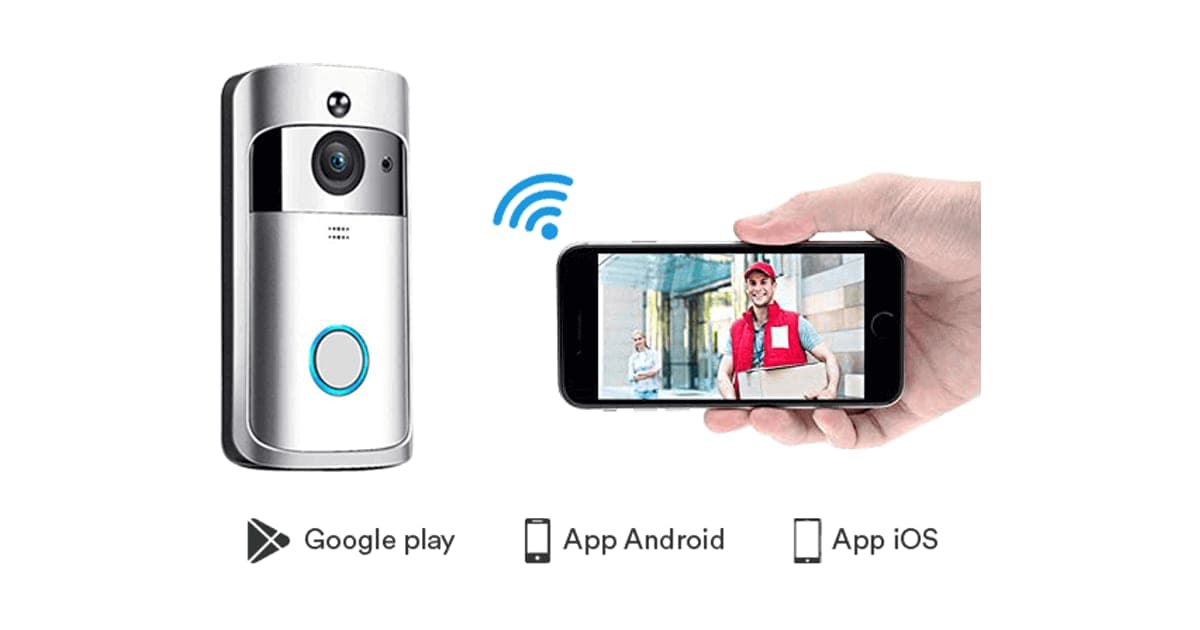
A video doorbell shows who is at the door, while a contact sensor tells you when it opens. Our Video DoorBell review covers the same seller's doorbell and the security questions around budget cameras.
Other smart home gadgets we have reviewed
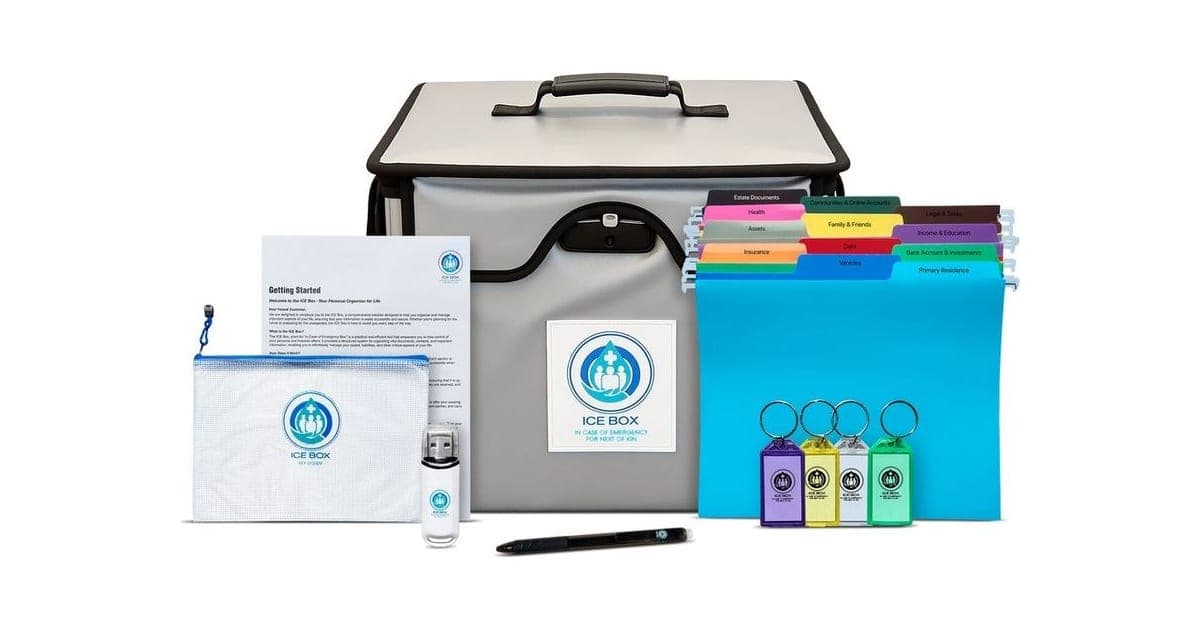
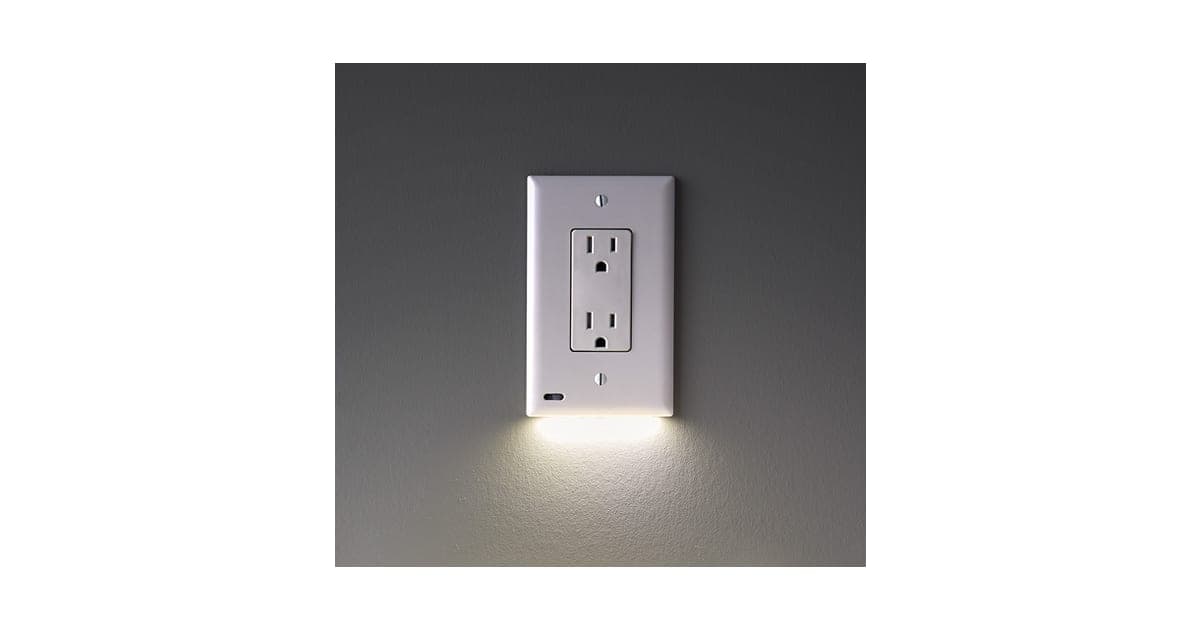
Our RYSE SmartShade review covers a smart blind motor, our GuideLight review a night light and our ICE Box review a home document organiser. Browse more smart home reviews. For video rather than an open-door alert, our Sight Bulb review covers a camera that screws into a light socket.
If HomePolice24 still suits a single door, check today's packages on the HomePolice24 offer page (opens G Com Pte Ltd in a new tab) and choose one sensor.
HomePolice24Score 3.4/10
Why people buy it: Sends a phone alert when a door, window, cabinet or drawer opens or closes
$99.00 at G Com Pte Ltd · Price checked October 4, 2026
Check price at G Com Pte Ltd (opens G Com Pte Ltd in a new tab)We may earn a commission if you buy through our links.
Is HomePolice24 legit, and what should you check before buying?
HomePolice24 is a real product from a named seller, and a sensor should arrive if you order. Before buying, ask which app it uses, whether low battery alerts and voice assistant support are included, whether the title's motion sensor comes in the box, change the preselected five-pack, and know that refunds need a returns number and that return postage is yours to pay.
Ask about the app
What to do: ask support for the app's name, check it is maintained and look up its security record before connecting the sensor to your Wi-Fi.
Ask what is included
What to do: ask whether low battery alerts, voice assistant support and a motion sensor are included as standard, and what batteries the sensor uses.
Check your Wi-Fi
Most Wi-Fi sensors use 2.4 GHz Wi-Fi only. What to do: check your router broadcasts a 2.4 GHz network and that it reaches the door or window you want to monitor.
Ask about the motion sensor in the title
The product title mentions an indoor motion sensor for movement detection, but the photos show only a door sensor. What to do: ask support whether a motion sensor is included, and do not assume it is.
Check the selected bundle
The five-pack for $297 was preselected. What to do: change it to the number of sensors you need, and compare the total with branded options.
Membership offers
The page code contains text for a "Gadget Discount Club" membership, free for 30 days and then "a small fee of $9 may apply". We did not see it on the order page with the United States selected. What to do: read every checkbox and post-purchase page.
Refunds and returns
The page code promises a 30-day guarantee with a full refund or replacement, less shipping and handling. The terms focus on defective or damaged products, which may be returned within two years once you have a returns number. Return postage is at your cost and is not reimbursed.
What to do: set up and test the sensor on the day it arrives, and contact support at once if it does not connect or alert.
Data security on your network
Any Wi-Fi device in your home is a potential weak point if its app or firmware is poorly secured. What to do: put smart sensors on a guest network if your router allows, use a strong unique password for the app and turn on two-factor authentication if it is offered.
Adhesive in hot or damp places
Stick-on sensors can fall off in heat, cold or damp. What to do: clean the surface well, press firmly for 30 seconds and let the adhesive cure before testing. Use small screws if the sensor allows.
How to buy HomePolice24 the smart way
- Ask support for the app name and what features are standard.
- Open the HomePolice24 order page (opens G Com Pte Ltd in a new tab) and select your country.
- Change the preselected five-pack to the number of sensors you need.
- Skip the voice assistant add-on until support explains it; ask about low battery alerts.
- Note the card statement name, panameedia, and save your order email.
- Test alerts from every door or window on the day it arrives.
How did we score HomePolice24?
HomePolice24 scores 3.4 out of 10: claim accuracy 0.6, build durability 0.9, price competitiveness 0.2, usability 1.2 and owner satisfaction 0.5, each out of 2. Contact sensors do a simple job well, but this one costs many times the norm, sells basic features as add-ons, implies "24/7 monitoring" without any monitoring service, and does not name its app.
What owners say
We found no Trustpilot profile for the gadgetxaura.com store and no independent retailer reviews for HomePolice24. Owners of similar generic Wi-Fi contact sensors elsewhere often like how easy they are to set up, and complain about delayed alerts, batteries draining faster than expected, adhesive failing in heat and apps that need many permissions.
How the score breaks down
We use the five criteria on our how we test page, each out of 2.
| Criterion | Score | Why |
|---|---|---|
| Claim accuracy | 0.6 / 2 | "24/7 security monitoring" is self-monitoring only; motion sensor in title not shown |
| Build durability | 0.9 / 2 | Simple plastic sensor; adhesive and battery life not stated |
| Price competitiveness | 0.2 / 2 | $99 per sensor against $15 to $45 for branded options |
| Usability | 1.2 / 2 | Easy stick-on install and phone alerts |
| Owner satisfaction | 0.5 / 2 | No independent ratings for this product |
| Total | 3.4 / 10 |
What we did, and did not, do
Nobody on our team has used HomePolice24. We read the offer page our link opens with the United States selected, its code and the seller's terms on 4 October 2026, along with a 2026 comparison of Ring and Aqara contact sensors, a Walmart listing for a Swann Wi-Fi sensor and the top-ranking HomePolice24 pages.
How to use HomePolice24: placement, alerts and battery care
Fit the sensor body on the frame and the magnet on the moving door or window, aligned and close together, then test the alert several times. Name each sensor clearly in the app, set alerts for the times that matter, and check the battery every few months. Combine it with locks and, if you need real security, an alarm with a siren.
- Clean the surfaces. Wipe with alcohol so the adhesive sticks.
- Line up the parts. Marks on the sensor and magnet usually show alignment.
- Keep the gap small. Usually under a centimetre when closed; check the leaflet.
- Connect to 2.4 GHz Wi-Fi. Set up close to the router first if pairing fails.
- Name the sensor. "Back door" or "Medicine cabinet" makes alerts clear.
- Test it. Open and close several times and time the alerts.
- Check the battery. Every few months, especially without the low battery add-on.
Holiday mode
Before you go away, open each monitored door and window once to check alerts reach your phone, replace any weak batteries and tell a trusted neighbour what to do if you call. Set the app to alert you at all hours while you are away, then switch back to your normal schedule when you return. Leave a light on a timer too, since a dark house for days on end is itself a signal to anyone watching. Ask a neighbour to move post away from the door as well, so the house looks lived in while you are away and nobody can tell it is empty.
Medicine and chemical cabinets
A sensor on a cabinet door tells you when it opens, which can prompt you to check on a curious child. Keep cabinets locked or latched as well, because an alert only helps if someone sees it in time.
Pool and garden gates
Gate sensors can warn you when a child opens a gate to a pool or road. Outdoor gates need weather-resistant sensors and good Wi-Fi coverage. HomePolice24 has no stated weather rating, so use it indoors unless support confirms otherwise. Pool safety relies first on a self-closing, self-latching fence.
Choosing which doors to cover
Start with the doors burglars most often use, typically back and side doors, and doors from garages. Ground-floor windows out of sight of the street come next. Cabinets with medicines, chemicals or valuables are good uses for a single sensor.
Reducing alert fatigue
If every family member opening the back door sends an alert, you will start ignoring them. Use schedules, such as alerts only at night or when you are away, if the app allows.
Where not to fit sensors
Avoid fitting sensors where they will be knocked, such as low on busy doors, or where sun beats down on them all day, which can weaken adhesive and drain batteries. Keep them away from large metal objects and microwave ovens that can interfere with Wi-Fi.
Window sensors
On windows, fit the sensor to the fixed frame and the magnet to the opening sash. For windows that tilt and turn, check the magnet stays in range in each position. Upstairs windows are lower priority unless they are reachable from a flat roof or extension.
Naming and grouping sensors
If you end up with several sensors, give each a clear name and room, such as "Kitchen back door" or "Lounge window left". When an alert arrives at 3am, a clear name tells you instantly where to look. Grouping sensors by floor or area also makes it easier to set different schedules.
Keep a simple list of where each sensor is, when you fitted it and when you last changed its battery. If you ever move the sensors around or hand the home to a house-sitter, that list saves a lot of guesswork, and it reminds you which sensors are due a check. It also helps if you later switch to a different system and need to plan how many sensors to buy.
Metal frames
Magnets and Wi-Fi signals can behave differently on metal doors and frames. If alerts are unreliable on a metal door, try small spacers to lift the sensor off the metal.
Sharing alerts with family
If several people need alerts, check whether the app lets you share the sensor with other accounts rather than sharing one login. That way each person gets notifications on their own phone, and you can remove access later without changing passwords.
Moving the sensor
Adhesive pads are often single use. If you want to move HomePolice24 to a different door, buy replacement double-sided pads designed for smart sensors rather than reusing the old ones, which may not hold.
Testing regularly
Open each monitored door or window once a week and check the alert arrives. It takes seconds and catches flat batteries, dropped Wi-Fi or a sensor that has slipped out of alignment. A sensor you have not tested recently should not be trusted.
Battery replacement
When the battery runs low, replace it with the type the leaflet specifies, check the polarity and test the alert afterwards. Write the date on a small label inside the cover so you know when it was last changed.
Using it with lights
If your app links to smart lights, you can have a hallway light come on when a door opens at night. That can deter intruders and help you see. The page sells assistant compatibility as an add-on, so check whether automations work without it.
If alerts stop
Check the battery, Wi-Fi signal at the door, and that the app has notification permission and is allowed to run in the background. Re-pair the sensor if needed.
Other questions about door and window sensors
Do door sensors work on sliding doors? Yes, with the sensor on the frame and the magnet on the sliding panel, lined up when closed. Check the gap is within the sensor's range.
Can a burglar bypass a contact sensor? A determined intruder could break a window without opening it, or enter where there is no sensor. Contact sensors work best combined with motion sensors, locks and lighting.
Do sensors work if the power goes out? Battery sensors keep working, but your router does not. Without Wi-Fi and internet, a Wi-Fi sensor cannot send alerts until power returns.
How far can the magnet be from the sensor? Typically a gap of up to about a centimetre or two when closed, depending on the model. Check the leaflet; a bigger gap causes false open alerts.
Can I use sensors on windows that open slightly for air? Some apps let you set a delay or ignore certain states. Otherwise, a slightly open window will register as open.
Do insurers give discounts for sensors? Some insurers offer discounts for monitored alarms. Self-monitored sensors rarely qualify. Ask your insurer.
HomePolice24Score 3.4/10
Before you buy: Check the final price, shipping and return terms at checkout.
$99.00 at G Com Pte Ltd · Price checked October 4, 2026
Check price at G Com Pte Ltd (opens G Com Pte Ltd in a new tab)We may earn a commission if you buy through our links.
Frequently asked questions
What does HomePolice24 do?
It is a two-piece magnetic sensor for doors, windows, cabinets or drawers. When the two parts separate, it sends an alert to your phone over Wi-Fi. The page says it needs no hub and has no monthly fee. It does not sound a siren or call anyone for you.
Does HomePolice24 work with Alexa or Google Home?
Not as standard, on the page's own evidence. The order page sells Alexa, Google Home and IFTTT compatibility as a $14 add-on, pictured with a wall light switch rather than the sensor. Ask support exactly what the add-on does before paying for it.
Is HomePolice24 a home security system?
It is a single alert sensor, not a full security system. It tells your phone when something opens. There is no siren, no keypad, no backup if your Wi-Fi or power fails and no professional monitoring to contact police. Many people combine sensors like this with other security measures.
How much does HomePolice24 cost?
With the United States selected on 4 October 2026, the offer page listed one sensor for $99, two for $159, three for $197, four for $249 and five for $297. The five-pack was preselected. Delivery was listed as free, and a 3-year warranty add-on cost $24.
How much do door sensors usually cost?
Far less. A 2026 comparison listed Ring's contact sensor at $14.99 and Aqara's at $17.99, though both need a base station or hub. Wi-Fi sensors that need no hub, such as Swann's, have been listed at about $45, and multi-packs of generic Wi-Fi sensors cost less still.
Does HomePolice24 have a low battery warning?
The page sells a Low Battery Alert Option as a $4 add-on, which suggests the standard sensor may not warn you. A sensor with a dead battery sends no alerts, so a low battery warning matters. Ask support whether it is included.
Is HomePolice24 legit?
It is a real product sold by G Com Pte Ltd, which lists a Singapore address, company number, email and phone. The concerns are the very high price for a contact sensor, basic features sold as add-ons, the unnamed app, the preselected five-pack and refund terms that leave return postage to you.
We may earn a commission if you buy through our links.
Prices accurate as of October 4, 2026. Check the seller's checkout for current pricing, promotions and terms.
What we checked: No hands-on use. Features, photos, prices with the United States selected, the preselected bundle, add-ons and their images, warranty and card statement name from the HomePolice24 offer page our link opens (gadgetxaura.com) on 2026-10-04, plus the bundle and add-on data in the page's own code. Refund and cancellation terms from the same site's terms page that day. A 2026 comparison of Ring and Aqara contact sensors, a Walmart listing for a Swann Wi-Fi door and window sensor and the top-ranking HomePolice24 pages were read the same day.

About the author
Alex Carter, Senior Tech Reviewer
Alex Carter is the senior tech reviewer at Top10Gadgets, covering the everyday gadgets, home and kitchen devices, smart home products and accessories most people actually buy. Alex judges a product the way a normal buyer…
- Everyday gadgets and accessories
- Smart home devices
- Home and kitchen gadgets
- Value for money
- Long-term reliability
Writing for Top10Gadgets since 2026Full profile