Smart Home / Light bulb security cameras
LiveGuard360 Review: A $59 Pan-and-Tilt Light Bulb Camera, and How It Differs From LiveGuard Pro
A Wi-Fi security camera that screws into a light socket, with motion sensing, infrared night vision and 360-degree rotation. Two-way audio and storage cost extra.

By Alex Carter, Senior Tech Reviewer at Top10Gadgets
Updated 12 min readHow we test
Quick answer
LiveGuard360 is worth a look if you want an indoor camera you can fit in a minute. It screws into a light socket, rotates to look around the room, and lists infrared night vision and a human movement sensor as standard, which is more than its sister product LiveGuard Pro included.
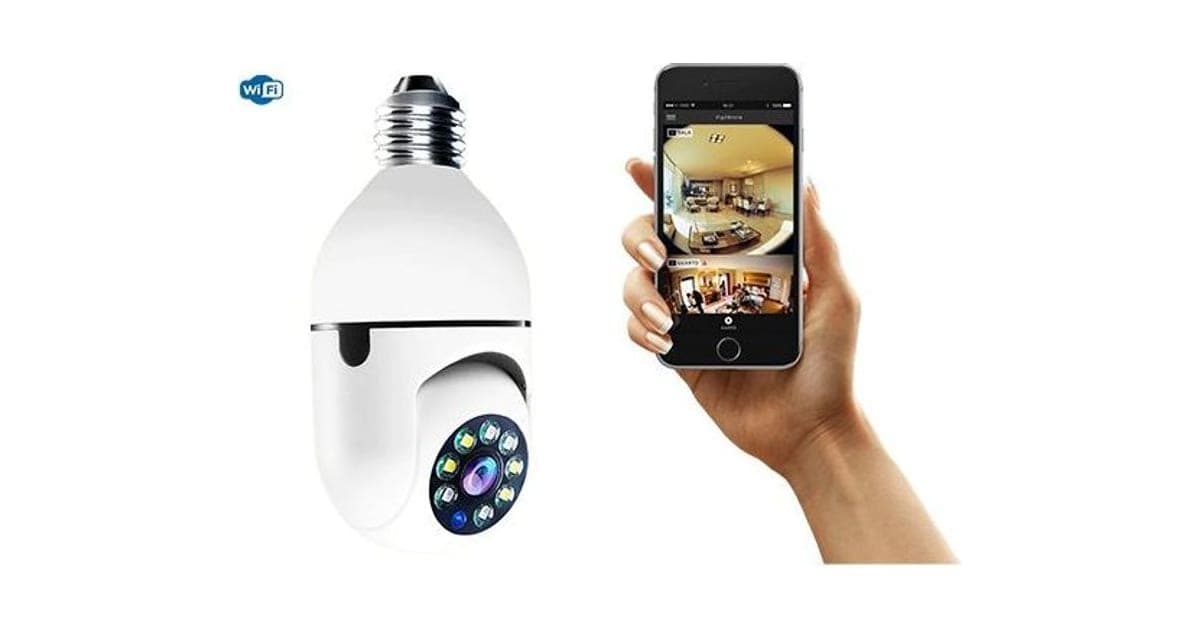
Score 3.7/10$59.00 at G Com Pte Ltd
Check price at G Com Pte Ltd (opens G Com Pte Ltd in a new tab)We may earn a commission if you buy through our links.
- Best for
- Renters who want an indoor camera without drilling or wiring
- Not for
- Anyone needing a named app with a clear privacy record
$59.00 at G Com Pte Ltd
Check price at G Com Pte Ltd (opens G Com Pte Ltd in a new tab)We may earn a commission if you buy through our links.
On this page · 14 sections
- 01Our verdict
- 02The short version
- 03Pros & cons
- 04How it works
- 05Who it's for
- 06How is LiveGuard360 different from LiveGuard Pro?
- 07Is LiveGuard360 safe and private enough for your home?
- 08How much does LiveGuard360 cost, and which add-ons do you need?
- 09Is LiveGuard360 better than the Wyze Bulb Cam?
- 10Is LiveGuard360 legit, and what should you check before buying?
- 11How did we score LiveGuard360?
- 12How to use LiveGuard360 for reliable, private monitoring
- 13What else do people ask about light bulb cameras?
- 14Frequently asked questions
Our verdict
LiveGuard360 is worth a look if you want an indoor camera you can fit in a minute. It screws into a light socket, rotates to look around the room, and lists infrared night vision and a human movement sensor as standard, which is more than its sister product LiveGuard Pro included. But the app is not named, so you cannot check its privacy record; storage is a $17 card; two-way audio is $5 more; the base is E27 rather than the US E26; and Wyze's Bulb Cam launched for less. LiveGuard360 scores 3.7 out of 10, held back by the unknown app and extras.
The short version
- What it is: a pan-tilt Wi-Fi security camera built into a light bulb housing, with night vision and motion sensing.
- Price: $59 for one on 6 October 2026, with a five-pack for $149 flagged as the best seller.
- Best trait: no wiring, no batteries and a view you can turn from your phone.
- Biggest drawback: an unnamed app watching the inside of your home.
- Our score: 3.7 out of 10.
Pros & cons
The pros are the convenience of a socket-powered camera. The cons are about what you cannot check before buying and what costs extra.
What we like
- Screws into a light socket, so no wiring or batteries
- Motorised rotation to look around a room from your phone
- Infrared night vision and a human movement sensor are listed as standard
- Records locally to a microSD card, so no subscription is mentioned
- The seller names a registered company with an address, email and phone number
What we don't
- The microSD card is a $17 add-on and two-way audio a $5 add-on
- The app is not named, so you cannot check its ratings or privacy policy
- "Full HD" is the only video spec, with no frame rate or field of view
- Lists an E27 base; most US fittings are E26
- Similar bulb cameras and the Wyze Bulb Cam cost less
- Return postage to an overseas seller is yours to pay
Sold by G Com Pte Ltd
LiveGuard360$59.00
How it works
LiveGuard360 takes power from a light socket instead of a plug or battery. Inside the bulb-shaped body are a Wi-Fi radio, a camera on a motorised head that pans and tilts, infrared LEDs for night vision and a sensor for human movement. You pair it with a phone app on home Wi-Fi, then stream live, turn the view and record to a microSD card.
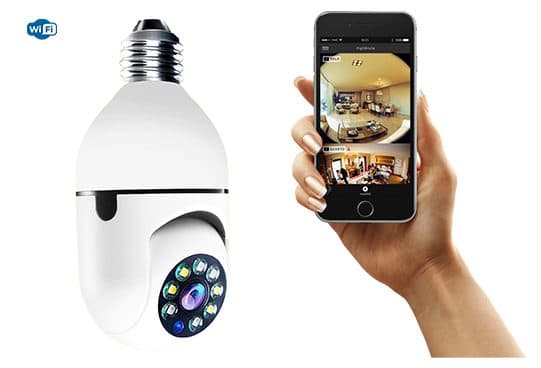
Screw it in
Step 1: Fit it into a light socket, or the $7 lamp holder, and switch the power on at the wall.
Pair it with the app
Step 2: Join the camera to your 2.4GHz home Wi-Fi through the companion app and set a strong password.
Watch, pan and record
Step 3: Stream live, rotate the view from your phone, and record to a microSD card when it senses movement.
The page title calls it a "Live Streaming Security Camera", "WiFi Streaming Security Camera", "360 Degrees Camera" and "Night Vision Security Camera". The six bullets cover monitoring, a human movement sensor, infrared night vision, Full HD recording with a live-streaming app, "Automatic 360° PTZ Rotation" and a standard E27 socket.
What is in the box
The lamp holder add-on photo shows a green "WiFi Panorama Camera" box, the camera, a user manual, a screw packet and the holder. The page does not list the box contents itself.
What the page leaves out
There is no app name, frame rate, field of view, night vision range, Wi-Fi band, power draw or alert details.
Who it's for
LiveGuard360 suits renters, pet owners and anyone watching a garage or hallway that already has a ceiling light. Our Sight Bulb review covers a similar pan-tilt bulb camera whose app averaged 2.7 stars on the App Store, a reminder to check the app first.
- Renters who want an indoor camera without drilling or wiring
- Pet owners checking in from work
- People watching a garage, hallway or storeroom with a ceiling light
Renters
Nothing to drill or wire; unscrew it when you move out.
Pet owners
Pan around the room to find the dog, and watch at night with infrared.
Garages and storerooms
A ceiling light socket is often the only power point, which suits this design.
Who should skip it
Skip LiveGuard360 if you want a named app with a clear privacy record, have US E26 fittings and do not want to check compatibility, want the best value bulb camera, or plan to record people without their knowledge.
- Anyone needing a named app with a clear privacy record
- People with US E26 fittings who do not want to check compatibility
- Buyers who want the best value bulb camera
- Anyone planning to record people without their knowledge
How is LiveGuard360 different from LiveGuard Pro?
They look like close relatives at the same $59 price, with different features standard. LiveGuard360's page lists infrared night vision, a human movement sensor and 360-degree pan-tilt rotation in the base price, and sells two-way voice for $5. Our LiveGuard Pro review found night vision sold as a $5 add-on and no motion detection mentioned.
| Feature | LiveGuard360 | LiveGuard Pro |
|---|---|---|
| Price for one | $59 | $59 |
| Night vision | Listed as standard | $5 add-on |
| Motion sensor | Listed | Not mentioned |
| Rotation | 360-degree pan-tilt | 360-degree fisheye view |
| 32GB microSD | $17 add-on | $14 add-on |
| Two-way voice | $5 add-on | Not listed |
Which to choose
If you are choosing between the two from this checkout, LiveGuard360 includes more for the same price. Our LiveGuard Pro review covers the other model in full.
Same unknowns
Neither page names the app or gives a resolution beyond "Full HD" or "high definition".
Is LiveGuard360 safe and private enough for your home?
That depends on the app, which the page does not name. A camera inside your home sends video over the internet through that app, so its security updates and privacy policy matter as much as the hardware. The FTC advises checking a camera's security features before buying, using strong unique passwords and keeping camera software updated.
What the FTC recommends
The FTC's guide to securing home security cameras recommends researching encryption, securing your router with WPA2 or WPA3, changing default passwords and keeping the camera and app updated.
What to do: ask the seller for the app name before ordering, then look up its ratings, last update date and privacy policy.
Audio and the law
US federal law at 18 U.S.C. 2511 restricts intercepting conversations, and many states require everyone's consent to record. What this means for you: if you add the voice feature, tell everyone in the home and keep the camera out of bedrooms and bathrooms of other adults.
E27 and E26
E27 is common in Europe; most US fittings are E26. E27 bases often physically fit E26 sockets, but check the voltage printed on the camera first.
How much does LiveGuard360 cost, and which add-ons do you need?
On 6 October 2026, one LiveGuard360 cost $59, with the five-pack at $149 flagged as the best seller. The checkout offered a lamp holder with screws for $7, a 32GB microSD card for $17, a voice recorder version for $5 and a 3-year warranty for $9. Most buyers will want the card, which brings one camera to $76.
LiveGuard360 price and bundles
| Package | Total | Per camera |
|---|---|---|
| 1 LiveGuard360 | $59 | $59.00 |
| 2 LiveGuard360 | $89 | $44.50 |
| 3 (buy 2, get 1 free) | $109 | $36.33 |
| 4 LiveGuard360 | $129 | $32.25 |
| 5 (buy 3, get 2 free), best seller | $149 | $29.80 |
Prices are in US dollars as listed on 6 October 2026. You can check today's packages on the LiveGuard360 order page (opens G Com Pte Ltd in a new tab).
The microSD card
For $17, a 32GB card the page says records "more than 32 hours continuously", longer with motion-triggered recording. A card you buy locally works too if it is a supported size.
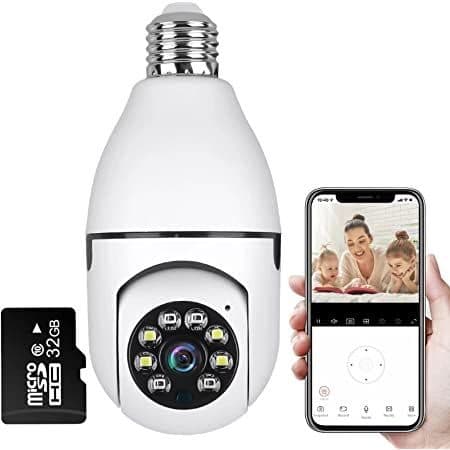
The $17 32GB microSD card add-on
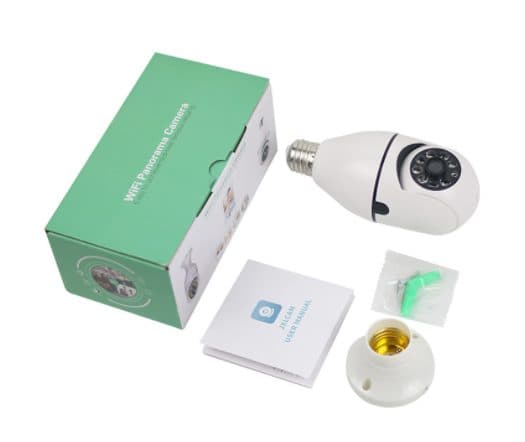
The $7 lamp holder add-on, shown with the boxed camera
Lamp holder and voice version
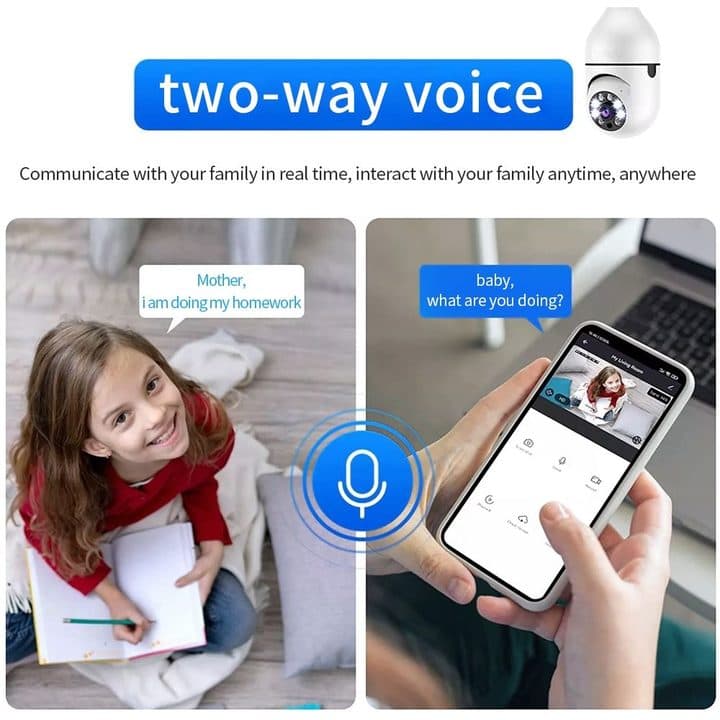
The $7 holder lets you mount it on a wall or shelf where there is no socket. The $5 "Voice Recorder" version is shown as two-way talk between a parent and child.
Who sells it
The order page names G Com Pte Ltd at 137 Market Street in Singapore, with the email support@g63com.com and a phone number. The footer gives the country as Hong Kong. The page code says charges appear on your card statement as Matrixfze, written in capitals.

LiveGuard360Score 3.7/10
Best for: Renters who want an indoor camera without drilling or wiring
$59.00 at G Com Pte Ltd · Price checked October 6, 2026
Check price at G Com Pte Ltd (opens G Com Pte Ltd in a new tab)We may earn a commission if you buy through our links.
Is LiveGuard360 better than the Wyze Bulb Cam?
On published specs, no. 9to5Google reported that the Wyze Bulb Cam launched at $49.98 with 2K video, colour night vision and an E26 base for US sockets, from a known brand with a named app. LiveGuard360 costs $59 before storage and lists only "Full HD". Its pan-tilt head is the one thing that may suit you better.
| Camera | Base | Video | Pan-tilt | Price seen |
|---|---|---|---|---|
| LiveGuard360 | E27 | "Full HD" | Yes | $59 plus $17 card |
| Wyze Bulb Cam | E26 | 2K | No | $49.98 at launch |
| Sight Bulb | E26 | 1080p | Yes | $39.95 |
| LiveGuard Pro | E27 | Not stated | Fisheye | $59 |
LiveGuard360 vs Wyze Bulb Cam
The Wyze Bulb Cam launch report gives the price and specs. For US homes, a known app and the right base make Wyze the safer pick. That is where a rival wins.
Other ways to watch your home
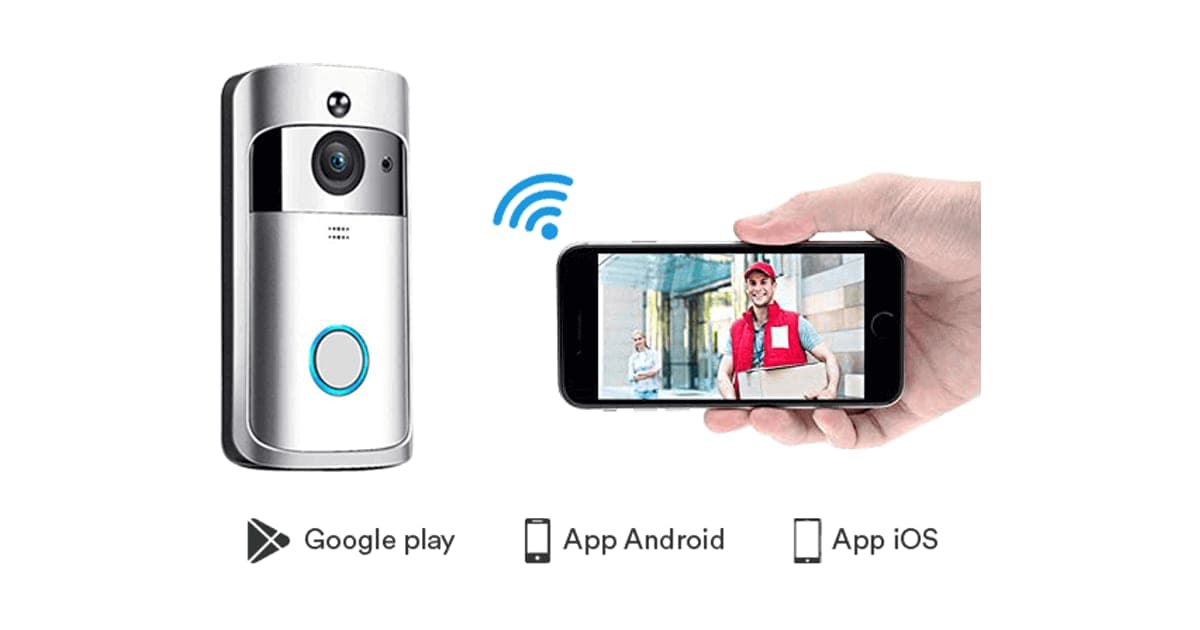
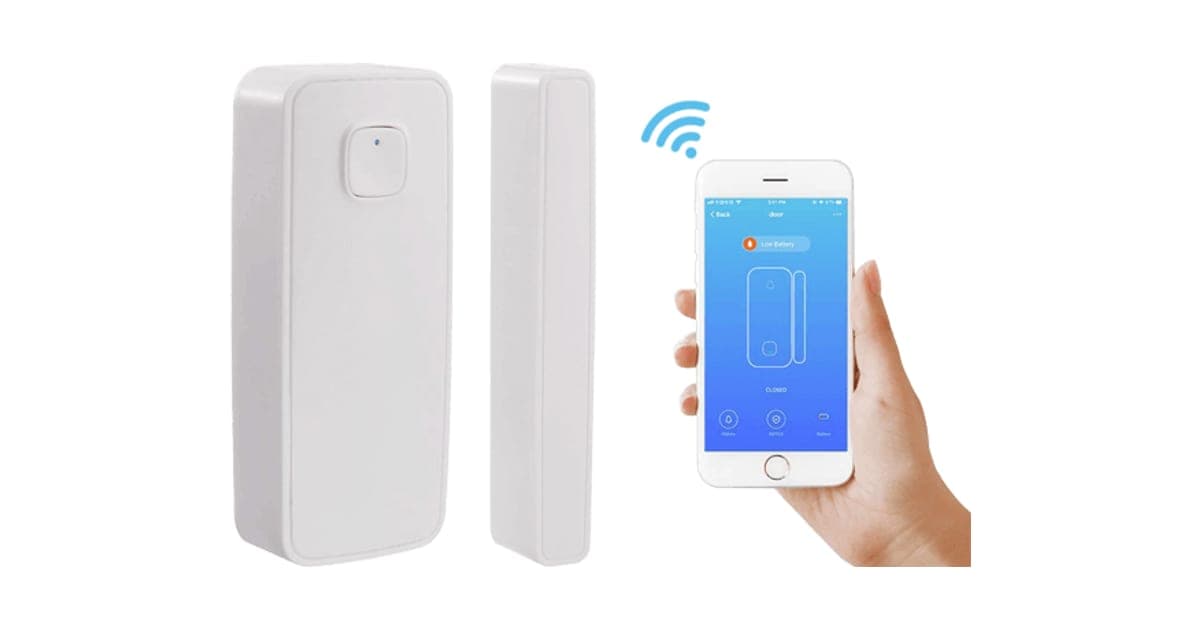
Our Video DoorBell review covers a battery Wi-Fi doorbell camera, and our HomePolice24 review a door and window sensor that alerts your phone.
If you want the pan-tilt bulb design, you can see today's bundles on the LiveGuard360 offer page (opens G Com Pte Ltd in a new tab).
LiveGuard360Score 3.7/10
Why people buy it: Screws into a light socket, so no wiring or batteries
$59.00 at G Com Pte Ltd · Price checked October 6, 2026
Check price at G Com Pte Ltd (opens G Com Pte Ltd in a new tab)We may earn a commission if you buy through our links.
Is LiveGuard360 legit, and what should you check before buying?
LiveGuard360 is a real camera from a named seller, and it should arrive if you order. Before buying, get the app name, check your socket type, switch from the five-pack and note the card statement name.
Get the app name
What to do: email support@g63com.com for the app name, resolution, Wi-Fi band and night vision range. Keep the reply.
Check the selected bundle
The five-pack for $149 is flagged as the best seller in the page code. What to do: change the order to one camera.
Card statement name and memberships
The charge appears as Matrixfze. Pages on this checkout have also carried text for a "Gadget Discount Club" membership that is free for 30 days and then billed. What to do: read every checkbox and post-payment page.
Refunds and returns
The page code offers a 30-day guarantee for a full refund or replacement, less shipping and handling. The terms we recorded on 4 October 2026 focus on defective goods, which can be returned within two years once you have a returns number, with return postage at your cost.
How to buy LiveGuard360 the smart way
- Ask support for the app name and specs, and check the app's ratings.
- Open the LiveGuard360 order page (opens G Com Pte Ltd in a new tab) and select your country.
- Change the five-pack to one camera.
- Add the microSD card or use your own; add the holder only if you need it.
- Note the card statement name, Matrixfze.
How did we score LiveGuard360?
LiveGuard360 scores 3.7 out of 10: claim accuracy 0.8, build durability 0.7, price competitiveness 0.5, usability 1.3 and owner satisfaction 0.4, each out of 2. It is easy to fit and includes night vision and motion sensing. The score falls on an unnamed app, storage and audio sold separately, an E27 base for US buyers and a price above a known-brand rival.
How the score breaks down
We use the five criteria on our how we test page, each out of 2.
| Criterion | Score | Why |
|---|---|---|
| Claim accuracy | 0.8 / 2 | Features plausible; "Full HD" only |
| Build durability | 0.7 / 2 | Plastic body near a hot socket; no specs |
| Price competitiveness | 0.5 / 2 | Above Wyze before the card |
| Usability | 1.3 / 2 | Simple to fit and pan |
| Owner satisfaction | 0.4 / 2 | No independent ratings for this listing |
| Total | 3.7 / 10 |
What owners say
We found no Trustpilot profile for the gadgetxaura.com store and no retailer reviews for LiveGuard360 by that name. Owners of similar bulb cameras like the easy fitting and pan control, and complain about 2.4GHz-only Wi-Fi, laggy apps and sockets on switches that someone turns off.
What we did, and did not, do
Nobody on our team has used LiveGuard360. We read the offer page our link opens and its page code on 6 October 2026, along with FTC camera guidance, US wiretap law, the Wyze Bulb Cam launch report and the pages that rank for LiveGuard360. The refund and returns terms are as we recorded them from the site's terms page on 4 October 2026.
How to use LiveGuard360 for reliable, private monitoring
Fit it in a socket whose switch stays on, connect it to your 2.4GHz Wi-Fi, change the default password, and add a microSD card for motion recording. Set motion zones away from windows and busy streets, keep the app updated, and tell everyone in the home where the camera is.
- Pick an always-on socket. Tape the switch or tell the household.
- Use 2.4GHz Wi-Fi. Most bulb cameras do not support 5GHz.
- Change the password. Use a strong, unique one.
- Add a card. Format it in the app before use.
- Tune motion alerts. Avoid windows and moving curtains.
- Update the app and firmware. Check monthly.
- Respect privacy. Keep it out of other adults' private rooms.
If it keeps dropping offline
Move the router closer or add a Wi-Fi extender; bulb sockets are often far from routers.
Night viewing
Infrared works best within a few metres; avoid pointing it at glass, which reflects the LEDs.
LiveGuard360Score 3.7/10
Before you buy: Check the final price, shipping and return terms at checkout.
$59.00 at G Com Pte Ltd · Price checked October 6, 2026
Check price at G Com Pte Ltd (opens G Com Pte Ltd in a new tab)We may earn a commission if you buy through our links.
What else do people ask about light bulb cameras?
Most questions are about outdoor use, heat and Alexa. Most bulb cameras are for indoor or covered porch sockets, they run warm, and voice assistant support depends on the app. Browse our smart home reviews for more.
Can I use it outdoors?
Only in a covered, dry fitting. The page gives no weather rating.
Does it get hot?
It runs warm. Avoid enclosed glass shades that trap heat.
Does it work with Alexa or Google?
Not stated. Ask the seller.
Can several people watch?
Many apps allow sharing; check once you know the app.
Frequently asked questions
How much does LiveGuard360 cost?
On 6 October 2026, the offer page listed one LiveGuard360 for $59, two for $89, three (two plus one free) for $109, four for $129 and five (three plus two free) for $149, with the five-pack flagged as the best seller. A lamp holder cost $7, a 32GB card $17, the voice version $5 and a 3-year warranty $9.
What is the difference between LiveGuard360 and LiveGuard Pro?
Both are $59 white bulb cameras from the same checkout. LiveGuard360 lists infrared night vision, a human movement sensor and 360-degree pan-tilt rotation as standard and sells two-way voice as a $5 add-on. LiveGuard Pro's page sold night vision as a $5 add-on.
Does LiveGuard360 need a subscription?
The page does not mention one. It records to a microSD card, which is a $17 add-on for 32GB. Without a card, you can watch live but cannot review past footage.
Will LiveGuard360 fit a US light socket?
The page lists a standard E27 socket. Most US fittings are E26. E27 bases often physically fit E26 sockets, but check the voltage rating printed on the camera before installing, or use the lamp holder add-on.
Does the light stay on?
The camera needs power from the socket, so the switch must stay on. The LEDs around the lens are mainly for night vision and lighting effects, so it is not a full replacement for a bright ceiling bulb.
Is it legal to record audio with LiveGuard360?
It depends where you live. US federal law and many state laws restrict recording conversations without consent. Use audio features only in your own home, tell household members and guests, and never point it into private spaces.
Is LiveGuard360 legit?
It is a real product sold by G Com Pte Ltd, which lists a Singapore address, email and phone number. The concerns are an unnamed app, storage and audio sold separately, an E27 base, cheaper rivals and return postage at your cost.
We may earn a commission if you buy through our links.
Prices accurate as of October 6, 2026. Check the seller's checkout for current pricing, promotions and terms.
What we checked: No hands-on use. Claims, product title, feature bullets, photos, US dollar prices, bundles, add-ons and their images, warranty price, seller details and card statement name from the LiveGuard360 offer page our link opens (gadgetxaura.com) and the data in the page's own code on 2026-10-06. The 30-day guarantee text was read in the same page code that day; the fuller refund and returns terms are as recorded from the site's terms page on 2026-10-04. The FTC's guide to securing home security cameras, the US Wiretap Act at Cornell's Legal Information Institute, 9to5Google's report on the Wyze Bulb Cam launch price and the top-ranking LiveGuard360 pages were read on 2026-10-06.

About the author
Alex Carter, Senior Tech Reviewer
Alex Carter is the senior tech reviewer at Top10Gadgets, covering the everyday gadgets, home and kitchen devices, smart home products and accessories most people actually buy. Alex judges a product the way a normal buyer…
- Everyday gadgets and accessories
- Smart home devices
- Home and kitchen gadgets
- Value for money
- Long-term reliability
Writing for Top10Gadgets since 2026Full profile