Wearable Technology / Personal safety devices
invisaWear Review: How the Safety Jewelry Works With ADT, What It Really Costs and Its Limits
Jewellery with a hidden button that shares your location and alerts ADT agents. A real product with a genuine ADT partnership, but it needs your phone nearby and a subscription, and Trustpilot reviews are poor.

By Ryan Mitchell, Consumer Technology Writer at Top10Gadgets
Updated 30 min readHow we test
Quick answer
Yes, if you want a discreet panic button you will actually wear, always keep your phone nearby, and accept a monthly fee. invisaWear's double-click sends your location to contacts and, with the plan, alerts ADT agents who can call 911, from a real company with a real ADT partnership. But it depends on your phone and Bluetooth, a subscription is required, three years can cost over $800, and owners report disconnections. invisaWear scores 4.3 out of 10, held back by cost, reliability complaints and overstated claims.
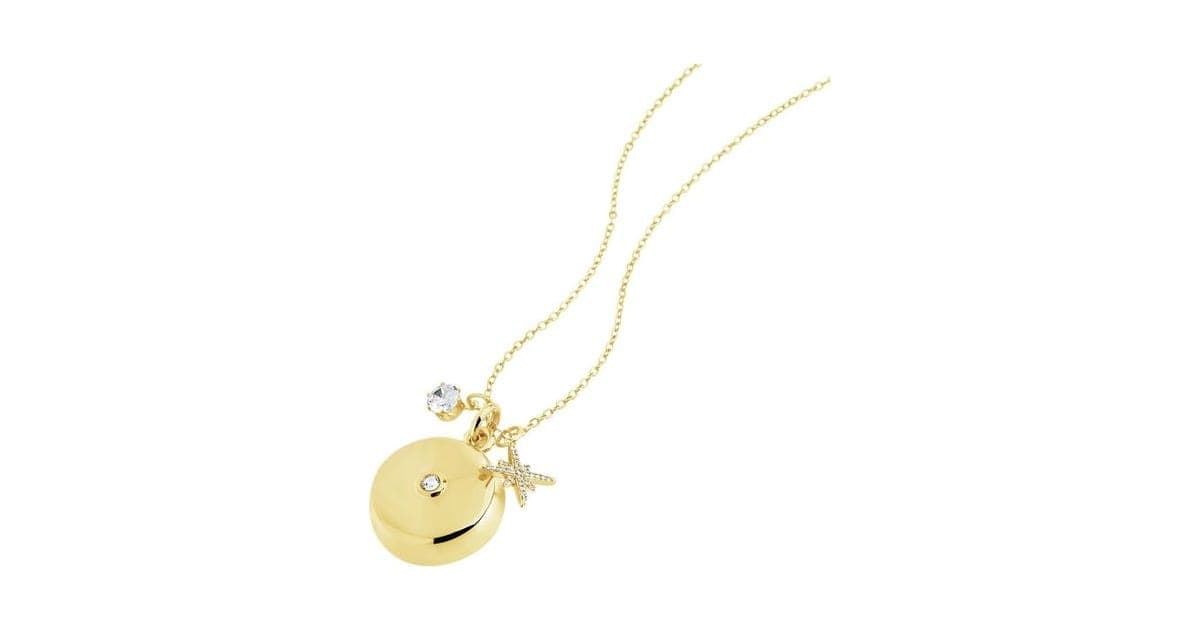
Score 4.3/10$99.99 at invisaWear
Check price at invisaWear (opens invisaWear in a new tab)We may earn a commission if you buy through our links.
- Best for
- People who walk alone at night, work late shifts, use rideshares or meet strangers for work
- Not for
- Anyone who does not want an ongoing monthly subscription
$99.99 at invisaWear
Check price at invisaWear (opens invisaWear in a new tab)We may earn a commission if you buy through our links.
On this page · 14 sections
- 01Our verdict
- 02The short version
- 03Pros & cons
- 04How it works
- 05Who it's for
- 06How much does invisaWear cost, including the subscription?
- 07How reliable is invisaWear?
- 08Are invisaWear's claims true?
- 09Is invisaWear better than your phone's SOS, a smartwatch or a personal alarm?
- 10Is invisaWear legit, and what should you check before buying?
- 11What do owners say, and how did we score invisaWear?
- 12How to use invisaWear for the best results
- 13What else do people ask about personal safety devices?
- 14Frequently asked questions
Our verdict
Yes, if you want a discreet panic button you will actually wear, always keep your phone nearby, and accept a monthly fee. invisaWear's double-click sends your location to contacts and, with the plan, alerts ADT agents who can call 911, from a real company with a real ADT partnership. But it depends on your phone and Bluetooth, a subscription is required, three years can cost over $800, and owners report disconnections. invisaWear scores 4.3 out of 10, held back by cost, reliability complaints and overstated claims.
The short version
- A necklace, bracelet or keychain charm with a hidden button.
- Double-click to send your GPS location to up to five contacts; ADT agents can dispatch 911 with a plan.
- Connects by Bluetooth to the invisaWear app on your phone.
- $99.99 per charm on 4 October 2026, plus a required $19.99 monthly plan on the offer page.
- invisaWear's own store listed the charm at $99 and the plan at $14.99 a month.
- Battery lasts up to three years, according to the FAQ.
- Trustpilot: 2.4 from 175 reviews.
- Best trait: discreet, wearable and quick to trigger.
- Biggest drawback: it only works with your phone nearby, and the subscription adds up.
- Our score: 4.3 out of 10.
Pros & cons
invisaWear is a genuine safety product with a thoughtful design. The cons are about how it connects, what it costs over time and how some owners say it performs.
What we like
- Discreet: looks like an ordinary necklace, bracelet or keychain charm, so people actually wear it
- A double-click sends your GPS location to up to five contacts and, with monitoring, alerts ADT agents who can dispatch 911
- Extra features with the plan: voice-activated alerts, safety timer, SOS chat, reassurance calls and live video
- Battery designed to last up to three years with no charging, according to the FAQ
- Real company in Lowell, Massachusetts, with a long-running ADT partnership
- 15-second cancel window and agent check-in reduce the impact of accidental presses
What we don't
- A subscription is required to use the device, according to the FAQ: $19.99 a month on the offer page
- Works through your phone by Bluetooth, so it fails if your phone is out of range, off, flat or taken
- Three years of ownership can cost over $800 at the offer page's prices
- Trustpilot score of 2.4 from 175 reviews, with complaints about disconnections, short range and cancelling the subscription
- "You'll never be alone" and "zero risk" overstate what any panic button can guarantee
- invisaWear's own store listed the charm at $99 and the plan at $14.99 a month, less than the offer page
Sold by invisaWear
invisaWear$99.99
How it works
invisaWear is essentially a wireless button for your phone, built into jewelry. The charm contains a small Bluetooth chip, which invisaWear calls InvisaChip, and a coin-cell battery. It stays paired with the invisaWear app. When you double-click the button, the app on your phone does the work: it reads your GPS location and sends alerts.
Pair the charm with your phone
Step 1: Download the invisaWear app, pair the charm by Bluetooth and add up to five emergency contacts. Choose a subscription plan to enable ADT monitoring and the extra safety features.
Double-click the hidden button
Step 2: If you feel unsafe, firmly double-click the button on the back of the charm. The app sends your GPS location to your contacts. With monitoring, an ADT agent is alerted and can call 911 for you, even if you cannot speak.
Cancel or get help
Step 3: If you pressed it by accident, open the app and enter your PIN within 15 seconds to cancel. Otherwise an ADT agent calls or texts to check on you and sends help if you need it.
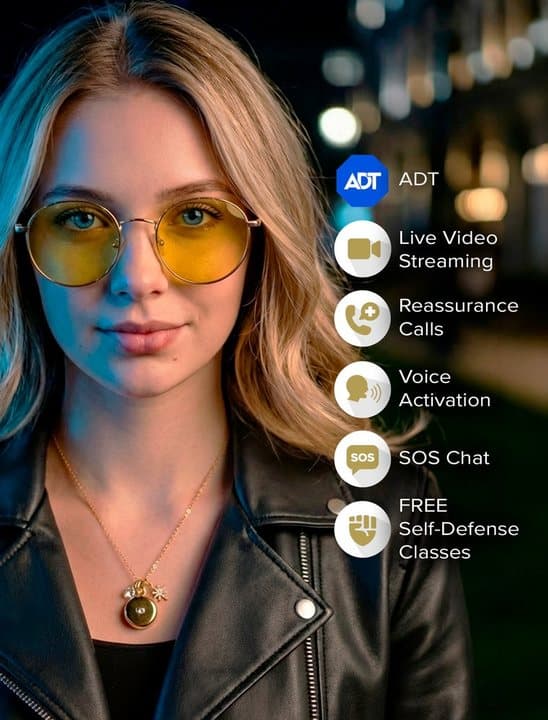
What happens when you press it
According to the FAQ, the app sends your exact GPS location to up to five emergency contacts. If you have ADT monitoring, a trained ADT agent is alerted at the same time. The agent can call or text you and, if you need help or cannot respond, dispatch 911 to your location. You have 15 seconds to cancel an accidental alert with your PIN.
The phone is the key part
Because the alert travels through your phone, the system only works if:
- the phone is on and charged
- the app is running and allowed to use Bluetooth and location
- the phone is within Bluetooth range of the charm
- the phone has a mobile signal or Wi-Fi
Press coverage describes a range of up to about 30 feet. Trustpilot reviewers report less in practice, with some describing 8 to 10 feet and frequent disconnections. If an attacker takes your bag with your phone in it and walks away, the charm loses its connection.
Subscription features
With the plan, the FAQ and page list:
- 24/7 ADT monitoring and 911 dispatch
- Reassurance calls: an agent stays on the phone with you while you walk
- Voice activation: a secret phrase triggers an alert hands-free
- SOS chat: text an agent if you cannot talk
- Safety timer: if you do not check in, ADT checks on you
- Live video streaming to an ADT agent from the app
- Live GPS tracking
- Virtual self-defense classes
One plan covers up to four devices for one user, according to the FAQ.
What the free app does and does not do
There is some confusion online about whether invisaWear needs a subscription. Older descriptions of the app talked about no subscriptions, with alerts going straight to contacts, and paid upgrades adding ADT. The offer page's FAQ, checked on 4 October 2026, is clear that a subscription is now required to use the device. Whatever you read elsewhere, assume you will pay monthly, and confirm the terms at checkout.
How ADT monitoring works
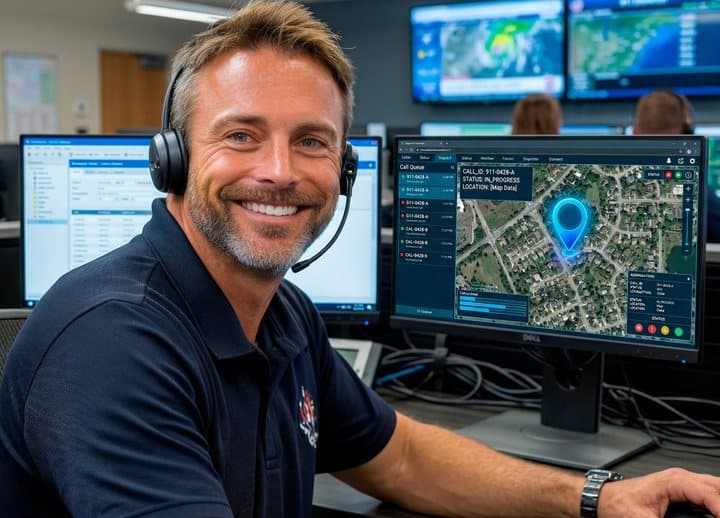
ADT runs professional monitoring centres staffed around the clock. When an alert comes in, an agent sees your location and profile, tries to contact you, and decides with you, or on your behalf if you cannot respond, whether to contact 911. The agent does not come to you; they pass your location to emergency services, which then respond as they would to any 911 call.
Who it's for
invisaWear suits people who sometimes feel unsafe alone, such as walking to the car at night, using rideshares, working late shifts, running alone, meeting strangers for work or going on first dates, and who want a quick, discreet way to call for help. It suits families who want students living away from home to have a simple safety tool, and older adults who dislike clinical-looking alarm pendants.
It suits people less well if they often leave their phone behind, dislike subscriptions, or need features like fall detection.
Why invisaWear appeals
Most personal alarms look like alarms. invisaWear looks like jewelry, so people wear it every day, which is the only way a safety device helps. The founder's story is compelling, the ADT name adds credibility, and features like reassurance calls and safety timers are genuinely useful for anyone walking home alone. Unlike pepper spray, it cannot be turned against you, and it does not require confronting anyone.
The founder's story
Founder Rajia Abdelaziz describes being followed by a group of men one night and finding only bulky panic buttons that even her grandmother refused to wear. She built invisaWear as jewelry with a hidden button. The story has been widely shared and is part of why the brand resonates with its customers. The company grew from that idea into partnerships with ADT in the US and Telus in Canada.
A typical walk home
You leave a late shift and start the walk to your car. You open the app and start a reassurance call, or set a safety timer for 15 minutes. If someone follows you, you double-click the charm on your necklace. Your contacts get your location by text, and an ADT agent calls you. If you cannot talk, the agent can send police to your location. If you reach the car safely, you cancel the timer. That is the scenario invisaWear is designed for.
Who gets the most value
People who are regularly alone in situations that feel risky, and who will actually use features like reassurance calls and timers, get the most value from the subscription.
Who gets the least
People who rarely feel unsafe, people who keep their phone in a separate bag, and people who find monthly fees hard to justify for a rarely used device get the least.
What it will not do
It will not work without your phone, detect falls, physically protect you, guarantee a fast police response, or provide ADT monitoring outside the US. Response times depend on 911 and local police, not on the device.
Runners and cyclists
For runners and cyclists, a keychain or bracelet with the phone in an armband or pocket keeps the Bluetooth link short. The safety timer suits solo runs: set it for the length of your route and check in when you finish.
Rideshare users
Rideshare apps have their own emergency buttons and trip-sharing features, which are free. invisaWear adds the ability to trigger an alert without touching your phone, which can matter if you do not want the driver to see you calling for help.
Real estate agents and lone workers
People who meet strangers at empty properties or work alone often use lone-worker apps or devices provided by employers. invisaWear can fill the gap for self-employed people, as long as their phone is on them.
As a gift
The page pitches invisaWear as a meaningful gift, and it can be, especially for students and family members who live alone. Because the subscription is required, discuss who will pay for it before giving it, so the gift is not a surprise monthly bill.
- People who walk alone at night, work late shifts, use rideshares or meet strangers for work
- Students living away from home whose families want a quick way for them to call for help
- Older adults who want a discreet alert button that does not look like a medical device
Who should skip it
- Anyone who does not want an ongoing monthly subscription
- People who often leave their phone in another room, let it run flat or carry it far from the charm
- Older adults who need fall detection or help without a phone nearby; a dedicated medical alert system may suit better
- Anyone outside the US expecting ADT monitoring; abroad it can only text contacts, according to the FAQ
How much does invisaWear cost, including the subscription?
invisaWear's necklace, bracelet and keychain each cost $99.99 on the offer page on 4 October 2026, with free US shipping, but the FAQ says a subscription is required: $19.99 a month there, against $14.99 a month and $99 for the charm in invisaWear's own store. Over three years at offer-page prices, ownership costs about $820. The necklace is brass plated with 14k gold or rhodium.
The offer page sells three styles: a necklace, a bracelet and a keychain. The FAQ describes the necklace as a starburst charm made from brass plated with 14k gold or rhodium on an 18-inch chain. The photos show gold and silver finishes.
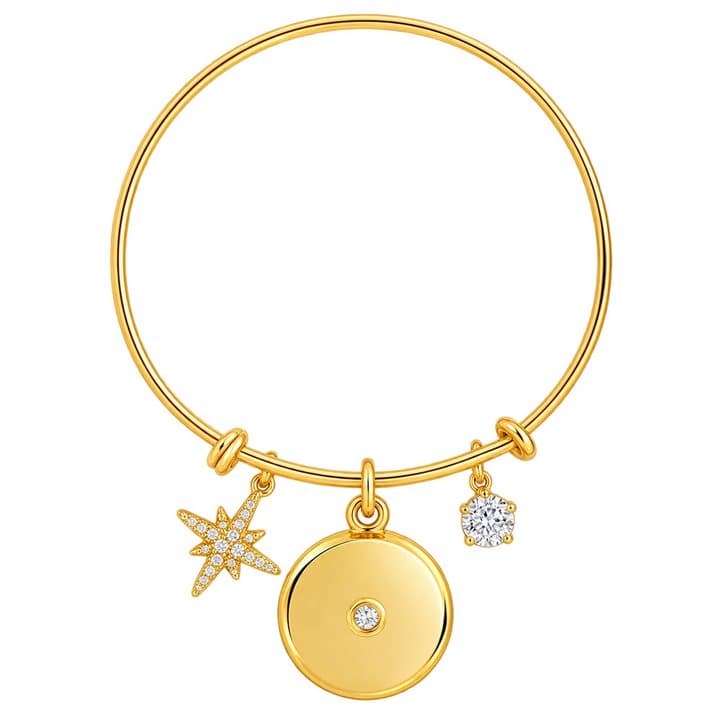
The bracelet version
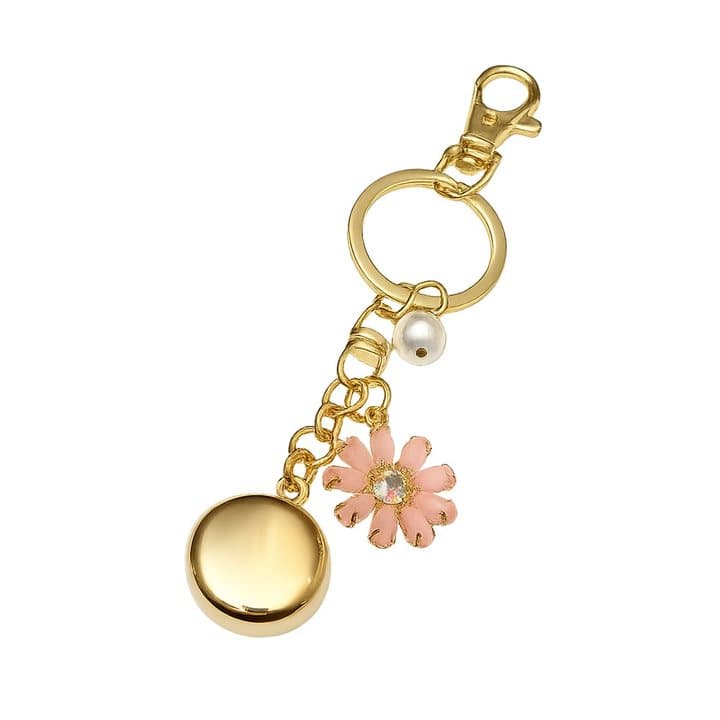
The keychain version
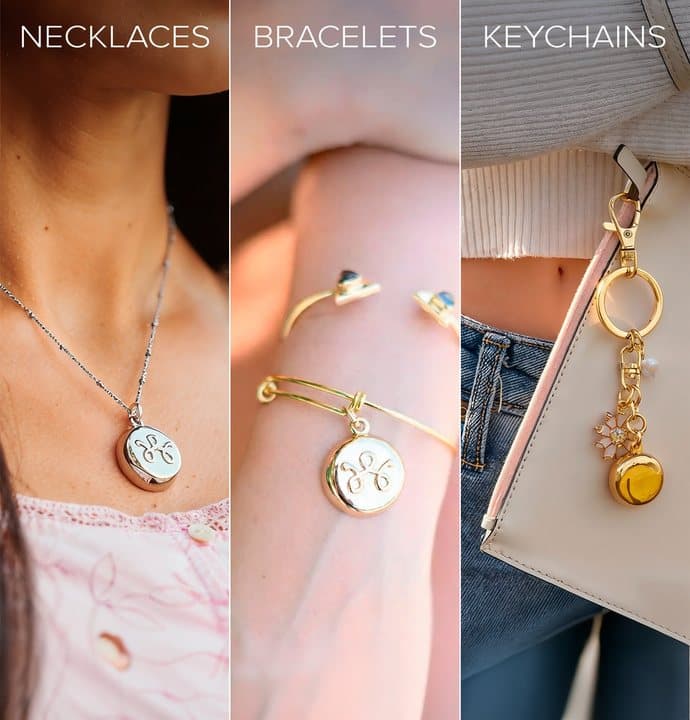
The three styles
Specifications
| Item | Detail |
|---|---|
| Styles | Necklace, bracelet, keychain |
| Materials | Brass plated with 14k gold or rhodium, according to the FAQ |
| Connection | Bluetooth to the invisaWear app |
| Phones | iOS 13.0 or later, Android 9.0 or later |
| Trigger | Firm double-click; voice phrase with plan |
| Contacts | Up to five |
| Battery | Up to three years, not rechargeable |
| Range | About 30 feet, according to press coverage |
| Monitoring | ADT, with subscription |
| Countries | Works in 79 countries for contact texts, according to the FAQ |
| Guarantee | 30-day money-back |
invisaWear price and subscription
On 4 October 2026 the invisaWear offer page (opens invisaWear in a new tab) listed:
| Item | Price | Retail shown |
|---|---|---|
| Necklace | $99.99 | $199.99 |
| Bracelet | $99.99 | $149.99 |
| Keychain | $99.99 | $149.99 |
| Required plan | $19.99 a month |
All three charms showed free US shipping.
invisaWear's own store
invisaWear's store data, checked the same day, listed the Safety Charm and Pendant Keychain at $99 each (compare-at $149) and the subscription at $14.99 a month (compare-at $19.99), including a one-month free trial option. The store also sells pepper spray, a drink-spiking prevention cup cover and plain jewelry.
What this means for you: the charm price is about the same, but the store's monthly plan was $5 cheaper. Over three years, that difference is $180.
Total cost of ownership
| Period | Offer page ($99.99 + $19.99/month) | Store ($99 + $14.99/month) |
|---|---|---|
| 1 year | $339.87 | $278.88 |
| 2 years | $579.75 | $458.76 |
| 3 years | $819.63 | $638.64 |
The FAQ says promotional rates are locked in while you keep your subscription. Prices may change, so check what you are signing up for at checkout.
Is it good value?
The charm alone is a small Bluetooth button, priced like jewelry. The value is in the monitoring service. If you use reassurance calls, timers and monitoring regularly, the monthly fee buys real support. If the device sits unused for months, it is an expensive insurance policy.
Comparing with what you already own
Before buying, check what your phone and any smartwatch already offer. Most phones can send an emergency call and location with a button combination, and many smartwatches can call for help, some with fall detection. Those features are free once you own the device. invisaWear adds discretion, jewelry styling and ADT agents. Decide which of those you value enough to pay for monthly.
Who makes it
invisaWear was founded by Rajia Abdelaziz, who tells her story on the page of being followed by a group of men. The company is based in Lowell, Massachusetts, according to its store data, and the page says it is made in Massachusetts. It partners with ADT in the US and Telus in Canada. The page also claims a TIME Best Inventions award, which we did not verify.

invisaWearScore 4.3/10
Best for: People who walk alone at night, work late shifts, use rideshares or meet strangers for work
$99.99 at invisaWear · Price checked October 4, 2026
Check price at invisaWear (opens invisaWear in a new tab)We may earn a commission if you buy through our links.
How reliable is invisaWear?
invisaWear is only as reliable as the Bluetooth link to your phone. The charm must be within range, which reviewers put at about 30 feet at best, and the phone must be on, with a signal and the app allowed to run in the background. Phone updates, battery saver modes and denied permissions can break the link silently, and Trustpilot reviewers describe disconnections, so test it regularly.
Nobody on our team has used invisaWear, so this section is based on the FAQ, how Bluetooth devices behave, press coverage and owner reviews.
Bluetooth is the weak link
Small Bluetooth buttons with coin-cell batteries have limited range, and phones aggressively save battery by limiting background apps. Phone software updates, battery saver modes, denied permissions and Bluetooth glitches can all break the link without you noticing. Trustpilot reviewers describe exactly these problems: the charm disconnecting from the phone, short real-world range, and alerts not working when tested.
What reduces the risk
- Keep the app updated and allowed to run in the background.
- Give it permanent location and Bluetooth permissions.
- Restart the app after phone software updates and check it still shows the charm as connected.
- Exclude it from battery optimisation on Android.
- Use the app's Test Alert feature regularly; the FAQ recommends monthly.
- Keep your phone charged and close, such as in a pocket rather than a bag.
Battery
The FAQ says up to three years without charging, with app warnings when low. Some Trustpilot reviewers report devices failing within months. A free replacement is offered to customers with an active plan of two years or more.
Water and wear
The page does not give a water resistance rating. Plated jewelry can wear with daily use, showers and swimming.
What this means for you: ask support about water resistance before wearing it in the shower or pool, and expect the plating to show wear over time, as with any plated jewelry.
Monitoring
ADT is a long-established security company, and agents can contact 911 for you. Response times depend on local emergency services. Testimonials describe getting an ADT call within 30 seconds after a car crash and police being notified within two minutes.
Accidental alerts
A firm double-press is needed, there is a 15-second cancel window, and an agent checks with you before sending help. That is a sensible design. "Zero risk" of false alarms is still an overstatement; accidental activations happen with any button.
What owners say about using it
The page's testimonials describe a daughter in danger, a mother-in-law who used it within a week, reassurance calls while walking home and help after a car crash. On Trustpilot, owners who are happy praise the design, peace of mind and support. Unhappy owners describe subscription fees they did not expect, connectivity failures, short range, devices breaking and difficulty cancelling.
Are invisaWear's claims true?
invisaWear's ADT partnership is real, and fast alerts with your location can genuinely help in an emergency. Several claims go too far. "You'll never be alone, no matter where you go" ignores its need for your phone, Bluetooth and a signal, and ADT monitoring is US-only. "Zero risk" overstates what any panic button can promise, and a device can only help if it connects and someone responds.
"The hidden panic button that saves lives"
Testimonials describe real emergencies, and fast alerts can help. Any device can only help if it connects and someone responds.
"You'll never be alone, no matter where you go"
Overstated. It needs your phone, Bluetooth and a signal, and ADT monitoring is US-only.
"Backed by ADT"
True. invisaWear partners with ADT for monitoring.
"Works instantly"
The double-click is quick. Alerts depend on your phone and network.
"Unlike pepper spray, it can never be used against you"
Fair. It is a communication tool, not a weapon.
"Zero risk of a false alarm embarrassment"
Overstated. The cancel window and agent check-in make false alarms manageable, not impossible.
"3-year battery life, never charge"
Plausible for a low-power Bluetooth button, though some owners report earlier failures.
"TIME 100 Best Inventions"
We did not verify this award.
"Made in the USA"
The page says it is made in Massachusetts. We did not verify manufacturing details.
Claims scorecard
| Claim | Our view |
|---|---|
| Saves lives | Possible; depends on connection and response |
| Never alone | Overstated |
| Backed by ADT | True |
| Works instantly | Depends on phone and network |
| Cannot be used against you | Fair |
| Zero false alarm risk | Overstated |
| 3-year battery | Plausible; some early failures reported |
| TIME award | Unverified |
Is invisaWear better than your phone's SOS, a smartwatch or a personal alarm?
invisaWear's advantage is discretion: you can trigger an alert without touching your phone. Your phone's built-in emergency SOS does a similar job for free if you can reach it. A smartwatch with SOS and fall detection does more, and cellular models work without a phone nearby. A personal alarm makes noise to draw attention, while invisaWear is silent by design. Set up the free options first.
| Option | Upfront cost | Monthly cost | Works without phone | Discreet |
|---|---|---|---|---|
| invisaWear | $99.99 | $14.99 to $19.99 | No | Very |
| Phone's built-in emergency SOS | Free | None | Is the phone | Moderate |
| Smartwatch with emergency SOS | Varies | Often none; cellular plans extra | Cellular models only | Moderate |
| Medical alert pendant | Varies | Monthly | Usually yes | Low |
| Personal safety alarm (siren) | Low | None | Yes | Low; draws attention |
| Safety apps | Often free | Optional | No | Moderate |
invisaWear vs your phone's emergency SOS
Most modern phones have a built-in emergency feature: pressing a button combination calls emergency services and can text your location to contacts. It is free. The drawback is that you need your phone in hand. invisaWear's advantage is that you can trigger an alert without touching your phone, and add professional monitoring.
invisaWear vs a smartwatch
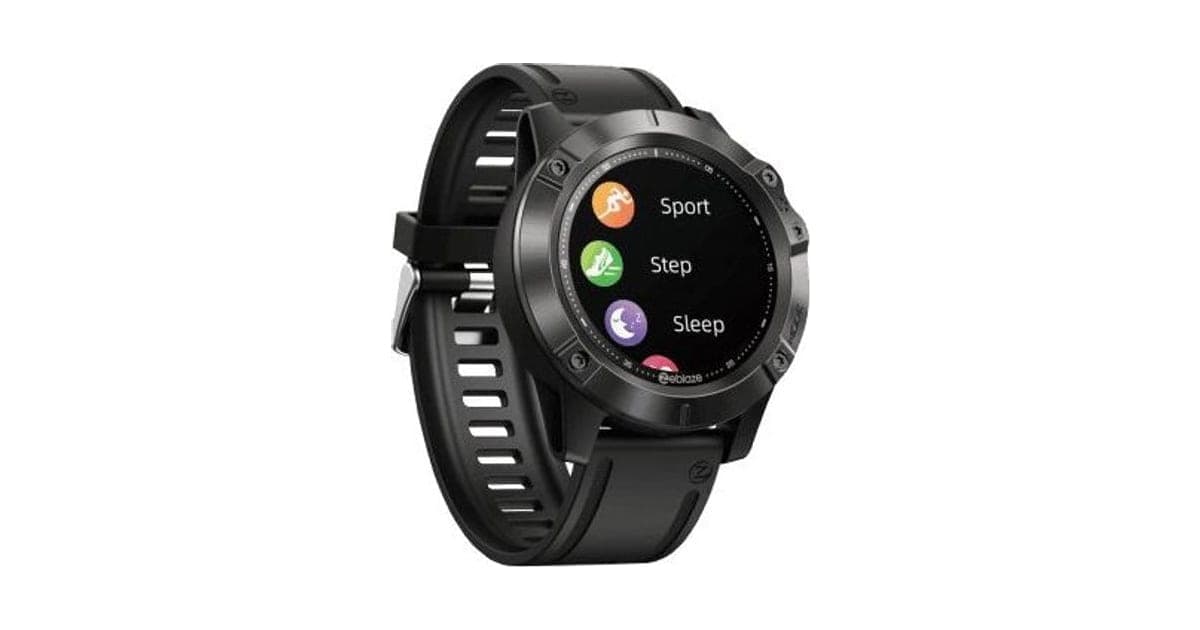
Many smartwatches offer emergency SOS, fall detection and, with cellular models, calls without a phone nearby. They are not discreet in the same way, and they need charging, but they can do much more. If you already wear one, set up its SOS feature first.
invisaWear vs a medical alert system
Medical alert pendants for older adults often work without a phone, include fall detection, and connect to a monitoring centre through their own cellular connection. They look clinical, which is the problem invisaWear solves. For an older person living alone with fall risk, a dedicated medical alert system is usually the safer choice.
invisaWear vs a personal alarm
A siren alarm costs little and makes noise to draw attention. It does not contact anyone. Some people carry both.
invisaWear vs safety apps
Several free or low-cost apps let you share your location with friends, set check-in timers and alert contacts. They need you to use your phone. invisaWear adds a button you can press without anyone noticing, plus professional monitoring.
invisaWear vs Bluetooth trackers
Item trackers help find lost keys and bags; they are not designed to call for help. Do not rely on a tracker as a safety device.
Texting 911
Many US areas now accept text messages to 911, which helps if you cannot speak. The FCC's guide to text-to-911 explains where it is available and how to use it.
Other wearables we have reviewed
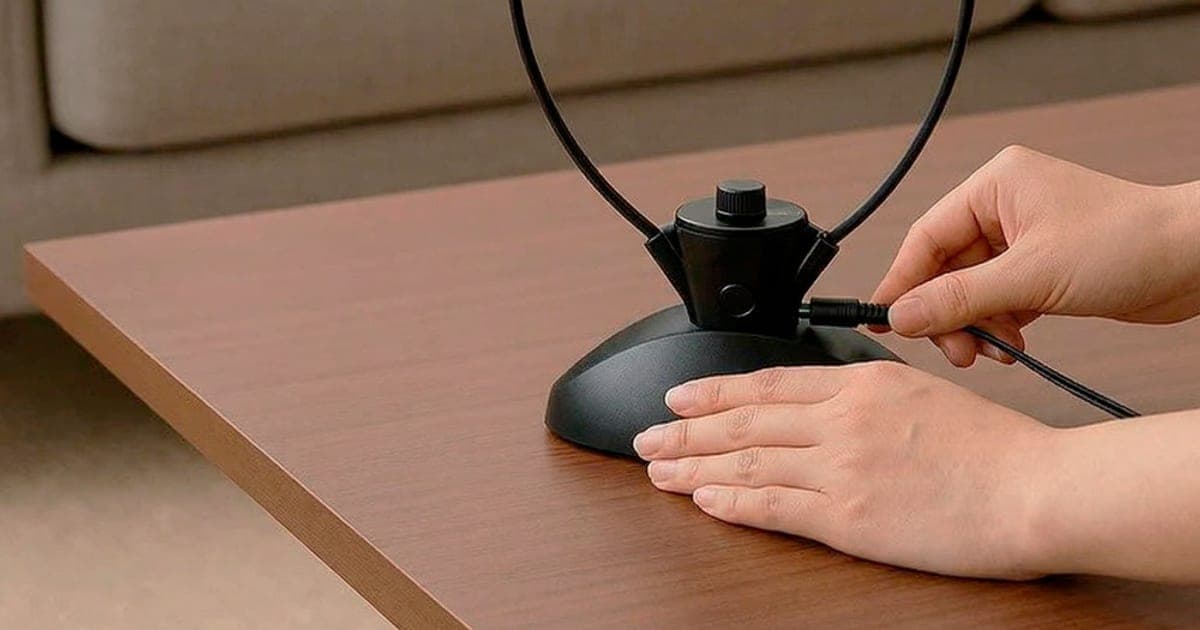
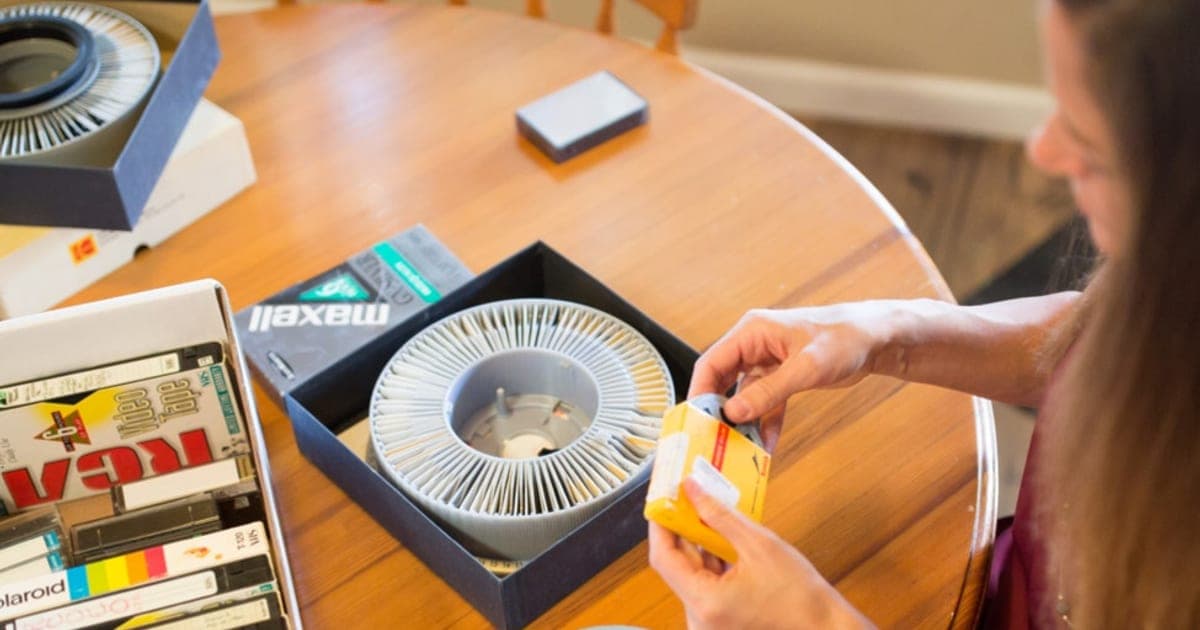
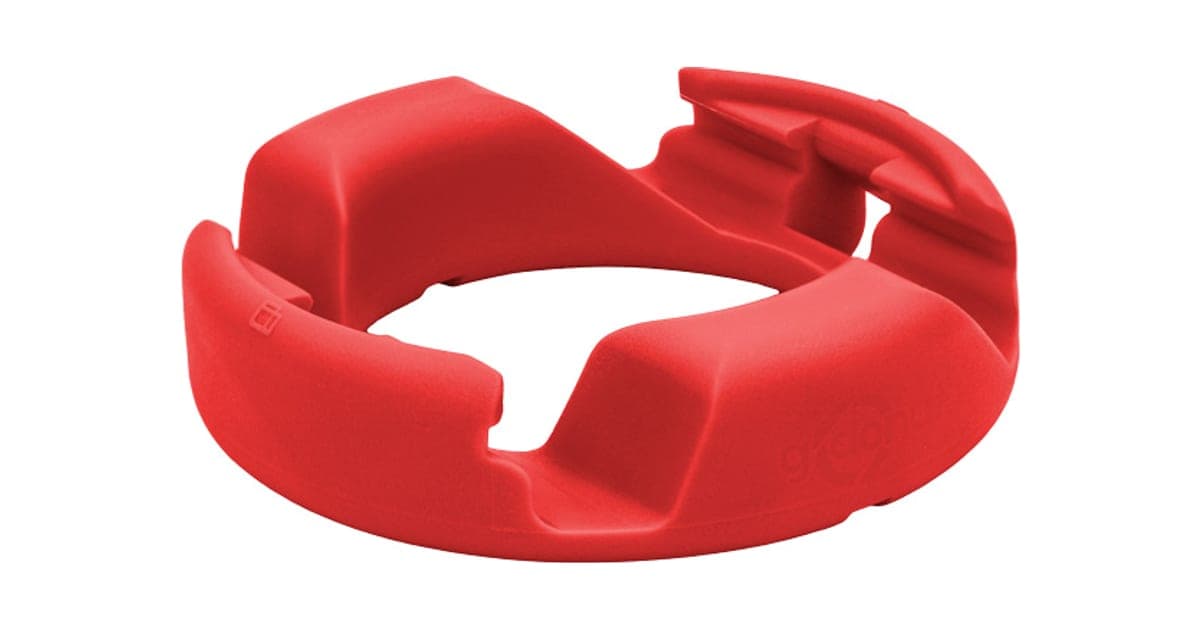
Our Fieldy AI review looks at a wearable recorder, and our HearDirect review covers a TV headset. For phone accessories, see our GoDonut review, and for preserving family memories, our iMemories review. Browse more in our wearables category.
invisaWearScore 4.3/10
Why people buy it: Discreet: looks like an ordinary necklace, bracelet or keychain charm, so people actually wear it
$99.99 at invisaWear · Price checked October 4, 2026
Check price at invisaWear (opens invisaWear in a new tab)We may earn a commission if you buy through our links.
Is invisaWear legit, and what should you check before buying?
invisaWear is a real company with a real ADT partnership, but Trustpilot shows 2.4 from 175 reviews, with complaints about disconnections, subscription fees and difficulty cancelling. Before buying, budget for the required monthly plan, check the plan price at checkout because the offer page and brand store differed, confirm your phone runs iOS 13 or Android 9 or later, and cancel in writing if you stop.
The subscription
The FAQ says a subscription is required.
What to do: budget for the monthly fee before buying the charm. Check the price at checkout, since the offer page and the brand store showed different plan prices.
Cancelling
Trustpilot reviewers describe email-only support and difficulty cancelling.
What to do: note how to cancel before you sign up, cancel in writing, and keep the confirmation. Check your card statement the following month.
Your phone
The charm is only as reliable as your phone.
What to do: keep your phone charged and close, allow the app background, Bluetooth and location access, and test monthly.
Older adults
Some older adults do not keep a smartphone nearby at all times.
What to do: if the wearer may fall or may not have their phone, consider a medical alert system with its own connection and fall detection.
Children and teenagers
The page lists teenagers and children as users.
What to do: make sure your child has a compatible phone, understands when to use it, and knows that 911 is still the first call when they can make it.
Travel
ADT monitoring is a US service.
What to do: outside the US, rely on contact alerts and local emergency numbers, and check the app works where you are going.
Privacy and location data
A safety app needs your location to work, and monitoring partners receive it during alerts.
What to do: read the privacy policy, choose emergency contacts you trust, and review which apps can see your location.
Domestic abuse situations
People in abusive relationships need tools an abuser cannot discover or monitor.
What to do: speak to a domestic violence hotline or advocate about safety planning before relying on any app or device, since apps and shared phone accounts can sometimes be monitored.
How to buy invisaWear the smart way
- Decide whether you will pay a monthly plan, then compare the store and the invisaWear order page (opens invisaWear in a new tab).
- Choose the style you will wear every day; a keychain only helps if it is on you, not in a drawer.
- Check the plan price at checkout and how to cancel.
- Set up the app, contacts and PIN as soon as it arrives.
- Use the Test Alert feature and tell your contacts what to expect.
- Test monthly and keep your phone charged.
What do owners say, and how did we score invisaWear?
invisaWear scores 4.3 out of 10: claim accuracy 0.7, build durability 1.1, price competitiveness 0.8, usability 1.1 and owner satisfaction 0.6, each out of 2. On Trustpilot it shows 2.4 from 175 reviews, with 49% five-star and 33% one-star. Owners praise the design, peace of mind and helpful support; complaints focus on subscription fees, disconnections and cancelling.
Reviews on the page
The offer page claims 200,000 customers and shows four testimonials describing a daughter saved from a threatening situation, a mother-in-law who used it within a week, reassurance calls on late walks and fast help after a car crash. One mentions a $19.99 ADT charge on her bill for several years.
Trustpilot
On 4 October 2026 the Trustpilot profile for invisawear.com showed a TrustScore of 2.4 from 175 reviews: 49% five-star and 33% one-star. Praise focuses on design, peace of mind and helpful support. Complaints focus on subscription fees that were not clear at purchase, disconnections, short range, devices failing, activation problems and difficulty cancelling.
App reviews
The invisaWear app's listing in Apple's App Store describes the alert features; app store ratings and reviews are another place to check recent experiences before buying.
What the reviews agree on
The idea and design are liked. The experience depends heavily on the phone connection and on clear subscription terms.
Reading the one-star reviews
A third of Trustpilot reviews are one-star, a high share. The most common themes are billing and connection. Several reviewers say they did not realise a monthly plan was needed until after buying the charm. Others describe the charm dropping its connection, sometimes without the app making it obvious, which they only discovered when testing. A smaller group describe devices failing or being unable to activate them, and frustration at reaching support only by email.
Reading the five-star reviews
Happy owners often describe peace of mind when walking alone, enjoying reassurance calls, compliments on the jewelry, and support staff resolving problems. Some describe real emergencies where help arrived. These experiences are genuine and important; the mixed overall score shows they are not universal.
What this means for buyers
If you buy invisaWear, treat the first month as a trial. Test it repeatedly in the places you will use it, with your phone where you normally carry it. If it disconnects often, use the 30-day guarantee.
What we would test with invisaWear in hand
If we test it ourselves, we will measure real Bluetooth range with several phones, check reconnection after phone restarts and battery-saving modes, time alerts to contacts and ADT, test the cancel window, and try cancelling the subscription. We will update this review with the results.
How we scored invisaWear
Every score on the site follows the five criteria on our how we test page.
| Criterion | Score | Why |
|---|---|---|
| Claim accuracy | 0.7 / 2 | ADT partnership true; "never alone" and "zero risk" overreach |
| Build durability | 1.1 / 2 | Jewelry-grade charm; some early failures reported |
| Price competitiveness | 0.8 / 2 | Required plan; offer page plan higher than the store |
| Usability | 1.1 / 2 | Simple trigger; depends on phone and Bluetooth |
| Owner satisfaction | 0.6 / 2 | Trustpilot 2.4 with connectivity and cancellation complaints |
| Total | 4.3 / 10 |
The score would rise with clear subscription pricing up front, consistent prices across the store and offer page, easier cancellation, and evidence of improved connection reliability.
What we did, and did not, do
We read the offer page and FAQ, invisaWear's store data, press coverage, the App Store listing, the Trustpilot profile and the FCC's text-to-911 guidance, all on 4 October 2026. Nobody on our team has used invisaWear, and no figures here come from our own testing.
How to use invisaWear for the best results
Install the invisaWear app, pair the charm with your phone close by, and add up to five emergency contacts who know what an alert means. Set your cancel PIN, allow the app permanent location, Bluetooth and background access, and turn off battery optimisation for it. Use the Test Alert feature regularly, check the charm still shows as connected after phone updates, and set a safety timer before walks alone.
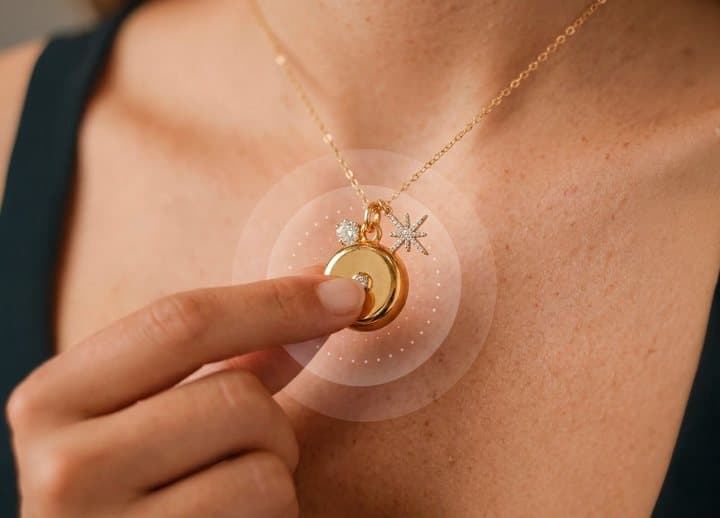
- Install the invisaWear app and pair the charm while the phone is close by.
- Add up to five emergency contacts and tell them what an alert means.
- Set your cancel PIN and, with a plan, your secret voice phrase.
- Allow the app permanent location, Bluetooth and background access.
- Turn off battery optimisation for the app on Android phones.
- Send a test alert and confirm your contacts receive it.
- Wear the charm daily and keep your phone in a pocket rather than a separate bag.
Using the safety timer
Set a timer whenever you are heading somewhere alone and unfamiliar, and get into the habit of checking in as soon as you arrive. It works even if you cannot reach the button.
Before a run, a date or a late walk, set a timer in the app. If you do not check in, ADT checks on you. It is one of the most useful features because it works even if you cannot press the button.
Reassurance calls
Reassurance calls are available 24/7 with the plan, according to the FAQ. If a walk feels uncomfortable, start a reassurance call with an ADT agent. Knowing someone is on the line, and that they know your location, can deter trouble and reassure you.
Keeping it connected
If the app shows the charm as disconnected, reopen the app, toggle Bluetooth, or re-pair the charm. After phone updates, check permissions again.
Building safety habits around it
A device is one part of staying safe. Share your plans with someone when going out alone, park in well-lit areas, keep your phone charged, trust your instincts and leave situations that feel wrong. invisaWear makes calling for help faster; it does not replace awareness.
Monthly checks
Once a month, run a test alert, check the battery status in the app, confirm your contacts' numbers are still correct, and make sure the plan is active. It takes a couple of minutes and catches problems before you need the device.
Telling your contacts
Contacts should know that an alert means you need help, and agree what they will do: call you, call 911, or go to your location.
Choosing which style to buy
The best style is the one you will wear every day. A necklace is always on you but may be hard to reach under a coat; a bracelet is easy to press but can knock against things; a keychain is convenient but only helps if your keys are on you rather than in a bag. Some owners buy two styles to cover different situations, which one plan can cover.
Troubleshooting
| Problem | Likely cause | What to try |
|---|---|---|
| Charm disconnected | Phone out of range or app closed | Keep phone close; reopen the app |
| Alert did not send | Permissions or battery saver | Allow background, location and Bluetooth |
| Contacts got nothing | Wrong numbers or no signal | Check contacts; test in an area with signal |
| Accidental alert | Bumped button | Cancel with PIN within 15 seconds |
| Battery warning | Coin cell low | Contact support about replacement |
| Billing after cancelling | Cancellation not processed | Get written confirmation; contact your card issuer |
invisaWearScore 4.3/10
Before you buy: Check the final price, shipping and return terms at checkout.
$99.99 at invisaWear · Price checked October 4, 2026
Check price at invisaWear (opens invisaWear in a new tab)We may earn a commission if you buy through our links.
What else do people ask about personal safety devices?
Most questions are about when a safety device works and what it does. invisaWear works in a car or anywhere else if your phone is with you and connected, and it is silent by design, so an attacker does not know you have called for help. With ADT monitoring, an agent can dispatch 911; without it, alerts go to your contacts. Without your phone nearby, it cannot send an alert.
Do safety necklaces really work?
They can, as part of a plan. They work best when the connection is reliable, contacts know what to do and the wearer also uses other safety habits.
Does it work in a car?
Yes, if your phone is in the car with you and connected. One testimonial describes using it after being rear-ended and getting a call from ADT within 30 seconds.
What if I lose the charm?
Remove it from the app so it cannot trigger alerts, and contact support about a replacement. A lost charm is not a security risk on its own, because it has no data on it, but if it is lost somewhere near your phone, such as at home, someone could press it while it is still paired and within Bluetooth range. Unpairing it in the app removes that risk straight away.
Will invisaWear set off a loud alarm?
No. It is silent by design, so an attacker does not know you have called for help. If you want noise to draw attention, a separate personal alarm does that.
Can I use invisaWear on Android?
Yes, on Android 9.0 or later, according to the FAQ. Android battery optimisation can stop background apps, so exclude the invisaWear app from it.
How far can my phone be from the charm?
Press coverage describes up to about 30 feet. Owners on Trustpilot report less in practice. Keep the phone on you rather than in a bag across the room.
Can someone else trigger my alert?
Anyone who presses the button firmly twice could trigger an alert, but the 15-second PIN cancel and ADT's check-in call mean you can stop an unwanted response.
Can I share one subscription with family?
The FAQ says one subscription covers up to four devices per user, such as a necklace, keychain and bracelet for the same person. Each person who wants monitoring will need their own plan.
Is invisaWear better than pepper spray?
They do different things. invisaWear calls for help; pepper spray is a defensive tool with legal restrictions in some places. Some people carry both. invisaWear's store sells pepper spray too.
Can invisaWear call 911 directly?
With ADT monitoring, an agent can dispatch 911 for you. Without monitoring, alerts go to your contacts.
What does the safety timer do if I forget to check in?
ADT checks on you and, if you do not respond, can contact 911 and your emergency contacts, according to the FAQ. Set realistic times so a forgotten check-in does not trigger a response.
Does invisaWear track my location all the time?
The FAQ mentions live GPS tracking as a plan feature. Check the app's privacy settings and policy to understand what location data is collected and when.
What happens if my phone dies?
The charm cannot send an alert without the phone. Keep your phone charged, or consider a device with its own cellular connection.
Is invisaWear good for seniors?
For seniors who always carry a smartphone and want a discreet button, it can be. For seniors at risk of falls or without a phone nearby, a medical alert system with fall detection is usually better.
Can I use invisaWear without paying monthly?
According to the offer page's FAQ, no: a subscription is required to use the device.
Is invisaWear worth it?
If you will wear it daily, keep your phone close and use the monitoring features, it can be a worthwhile layer of safety. Compare the plan price with invisaWear's own store, know how to cancel, and set up your phone's free emergency features too.
Frequently asked questions
How does invisaWear work?
The charm connects to the invisaWear app on your phone by Bluetooth. A firm double-click sends your GPS location to up to five emergency contacts. With an ADT monitoring plan, a trained agent is also alerted and can dispatch 911 for you.
Does invisaWear need a subscription?
Yes, according to the offer page's FAQ: a subscription is required to use the device. The offer page listed the plan at $19.99 a month. invisaWear's own store listed its subscription at $14.99 a month, with a one-month free trial option.
How much does invisaWear cost?
On 4 October 2026 the offer page listed the necklace at $99.99 and the bracelet and keychain at $99.99 each, with free US shipping, plus the $19.99 monthly plan. Over three years that is about $820. invisaWear's own store listed the charm at $99 and the plan at $14.99 a month.
Does invisaWear work without my phone?
No. It relies on your phone and the app. The charm must be within Bluetooth range, which reviewers put at about 30 feet at best, and the phone must be on with a signal. Keep the phone on you rather than in a bag across the room.
What if I press it by accident?
The FAQ says a firm double-press is needed, you have 15 seconds to cancel with your PIN in the app, and an ADT agent checks with you before sending help. Anyone who presses the button firmly twice could trigger an alert, so keep it where it will not be squeezed.
How long does the battery last?
Up to three years depending on use, according to the FAQ, with no charging. The app warns when it is low, and invisaWear says it replaces devices free for customers with an active plan of two years or more.
Does invisaWear work outside the US?
The FAQ says it works in 79 countries, sending text alerts with your location to contacts. In Canada it is sold through TELUS as SmartWear Security. ADT monitoring is a US service. Check what works in your country before travelling.
What is the return policy?
The offer page shows a 30-day money-back guarantee. Trustpilot reviewers describe difficulty cancelling subscriptions, so cancel in writing and keep confirmation. Budget for the required monthly plan before buying the charm, since it does not work without one, according to the FAQ.
We may earn a commission if you buy through our links.
Prices accurate as of October 4, 2026. Check the seller's checkout for current pricing, promotions and terms.
What we checked: No hands-on use. Claims, features, prices, FAQ answers (including subscription, battery, range and international use), guarantee, testimonials and images from the invisaWear offer page our link opens (getinvisawear.com) on 2026-10-04. Store prices and subscription pricing from invisaWear's own store data the same day. Owner sentiment from the Trustpilot profile for invisawear.com (2.4 from 175 reviews on 2026-10-04); Bluetooth range and app details from press coverage and the App Store listing; text-to-911 guidance from the FCC.

About the author
Ryan Mitchell, Consumer Technology Writer
Ryan Mitchell covers new and innovative gadgets for Top10Gadgets: AI devices, wearables, smart accessories, digital services and the beauty tech sold through viral adverts. Ryan likes to find a gadget before it goes main…
- New and innovative gadgets
- AI devices and wearables
- Smart accessories
- Beauty tech
- App and subscription terms
Writing for Top10Gadgets since 2026Full profile