Smart Home / Smart bulbs
SmartLight Review: A $49 Wi-Fi Colour Bulb, App Features Sold as Add-Ons, and What Smart Bulbs Usually Cost
A Wi-Fi colour-changing LED bulb with schedules and Alexa and Google Home control. An easy upgrade, but $49 for one bulb is several times a branded bulb, and group control costs extra.

By Alex Carter, Senior Tech Reviewer at Top10Gadgets
Updated 26 min readHow we test
Quick answer
Only if you want one colour bulb from this page and the price does not matter. SmartLight is a Wi-Fi colour bulb with 16 million colours, schedules and Alexa and Google support, a simple way to add mood lighting without a hub.
Score 3.6/10$49.00 at G Com Pte Ltd
Check price at G Com Pte Ltd (opens G Com Pte Ltd in a new tab)We may earn a commission if you buy through our links.
- Best for
- People who want one colour bulb for a lamp and do not mind paying well above the going rate
- Not for
- Anyone fitting several bulbs, since branded colour bulbs cost a fraction of the price
$49.00 at G Com Pte Ltd
Check price at G Com Pte Ltd (opens G Com Pte Ltd in a new tab)We may earn a commission if you buy through our links.
On this page · 12 sections
- 01Our verdict
- 02The short version
- 03Pros & cons
- 04How it works
- 05Who it's for
- 06How much should a smart colour bulb cost, and why is SmartLight $49?
- 07Are SmartLight's brightness and 14-year lifetime claims meaningful?
- 08Is SmartLight better than WiZ, Philips Hue or Govee bulbs?
- 09Is SmartLight legit, and what should you check before buying?
- 10How did we score SmartLight?
- 11How to use SmartLight: setup, scenes and schedules
- 12Frequently asked questions
Our verdict
Only if you want one colour bulb from this page and the price does not matter. SmartLight is a Wi-Fi colour bulb with 16 million colours, schedules and Alexa and Google support, a simple way to add mood lighting without a hub. But $49 for one bulb is several times what branded colour bulbs cost, the page gives no brightness or fitting details, and group control, custom modes and a safe mode switch are sold as extras. SmartLight scores 3.6 out of 10, held back by price, missing specs and add-ons.
The short version
- What it is: a Wi-Fi colour-changing LED bulb with app, schedule and voice assistant control.
- Price: $49 for one on 4 October 2026, with a five-pack for $149 preselected. Delivery was listed as free.
- Best trait: easy, hub-free colour lighting.
- Biggest drawback: branded colour bulbs cost a fraction of the price, with full features included.
- Our score: 3.6 out of 10.
Pros & cons
The pros are what any Wi-Fi colour bulb offers. The cons are about price, missing details and features sold separately.
What we like
- 16 million colours plus white, controlled from your phone
- Works with Alexa and Google Home, according to the page
- Schedules for wake-up and sleep times
- Screws into a standard fitting with no hub needed
- Free delivery, and the seller names a registered company with a Singapore address
What we don't
- At $49 for one bulb, it costs several times branded colour bulbs such as WiZ
- Group control, custom modes and a safe mode switch are sold as add-ons, two pictured with other products
- No brightness in lumens, wattage, fitting type or colour temperature range stated
- The 14-year lifetime claim gives no hours or daily use assumption
- The app is not named, so you cannot check its security or update record
- Refunds need a returns number first, and you pay return postage to an overseas seller
Sold by G Com Pte Ltd
SmartLight$49.00
How it works
A smart bulb is an LED bulb with a small Wi-Fi radio and controller inside. It connects to your home Wi-Fi and the maker's cloud service, so your phone app or a voice assistant can send commands. Red, green, blue and white LEDs mix to produce millions of colours and shades of white.
Screw it in
Step 1: Fit the bulb in a standard lamp or ceiling fitting that matches its base, and leave the wall switch on so the bulb stays powered.
Pair it with the app
Step 2: Install the companion app, connect the bulb to your 2.4 GHz home Wi-Fi and give it a name so you can find it later.
Control colour and timing
Step 3: Choose colours, brightness and scenes in the app, set wake-up and sleep schedules, or link it to Alexa or Google Home for voice control.
Who it's for
SmartLight suits someone who wants a single colour bulb for a lamp, likes buying from this offer page and accepts the premium. For anyone fitting more than one or two bulbs, branded options make far more sense.
- People who want one colour bulb for a lamp and do not mind paying well above the going rate
- Renters who want smart lighting without changing switches
- Buyers who confirm with support that the bulb fits their lamps and which features are included
Why SmartLight appeals
Smart bulbs make a room feel different at the touch of a button: warm white for evenings, bright white for work, blue or purple for a film night. The SmartLight page promises compatibility with iOS, Android, Alexa and Google Home Assistant, scheduled timers for wake-up and sleep, easy Wi-Fi installation with group control and scenery settings, energy efficiency with a 14-year lifetime, a transformed smart home and a range of 16 million colours.
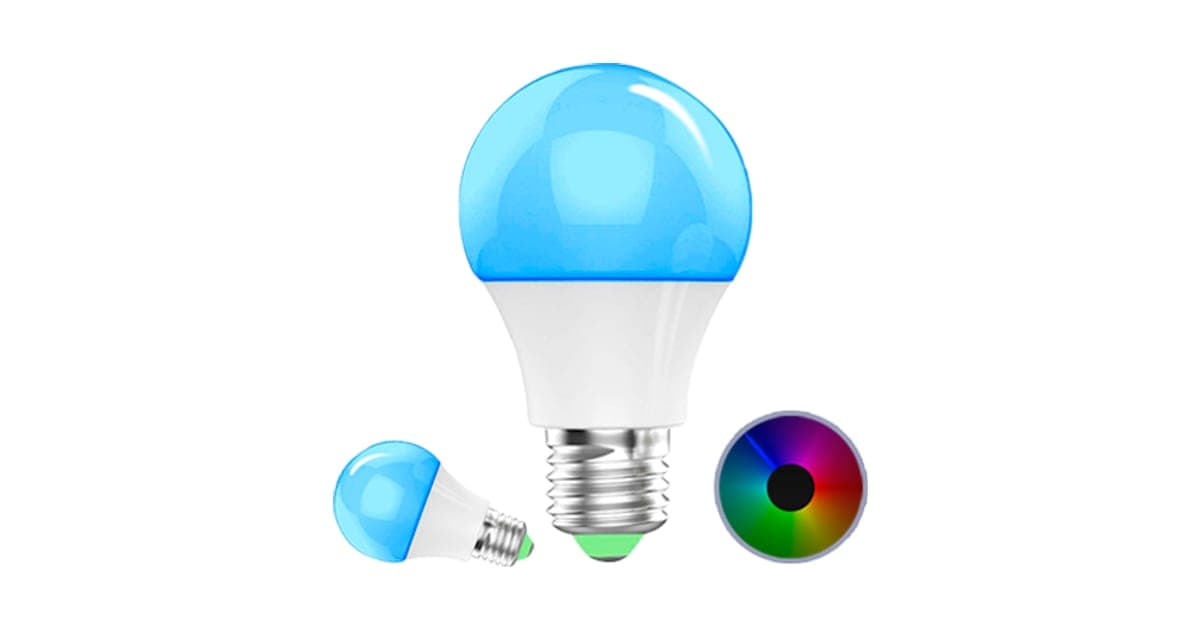
The photos show a glowing blue bulb, a smaller bulb and a colour wheel, the familiar image of colour smart lighting.
Who gets the most value
People who want one or two coloured lamps for atmosphere, and who like buying from this page, get the most from SmartLight. The value drops quickly as you add bulbs, because each one costs several times a branded equivalent. For a single lamp, the gap is a few tens of dollars; for a whole home, it becomes significant.
Renters
Smart bulbs are popular with renters because they need no rewiring. You screw them in, and take them with you when you move. That benefit applies to every smart bulb, not just this one.
First-time smart home buyers
A smart bulb is often someone's first smart home device, because it is cheap and simple elsewhere. Starting with a well-known brand makes later additions easier, since many brands' apps and voice integrations work together. Starting with an unknown app can leave you with a device that does not fit the rest of your setup.
Bedrooms and wake-up routines
Schedules that slowly brighten a bulb in the morning can make waking up gentler, and warm, dim light in the evening can help you wind down. The page lists wake-up and sleep timers. Whether SmartLight dims smoothly enough for gradual wake-ups is not stated.
People with sensory or light sensitivities
Some people find bright or cool light uncomfortable, and colour bulbs can help by allowing warm, dim settings. Flicker, especially at low brightness, can bother sensitive people. Branded bulbs are often tested for flicker; SmartLight's page says nothing about it.
Parties and seasonal decoration
Colour bulbs are a cheap way to change the mood for parties, holidays and seasonal events, with red and green in winter or warm oranges in autumn. Scenes saved in the app make it quick to switch. For occasional use like this, the cost per bulb matters even more, since you are paying for something you use a few times a year.
Kids' rooms and night lights
Colour bulbs make fun night lights and reading lights for children. A dim warm colour on a timer can help bedtime routines. Check the bulb is in a safe fitting out of reach.
Home offices
A colour bulb in a desk lamp lets you switch between cool, bright white for focused work and warm light after hours. For long work sessions, a good task lamp with a high colour rendering bulb usually matters more than colour options. A smart bulb adds convenience, such as switching the light off by voice when you leave the room.
Gamers and film fans
Coloured lighting behind a television or around a gaming setup is a popular use for smart bulbs. Some branded systems sync lights with games or films; the SmartLight page does not mention this. For simple background colour, any colour bulb works.
Older relatives
Voice control and schedules can help older people who find switches awkward or worry about coming home to a dark house. Simplicity matters most here. A bulb that drops off Wi-Fi or needs re-pairing through an unfamiliar app can cause frustration, so a well-supported brand is often the better gift.
Who should skip it
Skip SmartLight if you are fitting several bulbs, want clear specifications, use dimmer switches or cannot check the app before connecting it.
- Anyone fitting several bulbs, since branded colour bulbs cost a fraction of the price
- People who want brightness, wattage and fitting details before buying
- Homes with dimmer switches, unless support confirms the bulb works with them
- Buyers who cannot check the app's security before connecting it to Wi-Fi
How much should a smart colour bulb cost, and why is SmartLight $49?
Branded Wi-Fi colour bulbs cost far less. Kroger listed a two-pack of WiZ A19 colour bulbs at $19.99, about $10 each, and a hardware chain listed a single WiZ colour bulb at $14.99. WiZ bulbs work over Wi-Fi with Alexa and Google without a hub. SmartLight costs $49 for one, and its bundles only fall to $29.80 a bulb in the five-pack.
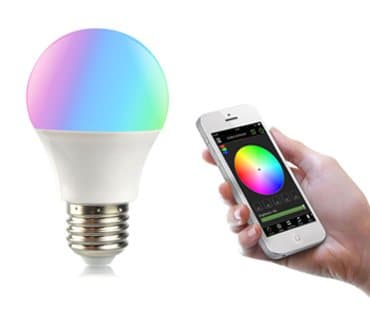
The $14 Custom Setting Mode add-on image
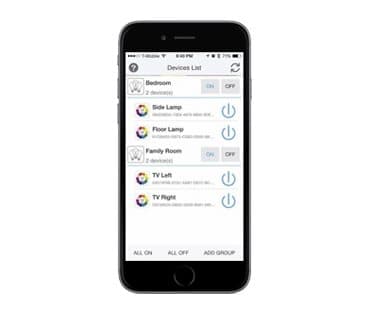
The $9 Group and Place Control add-on image
SmartLight price and bundles
| Package | Total | Per bulb |
|---|---|---|
| 1 SmartLight | $49 | $49.00 |
| 2 SmartLight | $89 | $44.50 |
| Buy 2, get 1 free (3) | $99 | $33.00 |
| 4 SmartLight | $129 | $32.25 |
| Buy 3, get 2 free (5), preselected | $149 | $29.80 |
You can check today's packages on the SmartLight order page (opens G Com Pte Ltd in a new tab).
What WiZ bulbs cost
Kroger listed the WiZ 60-watt-equivalent A19 smart colour bulb as a two-pack for $19.99. A hardware retailer listed a single WiZ colour A19 bulb at $14.99. Those bulbs list their wattage, brightness and fitting clearly.
The cost of lighting a room
A typical living room may have three to five lamps or fittings. At $49 a bulb, smart lighting for one room costs around $150 to $250. With WiZ bulbs at around $10 to $15, the same room costs $30 to $75. Over a whole home, the difference runs into hundreds of dollars for what is essentially the same kind of product.
The add-ons
- Group and Place Control: $9 (from $19). The image shows a phone app listing lights by room. Grouping bulbs by room is standard in most smart bulb apps.
- Custom Setting Mode: $14 (from $29). Pictured with a colour bulb and a phone colour wheel. Custom colours and scenes are a core smart bulb feature.
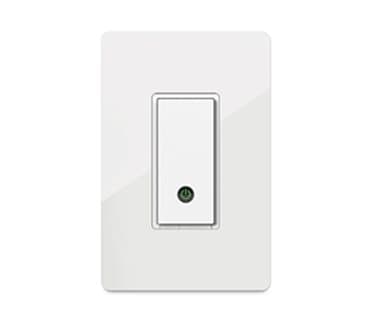
- Safe Mode On/Off: $19 (from $39). Pictured with a white wall light switch rather than a bulb. Ask what this is.
In our view, charging $42 extra for features most smart bulb apps include free, two of them pictured with other products, makes the headline price misleading.
What the page does not say
The page gives no wattage, brightness in lumens, colour temperature range, base type (E26, E27, B22 and others), dimmer compatibility or app name. Those details decide whether a bulb fits your lamp and lights your room properly.
The "regular price"
The page shows $98 crossed out next to $49 with a countdown. We found no evidence of SmartLight selling at $98.
Who sells it
The order page and impressum name G Com Pte Ltd, at 137 Market Street in Singapore, with a company registration number, email and phone number. The footer says "G Com Pte Ltd - Hong Kong". We found no independent rating profile for the store. With the United States selected, the order page said charges would appear as perfectchoicebase.com, shown in capitals.

SmartLightScore 3.6/10
Best for: People who want one colour bulb for a lamp and do not mind paying well above the going rate
$49.00 at G Com Pte Ltd · Price checked October 4, 2026
Check price at G Com Pte Ltd (opens G Com Pte Ltd in a new tab)We may earn a commission if you buy through our links.
Are SmartLight's brightness and 14-year lifetime claims meaningful?
Not without the numbers behind them. The page gives no brightness in lumens, which Energy Star says is how to compare bulb brightness. Its 14-year lifetime claim gives no rated hours or daily use. On the FTC's Lighting Facts label, used in the US, lifetime in years is calculated at 3 hours a day. Without the underlying hours, "14 years" tells you little.
Lumens, not watts
Energy Star's guide to bulb brightness explains that lumens measure brightness, while watts measure energy use. A traditional 60-watt bulb gave about 800 lumens. Colour smart bulbs are often bright in white mode and much dimmer in saturated colours. SmartLight gives neither figure.
Why specifications matter for bulbs
Bulbs are one of the few products where the box normally tells you almost everything: brightness, wattage, colour temperature, base, dimmability and lifetime. Shoppers compare these at a glance. A bulb page with none of these figures makes comparison impossible and leaves you guessing whether it will even fit your lamp.
How lifetime claims work
The FTC's Lighting Facts guidance for manufacturers explains that the label shows life in years based on 3 hours of use a day. A bulb rated at 15,000 hours would show about 14 years. Used 8 hours a day, the same bulb would last about 5 years. The page gives no hours, so its 14 years cannot be checked.
What the photos show
The main photo shows a large bulb glowing blue, a smaller bulb glowing blue and a colour wheel. The add-on images show a colour bulb beside a phone colour picker, a phone listing lights by room, and a plain white wall switch with a small power light. None shows packaging, a base type or a specification label.
Smart bulbs and lifetime
Smart bulbs have electronics as well as LEDs. The Wi-Fi chip and power supply can fail before the LEDs wear out, and app support can end before either. A bulb whose app stops working becomes a basic, non-dimmable light, or nothing at all if it needs the app to switch on.
Colour quality
Colour rendering describes how naturally a light shows the colours of objects, measured as CRI. Higher CRI makes skin tones, food and fabrics look more natural. Branded bulbs often state CRI. SmartLight does not, so you cannot tell how good its white light is for everyday tasks such as cooking or reading.
How bright is bright enough
Energy Star's guidance relates lumens to the old wattages: about 450 lumens for a 40-watt replacement, 800 for 60 watts and 1,100 for 75 watts. A reading lamp or kitchen light needs more than a bedside mood lamp. Without a lumen figure, you cannot tell where SmartLight sits on that scale.
Brightness in colour modes
Colour smart bulbs mix red, green and blue LEDs to make colours. Deep blues and reds usually look much dimmer than white, because only some of the LEDs are lit. If you want colour lighting bright enough to light a room, check reviews of brightness in colour modes, not just the headline white brightness.
Colour temperature
Colour temperature, measured in kelvin, describes whether white light looks warm or cool. Around 2,700 K looks like a traditional warm bulb; 5,000 K and above looks cool and bluish. Good smart bulbs let you tune white across a wide range. SmartLight does not state its range.
"Energy efficient"
LEDs use far less energy than old incandescent bulbs. Smart bulbs also draw a small amount of standby power to stay connected to Wi-Fi when "off". The page gives no wattage, so you cannot compare running costs.
Standby power across a home
Each Wi-Fi bulb draws a small amount of power when switched off in the app, to stay connected. One bulb makes little difference, but a home with many smart bulbs adds a small, constant load. Branded bulbs often state their standby power; SmartLight does not.
Heat and lifespan
LEDs and their electronics last longest when they stay cool. Bulbs in enclosed glass shades, recessed fittings or hot ceilings run warmer and may fail sooner than the rated life. Check whether a bulb is rated for enclosed fittings before using it in one.
What the offer page claims
The headline describes "SmartLight bulbs, smart 16M colour light for your house through your smartphone". The bullets are: work with iOS, Android, Alexa and Google Home Assistant; scheduled timer, wake up and sleep time; Wi-Fi easy installation, group control and scenery setting; energy efficient and 14 years lifetime; transform your house into a smart home; and 16 million colours range.
"Group control and scenery setting" appear in the bullets while group control and custom settings are sold as add-ons.
Is SmartLight better than WiZ, Philips Hue or Govee bulbs?
No. WiZ colour bulbs offer Wi-Fi control with Alexa and Google at about $10 to $15 each, with clear specifications. Philips Hue costs more and uses a bridge, but is among the most reliable systems. Govee and Kasa sell colour bulbs at similar prices to WiZ. SmartLight costs more than all of them per bulb, with fewer details and features sold separately.
| Bulb | Hub | Voice assistants | Price per bulb seen |
|---|---|---|---|
| SmartLight | No | Alexa, Google (per page) | $49 ($29.80 in five-pack) |
| WiZ colour A19 | No | Alexa, Google | About $10 to $15 |
| Philips Hue colour | Bridge recommended | Alexa, Google, Apple Home | Usually more |
| Govee or Kasa colour | No | Alexa, Google | Usually low |
What to look for in any smart bulb
Look for the base type, brightness in lumens, wattage, colour temperature range, colour rendering, dimmer compatibility, a named app with recent updates and support for the voice assistant you use. Check whether it needs a hub and whether it works locally if the internet goes down. Branded bulbs list all of this; SmartLight lists little of it.
SmartLight vs WiZ
WiZ bulbs, made by the company behind Philips lighting, connect over Wi-Fi, work with Alexa and Google and include grouping, scenes and schedules in a free app. At about a fifth of SmartLight's price, they are the clear choice. This is where a rival plainly wins.
Why app features should be free
Grouping lights by room, saving colour scenes and switching lights on schedules are the basic features of every major smart bulb app, included at no extra cost. Charging separately for group control and custom modes, as the SmartLight page does, is unusual. If a bulb's app needs paid add-ons for basics, that is a reason to look elsewhere.
Total cost for a starter setup
A starter set of three branded colour bulbs from WiZ costs roughly $30 to $45 at the prices we saw. Three SmartLight bulbs cost $99 in the buy-two-get-one-free bundle, or $141 with the three app add-ons. That gap grows with every room you add.
SmartLight vs Philips Hue
Hue uses a bridge for fast, reliable control, works with Apple Home as well as Alexa and Google, and has a huge range of bulbs and accessories. It costs more, but it is the system many people choose for whole-home smart lighting.
SmartLight vs LED strips
For lighting behind televisions, under cabinets or along shelves, LED strips often give a better effect than bulbs, because they spread colour along a line. They are widely available with Wi-Fi control and voice assistant support at modest prices.
SmartLight vs Govee and Kasa
Govee and Kasa sell Wi-Fi colour bulbs that work without a hub, with Alexa and Google support, at prices similar to WiZ. Both have large user bases and maintained apps. They are sensible alternatives if WiZ bulbs are not available where you live.
Choosing a system for the long term
If you plan to add more smart lights over time, choose one ecosystem and stick with it. WiZ, Philips Hue, Govee and Kasa each have ranges of bulbs, strips and switches that work together in one app. A one-off bulb from an unnamed app may not integrate well with whatever you add later.
Matter and future compatibility
Matter is a newer smart home standard designed to let devices from different brands work together across Alexa, Google Home and Apple Home. Many branded bulbs now support it or offer upgrades. SmartLight's page does not mention Matter, so do not expect it to join a Matter setup.
SmartLight vs smart switches
If you want to control ceiling lights you already have, a smart wall switch controls the whole circuit and keeps working from the wall like a normal switch. It does not change colours, but it avoids the problem of someone switching a smart bulb off at the wall. Wiring usually needs an electrician, and many smart switches need a neutral wire.
SmartLight vs a smart plug with an ordinary lamp
If you only want schedules and voice control, not colours, a smart plug turns any lamp into a smart lamp. It is cheap and keeps your favourite bulbs.
Other smart home gadgets we have reviewed
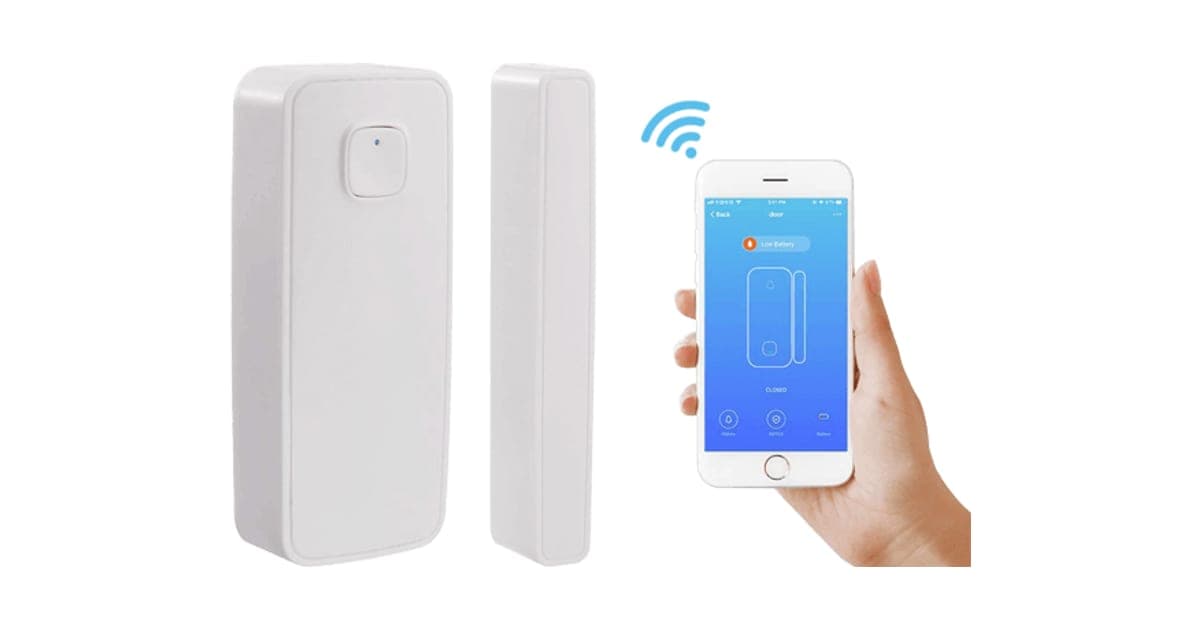
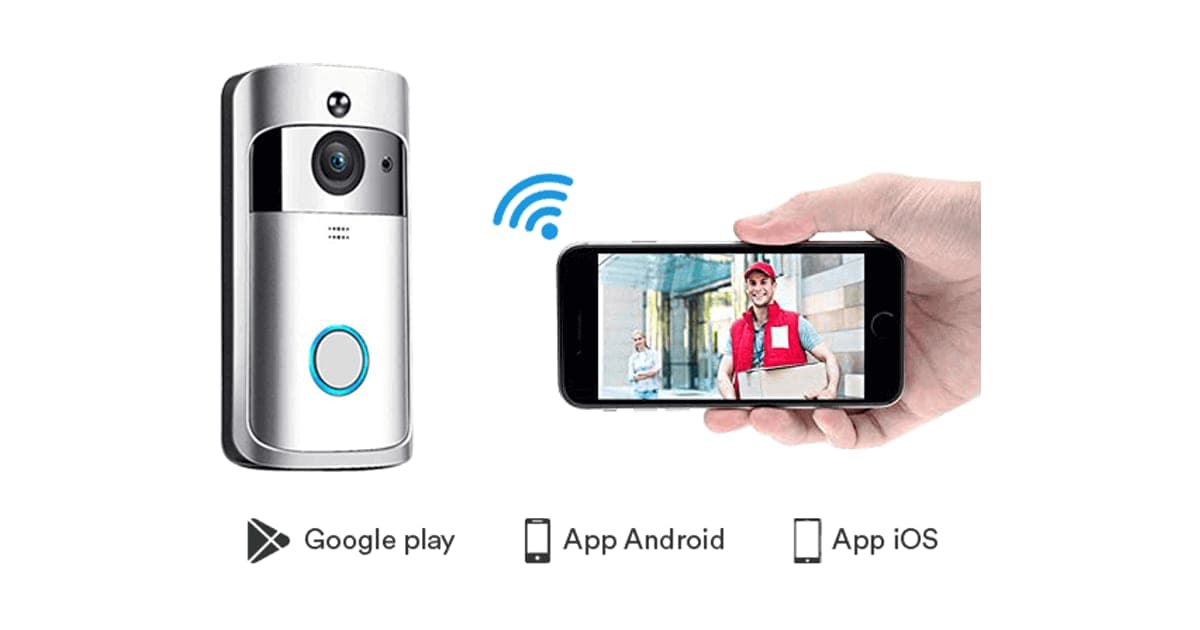
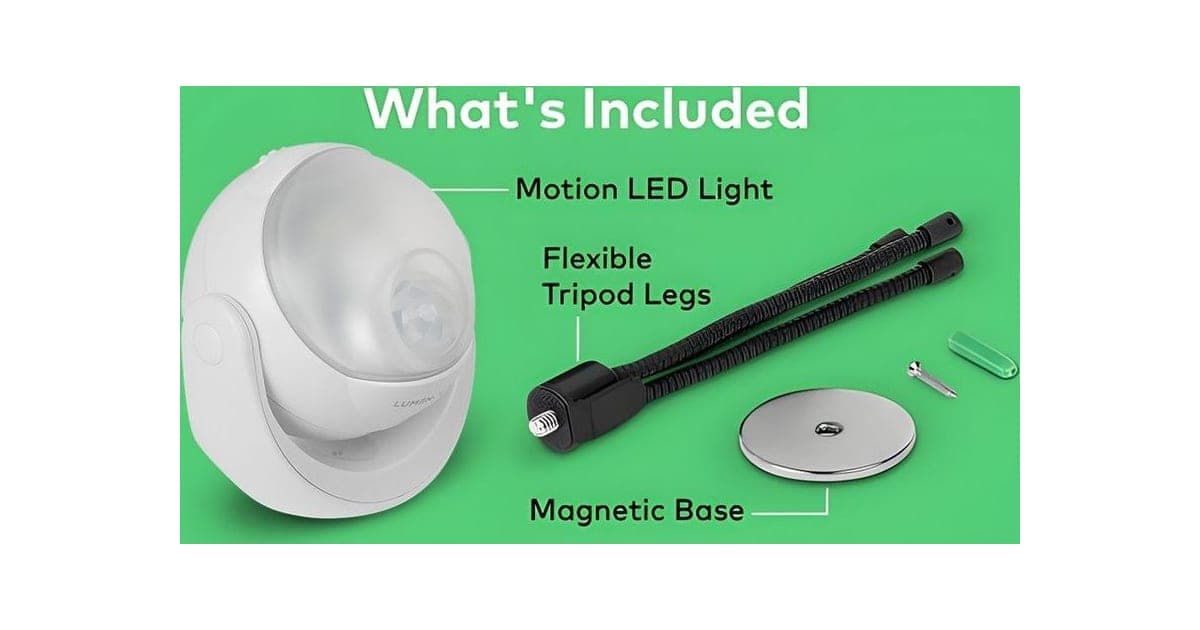
The same seller's HomePolice24 review covers a door sensor and Video DoorBell a battery doorbell. Our RYSE SmartShade review looks at a smart blind motor, and our Lumenology review at battery motion lights. Browse more smart home reviews.
If you still want SmartLight, check today's packages on the SmartLight offer page (opens G Com Pte Ltd in a new tab) and choose one bulb.
SmartLightScore 3.6/10
Why people buy it: 16 million colours plus white, controlled from your phone
$49.00 at G Com Pte Ltd · Price checked October 4, 2026
Check price at G Com Pte Ltd (opens G Com Pte Ltd in a new tab)We may earn a commission if you buy through our links.
Is SmartLight legit, and what should you check before buying?
SmartLight is a real product from a named seller, and a bulb should arrive if you order. Before buying, ask for the base type, brightness, wattage and app name, confirm which features are included without add-ons, check your fittings and switches, and know that refunds need a returns number and that return postage is yours to pay.
Check the base and size
What to do: check your lamp's fitting (E26 in the US, E27 or B22 in much of Europe and the UK) and ask support which SmartLight base you would receive.
Ask for brightness and app details
What to do: ask for the lumens, wattage, colour temperature range and app name, and check the app's reviews and update history.
Check the selected bundle
The five-pack for $149 was preselected. What to do: choose the number of bulbs you need.
Ask about the safe mode add-on
The $19 Safe Mode On/Off add-on is pictured with a wall switch. What to do: ask support exactly what it is, whether it is a physical switch, and whether you need it, before paying.
Membership offers
The page code contains text for a "Gadget Discount Club" membership, free for 30 days and then "a small fee of $9 may apply". We did not see it on the order page with the United States selected. What to do: read every checkbox and post-purchase page.
Refunds and returns
The page code promises a 30-day guarantee with a full refund or replacement, less shipping and handling. The terms focus on defective or damaged products, which may be returned within two years once you have a returns number. Return postage is at your cost and is not reimbursed.
What to do: fit and pair the bulb on the day it arrives, and contact support at once if it does not connect.
Ask whether the app is free
Some smart device apps charge subscriptions for extra features or cloud storage. What to do: ask support whether the app and its core features are free, and whether any subscription applies.
Check dimmer and switch compatibility
Smart bulbs on dimmer circuits can flicker, buzz or fail, and a bulb switched off at the wall cannot be controlled by app or voice. What to do: plan to leave the wall switch on and replace any dimmer on that circuit with a normal switch, or choose a smart switch instead.
Ask about warranty and replacements
Smart bulbs sometimes fail in their first year. What to do: ask what the standard guarantee covers before adding the $19 three-year warranty, which costs nearly half the price of a bulb.
Check your Wi-Fi
Most smart bulbs need 2.4 GHz Wi-Fi and a good signal where they are fitted. What to do: check your router has a 2.4 GHz network and that the room has a strong signal, especially for bulbs in outbuildings or far bedrooms.
How to buy SmartLight the smart way
- Ask support for the base type, lumens, wattage and app name.
- Open the SmartLight order page (opens G Com Pte Ltd in a new tab) and select your country.
- Change the preselected five-pack to the number of bulbs you need.
- Ask which features work without add-ons before paying for any.
- Note the card statement name, perfectchoicebase.com, and save your order email.
- Pair and test the bulb on the day it arrives.
How did we score SmartLight?
SmartLight scores 3.6 out of 10: claim accuracy 0.6, build durability 0.9, price competitiveness 0.3, usability 1.3 and owner satisfaction 0.5, each out of 2. Wi-Fi colour bulbs are easy to use, but this one costs several times branded options, gives no brightness or fitting specs, and sells app features as add-ons, two pictured with other products.
What owners say
We found no Trustpilot profile for the gadgetxaura.com store and no independent retailer reviews for SmartLight. Owners of generic Wi-Fi colour bulbs often like the colours and easy setup, and complain about bulbs dropping off Wi-Fi, apps needing many permissions, dim colour modes and bulbs that fail after a year or two.
How the score breaks down
We use the five criteria on our how we test page, each out of 2.
| Criterion | Score | Why |
|---|---|---|
| Claim accuracy | 0.6 / 2 | 14-year lifetime unexplained; group and scene features listed then sold as add-ons |
| Build durability | 0.9 / 2 | Typical LED smart bulb; no rated hours |
| Price competitiveness | 0.3 / 2 | $49 per bulb against about $10 to $15 for WiZ |
| Usability | 1.3 / 2 | Simple screw-in, app and voice control |
| Owner satisfaction | 0.5 / 2 | No independent ratings for this product |
| Total | 3.6 / 10 |
What we did, and did not, do
Nobody on our team has used SmartLight. We read the offer page our link opens with the United States selected, its code and the seller's terms on 4 October 2026, along with the FTC's Lighting Facts guidance, Energy Star's brightness guide, retailer listings for WiZ bulbs and the top-ranking SmartLight pages.
How to use SmartLight: setup, scenes and schedules
Fit SmartLight in a lamp with a matching base, leave the wall switch on, pair it on your 2.4 GHz Wi-Fi and give it a clear name. Set a warm white for evenings, a schedule for mornings and link it to Alexa or Google if you use them. If it drops off Wi-Fi, move it closer to the router or add a mesh point.
- Check the fitting. Base type and size must match.
- Leave the switch on. Smart bulbs need constant power.
- Use 2.4 GHz Wi-Fi. Most smart bulbs cannot join 5 GHz networks.
- Name it clearly. "Bedroom lamp" is easier for voice control.
- Set a schedule. A slow brighten for mornings and dim warm light for evenings.
- Link voice control. Follow the Alexa or Google skill steps in the app.
- Update the app. Updates fix bugs and security issues.
Placing bulbs well
Put colour bulbs in lamps and fittings where indirect light looks good: table lamps, uplighters and shades that diffuse the colour. Bare bulbs in ceiling fittings can look harsh in saturated colours. Behind a television or under a shelf, coloured light adds atmosphere without glare.
Choosing colours for wellbeing
Warm, dim light in the evening is easier on the eyes and less stimulating. Cool, bright white suits work and reading. Strong colours are best for parties and mood lighting rather than everyday tasks.
Resetting a bulb
Most Wi-Fi bulbs reset by switching the power off and on several times in a row, until the bulb flashes. The exact sequence varies, so keep the leaflet. Resetting removes the bulb from your app and Wi-Fi, so you will need to pair it again afterwards.
Moving bulbs between rooms
Smart bulbs are easy to move, but the app remembers them by name and room. When you move one, rename it and reassign it to the right room or group, or voice commands will control the wrong light. Update any schedules that relied on its old location too, such as a morning wake-up routine.
When to give up on a bulb
If a bulb keeps dropping off Wi-Fi despite a good signal, flickers in white mode or the app stops receiving updates, replace it. A cheap, reliable branded bulb usually costs less than the time spent troubleshooting an unreliable one.
Before replacing it, try one last reset and re-pair close to the router. If that fixes it, the problem was signal rather than the bulb, and a Wi-Fi extender or mesh point near that room may solve it for good. Thick walls, metal fittings and distance from the router are the usual culprits for bulbs that keep going offline, and they affect every brand of Wi-Fi bulb, not just this one.
Saving energy with schedules
Schedules that turn lights off at bedtime or when you usually leave for work prevent lights being left on in empty rooms. Combined with LED efficiency, that is where smart bulbs genuinely save a little energy.
Giving guests control
If visitors or babysitters stay, make sure they can still use the lights. Leave wall switches on and explain that the bulbs turn on with the switch if the app is unavailable. Some apps let you share control with guests temporarily.
Firmware updates
Smart bulbs receive firmware updates through their app that can fix bugs and security issues. Check the app occasionally for updates, and install them while the bulb is switched on and close enough to the router for a stable connection.
Replacing a bulb in a group
If one bulb fails, remove it from the app before fitting a replacement, then add the new one to the same group and scenes. Keep a note of your favourite colour settings so you can recreate them quickly.
If it will not connect
Move the phone and bulb close to the router, check you are on the 2.4 GHz band, and reset the bulb as the leaflet describes, often by switching it on and off several times.
Voice control tips
Use short, distinct names for bulbs and rooms so voice assistants do not confuse them. Avoid naming two devices with similar words. If a command fails, check the bulb shows as online in the app before blaming the voice assistant.
Grouping bulbs
If the app groups bulbs without the add-on, put bulbs in the same room into one group so a single tap or voice command controls them together. Name groups by room for voice control: "Turn off the living room".
Scenes for everyday life
Set a few scenes you will actually use: bright white for cleaning, warm and dim for evenings, a soft colour for a night light. Too many scenes become hard to remember. Most people end up using two or three regularly.
Using schedules for security
Lights that switch on and off at set times can make a house look occupied when you are away. Vary the times slightly if the app allows, so the pattern looks natural.
Outdoor and enclosed fittings
Most smart bulbs are not rated for outdoor use or enclosed fittings where heat builds up. Check the leaflet before using SmartLight in a porch light or an enclosed ceiling light.
Other questions about smart colour bulbs
Do smart bulbs use electricity when off? Yes, a little. They stay connected to Wi-Fi so they can respond to commands. The standby draw is small, but it adds up across many bulbs.
What happens if my internet goes down? Many Wi-Fi bulbs cannot be controlled from the app or by voice without internet, though some work over local network or Bluetooth. Switching the wall switch off and on usually turns them back on at their last setting.
Can smart bulbs be hacked? Any internet-connected device can have security flaws. Choose bulbs from companies that release updates, use a strong app password and keep the app updated.
Do colour bulbs help with sleep? Warm, dim light in the evening is generally easier on sleep than bright, cool light. Schedules that dim lights before bed can support a wind-down routine.
How many smart bulbs can a Wi-Fi network handle? Home routers can handle many devices, but very large numbers of Wi-Fi bulbs can strain some routers. Hub-based systems reduce the load on Wi-Fi.
Can I use SmartLight in a ceiling fan light? Check the fitting type and whether the fan has a dimmer or speed controller on the same circuit, which can cause problems.
SmartLightScore 3.6/10
Before you buy: Check the final price, shipping and return terms at checkout.
$49.00 at G Com Pte Ltd · Price checked October 4, 2026
Check price at G Com Pte Ltd (opens G Com Pte Ltd in a new tab)We may earn a commission if you buy through our links.
Frequently asked questions
Does SmartLight work with Alexa and Google Home?
The page says it works with iOS, Android, Alexa and Google Home Assistant. It does not name the app, and the code sells group control and custom modes as add-ons. Ask support whether voice control works without any add-on before ordering.
How bright is SmartLight?
The page gives no brightness in lumens or wattage. Bulbs are compared by lumens: a typical 60-watt replacement gives about 800 lumens. Without that figure, you cannot tell whether SmartLight is bright enough for a room or only for mood lighting.
Does SmartLight really last 14 years?
The page claims 14 years but gives no hours. In the US, lifetime on the FTC's Lighting Facts label is calculated from rated hours at 3 hours of use a day. If SmartLight's figure uses the same convention, it would assume around 15,000 hours, but the page does not say.
How much does SmartLight cost?
With the United States selected on 4 October 2026, the offer page listed one bulb for $49, two for $89, three for $99, four for $129 and five for $149. The five-pack was preselected. Delivery was listed as free, and a 3-year warranty add-on cost $19.
How much do branded colour smart bulbs cost?
Much less. Kroger listed a two-pack of WiZ A19 colour bulbs at $19.99, about $10 each, and a hardware chain listed a single WiZ colour bulb at $14.99. WiZ bulbs work over Wi-Fi with Alexa and Google, without a hub.
Do smart bulbs work with dimmer switches?
Usually not. Smart bulbs need constant power and do their own dimming. A wall dimmer can make them flicker or fail. Leave the switch fully on, or replace it with a standard switch or a smart switch.
Is SmartLight legit?
It is a real product sold by G Com Pte Ltd, which lists a Singapore address, company number, email and phone. The concerns are the price, missing specifications, app features sold as add-ons, the unnamed app, the preselected five-pack and refund terms that leave return postage to you.
We may earn a commission if you buy through our links.
Prices accurate as of October 4, 2026. Check the seller's checkout for current pricing, promotions and terms.
What we checked: No hands-on use. Features, photos, prices with the United States selected, the preselected bundle, add-ons and their images, warranty and card statement name from the SmartLight offer page our link opens (gadgetxaura.com) on 2026-10-04, plus the bundle and add-on data in the page's own code. Refund and cancellation terms from the same site's terms page that day. The FTC's Lighting Facts guidance, Energy Star's guide to bulb brightness, retailer listings for WiZ colour bulbs and the top-ranking SmartLight pages were read the same day.

About the author
Alex Carter, Senior Tech Reviewer
Alex Carter is the senior tech reviewer at Top10Gadgets, covering the everyday gadgets, home and kitchen devices, smart home products and accessories most people actually buy. Alex judges a product the way a normal buyer…
- Everyday gadgets and accessories
- Smart home devices
- Home and kitchen gadgets
- Value for money
- Long-term reliability
Writing for Top10Gadgets since 2026Full profile