Smart Home / Smart remote hubs
HomeNETIX Review: An $89 Infrared Smart Home Hub That Looks Like a $26 Broadlink, and What It Can Really Control
A Wi-Fi infrared blaster that lets your phone or voice assistant control TVs and air conditioners. Handy, but it works only with infrared remotes, the adapter costs extra, and similar hubs cost about $26.

By Alex Carter, Senior Tech Reviewer at Top10Gadgets
Updated 26 min readHow we test
Quick answer
Worth it only if you want voice or phone control of an infrared TV or air conditioner and do not mind paying a premium. HomeNETIX is a small Wi-Fi infrared blaster that copies your remote controls, so older appliances can respond to your phone, Alexa and scenes.
Score 3.7/10$89.00 at G Com Pte Ltd
Check price at G Com Pte Ltd (opens G Com Pte Ltd in a new tab)We may earn a commission if you buy through our links.
- Best for
- People who want to control an older TV or air conditioner by voice or phone
- Not for
- Anyone hoping to control lights, plugs, door locks or other non-infrared devices
$89.00 at G Com Pte Ltd
Check price at G Com Pte Ltd (opens G Com Pte Ltd in a new tab)We may earn a commission if you buy through our links.
On this page · 12 sections
- 01Our verdict
- 02The short version
- 03Pros & cons
- 04How it works
- 05Who it's for
- 06What can HomeNETIX really control, and what can it not?
- 07How much does HomeNETIX cost compared with Broadlink, and what is missing?
- 08Is HomeNETIX better than Broadlink or a universal remote?
- 09Is HomeNETIX legit, and what should you check before buying?
- 10How did we score HomeNETIX?
- 11How to use HomeNETIX: placement, remotes and scenes
- 12Frequently asked questions
Our verdict
Worth it only if you want voice or phone control of an infrared TV or air conditioner and do not mind paying a premium. HomeNETIX is a small Wi-Fi infrared blaster that copies your remote controls, so older appliances can respond to your phone, Alexa and scenes. That works well in one room. But it cannot control lights or plugs, its power adapter and cable are sold as extras, and a similar Broadlink hub has been listed at about $26. HomeNETIX scores 3.7 out of 10, held back mainly by price and missing accessories.
The short version
- What it is: a Wi-Fi infrared hub that lets your phone and voice assistant control TVs, air conditioners and other remote-controlled devices.
- Price: $89 for one on 4 October 2026, with a five-pack for $267 preselected. Delivery was listed as free.
- Best trait: makes older infrared appliances smart without replacing them.
- Biggest drawback: similar hubs cost a fraction of the price, and power accessories cost extra here.
- Our score: 3.7 out of 10.
Pros & cons
The pros come from what infrared hubs do well. The cons are about price, limits and what is missing from the box.
What we like
- Controls infrared devices such as TVs, air conditioners and set-top boxes from your phone
- Works with Alexa, according to the page, so older appliances can respond to voice
- Scenes let one tap control several devices, such as a film-night setting
- No separate hub or gateway needed, according to the page
- Free delivery, and the seller names a registered company with a Singapore address
What we don't
- Only controls devices with infrared remotes, not lights, sockets or Bluetooth and radio devices
- A USB wall charger and USB cable are sold as add-ons, so it may arrive without power
- Looks like the Broadlink RM mini design, and Broadlink's RM4 mini has been listed at $25.99
- Needs line of sight to each device, so it covers one room at a time
- The app is not named, so you cannot check its security or update record
- Refunds need a returns number first, and you pay return postage to an overseas seller
Sold by G Com Pte Ltd
HomeNETIX$89.00
How it works
Most TVs, air conditioners and set-top boxes are controlled by infrared light flashed in coded patterns from a remote. An infrared blaster stores those patterns and sends them on command. HomeNETIX connects to your Wi-Fi, so your phone or a voice assistant can tell it which code to send, and it flashes infrared around the room to reach the device.
Power it and connect to Wi-Fi
Step 1: Plug the hub into a USB power adapter, install the companion app and connect it to your 2.4 GHz home Wi-Fi.
Add your remotes
Step 2: Choose your TV, air conditioner or other device from the app's library, or point your old remote at the hub so it can learn each button's infrared code.
Control by phone, voice or scene
Step 3: Press virtual buttons in the app, ask Alexa, or set scenes and schedules. The hub sends the same infrared signals your old remotes did.
Who it's for
HomeNETIX suits someone with one room of infrared appliances, such as a living room TV, a set-top box and an air conditioner, who wants to control them by phone, voice or schedule without buying new devices. It does not suit anyone hoping to control a whole house or non-infrared devices.
- People who want to control an older TV or air conditioner by voice or phone
- Renters who want smart control of appliances without replacing them
- Buyers who accept the price premium over similar infrared hubs
Why HomeNETIX appeals
Many homes have perfectly good appliances that are not smart. The HomeNETIX page promises to turn basic home appliances into smart devices with a simple universal system, control from anywhere through an app on iOS, Android and Alexa, support for TVs, TV boxes, air conditioners and DVD players, one-button scenes with preset modes such as sleep, away, romance and pet, and easy configuration with no gateway.
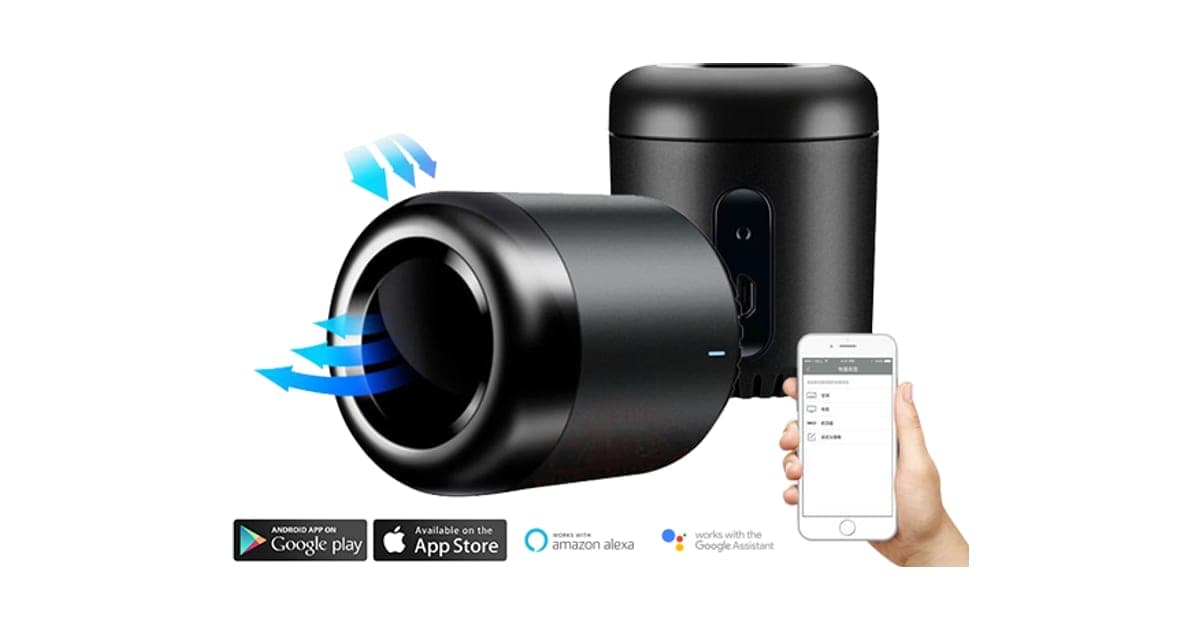
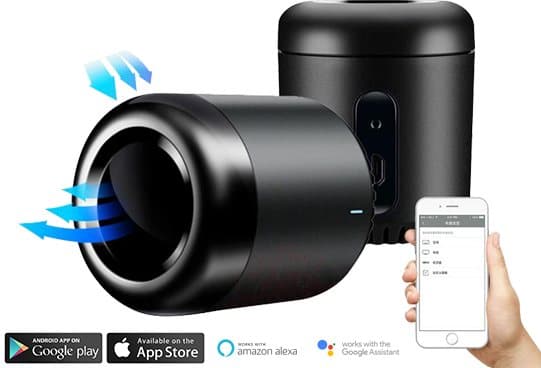
The product photo shows two small black cylinders, one with blue arrows representing infrared signals, beside a phone app, with app store badges and Alexa and Google Assistant logos. It looks like a neat, discreet gadget for a shelf.
Air conditioner owners
One of the most useful jobs for an infrared hub is controlling a wall-mounted air conditioner. You can switch it on from your phone on the way home so the room is comfortable when you arrive, or set schedules for night-time. Many older air conditioners have no app of their own, so this is a real upgrade.
Make sure the hub can see the air conditioner's receiver, usually on the front panel. Check the app supports your model's codes, or that the hub can learn them from your remote.
Older appliances
Many homes have older TVs, fans and air conditioners that still work well but have no app or voice support. Replacing them just to get smart features wastes money and creates electronic waste. An infrared hub is a cheap way to modernise them, which is one of the best arguments for this kind of gadget, though the same argument applies even more strongly to cheaper hubs.
People who lose remotes
Households with several remotes often lose them down the sofa. An infrared hub puts them all on your phone and voice assistant. Keep the original remotes as a backup, because phones run flat and Wi-Fi drops.
Who gets the most value
The people who get the most from an infrared hub have one room full of infrared devices they use every day, typically a living room with a TV, set-top box and air conditioner. One hub there, with a couple of scenes and voice commands, makes a noticeable difference to daily life. In rooms with one rarely used device, the benefit is small.
Renters
Infrared hubs need no wiring and leave no trace, which suits renters who cannot replace landlords' air conditioners or wire in smart switches. Take it with you when you move.
People with limited mobility
For people who find it hard to reach or handle small remotes, controlling the TV and air conditioner by voice can make daily life easier. A hub placed where it sees every device lets them switch things on from a chair or bed with a simple spoken command.
Set up the commands and routines for them, test them thoroughly and keep the original remotes nearby in case the Wi-Fi or app fails. Reliability matters more than features for this use.
Families with young children
Parents sometimes use infrared hubs to stop children fiddling with the air conditioner or TV, by hiding the remotes and controlling everything from a phone. Schedules can switch the TV off at bedtime.
Be aware that children quickly learn the buttons on the devices themselves, which bypass the hub. Parental controls on the TV or set-top box are more reliable for limiting viewing.
Home offices
An infrared hub can switch on a fan or air conditioner before you start work, or turn a projector on and off with a scene. In a home office with an infrared air conditioner, schedules can keep the room comfortable during working hours without leaving it running all day.
Who should skip it
Skip HomeNETIX if you want to control lights, sockets or locks, need several rooms covered by one device, or would rather pay a fraction of the price for a similar hub.
- Anyone hoping to control lights, plugs, door locks or other non-infrared devices
- People who want one hub to control several rooms
- Price-conscious buyers, since similar infrared hubs cost far less
- Buyers who cannot check the app's security before connecting it
What can HomeNETIX really control, and what can it not?
HomeNETIX can only control devices that use infrared remotes, such as most TVs, set-top boxes, air conditioners and DVD players. It cannot control devices with Bluetooth or radio remotes, or things with no remote at all, such as standard lights, sockets, door locks and boilers. It also needs a clear line of sight to each device, so one hub generally covers one room. The page's "all home appliances" claim overstates that.
"Support all home appliances"
The page says it supports all home appliances such as TV, TV box, air condition and DVD. In practice, it supports appliances with infrared remotes. Many newer streaming sticks, soundbars and smart TVs use Bluetooth or radio remotes, and some only partly respond to infrared. Ordinary lights, plugs and kitchen appliances have no remote at all.
What the photos show
The main photo shows two black cylindrical hubs with a ring of dark plastic around the top, one with blue arrows showing infrared signals, and a hand holding a phone with a list-style app. App store badges and Alexa and Google Assistant logos sit along the bottom. That combination, and the shape, closely resembles the Broadlink RM mini range, though we cannot confirm the parts or app inside.
Line of sight
Infrared light travels in straight lines and bounces off walls a little, but cannot pass through walls, doors or cupboards. Place the hub where it can see every device you want to control. Devices hidden in a closed TV cabinet may not respond.
Learning codes
Infrared hubs come with libraries of codes for popular brands. If your device is not listed, most can learn codes by pointing your original remote at the hub and pressing each button. The page does not describe how HomeNETIX handles this, but similar hubs work this way.
Reach and placement
Infrared hubs usually spread their signal widely, bouncing off walls and ceilings, so they do not need to point straight at each device. Height helps. A hub on a bookshelf or high on a cabinet often reaches more devices than one tucked behind a TV. If one device does not respond, try moving the hub a little before giving up.
Air conditioners are special
Air conditioner remotes often send the full state, such as temperature, mode and fan speed, in every press, rather than a single button code. Good hubs handle this with dedicated air conditioner controls. Check that the app supports your air conditioner's brand before relying on it for climate control.
Scenes and preset modes
One-button scenes send a series of commands, such as turning on the TV, switching the set-top box on and setting the air conditioner to 22 degrees. The page mentions modes such as sleep, away, romance and pet. These are only as useful as the infrared devices in the room.
Testing whether a device uses infrared
Point your phone's front camera at the end of the remote and press a button. Many phone cameras show infrared light as a faint purple or white flash. If you see the flash, the remote uses infrared, and an infrared hub should be able to copy it. If you see nothing, the remote may use Bluetooth or radio, or your camera may filter infrared; try the rear camera too.
Which devices usually use infrared
Most TVs from the last two decades, cable and satellite boxes, DVD and Blu-ray players, older soundbars, many wall and window air conditioners, some ceiling and tower fans, and many electric fires and heaters with remotes use infrared. If your remote has a small dark window at the front and stops working when something blocks it, it is probably infrared.
Which devices usually do not
Streaming sticks, newer smart TVs' voice remotes, many soundbars and some fans use Bluetooth or radio. Smart speakers, lights, plugs, thermostats and door locks have no infrared remote. For these, look for devices that work directly with your voice assistant, or a hub that supports radio as well as infrared.
Energy savings
Switching air conditioners and heaters off on schedules, and on just before you arrive home, can save energy compared with leaving them running. The saving depends entirely on how you used them before. An infrared hub only helps if you set schedules and use them.
Hotels, offices and holiday lets
Infrared hubs appear in some holiday lets and small offices to switch off air conditioners and TVs left running by guests or staff. Schedules that turn everything off late at night can save energy. In shared spaces, label the hub so nobody unplugs it, and keep the original remotes available for guests.
Fans and electric heaters
Many tower fans, ceiling fans and portable heaters with remotes use infrared. A hub can switch them on and off on schedules, which is handy for cooling a bedroom before bedtime. For heaters, never leave them running unattended, and check they are safe to switch on remotely. Some heaters have safety features that stop remote starting for good reason.
Device state
Infrared is one-way: the hub sends a command but cannot check whether the device received it. If someone uses the original remote, the hub does not know the new state. That is why "turn off" sometimes turns a device on if it was already off. Separate on and off codes, where your device supports them, avoid this problem.
"Control your home anywhere, anytime"
Remote control from outside the home goes through the app's cloud service. You can switch on an air conditioner from work, for example. If the internet or the company's servers go down, remote control stops, and possibly voice control too.
How much does HomeNETIX cost compared with Broadlink, and what is missing?
On 4 October 2026, with the United States selected, one HomeNETIX cost $89, shown as half of $178, with free delivery. The five-pack for $267 was preselected. Smart Home Compared listed Broadlink's RM4 mini, a similar infrared hub, at $25.99. The page code sells a USB wall charger for $7 and a USB cable for $3, which suggests HomeNETIX may arrive without a way to power it.
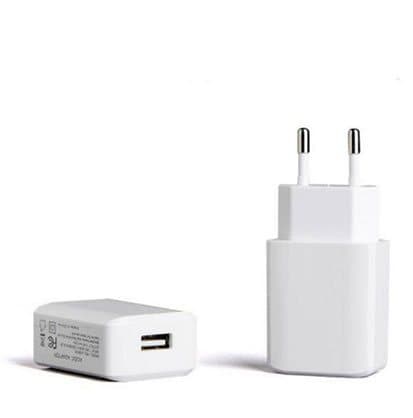
The $7 USB Wall Charger add-on
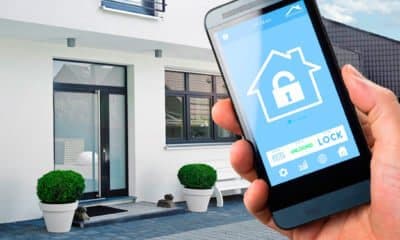
The $9 Home and Away Mode add-on image
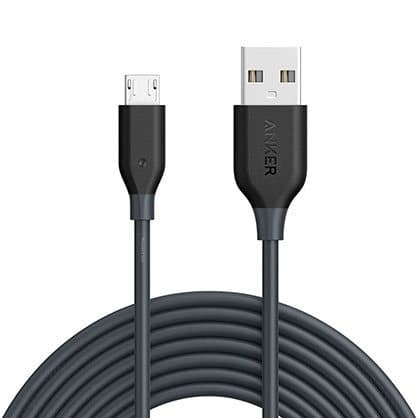
The $3 USB Cable add-on image, showing another brand's cable
HomeNETIX price and bundles
| Package | Total | Per hub |
|---|---|---|
| 1 HomeNETIX | $89 | $89.00 |
| 2 HomeNETIX | $139 | $69.50 |
| Buy 2, get 1 free (3) | $177 | $59.00 |
| 4 HomeNETIX | $219 | $54.75 |
| Buy 3, get 2 free (5), preselected | $267 | $53.40 |
One hub per room with infrared devices is the rule. You can check today's packages on the HomeNETIX order page (opens G Com Pte Ltd in a new tab).
What a Broadlink hub costs
Smart Home Compared's page on the Broadlink RM4 mini listed it at $25.99 and described it as a small, inexpensive infrared blaster that turns your phone, Alexa or Google Home into a universal remote. It noted the RM4 mini works with Alexa, Google Home and Home Assistant, uses 2.4 GHz Wi-Fi only, is cloud-dependent by default and comes without a power adapter.
The add-ons
- USB Wall Charger: $7 (from $18). A USB plug to power the hub. The image shows a European-style adapter beside a flat plug.
- Home / Away Mode: $9 (from $14). The image shows a phone with a house lock icon in front of a modern house, which looks like a smart lock app. Ask what this mode does on an infrared hub.
- USB Cable: $3 (from $9). The image shows a coiled black cable printed with another brand's name.
If the hub arrives without a power adapter or cable, you will need to add them or use spares from home. Many people have spare USB chargers, but check the cable type.
What the page leaves out
The page gives no infrared range, no list of supported brands, no app name, no Wi-Fi standard and no box contents. Each matters: range decides how big a room it covers, the brand list whether your devices work, the app whether it is trustworthy, and box contents whether you need the add-ons.
Total cost for several rooms
If you want infrared control in a living room, bedroom and office, you need three hubs. At HomeNETIX's prices, that is $177 in the buy-two-get-one-free bundle, before power accessories. Three Broadlink RM4 minis at the listed price would cost about $78. The gap grows with every room.
The "regular price"
The page shows $178 crossed out next to $89 with a countdown. We found no evidence of HomeNETIX selling at $178.
Who sells it
The order page and impressum name G Com Pte Ltd, at 137 Market Street in Singapore, with a company registration number, email and phone number. The footer says "G Com Pte Ltd - Hong Kong". We found no independent rating profile for the store. With the United States selected, the order page said charges would appear as panameedia.

HomeNETIXScore 3.7/10
Best for: People who want to control an older TV or air conditioner by voice or phone
$89.00 at G Com Pte Ltd · Price checked October 4, 2026
Check price at G Com Pte Ltd (opens G Com Pte Ltd in a new tab)We may earn a commission if you buy through our links.
Is HomeNETIX better than Broadlink or a universal remote?
No. Broadlink's RM4 mini does the same job, with Alexa, Google Home and Home Assistant support, at about a third of the price. A traditional universal remote is cheaper still if you only want fewer remotes, though it cannot do voice or scenes. HomeNETIX wins only on buying from this page. For smart control of non-infrared devices, you need smart plugs or switches instead.
| Option | Controls | Voice assistants | Price seen |
|---|---|---|---|
| HomeNETIX | Infrared devices in one room | Alexa per page; Google logo in photo | $89, power accessories extra |
| Broadlink RM4 mini | Infrared devices in one room | Alexa, Google Home | $25.99 |
| Broadlink RM4 Pro | Infrared and some radio devices | Alexa, Google Home | Usually more |
| Universal remote | Infrared devices | No | Varies |
| Smart plugs | Anything on a plug | Alexa, Google, often Apple | Low |
HomeNETIX vs Broadlink RM4 mini
Broadlink is the best-known maker of this type of hub, and its RM mini design looks very similar to HomeNETIX. At $25.99, the RM4 mini is the obvious alternative, with known app support and a large user community. This is a clear rival win.
Why price matters for a simple device
An infrared hub is a simple device: a Wi-Fi chip, a microcontroller and a ring of infrared LEDs. There is little room for one hub to be dramatically better than another in hardware. The real differences are the app, the code library, voice integrations and support. That makes the price gap with established brands hard to justify.
HomeNETIX vs a hub that also does radio
Some hubs, such as Broadlink's RM4 Pro, add radio frequency control for certain blinds, fans and sockets. If you have radio-controlled devices, they cover more, though they cost more.
HomeNETIX vs smart plugs and switches
For lamps, fans, kettles and other devices without remotes, smart plugs or switches are the right tool. Our SmartLight review covers a colour bulb from the same seller, and branded smart plugs offer schedules and voice control for very little.
HomeNETIX vs a smart TV remote replacement
Some universal remotes now connect to Wi-Fi or Bluetooth and include voice assistants. They combine a physical remote with smart features, which suits households where not everyone wants to use a phone. They usually cost more than a basic infrared hub but offer buttons as well as voice.
HomeNETIX vs your TV's own voice support
Many recent TVs have built-in voice assistants or work with Alexa and Google through their own apps, and many air conditioners now offer Wi-Fi modules. If your devices already support voice control, an infrared hub adds little. Check your devices' settings before buying.
Choosing an ecosystem
If you already use Alexa, Google Home or Apple Home, check that any infrared hub you buy works with it, ideally without extra apps or paid add-ons. Apple Home support is less common for infrared hubs. The HomeNETIX page mentions iOS and Alexa but not Apple Home.
HomeNETIX vs Home Assistant setups
Enthusiasts often use infrared blasters with Home Assistant, a free smart home platform, for local control without relying on the cloud. Broadlink hubs are popular for this because the community supports them well. An unnamed app with no stated integrations is much harder to use in that kind of setup.
Other smart home gadgets we have reviewed
The seller's HomePolice24 review covers a door sensor and Video DoorBell a battery doorbell. Our RYSE SmartShade review looks at a smart blind motor. Browse more smart home reviews.
If HomeNETIX still suits you, check today's packages on the HomeNETIX offer page (opens G Com Pte Ltd in a new tab) and choose one hub per room.
HomeNETIXScore 3.7/10
Why people buy it: Controls infrared devices such as TVs, air conditioners and set-top boxes from your phone
$89.00 at G Com Pte Ltd · Price checked October 4, 2026
Check price at G Com Pte Ltd (opens G Com Pte Ltd in a new tab)We may earn a commission if you buy through our links.
Is HomeNETIX legit, and what should you check before buying?
HomeNETIX is a real product from a named seller, and a hub should arrive if you order. Before buying, ask whether a power adapter and cable are included, which app and voice assistants it supports, whether your devices are in its code library, and know that refunds need a returns number and that return postage is yours to pay.
Ask about power accessories
What to do: ask whether a USB adapter and cable come in the box. If not, check you have a spare of the right type.
Check what happens if the app closes
Smart devices from smaller brands sometimes lose app support after a few years. What to do: ask how long the app has existed and how often it is updated. A hub that depends on an abandoned app becomes useless, while one that also works locally or with open platforms keeps working.
Ask about the app and assistants
What to do: ask for the app's name and which voice assistants are supported without add-ons, then check the app's reviews and update history.
Check your devices
What to do: list your TV, set-top box and air conditioner brands and models, and ask support whether they are in the code library or can be learned.
Check the selected bundle
The five-pack for $267 was preselected. What to do: choose one hub per room you want to control.
Ask about the Home and Away mode
The $9 Home and Away Mode add-on is pictured with a smart lock app. What to do: ask support what this mode does on an infrared hub, and whether scenes in the free app can do the same.
Membership offers
The page code contains text for a "Gadget Discount Club" membership, free for 30 days and then "a small fee of $9 may apply". We did not see it on the order page with the United States selected. What to do: read every checkbox and post-purchase page.
Refunds and returns
The page code promises a 30-day guarantee with a full refund or replacement, less shipping and handling. The terms focus on defective or damaged products, which may be returned within two years once you have a returns number. Return postage is at your cost and is not reimbursed.
What to do: set up the hub with each of your devices on the day it arrives, and contact support straight away if it cannot control them.
Check the plug type
The USB charger add-on is pictured with a European-style plug. What to do: if you buy the add-on, ask which plug type you would receive for your country, or use a USB charger you already own.
Privacy and cloud dependence
Infrared hubs that rely on a cloud service send your commands through the company's servers, which see when you switch devices on and off. If the service closes, the hub may stop working. What to do: check the app's privacy policy and whether the hub can work locally on your network.
Wi-Fi and router settings
What to do: check your router has a 2.4 GHz network, ideally with a separate name from 5 GHz, so the hub can join it. Setup problems with smart devices are often caused by combined networks.
How to buy HomeNETIX the smart way
- Ask support about power accessories, the app and your device brands.
- Open the HomeNETIX order page (opens G Com Pte Ltd in a new tab) and select your country.
- Change the preselected five-pack to one hub per room.
- Add the USB charger and cable only if they are not included and you have no spares.
- Note the card statement name, panameedia, and save your order email.
- Test each device and voice command on the day it arrives.
How did we score HomeNETIX?
HomeNETIX scores 3.7 out of 10: claim accuracy 0.6, build durability 1.0, price competitiveness 0.4, usability 1.2 and owner satisfaction 0.5, each out of 2. Infrared hubs are genuinely useful, but this one overstates "all home appliances", costs about three times a similar Broadlink hub, sells power accessories separately and does not name its app.
What owners say
We found no Trustpilot profile for the gadgetxaura.com store and no independent retailer reviews for HomeNETIX. Owners of similar infrared hubs often praise them for air conditioners and older TVs, and complain about devices missing from code libraries, voice commands that need careful setup and apps that rely on cloud servers.
How the score breaks down
We use the five criteria on our how we test page, each out of 2.
| Criterion | Score | Why |
|---|---|---|
| Claim accuracy | 0.6 / 2 | "Supports all home appliances" overstates an infrared-only device |
| Build durability | 1.0 / 2 | Simple, solid-state device with no moving parts |
| Price competitiveness | 0.4 / 2 | About three times a similar Broadlink hub, with power accessories extra |
| Usability | 1.2 / 2 | App, scenes and voice control are handy once set up |
| Owner satisfaction | 0.5 / 2 | No independent ratings for this product |
| Total | 3.7 / 10 |
What we did, and did not, do
Nobody on our team has used HomeNETIX. We read the offer page our link opens with the United States selected, its code and the seller's terms on 4 October 2026, along with Smart Home Compared's page on the Broadlink RM4 mini and the top-ranking HomeNETIX pages.
How to use HomeNETIX: placement, remotes and scenes
Place HomeNETIX centrally in the room where it can see every device, power it from a USB adapter, connect it to 2.4 GHz Wi-Fi and add each remote from the library or by learning. Then name devices clearly, link Alexa if you use it, and build one or two scenes you will actually use. Keep your original remotes as backup.
- Find a central spot. On a shelf with a clear view of the TV, set-top box and air conditioner.
- Power it. Use a USB adapter; check the cable type.
- Use 2.4 GHz Wi-Fi. Most infrared hubs cannot join 5 GHz networks.
- Add devices. Pick each brand from the library, or learn codes from the original remote.
- Test every button. Make sure power, volume, channels and modes all work.
- Name devices clearly. "Living room TV" and "Bedroom air con" help voice commands.
- Build simple scenes. A film night and an away mode are a good start.
Moving home
Before you move, remove the hub from your app account, reset it and pack it with its cable and adapter. In the new home, set it up again on the new Wi-Fi and add the devices in each room. If the new home has different appliances, delete the old ones from the app first so your scenes do not point at devices that are no longer there.
When infrared is not enough
If you find yourself wanting to control lights, plugs, blinds and heating as well, infrared alone will not do it. That is the point to look at a broader smart home platform, with smart plugs, switches and a hub that supports several technologies. An infrared hub can still play a part for the TV and air conditioner. Many smart home setups mix technologies this way: infrared for older entertainment devices, Wi-Fi or Zigbee for lights and plugs, and a voice assistant tying them together. Planning that mix before you buy avoids paying twice for overlapping gadgets. Write a short list of every device you want to control and how it is controlled today, then choose the fewest hubs and apps that cover it, so everything stays simple to manage.
Updating codes when you replace a device
When you replace a TV or air conditioner, delete the old device in the app and add the new one, then update scenes and schedules. Forgetting this leaves routines sending codes to a device that no longer exists.
Keeping the original remotes
Keep your original remotes in a drawer, labelled, with working batteries. If the app, Wi-Fi or internet fails, or you need a button the hub does not offer, you can still use the device normally.
Voice commands that work well
Voice assistants work best with simple commands such as "turn on the TV" or "set the air con to 22". Complex commands, such as changing to a specific channel, may need routines set up in the Alexa app.
Troubleshooting voice commands
If Alexa says a device is not responding, check the hub is online in its own app first. If it is, relink the skill in the Alexa app and ask Alexa to discover devices again. Many voice problems come from a lapsed link between the two apps rather than the hub itself.
Testing after setup
Once everything is set up, test from another room and from outside the house on mobile data, so you know remote control works. Then test voice commands with different people, since voice assistants recognise some voices better than others.
If a device does not respond
Check the hub can see the device's receiver, that nothing blocks the path and that the right code set is chosen. Try learning the code from the original remote. Some devices respond better to a hub placed slightly higher.
Naming for voice control
Choose short, distinct names that are easy for a voice assistant to recognise, and avoid names that sound alike, such as "fan" and "fan two". Group devices by room in the voice assistant app, so "turn off the living room" switches everything there.
Using schedules
Schedules are where infrared hubs shine. Set the air conditioner to come on half an hour before you get home on weekdays, or the bedroom fan to switch off after you fall asleep. Start with one or two schedules and add more once they work reliably.
Building routines in Alexa
If the app links to Alexa, you can build Alexa routines that combine HomeNETIX commands with other smart devices, such as turning on the TV and dimming a smart bulb with one phrase. Routines are set up in the Alexa app rather than HomeNETIX's own app.
Covering more than one room
Each room with infrared devices needs its own hub. Name each hub by room in the app, so commands go to the right place.
Other questions about infrared smart hubs
Can an infrared hub control my heating? Only if your heater or air conditioner uses an infrared remote. Central heating boilers and most thermostats do not; smart thermostats are the right tool for those.
Will it work through a cabinet door? Usually not. Infrared needs a clear path. Glass doors sometimes let it through; solid doors do not. Some hubs offer extension cables with small infrared emitters for hidden devices.
Does it work when my phone is off? Schedules and voice commands through a smart speaker can still work, because they run through the cloud or hub. Manual control needs the app.
Can two people control it? Most hub apps let you share devices with family members. Check whether HomeNETIX's app supports sharing rather than sharing one login.
What if my remote has buttons the app does not show? Most hubs can learn individual buttons from the original remote and add them as custom buttons. The page does not describe this for HomeNETIX.
Does it use much power? Infrared hubs use very little power, similar to a phone charger left plugged in.
HomeNETIXScore 3.7/10
Before you buy: Check the final price, shipping and return terms at checkout.
$89.00 at G Com Pte Ltd · Price checked October 4, 2026
Check price at G Com Pte Ltd (opens G Com Pte Ltd in a new tab)We may earn a commission if you buy through our links.
Frequently asked questions
What can HomeNETIX control?
Devices that use infrared remote controls: most TVs, set-top boxes, air conditioners, DVD and Blu-ray players, some fans and some audio equipment. It cannot control devices that use Bluetooth or radio remotes, or devices with no remote at all, such as ordinary lights and sockets.
Does HomeNETIX work with Alexa and Google?
The page says it works with iOS, Android and Alexa, and the product photo also shows a Google Assistant logo. The app is not named. Ask support which voice assistants are supported and whether any add-on is needed before ordering.
Does HomeNETIX need a hub?
No separate hub, according to the page: it connects directly to your 2.4 GHz Wi-Fi. It does need USB power. The order page sells a USB wall charger and USB cable as add-ons, so ask whether they come in the box.
How much does HomeNETIX cost?
With the United States selected on 4 October 2026, the offer page listed one HomeNETIX for $89, two for $139, three for $177, four for $219 and five for $267. The five-pack was preselected. Delivery was listed as free, and a 3-year warranty add-on cost $14.
Is HomeNETIX the same as a Broadlink hub?
Its black cylindrical shape resembles Broadlink's RM mini range of infrared hubs. We cannot confirm the internal parts or app. Broadlink's RM4 mini has been listed at $25.99, and works with Alexa, Google Home and Home Assistant.
Can one HomeNETIX control my whole home?
Usually not. Infrared needs a clear line of sight, so one hub covers the devices in one room. For several rooms, you need a hub in each, which is the one case where a multi-pack makes sense.
Is HomeNETIX legit?
It is a real product sold by G Com Pte Ltd, which lists a Singapore address, company number, email and phone. The concerns are the price compared with similar hubs, power accessories sold separately, the unnamed app, the preselected five-pack and refund terms that leave return postage to you.
We may earn a commission if you buy through our links.
Prices accurate as of October 4, 2026. Check the seller's checkout for current pricing, promotions and terms.
What we checked: No hands-on use. Features, photos, prices with the United States selected, the preselected bundle, add-ons and their images, warranty and card statement name from the HomeNETIX offer page our link opens (gadgetxaura.com) on 2026-10-04, plus the bundle and add-on data in the page's own code. Refund and cancellation terms from the same site's terms page that day. Smart Home Compared's Broadlink RM4 mini page and the top-ranking HomeNETIX pages were read the same day.

About the author
Alex Carter, Senior Tech Reviewer
Alex Carter is the senior tech reviewer at Top10Gadgets, covering the everyday gadgets, home and kitchen devices, smart home products and accessories most people actually buy. Alex judges a product the way a normal buyer…
- Everyday gadgets and accessories
- Smart home devices
- Home and kitchen gadgets
- Value for money
- Long-term reliability
Writing for Top10Gadgets since 2026Full profile