Cellphone Accessories / Phone backup drives
ThePhotoStick Mobile Review: The iPhone and Android Backup Stick, Prices by Size, Compatibility Gaps and What to Check First
A flash drive with a phone connector and USB-A, plus an app that copies your photos and videos. Simple, but the iPhone version uses Lightning, prices run high, and the warranty is 30 days.

By Ethan Walker, Hardware & Gadget Tester at Top10Gadgets
Updated 26 min readHow we test
Quick answer
The key number is $64.99, the price of the smallest 32 GB stick, which makes ThePhotoStick Mobile an expensive way to do something simple. It does that job well for the right phone: plug in, tap Backup Now, and your photos and videos are copied off the phone with no cloud account.
Score 4.4/10$64.99 at ThePhotoStick
Check price at ThePhotoStick (opens ThePhotoStick in a new tab)We may earn a commission if you buy through our links.
- Best for
- People with a Lightning iPhone or an Android phone who never back up
- Not for
- Owners of iPhone 15 or later, which use USB-C, unless the seller confirms compatibility
$64.99 at ThePhotoStick
Check price at ThePhotoStick (opens ThePhotoStick in a new tab)We may earn a commission if you buy through our links.
On this page · 12 sections
- 01Our verdict
- 02The short version
- 03Pros & cons
- 04How it works
- 05Who it's for
- 06Will ThePhotoStick Mobile work with your phone?
- 07How much does ThePhotoStick Mobile cost?
- 08Is ThePhotoStick Mobile better than the cloud, a cheaper drive or the Omni?
- 09Is ThePhotoStick Mobile legit, and what should you check before buying?
- 10How did we score ThePhotoStick Mobile?
- 11How to use ThePhotoStick Mobile for the best results
- 12Frequently asked questions
Our verdict
The key number is $64.99, the price of the smallest 32 GB stick, which makes ThePhotoStick Mobile an expensive way to do something simple. It does that job well for the right phone: plug in, tap Backup Now, and your photos and videos are copied off the phone with no cloud account. Worth it if you have a Lightning iPhone or an Android phone and want an offline copy. Newer USB-C iPhones are not covered by the iPhone version, and the warranty lasts 30 days. ThePhotoStick Mobile scores 4.4 out of 10, held back by price and compatibility gaps.
The short version
- What it is: a phone flash drive with an app that copies photos and videos off an iPhone or Android phone.
- Price: $64.99 for 32 GB to $148.99 for 256 GB on 5 October 2026.
- Best trait: one tap backs up a phone without a cloud subscription.
- Biggest drawback: the iPhone version's Lightning plug does not fit iPhone 15 and later.
- Our score: 4.4 out of 10.
Pros & cons
The pros come from simple, offline phone backup. The cons are about price, the Lightning plug, a short warranty and claims about storage that depend on what you do next.
What we like
- Backs up phone photos and videos with an app and one button, no cloud account needed
- No monthly fee once bought
- Plugs into a computer through its USB-A end to move files off
- The company's app rates 4.5 from 4,451 ratings on the App Store
- 30-day refund for any reason from delivery
What we don't
- iPhone version uses Lightning, which iPhone 15 and later models do not have
- $64.99 for 32 GB up to $148.99 for 256 GB, far more than ordinary phone flash drives
- Warranty covers defects for only 30 days after shipment
- 'Say goodbye to storage full errors forever' depends on deleting photos from your phone
- Compatibility FAQ is out of date, and shipping and taxes are not refunded
Sold by ThePhotoStick
ThePhotoStick Mobile$64.99
How it works
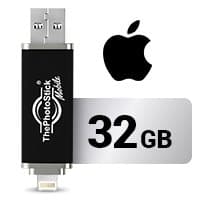
ThePhotoStick Mobile is a flash drive with two ends. One end plugs into your phone, Lightning for iPhones or micro-USB with a USB-C adapter for Android. The other end is a standard USB-A plug for computers. You install the company's app, plug the stick into the phone and tap Backup Now. The app copies photos and videos to the stick.
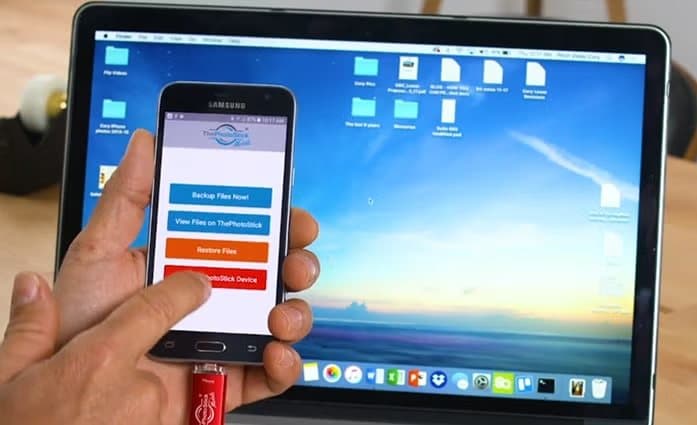
Later backups add only new files, according to the maker. To view the photos on a computer, or move them somewhere else, you plug the USB-A end into a Windows PC or Mac. Our ThePhotoStick review covers the computer version from the same company.
Install the app
Step 1: Download the company's free app on your iPhone, iPad or Android phone. The stick will not back up anything without it.
Plug in and tap Backup
Step 2: Plug the stick into the phone's charging port and tap Backup Now. The app copies photos and videos to the stick, skipping ones it has saved before.
Move files to a computer
Step 3: Plug the other end, a standard USB-A plug, into a Windows PC or Mac to copy the files off or view them.
Why a stick instead of the cloud
Phones offer cloud backup by default, but many people switch it off to avoid fees or because uploads are slow. Others never set it up. A physical stick is easy to understand: the photos are on that object in your hand. That simple idea is what the company is selling.
What is in the box
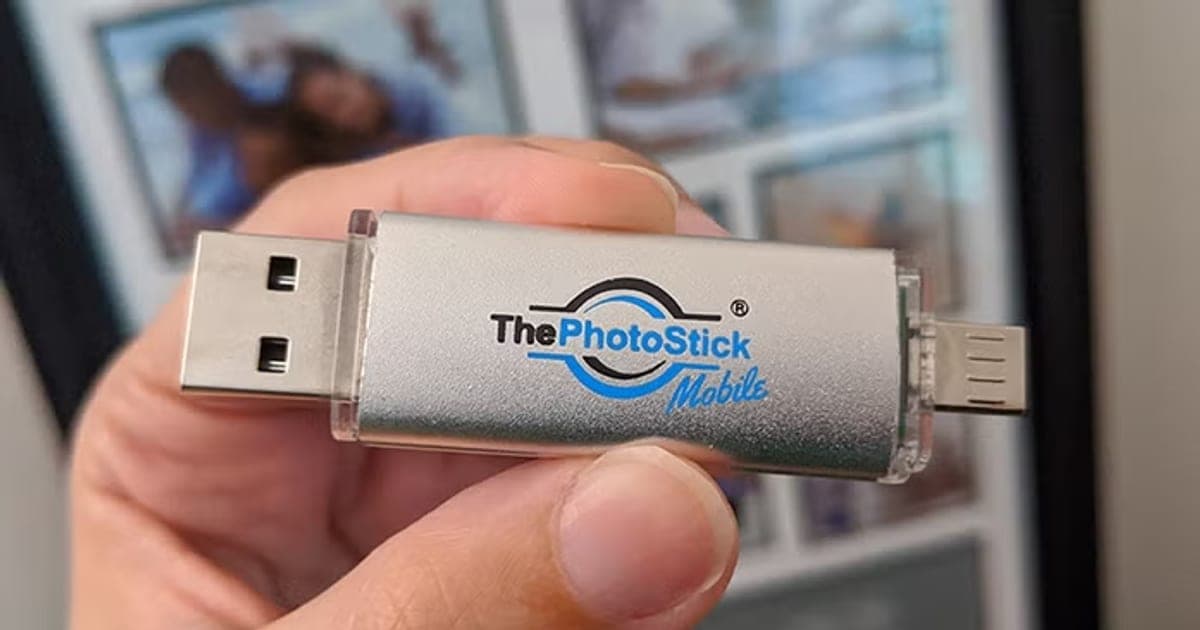
The page shows the stick itself, and the FAQ says the Android version includes a free adapter for micro-USB and USB-C phones. It does not list a manual or case. Expect a simple package with the stick and, for Android, the adapter.
Two versions
The iPhone version has a Lightning connector and a black body in the photos. The Android version has a micro-USB connector and a silver body, with an adapter included for USB-C phones, according to the FAQ. Both cost the same.
The hardware
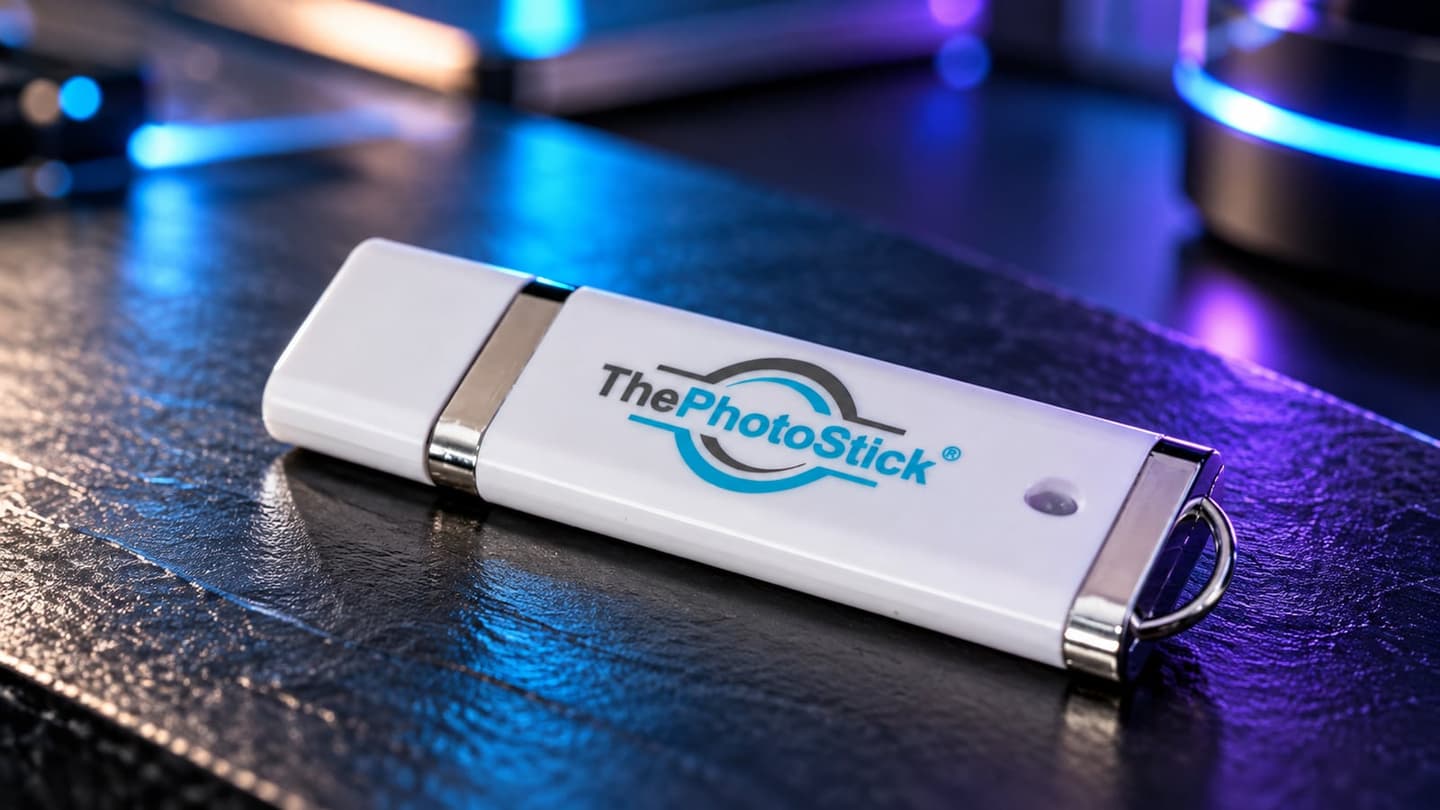
Both versions are small metal-bodied sticks with a cap or swivel over the connectors, judging by the photos. They are about the size of a car key and are designed to be carried. The USB-A end is the full-size rectangular plug found on older computers and many desktops.
The app
The FAQ tells you to download the free "ThePhotoStick Mobile" app. When we searched the App Store and Google Play on 5 October 2026, the company's app was listed as ThePhotoStick Omni. On the App Store it rated 4.5 from 4,451 ratings and needed iOS 13 or later; on Google Play it rated 4.0 from 1,642 ratings, with over 100,000 downloads.
What app ratings tell you
The App Store rating of 4.5 from 4,451 ratings is good, and the Google Play rating of 4.0 from 1,642 is fair. Both apps were updated in late September 2026, which suggests the company keeps the software current. App ratings mix all of the company's sticks, so they are a rough guide only.
How long a backup takes
The page does not give speeds. Copying thousands of photos and videos through a phone's port can take a long time, especially on Lightning iPhones, whose port is slower than modern USB-C. Expect a first backup of a large library to take hours rather than minutes.
What the app copies
The page focuses on photos and videos. It does not list contacts, messages or app data, so this is not a full phone backup like iCloud Backup or Google One.
Duplicates and repeat backups
The app skips files it has already copied, according to the maker, so later backups take less time. That matters if you plug in weekly, as the FAQ suggests.
Live Photos, edits and albums
The page does not say how Live Photos, edited versions or albums are handled. Backup apps often save a Live Photo as a still image plus a short video, and may save only the edited or only the original version. Albums may not carry over. If these matter to you, check a few after the first backup.
What it does not do
It does not encrypt the files, back up automatically while unplugged, or work without the app. The page mentions no password, so anyone who finds the stick can read it on a computer.
Who it's for
ThePhotoStick Mobile suits people with a Lightning iPhone, an older iPad or an Android phone who never back up, people who keep running out of space, and those who would rather not use the cloud. It suits people who own an iPhone 15 or later less well, as well as happy cloud users and budget buyers.
- People with a Lightning iPhone or an Android phone who never back up
- Anyone who runs out of phone storage and wants an offline copy before deleting
- Users who prefer not to pay for or trust cloud storage
Why ThePhotoStick Mobile appeals
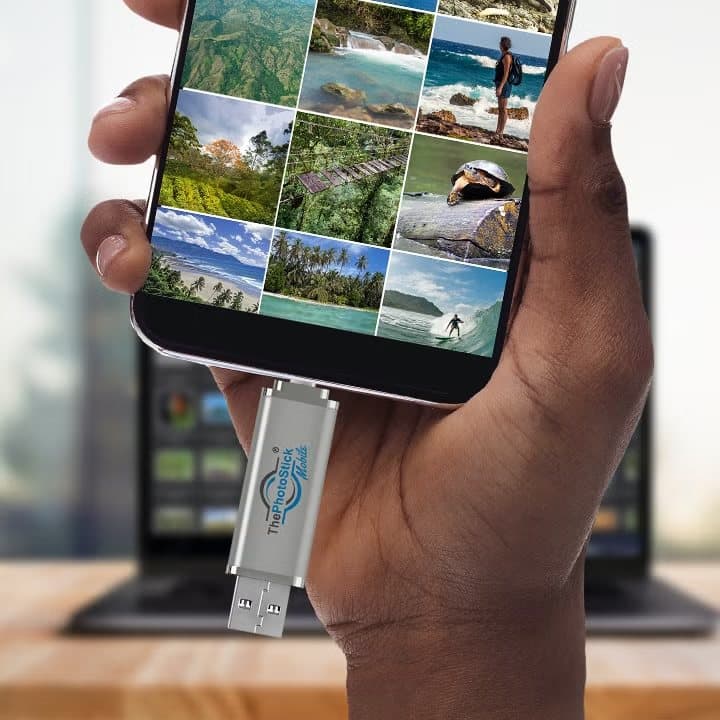
Phones hold most people's photos now, and many never back them up until a phone is lost or broken. A stick that copies everything with one tap, with no account or monthly fee, is an easy answer for people put off by cloud settings. The page's image of a smashed phone makes the risk clear.
Lightning iPhone owners
Owners of iPhones from the iPhone 5 to the iPhone 14 are the clearest fit for the iPhone version. Many of those phones have small storage, such as 64 GB, and fill quickly. A stick lets them keep the phone in use longer without losing photos.
People with full phones
"Storage full" messages push many people to delete photos they would rather keep. Copying them to a stick first, checking them and then deleting from the phone frees space without losing anything.
People with slow internet
Cloud backup needs a decent connection, and uploading thousands of photos and videos over slow broadband or mobile data can take days. A stick copies directly from the phone, so connection speed does not matter.
Cloud-averse users
Some people prefer not to store family photos with large tech companies or pay a monthly fee. An offline copy on a stick suits them, as long as they keep a second copy somewhere else.
Teenagers with full phones
Teenagers often fill phones with videos. A stick is an easy way to clear space without losing memories, as long as someone checks the backup works before deleting.
Parents and grandparents
The simple app suits people who find phone settings confusing. Helping a relative with the first backup, then showing them the one button, is a realistic use.
Travellers
On a long trip, a phone can fill with photos and videos, and hotel Wi-Fi is often too slow for cloud uploads. A stick lets you copy photos off the phone in the evening. Keep it separate from the phone so a single theft does not take both.
Families with several Android phones
Because the Android version comes with an adapter for USB-C and micro-USB, one stick can be passed around a family to back up several phones, space permitting. The 40% discount on extra sticks makes a stick per person affordable.
People switching phones
Before trading in an old phone, a stick is a simple way to make sure every photo and video is copied off. That is a good one-off use, even for people who otherwise rely on the cloud.
People with sensitive photos
Some people keep photos of documents, medical records or private moments on their phones. An unencrypted stick holds all of them in plain view for anyone who finds it. If that applies to you, either remove those photos before backing up or choose an encrypted option.
Gift buyers
A stick is a thoughtful gift for a relative who never backs up, but only if you know their phone's port. Buying an iPhone version for someone with an iPhone 15 or later would mean a return, and shipping is not refunded. Ask first, or choose the Omni.
Who should skip it
Skip the iPhone version if you have an iPhone 15 or later, unless support confirms an adapter that works. Skip it if you already use iCloud or Google Photos and are happy with them. Skip it if a dual-connector flash drive and a free app would do. And skip it if you need encryption or a long warranty.
- Owners of iPhone 15 or later, which use USB-C, unless the seller confirms compatibility
- People happy with iCloud, Google Photos or another cloud service
- Budget buyers who can use a cheaper dual-connector flash drive
- Anyone wanting encryption or a long warranty
Will ThePhotoStick Mobile work with your phone?
It depends on your phone's port and age. According to the FAQ, the iPhone version works with iPhones, iPads and iPod Touches with a Lightning port, and Android phones need Android 4.4 or newer with USB OTG support. iPhone 15 and later use USB-C instead of Lightning, which the iPhone version cannot plug into directly. The company's app now needs iOS 13 or later on the App Store.
Lightning and USB-C iPhones
Apple moved iPhones from Lightning to USB-C starting with the iPhone 15 in 2023. Many recent iPads also use USB-C. The iPhone version of the stick has a Lightning plug, so it will not fit those devices without an adapter. ThePhotoStick Omni includes a USB-C adapter.
What to do: check your phone's charging port before ordering, and ask support which version suits a USB-C iPhone.
iPads
Older iPads with a Lightning port should work with the iPhone version, according to the FAQ. Most iPads sold in recent years, including the iPad Air, iPad Pro and the standard iPad from 2022, use USB-C instead. Check the port before ordering.
Android OTG support
USB OTG lets a phone read a flash drive. Most modern Android phones support it, but some budget phones do not. The FAQ lists Samsung, LG, Motorola and HTC phones made in the last three years as compatible.
Check before you buy
What to do: look at your phone's charging port. Lightning is a small, flat, reversible plug with eight contacts. USB-C is a slightly larger oval plug. Micro-USB is a smaller trapezoid shape found on older Android phones.
Outdated compatibility details
The FAQ lists iOS 9 and computer support up to Windows 10 and Mac OS X 10.6. The App Store now lists iOS 13 as the minimum for the company's app. Windows 11 and recent macOS versions are not mentioned, though a standard USB stick normally works on them.
What "made in the last three years" means
The Android compatibility answer says phones made in the last three years. The FAQ does not show a date, so it is unclear which years that refers to. Treat it as a sign to check your phone with support.
Lightning adapters for USB-C iPhones
Small USB-C to Lightning adapters are sold, but most are designed for charging Lightning accessories, and data support varies. The company does not say whether the iPhone version works through one. Rather than experiment, the Omni, which includes a USB-C adapter, is the safer choice for newer iPhones.
Older Android phones
The FAQ's minimum of Android 4.4 is very old, but the app on Google Play may need a newer version now, as the iOS app does. Check the Google Play listing on your phone before ordering; if it says the app is not compatible, the stick will not work.
Phone cases
Thick phone cases can stop a plug from seating fully in the charging port. If the stick is not detected, take the case off and try again.
Computers for transferring files
The USB-A end needs a computer with a full-size USB port. Many recent laptops, including MacBooks, have only USB-C ports, so you would need a USB-C to USB-A adapter to move files to them.
Photo formats
iPhones save photos as HEIC by default, and some older computers cannot open HEIC files without extra software. If you plan to view photos on an older Windows computer, check that they open, or switch the iPhone's camera format to Most Compatible in Settings.
What owners report
On Trustpilot, one owner described a 128 GB stick that would not work with an iPhone 14 Pro Max despite two days of help from support. Other complaints mention "wrong file" errors on Android. Compatibility problems are the most common technical complaint for the phone versions.
How much does ThePhotoStick Mobile cost?
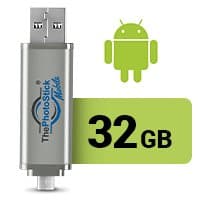
On 5 October 2026, both the iPhone and Android versions cost $64.99 for 32 GB, $98.99 for 64 GB, $120.99 for 128 GB and $148.99 for 256 GB, with 40% off when buying more than one. That is far more than ordinary dual-connector phone flash drives. The written policy allows returns within 30 days of delivery, but shipping and taxes are not refunded and the warranty lasts 30 days.
Price compared with the phone
A 128 GB stick at $120.99 is a large share of the cost of a budget phone. For an expensive phone, it is a modest add-on. Weigh the price against what losing your photos would mean to you, and against the cheaper ways to back up.
ThePhotoStick Mobile prices
| Size | Price | Photos, per the page | Price per GB |
|---|---|---|---|
| 32 GB | $64.99 | 15,000 | About $2.03 |
| 64 GB | $98.99 | 30,000 | About $1.55 |
| 128 GB | $120.99 | 60,000 | About $0.95 |
| 256 GB | $148.99 | 120,000 | About $0.58 |
The multi-buy discount
The page offers 40% off when you buy more than one stick. Two 128 GB sticks would cost about $193.58 at the stated discount. A second stick kept elsewhere follows sensible backup practice, but compare that total with a year of cloud storage.
What the money buys
Phone flash drives with Lightning or USB-C connectors are sold by mainstream storage brands, often with their own backup apps, usually for less. The extra you pay for ThePhotoStick Mobile buys the company's app, support and the simple sales pitch.
How the photo counts are worked out
The FAQ says counts assume a 2 MB photo, about the size of an 8-megapixel JPEG. Modern phones take 12 to 48-megapixel photos, often larger than 2 MB, and video takes much more. Real counts can be far lower.
Videos fill sticks fast
A minute of 4K video can use several hundred megabytes. If your phone holds a lot of video, the photo counts on the page will be far too high for you. Look at the size in gigabytes instead.
Choosing a size
On an iPhone, go to Settings, General, iPhone Storage to see how much space Photos uses. On Android, check Settings, Storage. Pick a stick at least a third larger than your library.
Comparing per-gigabyte prices
At $2.03 per gigabyte, the 32 GB stick costs more than three times as much per gigabyte as the 256 GB stick. If you will fill it, the larger sizes are much better value.
Free up space carefully
Before deleting photos from your phone, check the backup on a computer. On iPhones, deleted photos stay in Recently Deleted for 30 days, so you can recover them if something went wrong. On Android, check your gallery's trash or bin.
Is it good value?
For a buyer who would otherwise never back up, the 64 GB or 128 GB stick is a reasonable one-off cost for peace of mind. For a buyer comfortable with cloud storage or a cheaper drive, it is poor value. The 32 GB size is too small for most modern phones and the poorest value per gigabyte.
The return policy
The written policy allows returns for any reason within 30 days of delivery, with a refund of the purchase amount. Shipping, handling and taxes are not refunded. Email returns@thephotostick.com for instructions. The Mobile page's own FAQ says the 30 days start on the day of shipping, which is shorter.
What to do: test the stick on your phone as soon as it arrives.
The warranty
Defects in materials and workmanship are covered for only the first 30 days after shipment, and liability is limited to the price paid.
Shipping and customs
The FAQ says orders ship within 24 to 48 hours and arrive in three to five business days in the US on average. International orders may pay customs or VAT on arrival, which is not refunded on returns.
Who sells it
Prairie IT LLC of Haxtun, Colorado, which also makes ThePhotoStick for computers and ThePhotoStick Omni.

ThePhotoStick MobileScore 4.4/10
Best for: People with a Lightning iPhone or an Android phone who never back up
$64.99 at ThePhotoStick · Price checked October 5, 2026
Check price at ThePhotoStick (opens ThePhotoStick in a new tab)We may earn a commission if you buy through our links.
Is ThePhotoStick Mobile better than the cloud, a cheaper drive or the Omni?
It is simpler than a cheap drive and cheaper long term than some cloud plans, but less complete than both cloud backup and the Omni. Cloud services back up automatically and off-site. Ordinary dual-connector flash drives cost less and work with free apps. ThePhotoStick Omni covers phones, tablets and computers with one stick and a USB-C adapter, for a few dollars more at 32 GB.
| ThePhotoStick Mobile 128 GB | ThePhotoStick Omni 128 GB | Cloud storage | Generic phone flash drive | |
|---|---|---|---|---|
| Price | $120.99 | $109.99 | Monthly fee | Usually much less |
| USB-C iPhones | No direct fit | Adapter included | Yes | Depends on model |
| Automatic backup | No | No | Yes | No |
| Off-site copy | No | No | Yes | No |
| Works with computers | Yes, USB-A | Yes | Yes | Yes |
ThePhotoStick Mobile vs ThePhotoStick Omni
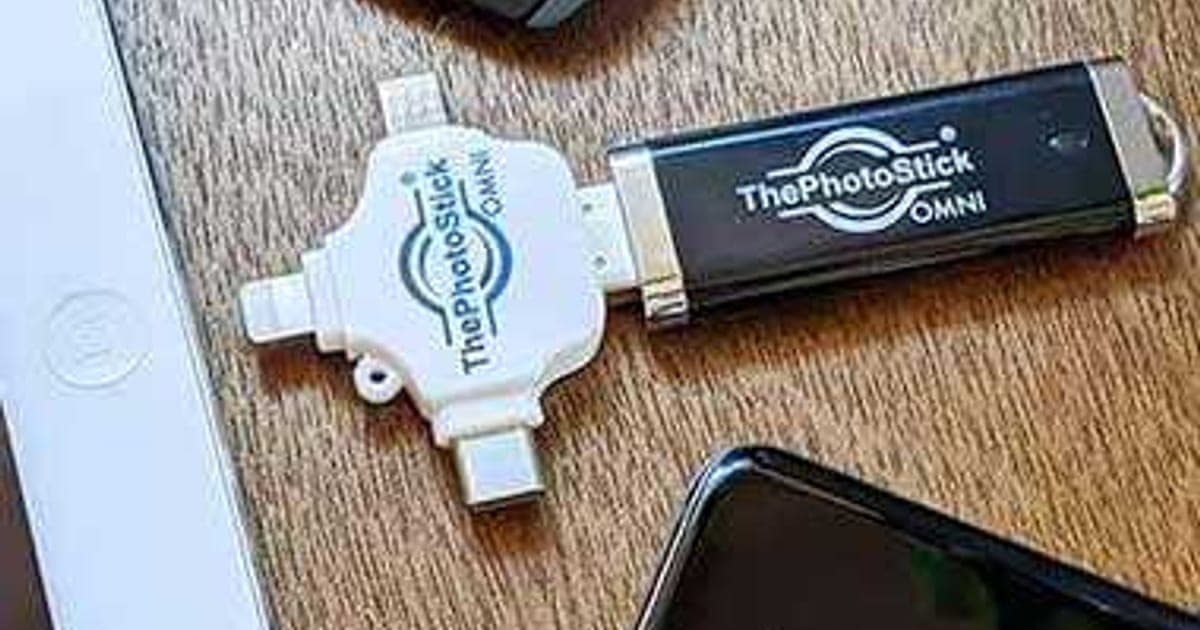
At 128 GB, the Omni was $109.99 on its offer page, cheaper than the Mobile's $120.99, and it includes adapters for Lightning, USB-C and micro-USB. Unless you need the 256 GB Mobile price, the Omni looks like the better buy. Our ThePhotoStick Omni review covers it in detail.
Why the Mobile still exists
The Mobile may suit people who want only a phone stick for one type of phone and prefer the 256 GB price, which at $148.99 is about the same as the Omni's 256 GB price of $149.99. At the smaller sizes, the Omni costs less or about the same and covers more devices.
ThePhotoStick Mobile vs cloud backup
iCloud and Google Photos back up automatically over Wi-Fi and keep copies off-site, protecting against a lost or stolen phone. They cost a monthly fee for larger libraries. A stick costs once but only backs up when you plug it in.
Cloud costs over time
Free cloud tiers are small, and paid plans for large photo libraries cost a monthly fee that adds up over years. A stick is a one-off cost. For people who want to avoid ongoing bills, that is a real advantage, as long as they accept that backups happen only when they plug in.
ThePhotoStick Mobile vs Clickfree
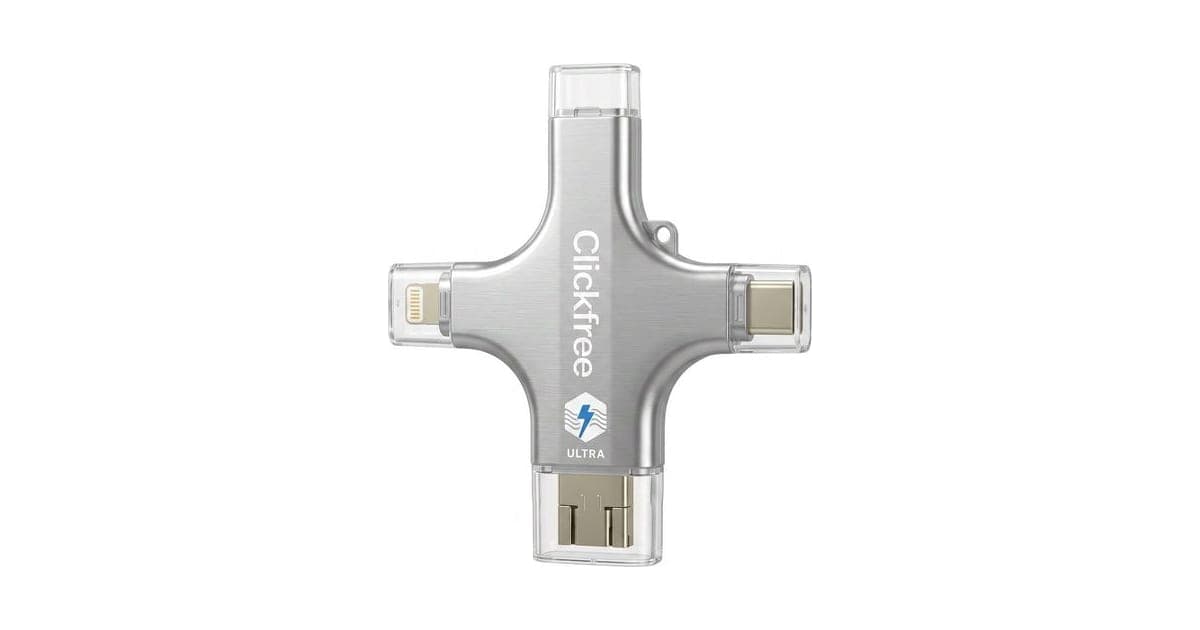
Clickfree is a cross-shaped drive with four connectors and an app, sold the same way. Our Clickfree review found similar strengths and similar worries about relying on one drive.
ThePhotoStick Mobile vs the computer version
ThePhotoStick for computers costs less per gigabyte, at $79.99 for 128 GB. If your phone already syncs photos to a computer, backing up the computer may be cheaper. Our ThePhotoStick review covers that version.
ThePhotoStick Mobile vs a computer and cable
If you have a computer, you can plug the phone in with its charging cable and copy photos across for free, using the Photos app on a Mac or File Explorer on Windows. It takes more steps but costs nothing. The stick suits people without a computer or who find that confusing.
ThePhotoStick Mobile vs generic phone flash drives
Dual-connector flash drives from mainstream brands are widely sold, often with their own backup apps. They cost less for the same capacity. ThePhotoStick's selling point is its simple app.
Choose the Mobile if
You have a Lightning iPhone or an Android phone, want one simple stick for that phone only, and plan to back up regularly. Choose the Omni if you have a USB-C iPhone, an iPad or several devices. Choose the cloud if you want backups to happen without remembering.
Phone accessories worth pairing
A backup stick pairs well with good charging. Our Snap-N-Charge review and Tenikle review cover two other phone accessories sold through the same kind of offer pages. For a clean screen and camera lens, see our WaterBear screen cleaner review.
ThePhotoStick MobileScore 4.4/10
Why people buy it: Backs up phone photos and videos with an app and one button, no cloud account needed
$64.99 at ThePhotoStick · Price checked October 5, 2026
Check price at ThePhotoStick (opens ThePhotoStick in a new tab)We may earn a commission if you buy through our links.
Is ThePhotoStick Mobile legit, and what should you check before buying?
Yes. It comes from Prairie IT LLC, a Colorado company that has sold ThePhotoStick for years. Before buying, check your phone's port, choose a size that fits your library, plan a second copy, and test the stick as soon as it arrives, since the warranty and guarantee are short and shipping is not refunded.
Who makes it
The company behind it, Prairie IT, is based in Haxtun, a small town in north-east Colorado. The Omni page credits its founder, Mark Oman, with creating ThePhotoStick after losing photos himself.
Test early
Because both the guarantee and the warranty last only 30 days, the first few days with the stick matter. Run a full backup, check it on a computer and try a second backup to make sure new photos are added.
Owner reviews
Trustpilot showed the company at 3.0 from 572 reviews on 5 October 2026, with 31% five-star and 59% one-star. Praise focuses on simplicity and helpful support staff. Complaints focus on compatibility, delivery delays and sticks that later failed.
The sales page
The page uses phrases like "exclusive offer" and asks you to select your offer. We saw no countdown timer on the Mobile page, unlike the Omni page. The prices we saw were the same for both phone versions.
"Say goodbye to storage full errors forever"
The stick frees space only if you delete photos from your phone after backing them up. As you keep taking photos, the phone fills again, so "forever" really means "as long as you keep backing up and deleting".
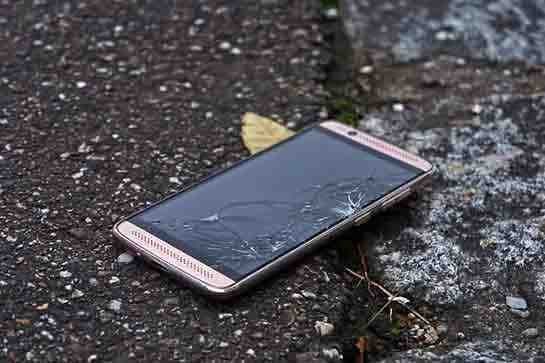
"Don't risk losing your memories in the cloud"
Cloud services lose data rarely, and they protect against a lost or stolen phone and stick, which a stick cannot. The safest approach uses both.
Privacy
Your photos go to the stick, not to a server, according to the design. The app needs access to your photo library to work, which is normal for backup apps. Read the app's privacy details in the App Store or Google Play before installing.
Contacting support
The company replies to negative Trustpilot reviews, typically within 48 hours. For problems, email the support address on the page and keep a record of the date, so you can show you contacted them within 30 days.
Store it safely
A small stick is easy to lose. Keep it in a set place at home, label it, and avoid leaving it in a bag with your phone.
Keep a second copy
What to do: after backing up, copy the files from the stick to a computer or cloud service, so you have at least two copies besides your phone.
Check the FAQ guarantee wording
The Mobile FAQ says the money-back guarantee starts on the day of shipping, while the written policy says the date of delivery. If shipping takes a week, that difference matters.
What to do: keep the delivery confirmation email and contact the company as soon as possible if the stick does not work.
How to buy ThePhotoStick Mobile the smart way
- Check your phone's charging port (Lightning, USB-C or micro-USB), then open ThePhotoStick Mobile order page (opens ThePhotoStick in a new tab).
- Pick the iPhone or Android version to match.
- Check your photo library size and choose a stick with spare room.
- Compare with ThePhotoStick Omni if you have a USB-C phone or several devices.
- Test the backup on arrival and keep your order email.
How did we score ThePhotoStick Mobile?
ThePhotoStick Mobile scores 4.4 out of 10: claim accuracy 0.7, build durability 0.9, price competitiveness 0.6, usability 1.3 and owner satisfaction 0.9, each out of 2. The app works for many users and rates well on the App Store, which supports usability and owner satisfaction. Points come off for high prices, the Lightning-only iPhone version, an outdated FAQ, "forever" claims and a 30-day warranty.
Why the score is lower than the computer version
The Mobile scores a little lower than the computer stick, because it costs more per gigabyte, its iPhone version does not fit newer iPhones, and the Omni covers the same job for less at most sizes. Its app ratings are better evidence than the computer version has, which helps owner satisfaction.
How the score breaks down
We use the five criteria on our how we test page, each out of 2.
| Criterion | Score | Why |
|---|---|---|
| Claim accuracy | 0.7 / 2 | Core backup works; "forever" and cloud-risk framing overreach |
| Build durability | 0.9 / 2 | Standard flash drive; 30-day warranty |
| Price competitiveness | 0.6 / 2 | Costly per GB; the Omni is cheaper at 128 GB |
| Usability | 1.3 / 2 | Simple app; Lightning-only iPhone plug |
| Owner satisfaction | 0.9 / 2 | App 4.5 and 4.0; Trustpilot 3.0 |
| Total | 4.4 / 10 |
What owners and reviewers say
App store reviews rate the company's app well overall, with complaints mainly about detection and backup interruptions. Trustpilot owners split between praise for simplicity and support, and frustration with compatibility and deliveries. Independent hands-on reviews of the Mobile model specifically are scarce.
What would raise the score
A USB-C iPhone version, lower prices, an up-to-date FAQ, a longer warranty and a refund window that clearly starts on delivery would all raise the score.
The score in context
A score of 4.4 does not mean it does not work. It means that for the price, the compatibility limits and the short warranty, most buyers have better options, and the people it suits should go in knowing its limits.
What we did, and did not, do
Nobody on our team has used ThePhotoStick Mobile. We read the offer page, FAQ and policy, clicked each size for its price, and checked app store listings and Trustpilot on 4 and 5 October 2026. Our cellphone accessories hub lists other phone gear we have reviewed.
How to use ThePhotoStick Mobile for the best results
Install the app first, plug the stick into your phone with the case removed, keep the phone charged and unlocked, tap Backup Now and let it finish. Then plug the stick into a computer to check photos open, copy them to a second place, and only then delete from the phone if you need space.
- Install the app. From the App Store or Google Play.
- Charge your phone. A first backup can take a long time.
- Remove thick cases. So the plug seats fully.
- Allow photo access. The app needs permission to read your library.
- Tap Backup Now. Keep the app open until it finishes.
- Check on a computer. Open a sample of photos and videos.
- Keep a second copy. Copy the files to a computer or cloud.
When to back up
Pick a regular time, such as the first Sunday of each month, and set a reminder. Charge the phone fully before starting, since the stick uses the charging port.
iPhone photo settings
If "Optimise iPhone Storage" is on, full-size photos may be in iCloud rather than on the phone. The app may need to download them first, which takes time and data. Connect to Wi-Fi before backing up.
Leave the app open
On both iPhone and Android, phones may pause apps running in the background to save battery. Keep the app on screen during a long backup, and turn off auto-lock temporarily if the screen keeps switching off.
Android permissions
Allow the app access to photos and videos, and to the USB device when asked. If the phone does not detect the stick, check that USB OTG is enabled in settings on phones where it can be switched off.
If the stick is not detected
Unplug it, restart the phone, remove the case and try again. On Android, check that the stick is plugged in through the right adapter. If it still fails, contact support straight away, while the 30-day refund window is open.
Regular backups
Plug it in weekly or monthly, as the FAQ suggests. Each backup adds only new files.
Viewing photos from the stick
You can view backed-up photos through the app on the phone, or by plugging the stick into a computer. On a computer, the files appear as normal folders you can open or copy.
Backing up a tablet
Lightning iPads work like iPhones with the iPhone version, according to the FAQ. Android tablets with OTG support should work with the Android version and its adapter. USB-C iPads need the Omni.
Restoring to a new phone
To move photos to a new phone, plug the stick into the new phone with the app installed, or copy the files from the stick to a computer and then to the phone. The page does not describe a one-tap restore, so expect some manual steps.
Other questions about phone backup sticks
Can I take photos straight to it? The page does not say so.
Does it back up WhatsApp photos? If they are saved to your photo library, the app should find them.
Can I share it between an iPhone and an Android phone? Each version has one phone connector; the Omni has adapters for both.
ThePhotoStick MobileScore 4.4/10
Before you buy: Check the final price, shipping and return terms at checkout.
$64.99 at ThePhotoStick · Price checked October 5, 2026
Check price at ThePhotoStick (opens ThePhotoStick in a new tab)We may earn a commission if you buy through our links.
Frequently asked questions
Does ThePhotoStick Mobile work with iPhone 15, 16 or 17?
The iPhone version uses a Lightning plug. The maker's FAQ says it works with iPhones and iPads that have a Lightning port. iPhone 15 and later use USB-C, so ask support before ordering, or look at ThePhotoStick Omni, which has a USB-C adapter.
How much does ThePhotoStick Mobile cost?
On 5 October 2026, both the iPhone and Android versions cost $64.99 for 32 GB, $98.99 for 64 GB, $120.99 for 128 GB and $148.99 for 256 GB, with 40% off when buying more than one.
Do I need an app?
Yes. You install the company's free app, plug in the stick and tap Backup Now. In the App Store and Google Play on 5 October 2026, the company's app was listed as ThePhotoStick Omni.
Will it free up space on my phone?
Only if you delete photos from your phone after backing them up. Check that the backup opens correctly on a computer first, and keep another copy, because a single flash drive can be lost or fail.
What is the return policy?
The written policy allows returns for any reason within 30 days of delivery for a refund of the purchase price; shipping, handling and taxes are not refunded. Email returns@thephotostick.com for instructions. The warranty covers defects only for 30 days after shipment.
Is ThePhotoStick Mobile legit?
Yes. It is made by Prairie IT LLC of Haxtun, Colorado. Trustpilot shows the company at 3.0 from 572 reviews, with complaints about phones not being recognised, delivery delays and failed sticks, alongside praise for support staff.
Which Android phones work with it?
According to the FAQ, Android phones running Android 4.4 or newer that support USB OTG, from brands like Samsung, LG and Motorola. An adapter is included for micro-USB and USB-C ports.
We may earn a commission if you buy through our links.
Prices accurate as of October 5, 2026. Check the seller's checkout for current pricing, promotions and terms.
What we checked: No hands-on use. Claims, photos, FAQ answers and the refund and warranty policy from ThePhotoStick Mobile offer page our link opens on 2026-10-04; size prices by clicking each option on 2026-10-05. App Store and Google Play listings and Trustpilot were checked on 2026-10-05.

About the author
Ethan Walker, Hardware & Gadget Tester
Ethan Walker covers hardware for Top10Gadgets: audio, computing, phone accessories, chargers, tools, car gadgets and sports equipment. Ethan believes a product should be judged on what happens when people actually use it…
- Headphones and speakers
- Chargers and phone accessories
- Tools and emergency gear
- Car accessories
- Durability and real-world performance
Writing for Top10Gadgets since 2026Full profile