Computing / Backup drives
ThePhotoStick Review: The One-Click Photo Backup Stick for Computers, What It Does Well and Why It Should Not Be Your Only Copy
A USB flash drive with software that finds photos and videos on your computer and copies them over. Genuinely simple, but it costs far more than a plain drive, with a 30-day warranty.

By Ethan Walker, Hardware & Gadget Tester at Top10Gadgets
Updated 27 min readHow we test
Quick answer
Worth it if you want the simplest possible way to pull years of photos off one Windows or Mac computer and you will keep a second copy somewhere else. ThePhotoStick searches the computer, skips duplicates and copies everything with one click, and that convenience is real.
Score 4.6/10$34.99 at ThePhotoStick
Check price at ThePhotoStick (opens ThePhotoStick in a new tab)We may earn a commission if you buy through our links.
- Best for
- People with years of photos scattered across one Windows or Mac computer who have never backed them up
- Not for
- People comfortable dragging folders to an ordinary flash drive or external hard drive
$34.99 at ThePhotoStick
Check price at ThePhotoStick (opens ThePhotoStick in a new tab)We may earn a commission if you buy through our links.
On this page · 13 sections
- 01Our verdict
- 02The short version
- 03Pros & cons
- 04How it works
- 05Who it's for
- 06Does ThePhotoStick work, and what do owners say?
- 07Are ThePhotoStick's claims true?
- 08How much does ThePhotoStick cost, and what is the catch?
- 09Is ThePhotoStick better than a plain flash drive or cloud storage?
- 10Is ThePhotoStick legit, and what should you check before buying?
- 11How did we score ThePhotoStick?
- 12How to use ThePhotoStick for the best results
- 13Frequently asked questions
Our verdict
Worth it if you want the simplest possible way to pull years of photos off one Windows or Mac computer and you will keep a second copy somewhere else. ThePhotoStick searches the computer, skips duplicates and copies everything with one click, and that convenience is real. But it is a USB flash drive priced several times above a plain one, Trustpilot shows 3.0 from 572 reviews with 59% one-star, and the warranty lasts 30 days. ThePhotoStick scores 4.6 out of 10, held back by price, mixed reliability reports and overblown "safe forever" marketing.
The short version
- What it is: a USB flash drive with built-in software that finds and copies photos and videos from a Windows or Mac computer.
- Price: $34.99 for 8 GB, $49.99 for 64 GB and $79.99 for 128 GB on 4 October 2026.
- Best trait: one click finds photos in every folder and skips duplicates.
- Biggest drawback: you pay a large premium for software over a plain flash drive, and owner reviews are split.
- Our score: 4.6 out of 10.
Pros & cons
The pros all come from the software's simplicity. The cons are about price, owner-reported reliability, the short warranty and marketing that oversells what one stick can protect.
What we like
- Very simple: plug in, click Go, and it searches the whole computer for photos and videos
- Skips duplicates, which saves space and sorting time
- Nothing to install, and no monthly fee as with cloud storage
- Works on Windows and Mac computers, according to the maker
- 30-day refund for any reason from the date of delivery
What we don't
- Costs several times more than a plain flash drive of the same size
- Trustpilot shows 3.0 from 572 reviews, with 59% one-star
- Warranty covers defects for only 30 days after shipment
- 'Safe forever' and 'the only backup solution you'll ever need' overstate what one flash drive can do
- Shipping, handling and taxes are not refunded on returns
Sold by ThePhotoStick
ThePhotoStick$34.99
How it works
ThePhotoStick is a USB flash drive that carries its own backup program. You plug it into a Windows PC or Mac, open the program and click Go. It searches the folders on the computer for photo and video files, compares them, skips duplicates and copies the rest onto the stick. The next time you plug it in, it adds only new files.

The maker says nothing needs installing, because the program runs from the stick. That is the main difference from an ordinary flash drive, where you have to find your photo folders and copy them yourself. A similar idea, aimed at phones, is behind the drive in our Clickfree review.
Plug it into your computer
Step 1: Insert the stick into a USB port on a Windows PC or Mac. The backup program is stored on the stick itself, so there is nothing to download.
Click Go
Step 2: Open the program and click the green Go button. It searches the folders on your computer for photo and video files.
It copies and sorts them
Step 3: The program copies the files it finds to the stick, skipping duplicates and anything it has already saved. Plug it in again later to add new photos.
What the search covers
According to the page, the program searches every file and folder for photos and videos, so pictures saved years ago in odd places are found. A hands-on reviewer at Shotkit listed support for common formats including JPEG, HEIC, PNG, PSD, several RAW types, MOV and MP4.
Which files count as photos
The program looks for photo and video file types, not for pictures inside documents or email attachments stored in other programs. Photos inside an app's private library, such as some photo editors, may need exporting first. Check that the folders you care about are included.
Duplicate removal
The program compares files and saves just one copy of each, according to the maker. One customer quote on the page describes about 60,000 images shrinking to 24,000 originals. For people with years of repeated imports, that can be the biggest time saver.
How duplicates are judged
The page does not explain how it decides two files are the same. Programs usually compare file contents, names, sizes or dates. If you keep edited and original versions of the same photo, check both survive, since an edited copy is a different file.
Leaving it plugged in
Leaving a stick plugged in all the time is convenient, but it shares the computer's risks. A power surge, spilled drink or theft could take both at once. For protection, unplug it after each backup and store it elsewhere.
Ongoing backups
The page says you can leave the stick plugged in for ongoing backups, or plug it in now and then to add new files. Either way, it only adds files it has not already saved.
How it organises files
The page says the program sorts what it finds, and the Omni page describes files being organised neatly into folders on the stick. Organisation is by what the program decides, not by your own album names, so expect some tidying if you want a specific folder structure.
Physical design
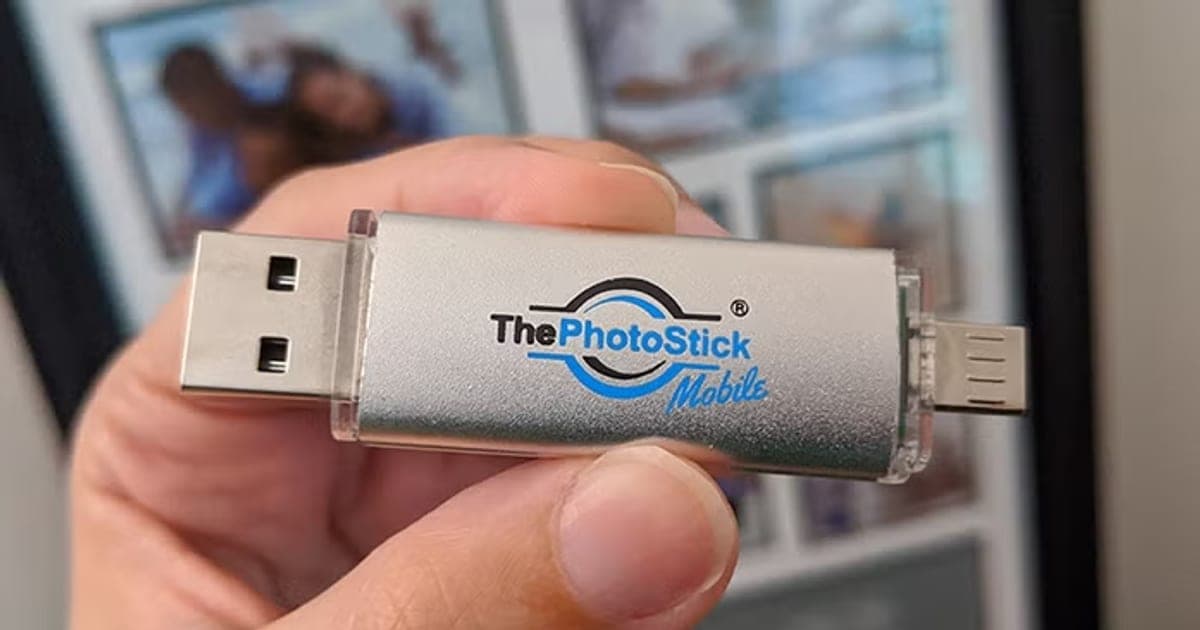
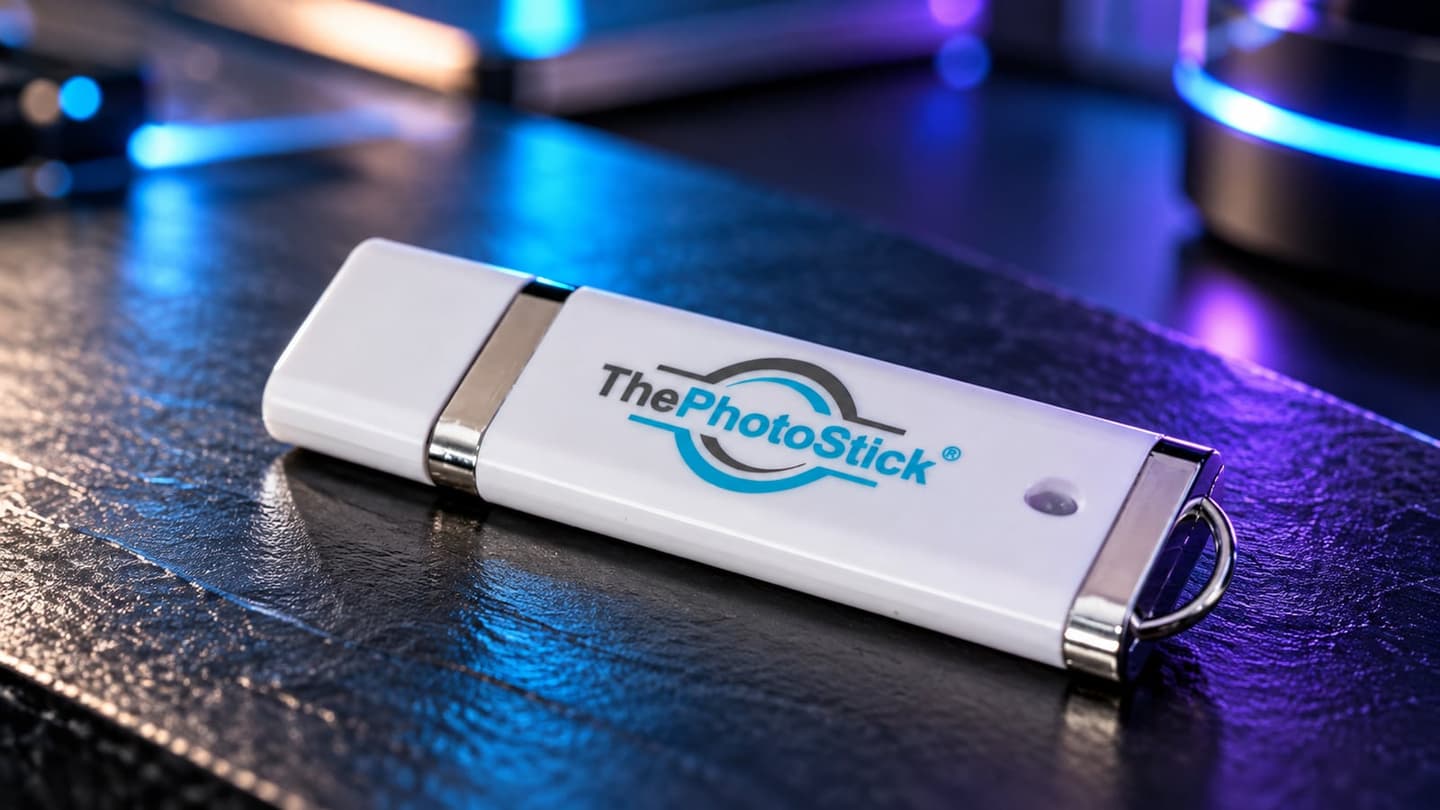
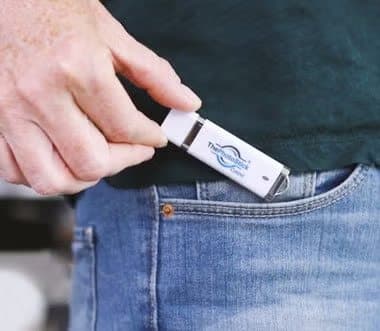
The photos show a small plastic USB-A stick with a cap and a key ring loop, in white, yellow or black depending on size. It is the same size as an ordinary flash drive and fits in a pocket.
USB-A only
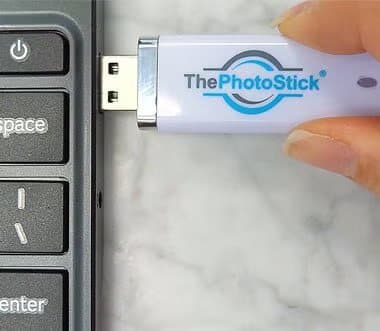
The stick in the photos has a standard rectangular USB-A plug. Many recent laptops, including MacBooks, have only USB-C ports, so you would need an adapter. ThePhotoStick Omni includes adapters for that.
What it does not do
It does not back up to the cloud, encrypt your files, or back up phones. The page does not mention a password or encryption, so anyone who picks up the stick can open your photos on another computer.
Who it's for
ThePhotoStick suits people with years of photos spread around one computer who have never made a backup, especially those who find backup software and cloud accounts confusing. It suits people who already copy folders to drives less well, as well as anyone with a large or video-heavy library, and phone-first users.
- People with years of photos scattered across one Windows or Mac computer who have never backed them up
- Older relatives who find backup software and cloud accounts confusing
- Anyone who wants a second, offline copy alongside a cloud service
Why ThePhotoStick appeals
Most people know they should back up their photos and never do, because finding every folder feels like a chore. A stick that does the searching and sorting with one button removes that excuse. There is no subscription, and the photos sit on something you can hold.

People with photos across old folders
Years of camera imports, downloads and copies tend to leave photos in dozens of places, from the desktop to old download folders. A full-drive search is where ThePhotoStick does better than dragging one Pictures folder to a drive.
Older relatives
The plug in, click Go design is aimed at people who do not want to learn backup software. Setting it up for a parent or grandparent, and showing them how to plug it in again every few months, is a realistic use.
People leaving an old computer
Before recycling or selling an old laptop, a one-click sweep for photos is a quick way to make sure nothing is left behind. That is one of the stronger uses, since it is a one-off job.
A second copy alongside the cloud
If you already use iCloud, Google Photos or OneDrive, an offline copy on a stick protects you if the account is locked or a subscription lapses. Used this way, the stick is a sensible extra layer.
Families sharing a computer
A household computer often collects photos from several people's phones and cameras over the years, in many folders. One sweep that gathers them all is useful, and the 60% discount on extra sticks lets each family member keep a copy.
People clearing space
If a computer's drive is nearly full of photos, copying them to the stick and verifying the copy lets you consider moving some off the computer. Do that only once you have a second copy too.
Gift buyers
The simplicity makes it an easy gift for parents and grandparents. A 128 GB stick with a note explaining how to plug it in again is practical. Help them do the first backup, since a long first scan can be confusing.
Photographers
Hobby photographers who shoot RAW files will fill a stick quickly. Shotkit found it slow with large RAW and video files and best suited to JPEG collections. Serious photographers usually need larger drives and dedicated software.
Small businesses
A small shop with product photos on one computer could use it as a quick extra copy. For business records and documents, proper backup software or a cloud service with version history is safer.
Who should skip it
Skip ThePhotoStick if you can copy your Pictures folder to a drive yourself, because a plain flash drive or external hard drive gives far more space for the money. Skip it if your library is larger than 128 GB, or full of video. Skip it if you need encryption. And skip it if most of your photos are on your phone, since this version is for computers.
- People comfortable dragging folders to an ordinary flash drive or external hard drive
- Anyone with more than 128 GB of photos and videos, especially video-heavy libraries
- Buyers who want a backup that is encrypted or that lasts for decades untouched
- People whose photos live mainly on their phone (see ThePhotoStick Mobile or Omni)
Does ThePhotoStick work, and what do owners say?
It works for many buyers, but owner experiences are sharply split. On 5 October 2026, Trustpilot showed thephotostick.com at 3.0 from 572 reviews, with 31% five-star and 59% one-star. Happy owners praise how simple it is and how many forgotten photos it found. Unhappy owners describe stalled scans, phones not recognised on mobile models, slow deliveries and sticks that later would not open. The company replies to every negative review.
What happy owners say
Positive reviews on ThePhotoStick's Trustpilot page mention simple setup, the number of old photos found, and helpful support staff who replaced faulty sticks or traced lost parcels. Customer quotes on the offer page describe tens of thousands of photos saved.
What unhappy owners say
Complaints include scans that stall before finishing, problems on certain devices, orders taking weeks to arrive and difficulty reaching support. Some owners report sticks that later failed to load, leaving saved photos inaccessible. That last complaint is the most serious for a backup product.
The Shotkit hands-on review
A hands-on review at Shotkit found it very easy to use and light on the computer, but slow with large RAW and video files. It noted that the program lacks a time estimate and cannot pause and resume a scan.
Patterns in the complaints
Reading through the one-star reviews, the complaints fall into three groups. Delivery problems, especially internationally, are common. Technical problems include scans stalling and devices not being recognised, mostly on the phone versions. And a smaller but serious group report sticks that later failed to open. Several reviewers said support helped once reached.
Common technical problems
The technical complaints cluster around three situations: very large libraries, older or unusual computers, and phones on the Mobile model. Owners with ordinary Windows or Mac computers and moderate libraries report the fewest problems. If your setup is unusual, test early.
Lost parcels and delays
Several reviews describe parcels that took weeks, especially outside the US. Some say support helped trace them. The page says orders ship within 24 to 48 hours and take three to five business days in the US on average.
Why ratings may skew low
Unhappy buyers are more likely to leave reviews than happy ones, and the company sells across several products under one Trustpilot page. Even so, 59% one-star is high for a simple device, and worth taking seriously.
Speed
Speed depends on the number and size of files and the computer's USB port. Backing up tens of thousands of photos for the first time can take hours. Later backups, which skip files already saved, are faster.
Support
The page promises 24/7 support from real people. Trustpilot shows that the company replied to all negative reviews, typically within 48 hours. Some reviewers praised individual staff for tracking parcels and replacing sticks; others said they struggled to reach anyone.
A name to watch
Photostick.com is a different company, The Original Photo Stick, based in Marietta, Georgia. Its Trustpilot page showed 1.9 from 26 reviews on 5 October 2026. Make sure the reviews you read are for the product you are buying.
What this means for you: expect it to work well for a simple library, but test it thoroughly in the first 30 days.
Are ThePhotoStick's claims true?
The simple, one-click claims hold up; the safety promises go too far. "No software to install", duplicate removal and Windows and Mac support match the design and independent reviews. "Keeps your photos and videos safe forever", "stored safely away from hackers" and "the only backup solution you'll ever need" overstate what a single unencrypted flash drive can do, according to standard backup guidance.
"Safe forever"
Flash drives can fail, get lost or be damaged, and flash memory is not designed as a decades-long archive. The owner reports of sticks that stopped loading show the risk. A backup is safe only when there is more than one copy.
How long flash drives last
Flash drives are rated for a limited number of write cycles, and their cells slowly lose charge if left unpowered for years. Cheap drives can fail without warning. Manufacturers rarely promise long unpowered data retention. Plugging the stick in now and then and keeping another copy reduces the risk.
"The only backup solution you'll ever need"
The US Cybersecurity and Infrastructure Security Agency's guide to data backup options recommends the 3-2-1 approach: three copies, on two different types of storage, with one kept off-site. One stick on the desk next to the computer fails that test.
"Away from accidents and hackers"
An offline stick is safe from online hackers while unplugged. But the page mentions no encryption or password, so anyone who finds a lost stick can view the photos.
"Saves hours of time searching and sorting"
For someone with photos spread across a computer, this is fair. The search runs by itself, and duplicate removal saves sorting. It does still take time to run, and you should spend some time checking the result.
"No software to install"
This is accurate in the sense that the program runs from the stick. Your computer's security settings may still ask for permission to run it or to access folders. That is normal and not a sign of a problem.
"Holds up to 60,000 photos & videos"
The counts assume an average 2 MB photo, according to the maker's FAQ for its Mobile model. Modern phone photos are often larger, and a minute of video can take hundreds of megabytes, so real counts can be far lower.
How much video takes
As a rough guide, a minute of 4K phone video can take several hundred megabytes, and a minute of 1080p video around a hundred. A library with a few hours of family video can fill a 64 GB stick by itself. Video-heavy users should look at external hard drives.
"Complete accuracy to ensure no memory is ever missed"
The search covers common file types, but no software can promise it never misses a file, for example in unusual formats, cloud-only folders or other drives. Check a sample of folders afterwards.
"As seen on" logos
The page shows Yahoo and Business Insider logos. Paid or syndicated coverage of products like this is common, so treat the logos as a sign of advertising reach rather than an independent review.
"65% of people have lost files"
The Omni page cites a figure that 65% of people or their families have lost files through deletion, hardware failure or software problems, with a reference marker but no source shown. Data loss is common, but we could not trace this specific figure.
"1,500,000+ happy customers"
The page shows this as "1,500,00+", a typo. We could not verify the figure. The product has been sold widely for years, so large sales are plausible.
How much does ThePhotoStick cost, and what is the catch?
On 4 October 2026, ThePhotoStick cost $34.99 for 8 GB, $49.99 for 64 GB and $79.99 for 128 GB, with free shipping on the 128 GB version and 60% off each additional stick. A plain 128 GB SanDisk flash drive was about $12 at Walmart when we searched on 5 October 2026. The difference pays for the software. Returns are accepted within 30 days of delivery, but shipping and taxes are not refunded.
ThePhotoStick prices
| Size | Listed retail | Offer price | Photos, per the page |
|---|---|---|---|
| 8 GB | $49.99 | $34.99 | 3,500 |
| 64 GB | $79.99 | $49.99 | 30,000 |
| 128 GB (most popular) | $159.99 | $79.99 | 60,000 |
Shipping
Only the 128 GB size showed free shipping on the page. The smaller sizes add shipping at checkout, which is not refunded if you return the stick. On an 8 GB order, shipping can be a large share of the cost.
Price per gigabyte
The 8 GB stick costs about $4.37 per gigabyte, the 64 GB about 78 cents and the 128 GB about 62 cents. A plain 128 GB flash drive at around $12 costs under 10 cents per gigabyte. The 8 GB size is the poorest value, and too small for most modern photo libraries.
Total cost for two copies
A careful setup with two 128 GB sticks costs about $112 with the multi-buy discount. A 1 TB external hard drive plus free backup software, or a year of cloud storage, may cost a similar amount and hold far more. Compare before buying a stack of sticks.
What the retail prices mean
Each size shows a higher "retail" price crossed out, such as $159.99 for 128 GB. We found no sign the stick regularly sells at those prices, so judge the offer price on its own against plain drives and cloud storage.
Choosing a size
Check how much space your photos and videos use before ordering. On Windows, right-click the Pictures and Videos folders and choose Properties. On a Mac, check the size of the Photos library. Pick a size with room to grow.
Extra sticks
Each additional stick is 60% off. For two 128 GB sticks, that works out at about $112 for the pair, according to the stated discount. A second stick kept at a relative's house would follow the off-site part of the 3-2-1 idea.
Is the premium worth paying?
The premium buys time and confidence for people who would otherwise never back up. For them, $80 for a 128 GB stick that does the job is reasonable. For people who can copy folders, it is poor value.
The return policy
You can return any of the company's sticks for any reason within 30 days, starting from the date of delivery, for a full refund of the purchase amount. Shipping and handling charges and taxes are not refunded. You email returns@thephotostick.com for return instructions. The Mobile model's FAQ says the guarantee starts on the day of shipping, which conflicts with the written policy.
The warranty
The limited warranty covers defects in materials and workmanship for only the first 30 days after shipment, and liability is limited to the price paid. For a backup device you may rely on for years, that is short.
Who sells it
The seller is Prairie IT LLC, which the page says is based in Haxtun, Colorado. The company's Omni page credits Mark Oman, described as a former vice president at Hewlett-Packard, with creating the product.

ThePhotoStickScore 4.6/10
Best for: People with years of photos scattered across one Windows or Mac computer who have never backed them up
$34.99 at ThePhotoStick · Price checked October 4, 2026
Check price at ThePhotoStick (opens ThePhotoStick in a new tab)We may earn a commission if you buy through our links.
Is ThePhotoStick better than a plain flash drive or cloud storage?
It is easier than both, but neither cheaper nor safer. A plain flash drive or external hard drive holds far more for the money if you can copy folders yourself. Cloud services back up automatically and keep copies off-site, but cost a monthly fee. ThePhotoStick wins on simplicity for people who will not do either, and works best as one copy among two or more.
| ThePhotoStick 128 GB | Plain 128 GB flash drive | External hard drive | Cloud storage | |
|---|---|---|---|---|
| Cost | $79.99 | About $12 | Varies | Monthly fee |
| Finds photos for you | Yes | No | Some include software | Yes, once set up |
| Skips duplicates | Yes | No | Some software | Some services |
| Off-site copy | No | No | No | Yes |
| Encryption | Not stated | Some models | Some models | Yes |

ThePhotoStick vs a plain flash drive
The hardware is the same kind of device. You pay roughly $68 extra at 128 GB for the finding and duplicate software. If you know where your photos are, drag the folders yourself. If you do not, the software is the product.
ThePhotoStick vs an external hard drive
Portable hard drives and SSDs hold far more data, enough for large video libraries, and many come with backup software. They cost more up front but much less per gigabyte.
ThePhotoStick vs cloud backup
Cloud services such as iCloud, Google Photos and OneDrive copy photos automatically and keep them off-site, which protects against fire and theft. The trade-offs are a monthly fee for large libraries and depending on an account. Using both is ideal.
ThePhotoStick vs free built-in tools
Windows has File History and Macs have Time Machine, both free and both able to back up whole folders to an external drive automatically. They need some setup and a larger drive, but cost nothing beyond the drive. For a family computer, they are worth considering.
When ThePhotoStick wins
ThePhotoStick wins for someone who will never open File History or a cloud app, and who needs a single physical object with a single button. For that buyer, the premium over a plain drive is the price of a backup actually happening.
When something else wins
A plain flash drive wins on price for anyone who can drag folders. An external drive wins for big libraries. Cloud backup wins for automatic, off-site protection. An encrypted drive wins for privacy.
ThePhotoStick vs Clickfree
Clickfree is a cross-shaped drive with phone and computer connectors and an app. It targets phones first, while ThePhotoStick for computers targets the computer. Our Clickfree review found similar concerns about relying on one drive.
Using ThePhotoStick with a cloud service
A practical setup for many families is cloud backup for everyday automatic protection, plus a stick updated a few times a year as an offline copy. If the cloud account is ever lost, the stick holds the memories. If the stick fails, the cloud still does.
ThePhotoStick vs an encrypted drive
If privacy matters, our Omni DataSafe review looks at a keypad-locked encrypted drive. It suits documents more than large photo libraries, but solves the problem of a lost, readable stick.
ThePhotoStick vs its siblings
ThePhotoStick Mobile plugs into phones, and ThePhotoStick Omni includes adapters for computers, phones and tablets. If your photos are mostly on your phone, our ThePhotoStick Mobile review and ThePhotoStick Omni review cover those versions.
ThePhotoStickScore 4.6/10
Why people buy it: Very simple: plug in, click Go, and it searches the whole computer for photos and videos
$34.99 at ThePhotoStick · Price checked October 4, 2026
Check price at ThePhotoStick (opens ThePhotoStick in a new tab)We may earn a commission if you buy through our links.
Is ThePhotoStick legit, and what should you check before buying?
Yes. ThePhotoStick is a real product from Prairie IT LLC in Haxtun, Colorado. The checks are practical: buy a size that fits your library, keep a second copy elsewhere, check the backup worked before deleting anything, and test it within 30 days because the warranty is short and shipping is not refunded.
Never delete the originals straight away
What to do: after a backup, open the stick on another computer and check that photos and videos open. Only then consider clearing space, and keep another copy elsewhere.
Keep a second copy
Follow the 3-2-1 idea: keep the originals, the stick and one more copy, ideally off-site or in the cloud.
Keep it private
Because the stick is not encrypted, treat it like a photo album. Do not leave it in a laptop bag or a shared drawer. If privacy matters, copy sensitive photos to an encrypted drive.
Do not rely on the photo count
Check your library size in gigabytes, not the photo counts on the page. If you shoot video, assume the real number of files will be much lower than advertised.
What to do: compare your library size with the stick size, and pick one with at least a third spare.
Store it safely
Keep the stick somewhere cool and dry, away from magnets and heat. Label it. Consider a fireproof box or a relative's house for one copy.
Test it within 30 days
Run a full backup and check it in the first weeks, while the refund and warranty still apply.
Keep it up to date
A backup from a year ago misses a year of photos. Set a calendar reminder to plug the stick in every month or two. The program adds only new files, so later backups are quicker.
Watch the checkout
The 128 GB size includes free shipping; smaller sizes may add shipping, which is not refunded. Each additional stick is 60% off, which is tempting for families, but buy one first if you are unsure.
Read the right reviews
Search results mix ThePhotoStick with other "photo stick" products. Check the seller name, Prairie IT LLC, and the website on any review you read.
Customs and international orders
The page says it ships to more than 100 countries. Buyers outside the US may pay customs or VAT on delivery, which is not refunded on returns, and Trustpilot complaints show international deliveries can take weeks.
How to buy ThePhotoStick the smart way
- Check the size of your photo and video folders, then open ThePhotoStick order page (opens ThePhotoStick in a new tab).
- Choose 64 GB or 128 GB; 8 GB is too small for most libraries.
- Check the total, including shipping, before paying.
- Back up and verify within 30 days of delivery.
- Keep the packaging and your order email until you are happy.
How did we score ThePhotoStick?
ThePhotoStick scores 4.6 out of 10: claim accuracy 0.8, build durability 0.9, price competitiveness 0.8, usability 1.5 and owner satisfaction 0.6, each out of 2. Usability earns the most, because the one-click search and duplicate removal really are easy. Points come off for the premium over plain drives, "safe forever" marketing, a 30-day warranty and a Trustpilot profile where 59% of reviews are one-star.
What owners and reviewers say
Owner reviews split between people delighted by how many forgotten photos it found and people whose scans stalled or sticks failed. The Shotkit hands-on review rated it highly for ease, while noting speed limits with large files. Neither group disputes that it is simple to use.
How the score breaks down
We use the five criteria on our how we test page, each out of 2.
| Criterion | Score | Why |
|---|---|---|
| Claim accuracy | 0.8 / 2 | Core function matches; safety and "only backup" claims overreach |
| Build durability | 0.9 / 2 | Standard flash drive; owner reports of later failures; 30-day warranty |
| Price competitiveness | 0.8 / 2 | Several times the price of plain drives |
| Usability | 1.5 / 2 | Plug in, click Go |
| Owner satisfaction | 0.6 / 2 | Trustpilot 3.0 from 572, 59% one-star |
| Total | 4.6 / 10 |
What would raise the score
A longer warranty, a lower price for larger sizes, encryption, and more consistent owner reviews would all raise the score. So would marketing that recommends a second copy instead of promising it is the only backup you need.
What we did, and did not, do
Nobody on our team has used ThePhotoStick. We read the offer page and policies on 4 October 2026, and Trustpilot, the Shotkit review, CISA guidance and flash drive prices on 5 October 2026. Our computing hub lists other drives and backup products we have reviewed, including the NanoSecure review.
How to use ThePhotoStick for the best results
Close other programs, plug the stick into a fast USB port, click Go and let the first backup run to the end, which can take hours for a big library. Afterwards, open the stick on another computer to check the photos, store it somewhere safe, plug it in every month or two to add new files, and keep a second copy elsewhere.
- Check your library size. Make sure it fits on the stick.
- Use a fast USB port. A USB 3 port, often blue, is quicker than older ports.
- Close other programs. Fewer interruptions during the first scan.
- Let it finish. The program cannot pause, according to Shotkit.
- Check the results. Open a sample of photos and videos from the stick.
- Repeat regularly. Plug it in monthly to add new photos.
- Keep another copy. Cloud or a second drive.
Several computers
If photos are spread across an old laptop and a newer desktop, run the stick on each one in turn. Duplicate removal should skip photos already saved from the first computer, according to how the maker describes it, which keeps the stick tidy.
Before the first backup
Move any photos on old memory cards, cameras or phones onto the computer first, so the first scan collects everything in one go. Empty the recycle bin or trash, so deleted photos are not copied.
Testing the backup
Pick ten photos from different years and folders and check they appear on the stick and open correctly. Do the same for a few videos. That quick check catches most problems before you need the backup.
On a Mac
The program runs from the stick on Macs too, according to the maker. If macOS asks for permission to access folders or to open an app from a USB drive, allow it, or the search may miss files.
On Windows
On Windows, the program may appear as a prompt when you plug in the stick, or you may need to open the drive in File Explorer and run the program. Allow it through Windows security prompts if asked, after checking it comes from the stick.
Laptops
Keep the laptop plugged into power during a long first backup, and stop it from sleeping.
External drives
If some photos live on a separate external hard drive, connect it before the scan. The page does not say whether external drives are searched, so check whether those photos appear on the stick afterwards.
Photos in the cloud only
If your computer stores photos in iCloud or OneDrive in "online only" mode, the files may not be on the computer at all. Download them first, or the stick cannot copy them.
When the scan stalls
If the program stops responding, restart the computer, close other programs and try again on a different USB port. If it stalls repeatedly, contact support within 30 days, while the refund and warranty still apply.
Restoring photos
To get photos back, plug the stick into any computer and open its folders. The files are ordinary copies, so you can drag them back to a computer or upload them to a cloud service.
Other questions about photo backup sticks
Can I store other files? It is a USB drive, so yes, though the software focuses on photos and videos.
Can I use it on several computers? The page focuses on one computer at a time; check space before adding a second.
Does it work on Chromebooks? The page lists only Windows and Mac.
ThePhotoStickScore 4.6/10
Before you buy: Check the final price, shipping and return terms at checkout.
$34.99 at ThePhotoStick · Price checked October 4, 2026
Check price at ThePhotoStick (opens ThePhotoStick in a new tab)We may earn a commission if you buy through our links.
Frequently asked questions
Does ThePhotoStick really work?
It does what it says for many buyers: it searches a computer for photos and videos and copies them to the stick, skipping duplicates. Trustpilot shows 3.0 from 572 reviews, with 31% five-star and 59% one-star, and complaints include stalled scans, delivery delays and sticks that later fail to open.
How much does ThePhotoStick cost?
On 4 October 2026, the offer page listed 8 GB for $34.99, 64 GB for $49.99 and 128 GB for $79.99, with free shipping on the 128 GB version and 60% off each additional stick. A plain 128 GB flash drive from a major brand costs far less.
Is ThePhotoStick better than a regular USB flash drive?
Only in convenience. The hardware is a USB flash drive; you pay extra for the software that finds your photos and skips duplicates. If you can copy folders yourself, a plain flash drive or external hard drive gives far more storage for the money.
How many photos does ThePhotoStick hold?
The page says 3,500 photos and videos for 8 GB, 30,000 for 64 GB and 60,000 for 128 GB. The maker's FAQ for its Mobile model says counts assume a 2 MB photo, so videos, large phone photos and RAW files reduce them a lot.
What is ThePhotoStick's return policy?
You can return it for any reason within 30 days of delivery for a refund of the purchase price, by emailing returns@thephotostick.com for instructions. Shipping, handling and taxes are not refunded, and the warranty covers defects only for 30 days after shipment.
Is ThePhotoStick legit?
Yes. It is sold by Prairie IT LLC, based in Haxtun, Colorado, and has been on sale for years. Be aware that photostick.com is a different company, The Original Photo Stick, with its own separate Trustpilot page and ratings.
Can ThePhotoStick back up my phone?
No. This version is for Windows and Mac computers. The same company sells ThePhotoStick Mobile for phones and ThePhotoStick Omni, which has adapters for computers, phones and tablets.
We may earn a commission if you buy through our links.
Prices accurate as of October 4, 2026. Check the seller's checkout for current pricing, promotions and terms.
What we checked: No hands-on use. Claims, photos, prices and the refund and warranty policy from ThePhotoStick offer page our link opens on 2026-10-04. Trustpilot pages for thephotostick.com and photostick.com, a hands-on Shotkit review, CISA backup guidance and plain flash drive prices were read on 2026-10-05.
Compare ThePhotoStick

About the author
Ethan Walker, Hardware & Gadget Tester
Ethan Walker covers hardware for Top10Gadgets: audio, computing, phone accessories, chargers, tools, car gadgets and sports equipment. Ethan believes a product should be judged on what happens when people actually use it…
- Headphones and speakers
- Chargers and phone accessories
- Tools and emergency gear
- Car accessories
- Durability and real-world performance
Writing for Top10Gadgets since 2026Full profile