Cellphone Accessories / Smartphone gimbals
StableCAM PRO Review: A $149 Phone Gimbal Whose 'Built-In Power Bank' Is a $9 Add-On
A three-axis handheld gimbal that keeps a phone steady for smooth video. Gimbals genuinely fix shaky footage, but the listed power bank is an add-on, and DJI's Osmo Mobile SE has cost less.

By Ethan Walker, Hardware & Gadget Tester at Top10Gadgets
Updated 26 min readHow we test
Quick answer
Worth considering only if you want a phone gimbal from this seller specifically; for most people, DJI's entry model is the better buy. StableCAM PRO is a three-axis motorised gimbal, the kind of device that genuinely turns shaky phone clips into smooth video.
Score 3.6/10$149.00 at G Com Pte Ltd
Check price at G Com Pte Ltd (opens G Com Pte Ltd in a new tab)We may earn a commission if you buy through our links.
- Best for
- Phone filmmakers who want smoother walking and panning shots
- Not for
- Anyone whose phone already has strong built-in stabilisation and who films only short clips
$149.00 at G Com Pte Ltd
Check price at G Com Pte Ltd (opens G Com Pte Ltd in a new tab)We may earn a commission if you buy through our links.
On this page · 12 sections
- 01Our verdict
- 02The short version
- 03Pros & cons
- 04How it works
- 05Who it's for
- 06Are StableCAM PRO's claims accurate?
- 07How much does StableCAM PRO cost, and what is sold separately?
- 08Is StableCAM PRO better than DJI Osmo Mobile SE?
- 09Is StableCAM PRO legit, and what should you check before buying?
- 10How did we score StableCAM PRO?
- 11How to use StableCAM PRO for smooth video
- 12Frequently asked questions
Our verdict
Worth considering only if you want a phone gimbal from this seller specifically; for most people, DJI's entry model is the better buy. StableCAM PRO is a three-axis motorised gimbal, the kind of device that genuinely turns shaky phone clips into smooth video. But its feature list promises a built-in power bank while the order page sells "Power Bank Included" for $9, it names no app or weight limit, and DJI's Osmo Mobile SE lists at $109 and has sold for less. StableCAM PRO scores 3.6 out of 10, held back by price and missing detail.
The short version
- What it is: a handheld three-axis gimbal that holds a smartphone steady for smooth video, with tracking, time-lapse and panorama modes.
- Price: $149 for one on 4 October 2026, with a five-pack for $447 preselected. Delivery was listed as free.
- Best trait: motorised three-axis stabilisation really does smooth phone video.
- Biggest drawback: the power bank claim conflicts with a paid add-on, and branded gimbals cost less.
- Our score: 3.6 out of 10.
Pros & cons
The pros come from what three-axis phone gimbals do well. The cons are about conflicting claims, missing specifications and price.
What we like
- A three-axis motorised gimbal genuinely smooths walking and panning shots from a phone
- Tracking, time-lapse and panorama modes, according to the page
- Up to 12 hours of run time claimed
- One-handed design, with a small tripod shown in the photos
- Free delivery, and the seller names a registered company with a Singapore address
What we don't
- Lists a built-in power bank as a feature, but sells 'Power Bank Included' as a $9 add-on
- No app name, weight limit, phone width range or weight of the gimbal is given
- The page title says it is for action cameras, while every feature describes smartphones
- DJI's Osmo Mobile SE lists at $109 and has sold for $55 to $89
- Carrying case $29 and tripod adapter $4 are extras
- Refunds need a returns number first, and you pay return postage to an overseas seller
Sold by G Com Pte Ltd
StableCAM PRO$149.00
How it works
A gimbal holds your phone on three motorised joints, one for each direction it can tip: pan (left and right), tilt (up and down) and roll (twisting). Sensors inside detect every small movement of your hand and the motors instantly push the other way, so the phone stays level and steady. The result is footage that looks as if it was filmed on a rig, even when you walk.
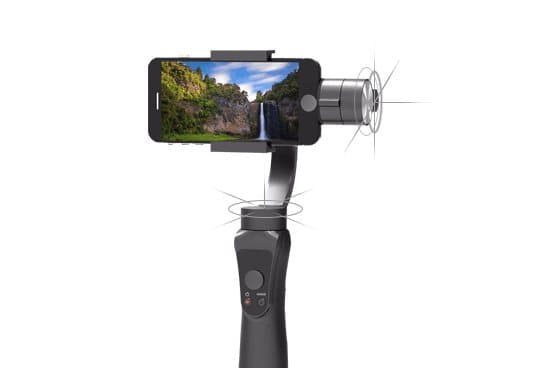
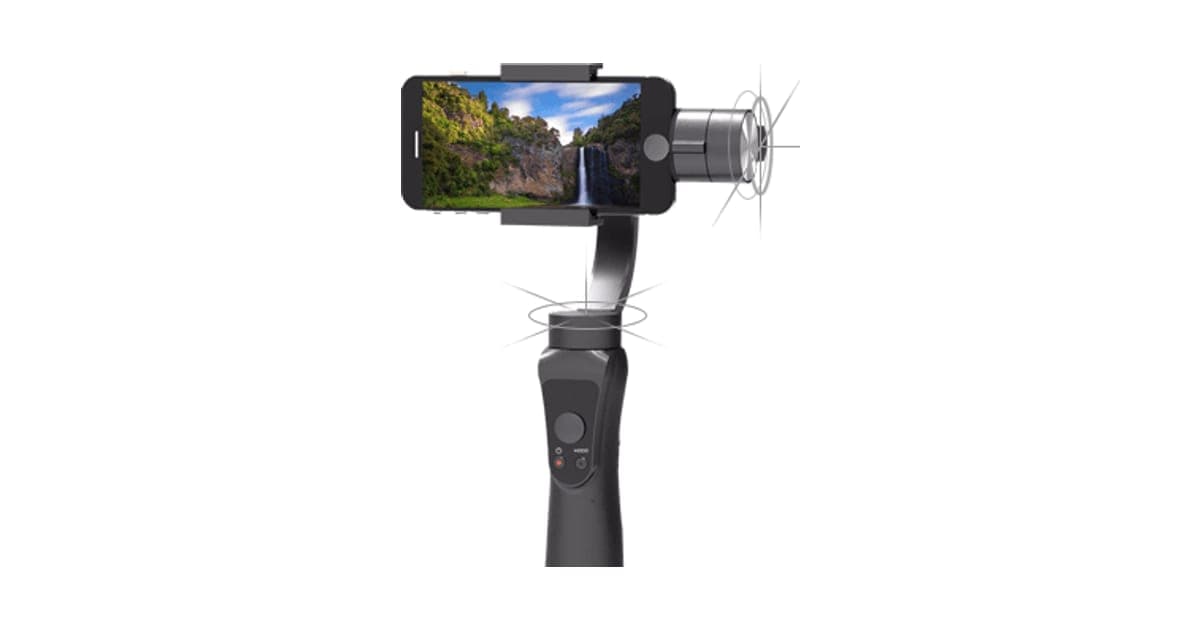
The product photo shows a grey gimbal with a handle, a joystick and buttons on the front, and three motors above holding a phone in landscape mode, with motion lines around the motors to suggest movement. The page lists three-axis stabilisation, a lightweight one-handed design, intelligent tracking that "automatically recognises, follows and captures", photos, smooth time-lapses and panoramas, and a built-in power bank that charges your phone via USB while shooting. The page title adds a 12-hour run time.
Clamp and balance your phone
Step 1: Fit your phone into the clamp and slide it until it sits level when the gimbal is switched off. Good balance makes the motors work less.
Switch on and film
Step 2: Three small motors sense movement on the pan, tilt and roll axes and push back against it, so the phone stays steady as you walk or move.
Use the modes
Step 3: With the companion app, use tracking to follow a face or object, or set up time-lapses and panoramas. The joystick moves the phone while filming.
Why phones still benefit from gimbals
Modern phones have strong electronic and optical stabilisation, and for short handheld clips they are often good enough. They still struggle with walking shots, fast pans and low light, where stabilisation crops the image or blurs. A mechanical gimbal smooths movement before the camera sees it, so the phone's own processing has less to fix. The difference is most visible in footage of walking, running children and moving vehicles.
Balancing the phone
A gimbal works best when the phone is balanced: it should sit level in the clamp when the motors are off. Balance means the motors only correct movement rather than fighting gravity, which saves battery and reduces jitter. Heavier phones and phone cases change the balance.
Apps and tracking
Most phone gimbals use a companion app for tracking, time-lapse, panorama and other special modes. The app talks to the gimbal by Bluetooth and moves it to keep a selected face or object in frame. The StableCAM PRO page does not name its app. That matters, because the app decides how well tracking works and whether the gimbal will keep working with future phone software.
Motors and noise
Gimbal motors are small brushless motors that make little sound, but some cheap gimbals whine or click as they correct movement. The phone's microphone can pick that up in quiet scenes. Branded gimbals put effort into quiet motors; the StableCAM PRO page does not mention noise.
Joystick and buttons
The photos show a small joystick and buttons on the handle. On most phone gimbals, the joystick moves the phone up, down, left and right, one button starts and stops recording through the app, and another switches modes or recentres the phone. A double or triple press often flips to selfie mode. The leaflet should explain the controls.
What a gimbal cannot fix
A gimbal smooths movement but cannot fix poor light, a dirty lens, wind noise or a shaky walking style. It also cannot add detail your phone does not capture. In dim rooms, a gimbal still helps by letting the phone use slower shutter speeds without blur, but footage will be grainy.
Who it's for
StableCAM PRO suits people who film on their phone while moving: vloggers, travellers, parents at sports days and anyone making social media videos. A gimbal makes the biggest difference for walking shots and smooth pans. It suits people who mainly film short, static clips less, since modern phones already handle those well, and anyone who wants a known app and brand support.
- Phone filmmakers who want smoother walking and panning shots
- Vloggers and travellers who film on the move
- Parents filming children's events and sports
Why StableCAM PRO appeals
Shaky phone video is one of the most common frustrations for people who film holidays, family events and content for social media. A gimbal promises cinematic shots from the phone you already own, and the extra features, tracking, time-lapse, panoramas and a built-in power bank, make it sound like a complete filming kit. At $149, it is priced below many cameras.
Vloggers and content creators
Talking-to-camera clips while walking are a staple of vlogging. A gimbal keeps the frame steady and, with face tracking, keeps you centred. The handle also gives a better grip than holding a phone at arm's length. If you film regularly, a ring light for indoor shots pairs well; our OlumiRing review looks at one small option.
Travellers
Gimbals smooth walking tours, street scenes and slow pans across landscapes. Time-lapse and panorama modes suit sunsets and city views. The catch is size: a gimbal is another item to carry, and a $29 case is offered as an add-on.
Parents and family filmmakers
Children rarely stay still, and following them with a phone produces wobbly footage. A gimbal with tracking can keep a moving child in frame at a sports day or party. Practise before the big day, since tracking takes some learning.
Pet owners
Dogs running in a park or cats chasing toys make great but hard-to-film subjects. A gimbal with tracking can follow a pet better than a handheld phone. Low angles work best, so try holding the gimbal upside down near the ground.
Cyclists and skaters
Some people film while cycling or skating. A handheld gimbal is unsafe while riding, since you need both hands. Mounted action cameras are designed for that, which is another reason the "action camera" wording in the page title can mislead.
Real estate and small business video
Simple walk-through videos of rooms, shops or products look far more professional with a gimbal. For businesses that make regular videos, a branded gimbal with reliable software support is worth the extra care.
Drone and camera hobbyists
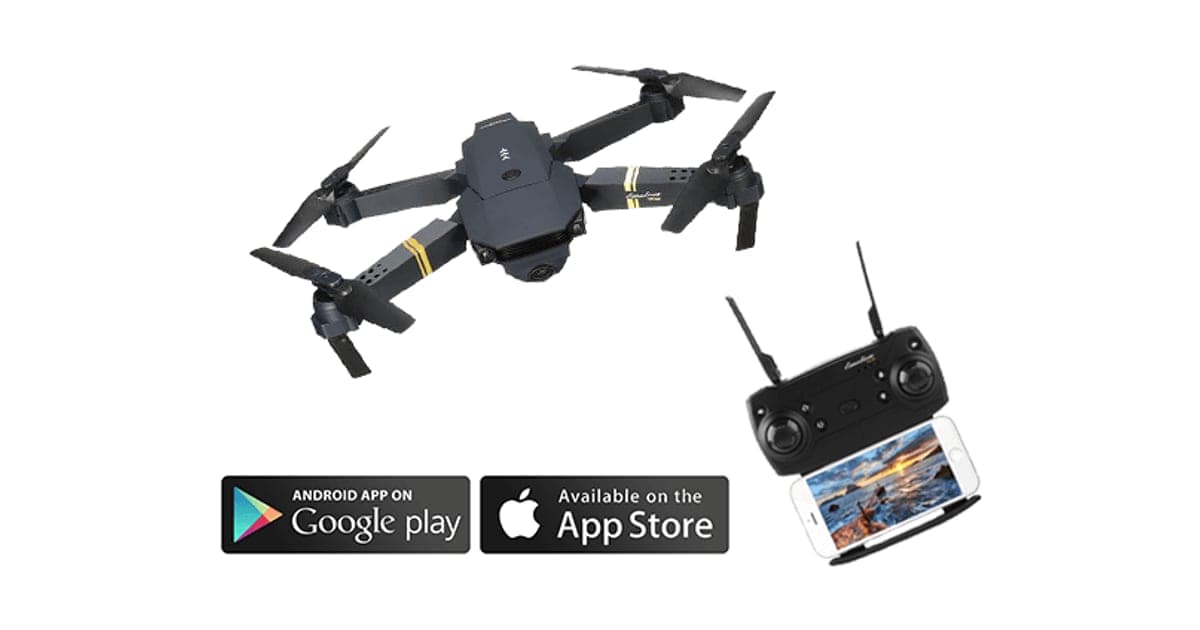
People who enjoy aerial video often want smooth ground footage too. A phone gimbal is a cheap way to add steady handheld shots. Our DroneX Pro review covers a budget drone sold through the same kind of offer page.
Teachers and presenters
Teachers recording lessons and people presenting products on camera can use a gimbal for smooth walk-and-talk shots. For seated talks, a tripod is simpler. A gimbal suits presenters who move around a room.
Weddings and special events
Guests filming a wedding first dance or a graduation walk can get much smoother clips with a gimbal. Practise beforehand, keep the gimbal charged and remember that people around you are there for the event, not your video.
Older relatives
Some families buy gimbals for grandparents who film grandchildren. Gimbals can help shaky hands, but setup, balancing and apps add complexity. Do the first setup together and keep it simple.
Who should skip it
Skip StableCAM PRO if you mostly film short, static clips that your phone already stabilises well. Skip it if you have a large or heavy phone until the weight limit is confirmed. Skip it if you want a known app with regular updates. And skip it if price matters, because DJI's entry gimbal lists for less and has been sold for much less.
- Anyone whose phone already has strong built-in stabilisation and who films only short clips
- Owners of large or heavy phones until the weight limit is confirmed
- People who want a known app with regular updates
- Price-conscious buyers, since DJI's entry gimbal costs less
Are StableCAM PRO's claims accurate?
Mostly plausible, with one clear conflict. Three-axis stabilisation, tracking, time-lapse and panoramas are standard features of phone gimbals. But the feature list says "built-in power bank, charge phone via USB while shooting" while the order page sells a "Power Bank Included" option for $9. The page title also calls it a gimbal for action cameras, while everything else describes smartphones. And the app, weight limit and phone size range are not given.
"3 Axis Handheld Smartphone Gimbal Stabilizer"
The photos show a three-motor design, which matches the claim. Three-axis is the standard for phone gimbals; cheaper two-axis and single-axis stabilisers do much less. This claim is believable.
"Built-in power bank, Charge Phone via USB While Shooting"
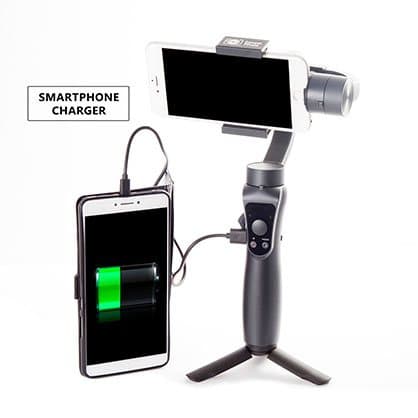
This is the claim that does not add up. The order page's "Power Bank Included" option, for $9, says that "with the Power Bank Option, the StableCAM PRO can charge your smartphone for hours of shooting and streaming". Its photo shows the gimbal on a tripod with a cable running to a second phone showing a full battery, labelled "smartphone charger". If phone charging needs the add-on, the built-in power bank in the feature list is misleading.
What to do: ask support whether the standard StableCAM PRO can charge a phone without the $9 option.
"Intelligent Tracking: automatically recognises, follows and captures"
Tracking on phone gimbals uses the phone's camera and the companion app to detect a face or object and steer the motors to follow it. Quality varies widely between apps. DJI's ActiveTrack is well regarded; unbranded apps vary. Without the app's name, you cannot check reviews of it.
"Advanced shooting techniques: Shoot Photos, Smooth Time-Lapses, and Panoramas"
These modes are common in gimbal apps. Motion time-lapse, where the gimbal pans slowly between two points while the phone takes photos, is genuinely hard to do without a gimbal. Panoramas stitched from several precisely angled shots are another real benefit.
"Lightweight design, Easy-to-use with one hand"
The page gives no weight. Phone gimbals typically weigh around 300 to 500 grams before the phone. One-handed use is normal for this type.
"12h Runtime"
Run time depends on phone weight, balance and how much the motors work. Twelve hours is in line with many phone gimbals' claims, though real use is often shorter, especially if the gimbal is also charging a phone.
"Gimbal for Action Camera"
The page title calls StableCAM PRO a "3-Axis Gimbal for Action Camera Handheld Stabilizer", but every feature and photo describes a smartphone gimbal. Action cameras such as GoPros need a different mount and balance range. This looks like a keyword-stuffed title rather than a real feature.
How power banks in gimbals usually work
Many phone gimbals have a USB port on the handle that can share some battery with a phone. It is not a true power bank: the gimbal's battery is small, and charging a phone drains it quickly. The feature helps top up a phone during a long shoot rather than recharge it fully.
Why the conflict matters
If a buyer chooses StableCAM PRO for the built-in power bank, then learns it needs the $9 option, the feature list has misled them. If the standard model does charge phones, the $9 option is charging for something already included. Either way, the page needs clarifying before you buy.
What the page does not say
No app name, no maximum phone weight, no phone width range, no gimbal weight, no folding design, no charging port, no charging time and no Bluetooth version. DJI publishes all of these for the Osmo Mobile SE.
How much does StableCAM PRO cost, and what is sold separately?
With the United States selected on 4 October 2026, one StableCAM PRO cost $149, two cost $249, three cost $297, four cost $399 and five cost $447, with the five-pack preselected. Delivery was listed as free. A 3-year warranty cost $19, a protection travel case $29, a tripod stand adapter $4 and the "Power Bank Included" option $9. DJI lists its Osmo Mobile SE at $109.
StableCAM PRO price and bundles
| Bundle | Price | Per gimbal |
|---|---|---|
| 1 gimbal | $149 | $149 |
| 2 gimbals | $249 | $124.50 |
| Buy 2, get 1 free (3) | $297 | $99 |
| 4 gimbals | $399 | $99.75 |
| Buy 3, get 2 free (5) | $447 | About $89.40 |
The crossed-out "regular" price is $298, twice the single price, and the $149 is described as a 50% discount. We found no evidence of anyone paying $298.
The add-ons
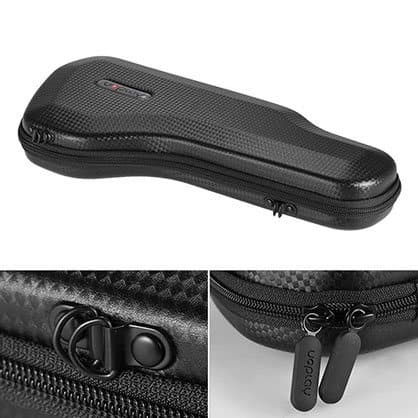
- StableCAM PRO protection travel case, $29 (old price $79): a semi-hard, splash-proof zipped case.
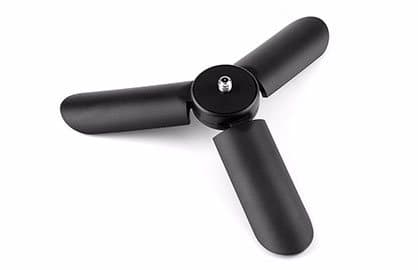
- Tripod stand adapter, $4 (old price $9): a small three-legged stand for time-lapses and landscapes.
- Power Bank Included, $9 (old price $19): described as letting the gimbal charge your smartphone.
The tripod question
The "Power Bank Included" photo shows the gimbal standing on a small tripod. If a tripod is only available as the $4 add-on, that photo shows two add-ons at once. Many branded phone gimbals include a small tripod or have legs built into the handle. The page does not say what comes in the box.
Total cost with extras
One StableCAM PRO with the power bank option, tripod, case and warranty comes to $210. Retailer listings for DJI's Osmo Mobile SE describe a small tripod and a pouch in the box at its $109 list price.
What DJI charges
ShopSavvy's DJI Osmo Mobile SE price history shows a $109 list price on dji.com in June 2026, an Amazon price of $89 in May 2026 and sale prices as low as $55 to $58 earlier in the year. The SE has three-axis stabilisation, a magnetic phone clamp, a stated load of up to 10.2 ounces, ActiveTrack 6.0 tracking and DJI's Mimo app.
The "50% discount"
The crossed-out prices on the gimbal and add-ons are about twice the selling prices, a pattern across this seller's products. Treat them as reference prices set by the seller, not evidence of real savings.
The multi-pack
Five gimbals for $447 is about $89 each, roughly the price DJI's entry model has sold for alone. Few households need more than one gimbal. If you are buying for a family, compare the per-unit price with a branded gimbal before choosing the bundle.
Who sells it
The seller is G Com Pte Ltd, listed at 137 Market Street, #04-01 Grace Global Raffles, Singapore 048943, with a support email and phone number. The page footer reads "G Com Pte Ltd - Hong Kong". Your card statement will show "perfectchoicebase.com".

StableCAM PROScore 3.6/10
Best for: Phone filmmakers who want smoother walking and panning shots
$149.00 at G Com Pte Ltd · Price checked October 4, 2026
Check price at G Com Pte Ltd (opens G Com Pte Ltd in a new tab)We may earn a commission if you buy through our links.
Is StableCAM PRO better than DJI Osmo Mobile SE?
No, on the evidence available. DJI's Osmo Mobile SE is a three-axis phone gimbal with a named app, ActiveTrack tracking, a published weight limit and a magnetic clamp. It lists at $109 and has sold for $55 to $89 in 2026, against $149 for StableCAM PRO before add-ons. StableCAM PRO's only stated advantage is phone charging, and even that may need a $9 add-on.
| StableCAM PRO | DJI Osmo Mobile SE | Phone's own stabilisation | |
|---|---|---|---|
| Price seen | $149 | $109 list; $55 to $89 on sale | Free |
| Axes | 3 | 3 | Electronic or optical |
| App | Not named | DJI Mimo | Built in |
| Tracking | Claimed | ActiveTrack 6.0 | Some phones |
| Weight limit | Not stated | Up to 10.2 oz | n/a |
| Charges phone | Claimed; $9 option | No | n/a |
StableCAM PRO vs DJI Osmo Mobile SE
DJI is the best-known maker of consumer gimbals and drones. The Osmo Mobile SE is its entry phone gimbal, folding small and using a magnetic clamp that snaps on and off. DJI's app is widely used and updated, and its tracking is well reviewed. For most people buying a first phone gimbal, it is the safer choice at a lower price.
StableCAM PRO vs other branded gimbals
Brands such as Zhiyun, Hohem and Insta360 also make phone gimbals at a range of prices, some with built-in lights, extension rods or AI tracking. Comparing a few branded models on weight limit, app reviews and price gives you a better sense of value than any single listing.
StableCAM PRO vs your phone's action mode
Many recent phones have "action" or "super steady" video modes that crop the image heavily to smooth movement. They work surprisingly well in daylight and cost nothing. They lose detail and struggle in low light. Try your phone's mode first; if the results satisfy you, you may not need a gimbal.
StableCAM PRO vs a simple handle or tripod
For static shots, interviews and video calls, a small tripod or stand is all you need. A gimbal's advantage is movement. Our GoDonut review covers a phone and tablet stand for hands-free viewing and calls.
Keeping your phone charged while filming
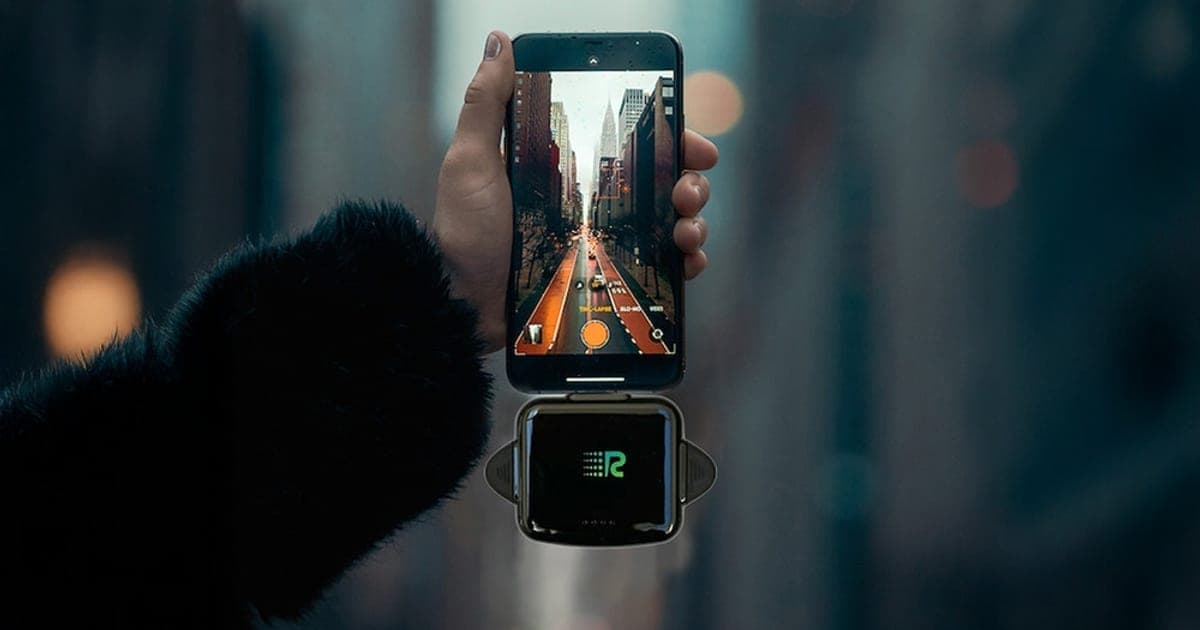
If phone charging is your main concern, a separate power bank and short cable do the job with any gimbal. Our Rush Charge Universe review looks at a power bank with built-in cables.
StableCAM PRO vs a selfie stick stabiliser
Some selfie sticks have a single-axis stabiliser built in, mainly to keep the horizon level. They are cheaper and lighter than three-axis gimbals and fold into a pocket. They do less for walking footage but suit casual travel clips.
What the comparison shows
The type of product is sound: a three-axis phone gimbal is a genuinely useful filming tool. The question is whether this one, with an unnamed app, missing limits and a conflicting power bank claim, is worth more than a branded model with all of those answered. On the evidence, it is not.
When StableCAM PRO could still make sense
If you confirm that the standard model charges your phone, that your phone fits and that the app works well, StableCAM PRO could do what a phone gimbal should. It still costs more than a better-documented DJI.
StableCAM PROScore 3.6/10
Why people buy it: A three-axis motorised gimbal genuinely smooths walking and panning shots from a phone
$149.00 at G Com Pte Ltd · Price checked October 4, 2026
Check price at G Com Pte Ltd (opens G Com Pte Ltd in a new tab)We may earn a commission if you buy through our links.
Is StableCAM PRO legit, and what should you check before buying?
StableCAM PRO is a real gimbal sold by G Com Pte Ltd, which lists a Singapore address and support contacts. The concerns are a power bank feature that seems to need a paid add-on, an unnamed app, no weight limit or phone size range, a misleading "action camera" title, the preselected five-pack and refund terms that need a returns number and leave return postage to you.
Ask about the power bank
What to do: ask support whether the standard StableCAM PRO can charge a phone, and what the $9 option adds.
Ask about your phone
What to do: give support your phone's model and whether you use a case, and ask whether it fits and balances. Ask for the weight limit and width range in writing.
Ask about portrait mode
What to do: if you film mostly vertical video for social media, ask whether the clamp can rotate to portrait and whether the gimbal keeps stabilising in that position.
Ask about weight and folding
What to do: ask how much the gimbal weighs and whether it folds. A heavy, non-folding gimbal is less likely to come with you on trips.
Ask about the app
What to do: ask for the app's name, then read its reviews on the App Store or Google Play before ordering. An app with poor reviews or no recent updates is a warning sign.
Check the warranty offer
The $19 three-year warranty is offered at checkout. Gimbal motors and batteries can fail, so a warranty has some appeal, but the page does not say what it covers or how claims work. Ask before paying.
Check delivery times
International delivery can take longer than domestic shipping. If you need the gimbal for a trip or event, ask about delivery times and allow a margin.
Check the selected bundle
The five-pack for $447 is preselected. Change it to one gimbal.
Refunds and returns
The page code mentions a 30-day guarantee "less S&H". The terms cover defective or damaged items within two years, with a returns number needed first. Return postage is at your cost, and parcels with insufficient postage are refused. A gimbal that does not fit your phone is not defective, so confirm compatibility before buying.
Membership offers
The page code contains text for a "Gadget Discount Club", free for 30 days, after which "$9 may apply". We did not see it on the order page with the United States selected. Check your order email and card statement.
Timers, pop-ups and the spin wheel
The page shows a 30-minute countdown, "just bought" pop-ups and a discount spin wheel. They do not affect the product.
Check app permissions
Gimbal apps usually need access to your camera, microphone, photos and Bluetooth, and sometimes location. That is normal for filming. An app that asks for contacts or messages is not. Check permissions when you install it.
Keep the packaging
Keep the box and order email until you have tested the gimbal with your phone and app. A return needs a returns number first, and posting it back is at your cost.
How to buy StableCAM PRO the smart way
- Open the StableCAM PRO order page (opens G Com Pte Ltd in a new tab) and select your country.
- Change the preselected five-pack to one gimbal.
- Ask support about the power bank, your phone's fit and the app before paying.
- Add the power bank option only if the standard model cannot charge a phone.
- Note the card statement name, perfectchoicebase.com, and save your order email.
- Test it with your phone and the app on the day it arrives.
How did we score StableCAM PRO?
StableCAM PRO scores 3.6 out of 10: claim accuracy 0.6, build durability 0.9, price competitiveness 0.5, usability 1.1 and owner satisfaction 0.5, each out of 2. A three-axis phone gimbal is a genuinely useful tool, but this page contradicts itself on the power bank, names no app or limits, uses an action camera title for a phone gimbal, and charges more than DJI's better-documented entry model.
What owners say
We found no Trustpilot profile for the gadgetxaura.com store and no independent retailer ratings for StableCAM PRO. The pages that rank for it are mostly promotional. Owners of budget phone gimbals in general often praise the smoother footage and complain about apps that crash or stop working with new phone software, phones that are too heavy to balance and motors that drift or jitter.
How the score breaks down
We use the five criteria on our how we test page, each out of 2.
| Criterion | Score | Why |
|---|---|---|
| Claim accuracy | 0.6 / 2 | Built-in power bank conflicts with a paid add-on; action camera title |
| Build durability | 0.9 / 2 | Standard three-motor design, but no specifications |
| Price competitiveness | 0.5 / 2 | More than DJI's entry gimbal, with extras on top |
| Usability | 1.1 / 2 | One-handed use and common modes, but unknown app |
| Owner satisfaction | 0.5 / 2 | No independent ratings for this product |
| Total | 3.6 / 10 |
What we did, and did not, do
Nobody on our team has used StableCAM PRO. We read the offer page our link opens with the United States selected, its code and the seller's terms on 4 October 2026, along with ShopSavvy's DJI Osmo Mobile SE price history and the top-ranking StableCAM PRO pages. Our cellphone accessories hub lists the other phone accessories we have reviewed.
How to use StableCAM PRO for smooth video
Charge StableCAM PRO, take your phone out of a heavy case, clamp it in the centre and slide it until it sits level with the motors off, then switch on. Hold the handle at chest height, walk with soft knees and short steps, and use the joystick for slow pans. Install the app for tracking and time-lapses, and practise at home before filming anything important.
- Charge it fully. Before first use and before each shoot.
- Remove heavy cases. They change balance and may exceed the limit.
- Balance the phone. Centre it in the clamp and adjust until level.
- Switch on. The motors should hold the phone steady without strain.
- Walk softly. Bend your knees and take short, heel-to-toe steps.
- Pan slowly. Use the joystick or turn your body smoothly.
- Practise modes. Try tracking and time-lapse at home first.
Choosing a mode
Most gimbals have several follow modes. Pan follow keeps the horizon level and lets the camera follow left and right turns, which suits most walking shots. Lock mode holds the camera pointing in one direction whatever you do, which suits filming a subject as you circle it. Full follow lets the camera follow every movement smoothly, useful for dynamic shots. Learn which button switches between them.
Holding it comfortably
Hold the handle close to your body for steadier shots and less arm fatigue. For low shots, turn the gimbal upside down so the phone sits near the ground; many gimbals support this "underslung" position. Swap hands now and then on long shoots.
Walking without bounce
A gimbal removes tilting and twisting, but not the up-and-down bounce of walking. Filmmakers call the smooth walk a "ninja walk": knees bent, rolling from heel to toe, arms relaxed. It looks odd but makes a big difference.
Shooting selfie videos
Turn the phone to face you, or use the gimbal's selfie mode if it has one. Hold the gimbal at arm's length slightly above eye level, and walk forwards while it tracks your face. Practise the distance so your head and shoulders stay in frame.
Getting tracking to work
Tracking works best with good light, a clear subject and a plain background. Draw a box around the subject in the app, then move slowly at first. Fast motion, crowds and low light can confuse tracking.
Keeping the horizon level
If the horizon looks tilted, recentre the gimbal with its button, or recalibrate. Starting each shot with the phone level makes footage look far more professional than any special mode.
Time-lapse tips
Put the gimbal on a stable surface or tripod, set start and end points in the app, and leave it untouched. Moving clouds, traffic and sunsets make good subjects.
Charging your phone while filming
If your model can charge a phone, connect a short cable from the gimbal's USB port to your phone. This drains the gimbal's battery faster. For long shoots, a separate power bank may be simpler.
Charging the gimbal
Charge it with the cable supplied and a standard USB charger. Do not leave it charging unattended for long periods, and avoid charging in hot cars. If the gimbal will not be used for months, store it at around half charge.
Storing it
Many gimbals have a lock or folding position that stops the arms moving in transit. Use it, and store the gimbal in a case or padded bag. A knocked motor arm can throw off calibration.
Cleaning
Wipe the handle and clamp with a dry cloth. Keep dust and sand away from the motors, especially at the beach. Never spray cleaner directly on the gimbal.
Travelling with it
Lithium batteries in gimbals usually belong in carry-on luggage when flying, under most airline rules. Check your airline's guidance and keep the gimbal switched off in transit.
Calibration
If the horizon tilts or the motors drift, look for a calibration option in the app or a button sequence in the leaflet. Calibrate on a flat surface with the phone balanced.
Lighting matters more than gear
Smooth footage in poor light still looks poor. Film with the light behind you or to the side, avoid harsh midday sun on faces, and use golden hour for travel scenes. Good light does more for phone video than any accessory.
Filming in cold weather
Batteries drain faster in the cold, in both phones and gimbals. Keep a spare power bank warm in a pocket and limit time in freezing conditions.
Editing your footage
Gimbal footage is easier to edit because cuts between smooth shots look natural. Free phone editors can trim, add music and colour-correct. Keep clips short and varied, and use the gimbal's smooth pans as transitions between scenes.
Other questions about phone gimbals
Do gimbals work with ultra-wide and zoom lenses? Yes, though zoomed shots show shake more, and ultra-wide shots hide it. Balance may change if your phone's camera bump is heavy.
Can I use a gimbal with a phone case? Thin cases are usually fine. Thick or heavy cases can upset balance or exceed the weight limit.
Do I need an app? Basic stabilisation usually works without one. Tracking, time-lapse and panoramas usually need the app.
How long do gimbal batteries last? Most phone gimbals claim many hours. Heavier phones and charging a phone reduce that.
More questions about filming with a gimbal
Should I film in 4K or 1080p? 4K gives more detail and room to crop, but uses more storage and battery. For social media, 1080p is often enough.
What frame rate is best? 24 or 30 frames per second look natural. 60 frames per second suits fast motion and smooth slow motion when slowed in editing.
Can I use a gimbal for vertical video? Most phone gimbals can rotate the clamp or switch to portrait mode. The page does not say whether StableCAM PRO does; ask support if you film mostly for vertical platforms.
Do I need an external microphone? Phone microphones pick up wind and handling noise. A small clip-on or phone-mounted microphone improves sound a lot, though some gimbals have nowhere to mount one.
StableCAM PROScore 3.6/10
Before you buy: Check the final price, shipping and return terms at checkout.
$149.00 at G Com Pte Ltd · Price checked October 4, 2026
Check price at G Com Pte Ltd (opens G Com Pte Ltd in a new tab)We may earn a commission if you buy through our links.
Frequently asked questions
Does StableCAM PRO work?
Three-axis motorised gimbals genuinely smooth phone video, especially when walking or panning. StableCAM PRO uses that design. The page does not name its app, weight limit or phone size range, so check those before relying on its tracking and time-lapse features.
Does StableCAM PRO have a built-in power bank?
The feature list says it has a built-in power bank that charges your phone via USB while shooting. But the order page also sells a 'Power Bank Included' option for $9, which says the gimbal can charge your phone with that option. Ask support which is true for the standard model.
How much does StableCAM PRO cost?
With the United States selected on 4 October 2026, the offer page listed one StableCAM PRO for $149, two for $249, three for $297, four for $399 and five for $447. The five-pack was preselected. Delivery was listed as free and a 3-year warranty cost $19.
Is StableCAM PRO better than DJI Osmo Mobile SE?
On published detail and price, the DJI looks the safer choice. The Osmo Mobile SE has DJI's app, ActiveTrack tracking and a stated load of up to 10.2 ounces. It lists at $109 on DJI's site and has sold for $55 to $89 at Amazon in 2026.
Does StableCAM PRO work with iPhone?
The page says it works with iPhone, Android and other smartphones. It does not give a phone width or weight limit. Large phones such as Pro Max and Ultra models, especially in heavy cases, can exceed the limits of smaller gimbals.
Can StableCAM PRO hold an action camera?
The page title calls it a gimbal for action cameras, but every feature describes smartphones and the photos show a phone clamp. Action cameras need a different mount. Ask support before buying for a GoPro or similar camera.
Is StableCAM PRO legit?
It is a real product sold by G Com Pte Ltd, which lists a Singapore address, email and phone. The concerns are the conflicting power bank claim, the unnamed app, missing limits, the price compared with DJI, the preselected five-pack and refund terms that leave return postage to you.
We may earn a commission if you buy through our links.
Prices accurate as of October 4, 2026. Check the seller's checkout for current pricing, promotions and terms.
What we checked: No hands-on use. Features, photos, prices with the United States selected, the preselected bundle, add-ons and their images, warranty and card statement name from the StableCAM PRO offer page our link opens (gadgetxaura.com) on 2026-10-04, plus the bundle and add-on data in the page's own code. Refund terms from the same site's terms page. ShopSavvy's DJI Osmo Mobile SE price history and the top-ranking StableCAM PRO pages were read the same day.

About the author
Ethan Walker, Hardware & Gadget Tester
Ethan Walker covers hardware for Top10Gadgets: audio, computing, phone accessories, chargers, tools, car gadgets and sports equipment. Ethan believes a product should be judged on what happens when people actually use it…
- Headphones and speakers
- Chargers and phone accessories
- Tools and emergency gear
- Car accessories
- Durability and real-world performance
Writing for Top10Gadgets since 2026Full profile