Cellphone Accessories / Phone backup drives
MemorySafeX Review: A 64GB Phone Backup Stick With Yesterday's Plugs
A swivel flash drive with Lightning, micro USB and USB-A plugs for backing up phone photos. Handy for older phones, but no iPhone since 2023 uses Lightning, and 64,000 photos assumes tiny files.

By Ethan Walker, Hardware & Gadget Tester at Top10Gadgets
Updated 24 min readHow we test
Quick answer
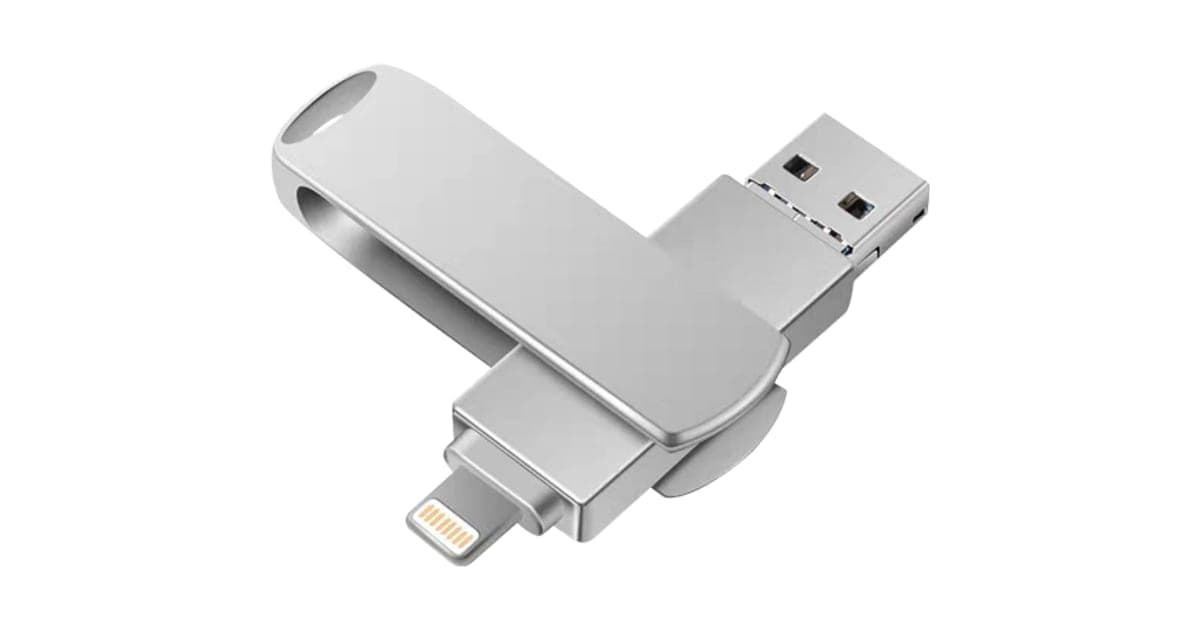
Worth it only if your phone still has a Lightning or micro USB port and you want an offline photo backup. MemorySafeX is a 64GB swivel flash drive with Lightning, micro USB and USB-A plugs, and for an iPhone 14 or older it is a simple way to copy photos without a cloud plan.
Score 4.2/10$59.00 at G Com Pte Ltd
Check price at G Com Pte Ltd (opens G Com Pte Ltd in a new tab)We may earn a commission if you buy through our links.
- Best for
- Owners of an iPhone 14 or earlier who want an offline photo backup
- Not for
- Anyone with an iPhone 15 or later, or a recent Android phone with USB-C only
$59.00 at G Com Pte Ltd
Check price at G Com Pte Ltd (opens G Com Pte Ltd in a new tab)We may earn a commission if you buy through our links.
On this page · 14 sections
- 01Our verdict
- 02The short version
- 03Pros & cons
- 04How it works
- 05Who it's for
- 06Does MemorySafeX fit your phone in 2026?
- 07Can MemorySafeX really hold 64,000 photos?
- 08How much does MemorySafeX cost, and what do the add-ons add?
- 09Is MemorySafeX better than ThePhotoStick or cloud backup?
- 10Is MemorySafeX legit, and what should you check before buying?
- 11How did we score MemorySafeX?
- 12How to use MemorySafeX for the best results
- 13What else do people ask about phone backup sticks?
- 14Frequently asked questions
Our verdict
Worth it only if your phone still has a Lightning or micro USB port and you want an offline photo backup. MemorySafeX is a 64GB swivel flash drive with Lightning, micro USB and USB-A plugs, and for an iPhone 14 or older it is a simple way to copy photos without a cloud plan. But every iPhone since the iPhone 15 uses USB-C, most current Android phones do too, the "64,000 photos" claim assumes 1MB files, and the page never names the app you need. MemorySafeX scores 4.2 out of 10, held back by its dated plugs and inflated photo count.
The short version
- What it is: a 64GB metal flash drive with a Lightning plug, a micro USB plug and a USB-A plug, for copying phone photos and videos.
- Price: $59 for one on 6 October 2026, with a five-pack for $149 flagged as the best seller.
- Best trait: an offline copy of your photos with no subscription.
- Biggest drawback: no USB-C plug, so it does not fit the iPhone 15 or later or most new Android phones without an adapter.
- Our score: 4.2 out of 10.
Pros & cons
A physical backup has real advantages: no monthly fee, no upload limits, no reliance on Wi-Fi. MemorySafeX delivers that for the phones it fits. The cons are mostly about which phones those are in 2026, and about claims the page makes without detail.
What we like
- Backs up photos and videos without a cloud subscription or internet connection
- Three plugs on one stick: Lightning, micro USB and full-size USB-A for a computer
- A swivel metal cover protects the plugs in a pocket or bag
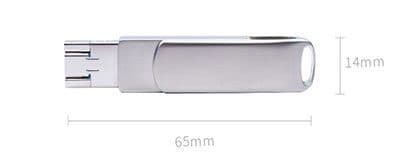
- Small, at about 65 by 14 millimetres, with a key-ring loop
- A one-off price rather than a monthly storage fee
What we don't
- Lightning only fits iPhones up to the iPhone 14; the iPhone 15 and later use USB-C
- Micro USB fits few current Android phones, which mostly use USB-C
- '64,000 photos' assumes 1MB per photo, and phone photos are usually larger
- The page does not name the app you need on an iPhone
- One drive is a single copy, not a full backup plan
- Return postage is yours to pay, and the add-on images show the same drive
Sold by G Com Pte Ltd
MemorySafeX$59.00
How it works
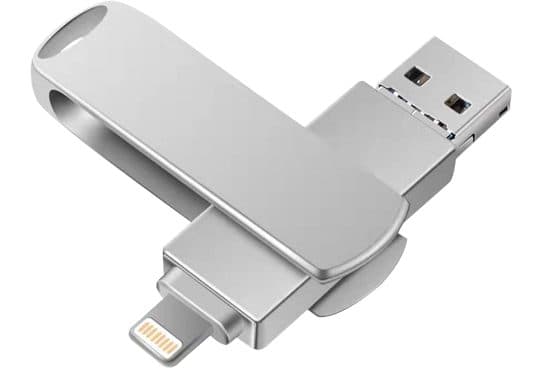
MemorySafeX is a USB flash drive with three connectors. A swivel metal cover rotates to expose either end. One end carries a Lightning plug for older iPhones and iPads. The other end has a full-size USB-A plug for computers, with a micro USB tip, so the same end can go into an older Android phone. You plug it into the phone, copy photos and videos onto it, then later plug it into a computer to move or keep a second copy.
Plug it into your phone
Step 1: Swing the cover aside and plug the Lightning end into an older iPhone, or the micro USB end into an Android phone that has that port.
Open the app and copy
Step 2: On iPhone, a companion app reads the drive and copies photos and videos onto it. On Android, a file manager or the phone's own storage settings can usually see the drive directly.
Move files to a computer
Step 3: Plug the USB-A end into a computer to copy everything off the stick, so your photos live in more than one place.
The page title calls it a "high speed stable USB 3.0 controller" storage device for iPhone, Android and PC. The six bullets promise instant backup of photos and videos, plug-and-play ease, backup directly from your phone, 64GB for "64,000 photos", iOS and Android compatibility and safe, secure transfer. It does not give read or write speeds, the app's name, what file types the app copies, or whether the drive can encrypt its contents.
Why iPhones need an app
An iPhone can open USB-C drives in its Files app, but Lightning flash drives of this kind work through a companion app made for the drive's chip. That app does the copying and lets you view what is on the stick. The MemorySafeX page shows no app name, screenshots or link. That is the one piece of information an iPhone buyer needs most.
Android and USB storage
On Android, USB storage generally shows up in the Files app or the phone's storage settings when you plug it in, as long as the phone supports USB on-the-go, which most do. You then copy the DCIM folder, where your camera saves photos and videos, onto the stick.
Who it's for
MemorySafeX suits someone with an iPhone 14 or older, or an older Android phone with a micro USB port, who wants a local copy of photos without paying for cloud storage. It is a good fit for a relative with an older phone who does not want an online account, or as a second copy alongside a cloud backup.
- Owners of an iPhone 14 or earlier who want an offline photo backup
- People with older Android phones that still have a micro USB port
- Anyone who wants a local copy of photos without paying for cloud storage
Owners of older iPhones
If your iPhone has a Lightning port, the drive plugs straight in. Phones from the iPhone 5 to the iPhone 14 all use Lightning. For a phone that is filling up, copying photos to a stick and then deleting some from the phone frees space without paying for a bigger iCloud plan.
Older Android phones
Many Android phones sold before about 2018, and some budget models after that, used micro USB. If yours does, the drive fits. Most Android phones from the last several years use USB-C, which this drive does not have.
People who avoid the cloud
Some people do not want their photos on a company's servers, or have slow or capped internet. A stick in a drawer keeps photos under your control. Make two copies, though, because a single stick is easy to lose.
Grandparents and less confident users
A physical object can feel easier to understand than a cloud setting. Plug it in, press a button in the app, and the photos are on the stick. Help them set it up the first time, and show them how to check that the photos really copied.
Travellers
On a trip with limited Wi-Fi, a stick lets you clear space on your phone without waiting for uploads. Keep it separate from your phone, so losing one does not mean losing both.
Families sharing photos
A stick is an easy way to hand a batch of holiday photos to a relative who does not use shared albums. Copy the folder, give them the stick, and they can open it on a computer. Expect to get the stick back, or buy a second one for the purpose.
Small businesses and tradespeople
Some people use phone photos for work: before-and-after shots for a tradesperson, stock photos for a small shop. A stick gives a quick offline copy of those, but for business records a cloud service with version history and access from any device is safer and easier to share with an accountant or customer.
Who should skip it
Skip MemorySafeX if your phone has a USB-C port, if you want backups to happen on their own, or if your camera roll is mostly high-resolution photos and 4K video that will fill 64GB quickly.
- Anyone with an iPhone 15 or later, or a recent Android phone with USB-C only
- People who want automatic backups without plugging anything in
- Anyone with a large library of 48-megapixel photos or 4K video
- Buyers who would rely on one stick as their only copy of irreplaceable photos
Does MemorySafeX fit your phone in 2026?
Only if your phone has a Lightning or micro USB port. Apple moved the iPhone 15 range to USB-C in September 2023, and later iPhones followed. Most Android phones switched to USB-C years ago. MemorySafeX has no USB-C plug, so on most phones sold in the last few years you would need an adapter, and the page does not say whether its app works through one.
The iPhone switch to USB-C
Fortune reported on 12 September 2023 that Apple was adopting USB-C for all four iPhone 15 models, ending the Lightning connector on new iPhones. If you bought an iPhone in late 2023 or since, it almost certainly has a USB-C port, and MemorySafeX's Lightning plug will not fit it.
What this means for you: check the port on the bottom of your phone before ordering. A Lightning port is a small, flat slot; USB-C is a slightly wider oval.
Which iPhones have Lightning?
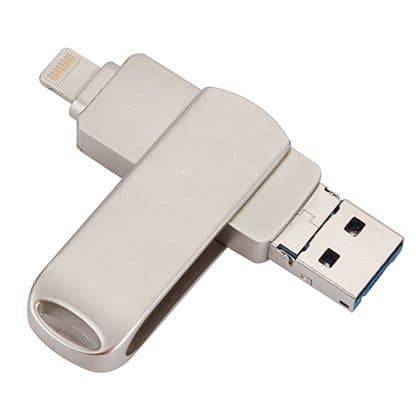
Every iPhone from the iPhone 5 in 2012 to the iPhone 14 range in 2022 uses Lightning, along with the second and third-generation iPhone SE. Many of these phones are still in daily use, often handed down to children or older relatives. Those are the phones MemorySafeX was designed for, and for them it plugs straight in.
Android and micro USB
Micro USB was the standard Android port for years, but most phones now use USB-C, and the EU's common charger rules have pushed that further. If your Android phone has USB-C, the micro USB tip on this drive will not fit.
What about adapters?
A small USB-C to USB-A adapter would let the USB-A end plug into a USB-C phone or laptop. Whether that works on a phone depends on the phone supporting external storage, which most Android phones do. On a USB-C iPhone, you could open the drive in the Files app through such an adapter, but at that point a plain USB-C flash drive is simpler and usually cheaper.
What happens when you upgrade your phone
If you buy a USB-C iPhone next year, a Lightning stick stops being useful for backups from the new phone, though you can still read it on a computer. That limits how long the purchase stays useful. A drive with USB-C, or a cloud service, follows you to the next phone.
iPads
Older iPads use Lightning, and newer ones use USB-C. The same rule applies: check the port first.
Computers
The USB-A end fits most desktop PCs and many laptops. Recent MacBooks and many slim Windows laptops only have USB-C ports, so you would need an adapter or a hub to copy files off the stick.
Can MemorySafeX really hold 64,000 photos?
Only if every photo is about 1MB, and modern phone photos are usually bigger. 64GB divided by 64,000 photos is 1MB each. A file-format guide puts typical 12-megapixel iPhone photos in the HEIC format at 1.5 to 2.5MB, larger as JPEGs, and 48-megapixel shots well above that. Formatting also leaves less than 64GB usable. Expect somewhere between about 20,000 and 40,000 photos, and far fewer if you store video.
Where the 64,000 figure comes from
The bullet "Large Capacity 64GB - 64,000 Photos" uses a round 1MB per photo. That fits small, compressed images from older phones. It does not fit current iPhones or high-end Android cameras.
What a guide says about photo sizes
A guide to HEIC files says a 12-megapixel HEIC photo is typically 1.5 to 2.5MB and the same scene as a JPEG 3 to 5MB. At 2MB each, 64GB holds roughly 30,000 photos. At 5MB, it is closer to 12,000.
Usable capacity
Storage makers count a gigabyte as a billion bytes, while computers often show capacity in binary units, so a 64GB drive usually shows around 59GB to 60GB free after formatting. That alone trims the photo count by several thousand.
Video changes everything
A minute of 4K video at 30 frames per second can take a few hundred megabytes, depending on the phone and settings. A camera roll with a few hours of video can fill 64GB on its own. If you shoot a lot of video, the stick will fill quickly.
What to do: check the size of your photo library in your phone's storage settings before buying. If it is near or over 40GB, 64GB will not hold it all with room to spare.
Duplicates and organisation
Sponsored pages say MemorySafeX removes duplicates and organises files automatically. The offer page does not claim that. Whether it happens depends on the companion app, which the page does not name. Do not count on duplicate removal until you have seen the app.
File types
Sponsored pages also mention RAW, PDF and DOC support. On a computer, any flash drive stores any file type. On a phone, what you can copy depends on the app or file manager. If you shoot RAW photos or want to back up documents from your phone, check that the app handles them.
"High speed" with no figures
The title mentions a USB 3.0 controller, which can be fast on a computer. Over Lightning, transfers to an iPhone are limited by the phone's own port, which on most Lightning iPhones runs at USB 2.0 speeds. The page gives no megabytes per second figure, so you cannot judge speed in advance. Large libraries can take a long time to copy.
How much does MemorySafeX cost, and what do the add-ons add?
On 6 October 2026, one MemorySafeX cost $59, with the five-pack at $149 flagged as the best seller. The checkout offered an aluminium body for $9, a U-shaped holder for $4, a car charger for $9 and a 3-year warranty for $9. The main product photo already shows a metal body and a key-ring loop, so ask what the first two add-ons change.
MemorySafeX price and bundles
| Package | Total | Per drive |
|---|---|---|
| 1 MemorySafeX | $59 | $59.00 |
| 2 MemorySafeX | $89 | $44.50 |
| 3 (buy 2, get 1 free) | $109 | $36.33 |
| 4 MemorySafeX | $129 | $32.25 |
| 5 (buy 3, get 2 free), best seller | $149 | $29.80 |
Prices are in US dollars as listed on 6 October 2026. A second drive is useful for a second copy of your photos, so two is a reasonable choice. Five is more than most people need. You can check today's packages on the MemorySafeX order page (opens G Com Pte Ltd in a new tab).
The aluminium body
The $9 add-on promises protection "with aluminum body against physical damage". Its image is a side view of the same silver swivel drive with dimension lines showing 65 by 14 millimetres. The main photo already shows a metal swivel cover. What to do: ask support what the standard drive is made of before paying for this.
The U-shaped holder
The $4 holder is described as an attachment to carry the drive. Its image shows the same drive again, swivel cover open. The drive already has a loop at the end of the swivel for a key ring. Skip it unless support explains what you get.
The car charger
A $9 USB car charger has nothing to do with backup. Skip it if you already own one.
Warranty and value
The 3-year warranty costs $9. Flash memory can fail without warning, so a warranty has some value on a backup device, but it replaces the drive, not your photos. Your real protection is a second copy somewhere else.
What a year of backups costs
A $59 stick is a one-off cost. A typical paid cloud tier with enough room for a large photo library costs a few dollars a month. Over two years, the costs can be similar. The difference is that the cloud runs on its own and keeps copies off-site, while the stick needs you to remember it and keep it safe.
The "regular price"
Add-ons are shown against crossed-out prices, and the page carries a countdown timer. Sponsored pages quote higher "regular" prices too. We found no evidence that MemorySafeX sells for more elsewhere. Silver swivel drives with this exact Lightning and USB-A layout are sold by many sellers under different names.
Spare connectors
If the Lightning plug bends or breaks, the stick cannot be repaired, though the USB-A end may still work on a computer. Keep the swivel cover closed when the stick is in a pocket, and never use the stick as a lever or stand while it is plugged into a phone.
Who sells it
The order page names G Com Pte Ltd at 137 Market Street in Singapore, with the email support@g63com.com and a phone number. The footer gives the country as Hong Kong. The page code says charges appear on your card statement as drone720x.com, which has nothing to do with storage, so note it down.

MemorySafeXScore 4.2/10
Best for: Owners of an iPhone 14 or earlier who want an offline photo backup
$59.00 at G Com Pte Ltd · Price checked October 6, 2026
Check price at G Com Pte Ltd (opens G Com Pte Ltd in a new tab)We may earn a commission if you buy through our links.
Is MemorySafeX better than ThePhotoStick or cloud backup?
It is cheaper than ThePhotoStick Mobile and similar in idea, but cloud backup beats both for most people because it runs on its own and keeps copies off-site. For a USB-C phone, a plain USB-C flash drive is the obvious hardware choice. MemorySafeX makes most sense as a cheap second copy for an older Lightning iPhone.
| Option | Plugs | Capacity | Automatic? | Price |
|---|---|---|---|---|
| MemorySafeX | Lightning, micro USB, USB-A | 64GB | No | $59 |
| ThePhotoStick Mobile | Phone connector plus USB-A | Varies by model | No | $64.99 in our review |
| ThePhotoStick Omni | Four-way adapter head | Varies by model | No | $69.99 in our review |
| Cloud photo backup | None needed | By plan | Yes, over Wi-Fi | Free tier, then monthly |
| Plain USB-C flash drive | USB-C (some also USB-A) | Many sizes | No | Varies |
MemorySafeX vs ThePhotoStick Mobile
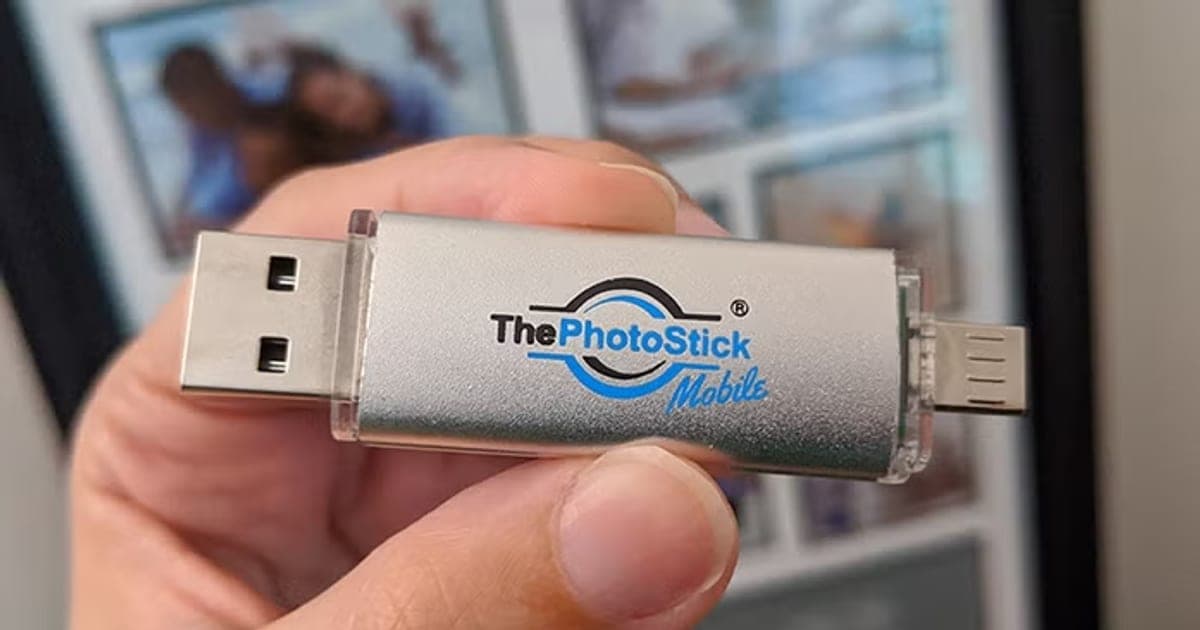
Our ThePhotoStick Mobile review covers a better-known backup stick with a phone connector, USB-A and a dedicated app, at $64.99. It has the same Lightning problem on new iPhones and a short warranty. MemorySafeX costs a little less and adds micro USB. Neither wins clearly; both are aimed at older phones. Our is ThePhotoStick legit article explains what we found about that brand's claims.
MemorySafeX vs ThePhotoStick Omni
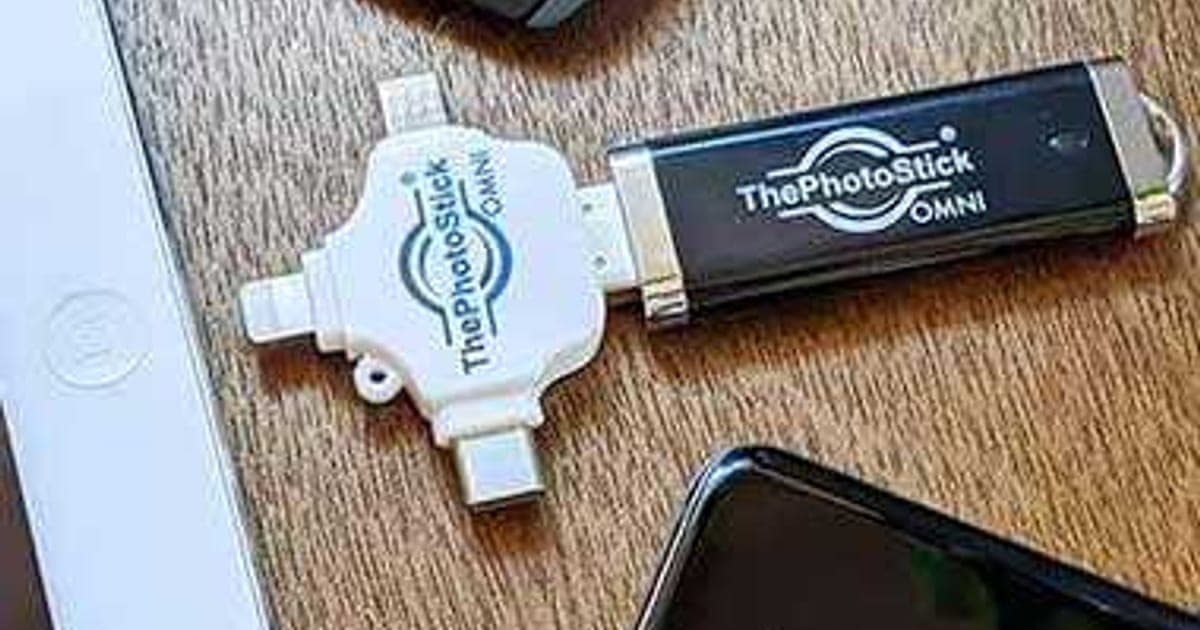
Our ThePhotoStick Omni review looks at a version with a four-way adapter head that includes USB-C. If you have a mix of old and new devices, a multi-plug stick with USB-C covers more of them. That is a case where a rival wins on compatibility.
MemorySafeX vs cloud backup
Cloud photo services back up automatically when your phone is on Wi-Fi and keep copies in a data centre, so a fire, theft or lost bag does not take your photos with it. Most offer a free tier and charge monthly for more space. The stick costs once but only helps if you remember to use it.
MemorySafeX vs an encrypted drive
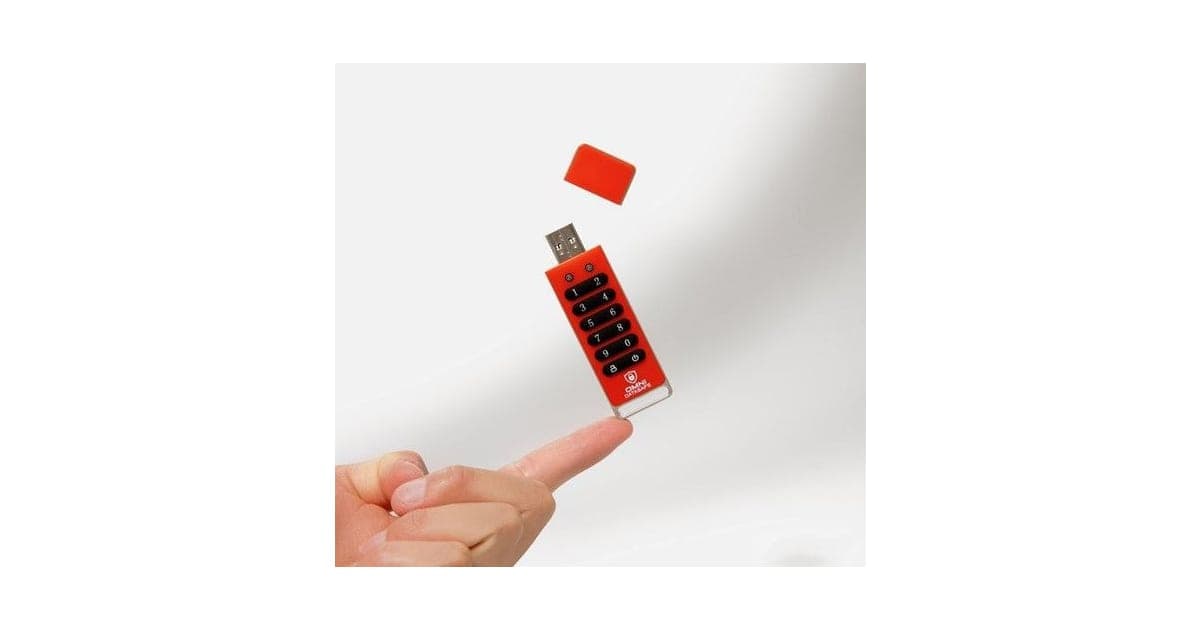
If privacy matters, our Omni DataSafe review covers a keypad drive with AES-256 encryption. MemorySafeX's page promises "safe and secure transfer" without mentioning encryption, so anyone who finds the stick can read it.
MemorySafeX vs a plain flash drive
For a computer or a USB-C phone, a plain flash drive from a known brand gives you more capacity for the money and a clearer warranty. The only reason to pay more for MemorySafeX is its Lightning plug.
If you have a Lightning iPhone and want a cheap offline copy, check today's packages on the MemorySafeX offer page (opens G Com Pte Ltd in a new tab).
MemorySafeXScore 4.2/10
Why people buy it: Backs up photos and videos without a cloud subscription or internet connection
$59.00 at G Com Pte Ltd · Price checked October 6, 2026
Check price at G Com Pte Ltd (opens G Com Pte Ltd in a new tab)We may earn a commission if you buy through our links.
Is MemorySafeX legit, and what should you check before buying?
MemorySafeX is a real product from a named seller, and a drive should arrive if you order. Before buying, check your phone's port, ask which app the iPhone version uses, switch from the five-pack, skip the add-ons that repeat what the photos show, and note the card statement name. Then treat it as one copy, not your only backup.
Check your phone's port
What to do: look at the charging port. Lightning or micro USB means it fits. USB-C means it does not without an adapter.
Ask for the app's name
What to do: email support@g63com.com and ask for the iPhone app's name, then look it up in the App Store before ordering. Check its ratings, last update date and whether it supports your iOS version. An app that has not been updated in years may not work on current iOS.
Check the selected bundle
The five-pack for $149 is flagged as the best seller in the page code. What to do: change it to one or two drives before you enter your details.
Card statement name and memberships
The charge appears as drone720x.com. Pages on this checkout have also carried text for a "Gadget Discount Club" membership that is free for 30 days and then billed. What to do: note the statement name, and read every checkbox and post-payment page.
Refunds and returns
The page code offers a 30-day guarantee for a full refund or replacement, less shipping and handling. The terms we recorded on 4 October 2026 focus on defective goods, which can be returned within two years once you have a returns number, with return postage at your cost. A drive that does not fit your phone is not a defect.
What to do: check compatibility before you order, and test the drive with a few photos on the day it arrives.
Delivery and support
The seller ships from overseas and gives no delivery estimate. What to do: save your order email, and if nothing arrives in three weeks, ask support for tracking.
Privacy
The page promises "safe and secure transfer" but mentions no encryption or password. If someone finds the stick, they can read every photo on it. What to do: keep it somewhere safe at home, and do not store passport scans, ID photos or banking screenshots on it. If privacy matters, use an encrypted drive.
App permissions
On iPhone, the companion app will ask for access to your photo library. That is necessary for it to copy photos. Check whether it also asks for location, contacts or network access it does not need, and decline anything unnecessary in Settings.
How to buy MemorySafeX the smart way
- Check that your phone has a Lightning or micro USB port.
- Ask support for the iPhone app's name and check it in the App Store.
- Open the MemorySafeX order page (opens G Com Pte Ltd in a new tab) and select your country.
- Change the five-pack to one or two drives.
- Skip the car charger, and ask about the aluminium body and holder before adding them.
- Note the card statement name, drone720x.com, and save your order email.
How did we score MemorySafeX?
MemorySafeX scores 4.2 out of 10: claim accuracy 0.7, build durability 1.0, price competitiveness 0.9, usability 1.1 and owner satisfaction 0.5, each out of 2. It is a straightforward backup stick for older phones. It loses points for plugs that miss most current phones, a photo count based on 1MB files, an unnamed app, add-ons that repeat the standard design and no independent owner ratings.
How the score breaks down
We use the five criteria on our how we test page, each out of 2.
| Criterion | Score | Why |
|---|---|---|
| Claim accuracy | 0.7 / 2 | "64,000 photos" assumes 1MB files; "high speed" with no figures; iOS support limited to Lightning |
| Build durability | 1.0 / 2 | Metal swivel cover; flash memory life not stated |
| Price competitiveness | 0.9 / 2 | $59 is below ThePhotoStick Mobile, above plain drives |
| Usability | 1.1 / 2 | Simple on older phones; app unnamed; no USB-C |
| Owner satisfaction | 0.5 / 2 | No independent ratings; ranking pages are promotional |
| Total | 4.2 / 10 |
What owners say
We found no Trustpilot profile for the gadgetxaura.com store and no retailer reviews for MemorySafeX by that name. The ranking pages are sponsored articles quoting a 4.7-star average with no source. Owners of similar Lightning flash drives on large retail sites tend to praise the convenience for freeing up space, and complain about slow transfers of large libraries and companion apps that break after iOS updates.
What we did, and did not, do
Nobody on our team has used MemorySafeX. We read the offer page our link opens and its page code on 6 October 2026, along with Fortune's report on the iPhone 15's USB-C switch, a guide to HEIC photo sizes and the pages that rank for MemorySafeX. The refund and returns terms are as we recorded them from the site's terms page on 4 October 2026.
How to use MemorySafeX for the best results
Back up to MemorySafeX regularly, check that the photos really copied, then copy the stick to a computer or the cloud so you have two copies in different places. Keep the phone charged during long transfers, copy in batches, label the stick with the date, and store it away from heat and magnets.
- Check free space first. Compare your photo library size with the stick's free space.
- Charge the phone. Long copies can drain the battery, especially on older iPhones.
- Copy in batches. Do a year or a few months at a time rather than everything at once.
- Spot check. Open a few photos and a video from the stick to confirm they copied.
- Make a second copy. Copy the stick to a computer, an external drive or the cloud.
- Only then delete from the phone. Never clear your phone until you have two copies.
- Repeat monthly. Set a calendar reminder.
Backing up an iPhone
Install the companion app the seller names, plug the drive in, allow the app access to your photos and follow its backup option. Live Photos, edits and albums may not copy the same way as in iCloud, so check how they appear on the stick.
Backing up an Android phone
Plug the drive in, open your Files app, find the DCIM folder in internal storage, and copy it to the drive. Some phones also store screenshots and downloaded images in separate folders.
Restoring photos to a phone
If you lose a phone and want your photos on a new one, copy them from the stick to a computer first, then into your new phone's photo library through your computer's photo app or a cloud service. Restoring straight from a Lightning stick only works if the new phone also has Lightning.
Copying to a computer
Plug the USB-A end into a computer, open the drive, and copy the folders to a dated folder on your computer or an external hard drive. That is your second copy.
Naming and dating your backups
Create a folder on the stick for each backup, named with the date, such as "2026-10 phone photos". When you copy the stick to a computer, keep the same names. That makes it easy to find a photo later and to see when you last backed up.
Following the 3-2-1 idea
A common rule for important files is three copies, on two different kinds of storage, with one kept somewhere else. For phone photos, that could be the phone, the stick and a cloud service or a drive at a relative's house. A single stick in the same bag as your phone does not protect you from theft or fire.
Keeping the stick safe
Close the swivel cover when not in use, keep the stick on a key ring or in a drawer you remember, and do not leave it in a hot car. Flash memory slowly loses data if left unpowered for many years, so plug it in and check it once in a while.
If the drive is not recognised
Clean the plug gently, try another port, restart the phone, and on iPhone check that the app is up to date. If it still fails, contact support within the 30-day window.
MemorySafeXScore 4.2/10
Before you buy: Check the final price, shipping and return terms at checkout.
$59.00 at G Com Pte Ltd · Price checked October 6, 2026
Check price at G Com Pte Ltd (opens G Com Pte Ltd in a new tab)We may earn a commission if you buy through our links.
What else do people ask about phone backup sticks?
Most questions are about whether sticks back up contacts and messages, how long data lasts on them and whether they slow down your phone. Most photo sticks copy photos and videos, sometimes contacts, rarely messages. Flash memory is fine for years but not forever. A stick does not speed up your phone unless you delete photos after copying them.
Does MemorySafeX back up contacts and messages?
The page only mentions photos and videos. Some companion apps can export contacts as a file. Messages and app data are better backed up through your phone's own backup feature.
Will it speed up my phone?
Only by freeing space after you delete the copied photos. Copying alone does not change your phone's speed.
How long will photos last on a flash drive?
Flash drives can hold data for years, but they are not designed as archives and can fail without warning. That is why a second copy, on a computer, a hard drive or the cloud, matters. Browse our phone accessory reviews for other backup and charging gear, and see our guide to the best phone accessories for the ones that scored highest.
Can I back up two phones to one stick?
Yes, as long as there is space. Make a separate folder for each phone so the photos do not mix. The app on each iPhone may create its own folder automatically.
Does it work with an iPad?
Older iPads with a Lightning port should work with the same app as an iPhone. Newer iPads with USB-C need a different drive or an adapter.
Can I use it like a normal USB stick for documents?
Yes. On a computer it works like any flash drive, so you can store documents, music or anything else, within the space left.
Frequently asked questions
Does MemorySafeX work with iPhone 15 or 16?
Not directly. MemorySafeX has a Lightning plug for iPhones, and Apple switched the iPhone 15 range to USB-C in September 2023. Later iPhones also use USB-C. You would need an adapter, and the page does not say whether its app works through one. For newer iPhones, a USB-C drive or cloud backup is simpler.
Can MemorySafeX really hold 64,000 photos?
Only if each photo is about 1MB, because 64GB divided by 64,000 is 1MB. Photos from recent phones are usually larger: a file-format guide puts 12-megapixel iPhone HEIC photos at around 1.5 to 2.5MB, and 48-megapixel shots higher. Formatting also leaves less than 64GB free. Expect tens of thousands of photos, fewer with video.
How much does MemorySafeX cost?
On 6 October 2026, the offer page listed one MemorySafeX for $59, two for $89, three (two plus one free) for $109, four for $129 and five (three plus two free) for $149, with the five-pack flagged as the best seller. Add-ons cost $4 to $9, and a 3-year warranty costs $9.
Do I need an app to use MemorySafeX?
On an iPhone, yes. iPhones cannot open a Lightning flash drive in the Files app the way they open a USB-C drive, so drives like this rely on a companion app. The MemorySafeX page does not name the app. On Android, a file manager can usually see the drive if your phone supports USB storage.
Is MemorySafeX better than iCloud or Google Photos?
It is different. Cloud services back up automatically over Wi-Fi and keep copies off-site, which protects you if a phone and a drive are lost together. A stick is a one-off cost with no subscription, but you must remember to plug it in, and it can be lost or broken. Using both is safest.
Does MemorySafeX work on a computer?
Yes. The full-size USB-A plug fits most Windows and Mac computers, though recent MacBooks and many thin laptops only have USB-C ports and need an adapter. Once plugged in, the drive should appear like any other flash drive so you can copy files off it.
Is MemorySafeX legit?
It is a real product sold by G Com Pte Ltd, which lists a Singapore address, email and phone number. The concerns are the dated Lightning and micro USB plugs, the photo-count claim, the unnamed app, the five-pack flagged as best seller and return postage at your cost.
We may earn a commission if you buy through our links.
Prices accurate as of October 6, 2026. Check the seller's checkout for current pricing, promotions and terms.
What we checked: No hands-on use. Claims, product title, feature bullets, photos, US dollar prices, bundles, add-ons and their images, warranty price, seller details and card statement name from the MemorySafeX offer page our link opens (gadgetxaura.com) and the data in the page's own code on 2026-10-06. The 30-day guarantee text was read in the same page code that day; the fuller refund and returns terms are as recorded from the site's terms page on 2026-10-04. Fortune's report on Apple adopting USB-C for the iPhone 15, a file-format guide on HEIC photo sizes and the top-ranking MemorySafeX pages were read on 2026-10-06.
See how MemorySafeX compares in The Best Phone Accessories of 2026

About the author
Ethan Walker, Hardware & Gadget Tester
Ethan Walker covers hardware for Top10Gadgets: audio, computing, phone accessories, chargers, tools, car gadgets and sports equipment. Ethan believes a product should be judged on what happens when people actually use it…
- Headphones and speakers
- Chargers and phone accessories
- Tools and emergency gear
- Car accessories
- Durability and real-world performance
Writing for Top10Gadgets since 2026Full profile